
- Qualcomm Launches Snapdragon 4 Gen 2 Mobile Platform
- AMD Launches Ryzen PRO 7000 Series Mobile & Desktop Platform
- Intel Launches Sleek Single-Slot Arc Pro A60 Workstation Graphics Card
- NVIDIA Announces Latest Ada Lovelace Additions: GeForce RTX 4060 Ti & RTX 4060
- Maxon Redshift With AMD Radeon GPU Rendering Support Now Available

Social & RSS Feeds
Latest Videos



Latest News
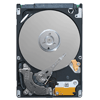
Seagate Momentus XT 500GB

by William Kelley on November 1, 2010 in Storage
The allure of an SSD is one that’s difficult to ignore, but with pricing still in the realm of limited adoption, many are choosing to wait things out. But what about taking a baby step into the SSD world, with a hard drive that equips a mechanical design with some NAND flash to speed things up? We’re taking a look at Seagate’s solution.
Page 2 – Test System & Methodology
At Techgage, we strive to make sure our results are as accurate as possible. Our testing is rigorous and time-consuming, but we feel the effort is worth it. In an attempt to leave no question unanswered, this page contains not only our testbed specifications, but also a fully-detailed look at how we conduct our testing.
If there is a bit of information that we’ve omitted, or you wish to offer thoughts or suggest changes, please feel free to shoot us an e-mail or post in our forums.
Test System
The table below lists the hardware used in our current storage-testing machine, which remains unchanged throughout all of our testing, with the obvious exception of the storage. Each hard drive used for the sake of comparison is also listed here. In addition, each one of the URLs in this table can be clicked to view our review of the respective product, or if a review doesn’t exist, you will be led to the product page on the manufacturer’s website.
|
Component
|
Techgage Hard Drive Test System
|
| Processor | Intel Core i5-750 – Quad-Core, 2.66GHz |
| Motherboard | |
| Memory | |
| Graphics | |
| Audio |
On-Board Audio
|
| Storage |
Seagate 320GB Barracuda 7200.10 (OS Drive) Tested Drives: Seagate Barracuda LP 2TB – 3G/bits Seagate Barracuda 7200.12 1TB – 3G/bits Seagate Momentus 5400.4 500GB Seagate Momentus 7200.4 500GB Seagate Momentus XT 500GB Seagate Barracuda XT 2TB – 6G/bits Western Digital Caviar Black 1TB Western Digital Caviar Black 1TB – 3Gbit/s Western Digital VelociRaptor 300GB – 3Gbit/s Western Digital VelociRaptor 600GB – 3Gbit/s |
| Power Supply | |
| Chassis | |
| Display |
Dell 2407WFP-HC
|
| Et cetera |
LG DVD-ROM
Windows Vista Ultimate 64-bit |
When preparing our testbeds for any type of performance testing, we follow these guidelines:
- General Guidelines
- No power-saving options are enabled in the motherboard’s BIOS.
- Internet is disabled.
- No Virus Scanner or Firewall is installed.
- The OS is kept clean; no scrap files are left in between runs.
- Hard drives affected are defragged with PerfectDisk 10 prior to a fresh benchmarking run.
- Machine has proper airflow and the room temperature is 80°F (27°C) or less.
- Windows Vista Optimizations
- User Account Control (UAC) is disabled.
- Windows Defender, Firewall, Security Center, Search, and Updates are disabled.
Because it gives a more realistic interpretation of the common PC, we leave all of the power-related options in the BIOS to their default selection. This means that for Intel-based boards, SpeedStep is left in tact.
 Our Windows Vista Desktop for Storage-Testing |
To aide with the goal of keeping accurate and repeatable results, we alter certain services in Windows Vista from starting up at boot. This is due to the fact that these services have the tendency to start up in the background without notice, potentially causing slightly inaccurate results. Disabling “Windows Search” turns off the OS’ indexing which can at times utilize the hard drive and memory more than we’d like.
Storage Benchmarks
In order to get a great overall outlook on how a particular drive performs compared to the competition, we run a variety of real-world and synthetic benchmarks. As they’re standard in the industry, our synthetics include PCMark Vantage, Iometer and HD Tune Pro. For our real-world tests, we use 7-Zip, Adobe Lightroom, dBpoweramp, file transfers, and also measure boot times. On the non-performance side of things, we also measure for drive temperatures, acoustics and power consumption.
Each one of our tests is explained in more detail on its respective page.

Support our efforts! With ad revenue at an all-time low for written websites, we're relying more than ever on reader support to help us continue putting so much effort into this type of content. You can support us by becoming a Patron, or by using our Amazon shopping affiliate links listed through our articles. Thanks for your support!