
- Qualcomm Launches Snapdragon 4 Gen 2 Mobile Platform
- AMD Launches Ryzen PRO 7000 Series Mobile & Desktop Platform
- Intel Launches Sleek Single-Slot Arc Pro A60 Workstation Graphics Card
- NVIDIA Announces Latest Ada Lovelace Additions: GeForce RTX 4060 Ti & RTX 4060
- Maxon Redshift With AMD Radeon GPU Rendering Support Now Available

Social & RSS Feeds
Latest Videos



Latest News
AMD64 3200+ Venice S939
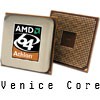

by Rob Williams on May 24, 2005 in Processors
AMD has had their share of new CPU releases lately, and more are coming. Recently, they released the Venice and San Diego chips, with a 90nm core, added SSE3 support, and has superb overclocking potential. They also use less power, which means lower temps! Read on as I put the Venice 3200+ through a slew of benchmarks.
Page 1 – Introduction
As said in the intro, AMD recently released their Venice and San Diego core processors. The primary differences between the two, is that the Venice uses 512Kb L2 Cache, and the San Diego uses 1024Kb L2 Cache. Venice is for the casual mainstream computer user, while San Diego will be, or hopes to be, the hardcore gamers core of choice.
Both Cores, use a 90nanometer process, as all the current AMD chips being produced will. AMD recently got rid of the 130nm cores, and because of this, the potential of the chip is better.. lower temperatures and higher overlocks. Even the Winchester core at 90nm, couldn’t handle higher frequencies, which held some overclockers back, and this is where Venice could make it’s mark.
So what does the Venice bring to the table, to make it better than the Winnie? AMD added the SSE3 Instruction set to both the Venice and San Diego, which should help out in some areas, primarily media and development, but not gaming. It should be mentioned that this is not a simple copy/paste, so to speak, of the SSE3 instructions from the Prescott Intel chips. Prescott has a few more instructions in the set, that are used towards their Hyper-Threading technology. So if you were considering an Intel due to the Hyper-Threading factor, then the addition of SSE3 to the Venice/Sandy shouldn’t sway you.
Another feature added, is a better memory controller. An issue with the controller on the Winchester chips, was that if you used 4 Single-Sided sticks of memory, it would force you to use 2T timings, which held back performance. This has been fixed on the new cores.
Lastly, another thing that makes the Venice so great, is that it runs using a relatively low 66W of power, meaning lower temps, and higher overclocks. In the review, I am going to benchmark the stock chip, and then see how far I can push the overclock. The Venice comes in four flavours, the 3000+, 3200+, 3500+ and finally the 3800+. I’ll be taking a look at the 3200+, which comes in at a stock speed of 2.0GHz.
|
Processor |
AMD 64 3200+ S939 “Venice” Core (512k L2 Cache) |
|
Motherboard |
DFI LanParty NF4 UT Ultra-D |
|
Power Supply |
Ultra X-Finity 600W |
|
Memory |
512 * 2 Samsung DDR400 (3-3-3-8) |
|
Hard Disks |
200GB * 2 Western Digital 8MB Cache160GB Western Digital 8MB Cache |
|
Sound Card |
Phillips PSC724 Ultimate Edge 5.1 |
|
Video Card |
BFG 6800 GT OC 256MB |
|
Etcetera |
Running Windows XP Professional with SP2.Video drivers are Omega Drivers 1.6693 versions.Using 5/10 BIOS flash. |

Support our efforts! With ad revenue at an all-time low for written websites, we're relying more than ever on reader support to help us continue putting so much effort into this type of content. You can support us by becoming a Patron, or by using our Amazon shopping affiliate links listed through our articles. Thanks for your support!

Rob Williams
Rob founded Techgage in 2005 to be an 'Advocate of the consumer', focusing on fair reviews and keeping people apprised of news in the tech world. Catering to both enthusiasts and businesses alike; from desktop gaming to professional workstations, and all the supporting software.


