
- Qualcomm Launches Snapdragon 4 Gen 2 Mobile Platform
- AMD Launches Ryzen PRO 7000 Series Mobile & Desktop Platform
- Intel Launches Sleek Single-Slot Arc Pro A60 Workstation Graphics Card
- NVIDIA Announces Latest Ada Lovelace Additions: GeForce RTX 4060 Ti & RTX 4060
- Maxon Redshift With AMD Radeon GPU Rendering Support Now Available

Social & RSS Feeds
Latest Videos



Latest News
Cooler Master CoolViva Pro
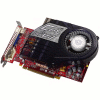

by Greg King on April 26, 2007 in Cooling
As their name suggests, Cooler Master is no stranger to cooling products. They were however new to graphics card cooling, but no longer thanks to their CoolViva Pro. We are taking their first GPU cooler for a spin to see if their legendary quality is carried over here.
Page 1 – Introduction
|
|
Ahh yes, another cooler review. If there is one piece of hardware that can not only add flare to a case, but also functionality, it’s the lowly cooler. Whether you’re trying to get a few extra MHz out of your hardware or simply wanting to make your whole PC quieter, your best bet is with an after market cooler.
When it comes to CPUs, there are more companies that you can imagine and they are all trying to sell you the same basic thing. As it turns out, many coolers are based on the same design but there are also a handful of manufacturers who push the envelope and set out to change the way we cool our PCs.
In the realm of after market video card coolers, the selection is significantly smaller. With only a handful of players, companies are starting to realize this and make GPU coolers of their own. One such company is Cooler Master. Long known for their PC chassis, particularly their Stacker line of cases, Cooler master has decided to throw their name into the growing hat of companies making video card coolers.
With their Cool Viva Pro (interesting name to say the least), they hope to use their well deserved reputation for momentum as they enter the GPU cooler arena.
Closer Look
Cooler Master has chosen to package the Viva Pro in a simple clam shell plastic case. Through the front of the package, we can see the cooler itself. Aside from the cooler, the only other information offered is that the cooler fits not only ATI cards, but NVIDIA cards as well. From the looks of things, the Viva Pro will act as most high stock video cards and pull air from inside the case, blow it across the heatsink that sits on top of the GPU and expel it out the back of the case.

Included with the Viva Pro is a small bag of accessories. These include the necessary adapters to mount the cooler on most GPUs. Sadly the recently released 8800 series from NVIDIA cannot be cooled with the Viva Pro. However, this can hardly be held against Cooler Master as the cooler was out before the launch of that series. If they approach the coolers as they do cases, they no doubt are working on a model that is compatible with the latest and greatest video cards from NVIDIA and ATI (when the R600) is launched.
As we can see, included in the kit is a pair of slotted PCI brackets to allow warm air to be expelled out of the back of your case, some Cooler Master thermal paste, a set of adapters, a four pin Molex to GPU fan adapter, 8 ram sinks, four posts needed to mount the cooler onto the video card and interestingly enough, a foam shield to be used on video cards without such a shield.

Also included is a small, multi-language installation manual folded up nice and neat, road map style.

Once out, we see the Viva Pro in all its glory. With a large plastic housing, the cooler certainly takes up a lot of room. Not exactly sure what font they used but the logo sure is large and bright. Also noticeable is the exceptionally large heatsink housed underneath the transparent black plastic. Made of aluminum with three copper plated heat pipes running the length of the heatsink, it will be interesting to see how this thing performs.

Taking a closer look at the fan, following in the path of other popular coolers, Cooler Master has decided to use the squirrel cage style of fan to move air across the fins of the heatsink. With the immense size of the Viva Pro, the fan will stick out far enough to not only pull air in from the top but also on the bottom of the fan housing as well.

As mentioned earlier, Cooler Master has given the Viva Pro three heat pipes to dispense the heat evenly across the length of the heat sink. These can easily be seen when the cooler is looked at from the side.

At the end of the cooler, we can see all of the fins, lined up in a row.

On the bottom of the Viva Pro is the copper plate that will actually make contact with the GPU itself. This is shipped with a plastic sticker on the bottom (most manufacturers practice this method as well) to keep the block free of any unwanted scratches that could possible find their way onto the block during shipping and/or packaging.

Once the protective sticker is removed, a small fan screw is placed on the block itself to show off the finish on the surface of the copper plate. While not near as perfect as one would like, the finish isn’t bad and when used with a decent thermal paste, this shouldn’t be a problem at all.

Overall the Viva Pro has a solid design, but how effective it is will be seen on our next page.
|
|

Support our efforts! With ad revenue at an all-time low for written websites, we're relying more than ever on reader support to help us continue putting so much effort into this type of content. You can support us by becoming a Patron, or by using our Amazon shopping affiliate links listed through our articles. Thanks for your support!