Techgage logo

Corsair 2GB TWINX2048-4400PRO

Date: May 16, 2006 - Author: Rob Williams - Editor: Mark Ozimek

Corsair once again wants the top spot in the DDR market, and they have it. The 4400PRO is the only 2GB kit available at these speeds, which is reason enough to check them out. Well, they prove very fast as we had hoped, despite the somewhat loose timings. Let's take a deeper look.


Introduction

This past March, the annual CeBit conference in Hannover, Germany was held. During that time, Corsair unveiled two new high-end kits. Not playing architecture favorites, one was a DDR kit and the other a DDR2 kit. We took a look at the latter kit a few weeks ago. The 1GB 8500 is undoubtedly some of the fastest memory on the market. Even months after CeBit, there are very few other manufacturers out there willing to take the step up to the 1066MHz plate.

The kit we are taking a look at today became an instant 'hit' so to speak, because it was a kit that power hungry users and enthusiasts crave. To my knowledge, Corsairs 4400PRO kit are the absolutely only 2GB 550MHz modules on the market. That gives them an immediate benefit. Like the 8500PRO, this 4400PRO kit proves that Corsair not only wants to have the fastest memory on the market, but does have some of the fastest memory on the planet.

Last fall, we reviewed Corsairs 2GB 3500PRO kit, which became one of the most wanted kits of the holiday season. That memory proved to have very fast stock speeds, and also had enough flexibility to please enthusiasts. This 4400PRO is similar to that kit, but should prove much faster. Why should you consider this kit over last Falls 3500PRO? Probably because most e-tailers sell the 4400PRO for only a few dollars more!

Closer Look

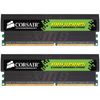
So what do we get? Well, the modules arrived in the green backed blister pack that every DDR1 PRO kit is encased in. The PRO modules are not ordinary by any standard, because they are the only modules out there that include LED lights at the top. These are activity lights that flicker depending on how much of the memory is currently being used. I am not usually into 'flashy' computer equipment as such, but this proves to be extremely cool looking in any computer. Especially if you are a modder and take pride in your setup.

The heatspreaders are much larger when compared to others on the market, which could be due to the fact that there are LED's slapped in there. They are designed for great heat dissipation also though, and it seems to do quite a good job. Because of the sheer speed of these modules, you may want to consider a fan to keep them cool. I have done a lot of stress testing at stock speeds without a fan and have had no problems, though. But to overclock further and push more voltage into them, a fan would be highly recommended.

On the front sticker of the modules, you can read the timings, model, speed and revision number. Overall, these are some of the coolest looking modules on the market. The PRO series heatspreaders are not new, but they still continue to impress.

Speed? What speed?

As mentioned in the intro, this is currently the only 2GB DDR550 kit on the market. Of course that doesn't happen without loose timings, which are 3-4-4-8 in this case. These timings are actually quite impressive still, because many 2GB DDR500 kits out there use the exact same timings. 50MHz more while keeping the same timings? I'm there.

For these modules, Corsair chose to use Infineon CE-5. I am unsure the -exact- chip codes, however. Infineon was a good choice for the modules, because they can handle great speeds alongside with great timings. However, CE-5 and CE-6 can be very troublesome at times. To say the least, CE-5 can be fussy.. very fussy. In some motherboards it will work as you expect it should, but in others, you may get some far different results.

Enter DFI Ultra-D.

This is one motherboard I have loved ever since it's release. It's not only a solid motherboard, but it offers just what the enthusiast and overclocker wants. One problem with the board though, is that it is hit and miss with memory. For example, when I got my first Ultra-D (before I killed two), I had issues getting MemTest error free with Micron based modules. The modules proved completely stable, only in that MemTest would cause errors.

Then came GeIL Ultra-X 1GB PC3200. This memory is said to work in the Ultra-D, but once installed, my system will not boot. If it does manage to boot, it gets stuck in an endless loop. So needless to say, the Ultra-D is picky. The reason I am mentioning all of this, is because that prior to receiving the 4400PRO, I was well aware that there were some issues with the Ultra-D and Infineon CE-5 and CE-6.

The primary problem with these chips is that the Ultra-D will not usually be 3D Stable, meaning game stable, at high overclocks. Over course, these modules are not 'overclocked' per se, but they roll in with bleeding edge speeds, so the potential for problem is there.

I should note that this is not just specific to Ultra-D boards, and I am not trying to single it out. However, most people who also have had these problems with their kits, have coincidently owned an Ultra-D or an SLI-DR. You could run into these problems regardless of what motherboard you run.

That potential became a reality during my testing. At the stock speeds of 275MHz, 3-4-4-8 2T, all synthetic benchmarks would be 100% stable, but as soon as I loaded up a game I would have a problem. Infineon tends to also be very specific in what it likes. It may only take a few MHz to make a world of difference, and in my case that proved true. After a night of tweaking, I found 272MHz with 3-3-2-0 timings to be completely 100% 3D Stable. It was a matter of only 3MHz that made the memory 3D Stable. In addition, the tighter timings are a welcomed advantage.

So what you want to take from this, is that if you purchase these modules, don't be surprised if you cannot run 3D Stable at stock speeds. Rather, it may be a difference of 5MHz. Even at 270MHz, these modules prove very fast. It's not the fault of the modules that these problems are consistent, but rather the CE-5 chips and/or the motherboard.

In tests performed by Corsair, it seemed that modules that proved 3D Unstable at stock speeds in an ASUS motherboard, proved stable in the DFI. On the other hand, they had a few modules that proved 100% 3D stable in the DFI, and not 3D stable in the ASUS. Talk about hit or miss!

Enough of my dribble. Let's get straight into the overclock ability of these babies.

Overclock Ability & Testing Procedures

Because these modules are top of their class, it's hard to expect much overclock ability out of them. What's nice though, is that all the settings performed were all done using only 2.8 VDIMM. Increasing the VDIMM did not have much of an affect on the overclock.

Sadly, I have not completed any full tests using the modules above stock speeds. I have previously gotten the modules to 285MHz, and that proved 2D stable but not 3D stable. I will continue to tweak the modules after this review, and if anything else if found, I will add it to the review.

At the time these overclocks were performed, 275MHz with either 1T or 2T proved non 3D Stable. However, Corsair sent me a hand-picked kit that had proved 3D Stable at stock speeds in their Ultra-D on-hand. After testing with those modules, they proved completely 3D Stable at stock speeds. I played Half-Life 2 for an hour and looped 3D Mark 01 and 3D Mark 06 for a few hours. With my other kit, '01 would crash within a minute. As mentioned earlier, it's really hit or miss whether or not you will get a kit completely suited for your motherboards liking.

In any case, here is the list of the overclocks I played with. These modules are dual-speced for DDR-400 speeds also. So, you could buy the modules and use DDR400 speeds in case you have that need. Of course, that may sound ridiculous. I have known many people who have bought memory before they had a new motherboard and CPU though, so it's a nice feature to have.

You may notice that the tRAS is at 0, and no that is not a typo. I have been running my PC at 2.65GHz with 265MHz memory and 3-3-2-0 timings for over two weeks now and have not had a single stability issue. tRAS doesn't usually make a large difference, but it's nice to see a 0 in your timings once in a while. If only the tRP and tRCD were as friendly ;)

One last thing to mention is the fact that these modules are rated for 2T, not 1T. This may seem odd, because 2T is usually only used for a 4 module configuration. Due to the high speeds of these modules though, Corsair deemed them to be more suitable for 2T.

Testing Procedures

On this page, I will explain how our testing procedures go. Firstly, the hard drive that hosts the operating system is fully defragged using Diskeeper 10 to assure no hiccups will be due to the OS. All testing occurs on a standalone OS installation that's dedicated to testing. Second, all unnecessary programs in Windows are closed down, minus the essential ones. This includes virus scanners, firewalls, peripheral software, etcetera. Before any testing occurs, the memory goes through a 4 hour MemTest run at stock settings to assure that they are error free and appropriate for overclocking and benching.

To test out the modules, I used the usual variety of benchmarking tools. No games are included in our memory benchmarking, because I consider them to be a waste of time. Overclocking your memory generally means overclocking your CPU in conjunction, which makes it hard to diagnose just what kind of difference the memory made. Here is the selection of tools we use in the review:

Throughout all of our graphs, you will see this structure: "200MHz 4-4-3-8 1T". The first number is obviously the frequency, followed by the timings. 1T or 2T refers to the command rate. The timings are listed as CAS-tRCD-tRP-tRAS.

Everest, Sandra

EVEREST is another great memory benchmarking program, because it allows you to get values for not only Read and Write, but latency. I prefer the good ole 2.22 (2005) version because I find it more accurate than the newer version, but I have included 2.80 benchmarks for you diehards out there.

These are some impressive results. Most notably, the 272MHz configuration with 3-3-2 timings proved to be our best shot. At the time, I didn't consider to try 275MHz with the same timings, but that setting proved stable in tests I performed quickly earlier. Stock speeds with those timings would be a *tad* better than the 272MHz, but nothing mind blowing. Either way, these are great results.

In the newest version of EVEREST, we can see that going from 1T to 2T makes a huge difference in the Write department. Generally, 1T to 2T will make a difference regardless of how you look at it, but it seems to affect the Write speed more than anything else.

SANDRA 2005

SANDRA is by far one of the most popular memory benchmarking tools out there, and for good reason. The reason I personally like it, is because you have the option of tweaking countless settings in order to benchmark to your liking. I run benchmarks using default settings in addition to unbuffered.

This memory brought upon the best results I have seen on my machine. Unlike the previous EVEREST tests, 275MHz with stock timings seemed a smidgen better than the 272MHz settings with tighter timings. I have to admit this is strange. Considering the 272MHz settings were completely stable, they should prove faster than stock. Again, I will blame Infineon ;)

Sciencemark 2, SuperPi, MemTest

SM 2 is a benchmarking tool I only recently found out about. What's great about it, is that it can spit out the usual MB/s results in addition to an overall 'Sciencemark'. The Sciencemark bases it's result on various criteria including the speed and latencies of the modules

Super Pi 1.5Mod

Even though mathematical calculations like this are extremely CPU intensive, they are also ram intensive. The faster your ram, the faster the overall calculations will be also. How SuperPi works is that you can specify how many digits you want to calculate past the decimal point. If you choose 1 Million, it will begin with the 3. and continue with 14359 all the way until it hits the 1 Millionth digit mark.

MemTest 1.65+

MemTest is not really a benchmark, but rather a memory error checker. I use it to grab the bandwidth value though, because as you overclock it, it will go higher. It gives you a quick and general idea of whether your overclock did any good or not.

Conclusions

In this corner, we have the 4400PRO. *Raises 4400PRO high into air* ... *crowd goes wild*.

Yes, I love how this memory performs. It proved to be the fastest memory I've had on my test bench, which speaks for itself. What I immediately like about the memory is the tweaking ability. Although it doesn't overclock much higher than stock, understandably, it proves to be an enthusiasts dream.

As I mentioned in earlier on in the review, these modules will not prove to be 3D Stable at stock speeds for everyone. Regardless of what kit you get, it will work in *some* motherboard at stock, but Infineon CE-5 has proved to be extremely fussy. For example, I have two kits on hand. One does not do 3D Stable at stock speeds, but one does. In fact, my 'best' OC with these modules has been stock speeds with 1T command rate and 3-3-2-0 timings. That proved to be 100% 3D Stable. Again, it's luck of the draw whether your kit will run at optimum speed.

In any case, if you want a blazing fast 2GB kit, you cannot go wrong here. Oddly enough, the 4400PRO kit sells for less than the 3500LL PRO in some retailers, so this would be the obvious choice in that case. Is there a reason you shouldn't get this kit? Yes of course. If you do not have an AMD that is able to scale your memory properly to 275MHz, the modules will be wasted in your system. Another reason may be because you want AM2 which will require DDR2.

Anyway I look at it, I love what this memory has to offer. For that, I am awarding it a 9/10 and our Editors Choice award.

Discuss in our forums

If you wish to discuss this review, please feel free to head on over to our related thread. You are not required to register to be able to reply to our content threads.


Copyright © 2005-2008 Techgage Networks Inc. - All Rights Reserved.