Date: April 7, 2008 - Author: Rob Williams
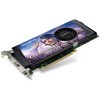
If on the lookout for a good GPU at a great price, it's easier than ever. NVIDIA's 9600 GT packs a punch and retails for well under $200. We are taking Gigabyte's stock-clocked solution for a spin to see how it stacks up against our other models. And yes, it overclocks like a beast.
When NVIDIA unveiled their first 9-series card in late February, the 9600 GT, people looked around and wondered what there was to be excited about. After all, we knew that NVIDIA brought nothing that notable to the table, except for higher clocks and good pricing. However, as far as I am concerned, the 9600 GT is the most interesting card of the 9-series bunch so far, even compared to the brand-new 9800 GTX.
The stock-clocked 9600 GT effectively kills the 8600 GT and rushes up to stand right behind the 8800 GT. It has fewer stream processors than the 8800 GT, but is clocked higher and luckily, doesn't suffer from a small memory bus or density.
From a technical standpoint, the 9600 GT is a fantastic card all-around. As we've come to expect from NVIDIA in the past, a x600 GT card normally denoted one that was targeting budget gamers, and the performance normally reflected that. However, the 9600 GT blows those assumptions out of the water, because it comes so close to the performance of an 8800 GT (especially overclocked), that it would make a great choice for pretty much anyone looking to save money on an upgrade or a new build.
Last week, I took a look at ASUS' EN9600GT TOP, which impressed me quite a bit, not surprisingly. Though I appreciate ASUS' desire to send higher-clocked parts, it's hard to do a proper comparison between makes and models without a reference-clocked card on hand. Thanks to Gigabyte, we have that here today. The big question I have is... could it possibly overclock as high as the ASUS model did?
Although the 9600 GT isn't necessarily an upgrade from the last-gen 8600 GT, comparing both their specs in the table below may invoke a chuckle. The 9600 GT doubles the processors, increases clocks all-around, and also effectively doubles the memory and memory bus width. There is no comparison, quite frankly.
Model |
Core MHz |
Shader MHz |
Mem MHz |
Memory |
Memory Bus |
Stream Proc. |
| 8600 GT | 540 |
1190 |
700 |
256MB |
128-bit |
32 |
| 8600 GTS | 675 |
1475 |
1000 |
256MB |
128-bit |
32 |
| 8800 GS | 550 |
1375 |
800 |
384MB |
192-bit |
96 |
| 9600 GT | 650 |
1625 |
900 |
512MB |
256-bit |
64 |
| 8800 GT | 600 |
1500 |
900 |
512MB |
256-bit |
112 |
| 8800 GTS 320/640 | 500 |
1200 |
800 |
320/640MB |
320-bit |
96 |
| 8800 GTS 512 | 650 |
1625 |
970 |
512MB |
256-bit |
128 |
| 9800 GTX | 675 |
1688 |
1100 |
512MB |
256-bit |
128 |
| 8800 GTX | 575 |
1350 |
900 |
768MB |
384-bit |
128 |
| 8800 Ultra | 612 |
1500 |
1080 |
768MB |
384-bit |
128 |
Compared to the 8800 GT, the main limiting factor is the lack of overall processors, a drop from 112 to 64. This will hurt in our overall real-world results when comparing the two, despite the 9600 GT's higher clocks, but later in the review we will look to see if we can get close by overclocking the card in question today.
Before we jump further into the review, let's first take a look at the card and its accessories. First up is a shot of everything included - a manual and driver CD, two VGA-to-DVI adapters, a Molex-to-PCI-E power converter and also a TV-Out box, which can accept a component connection.
Gigabyte always manages to impress me with their card designs, and this is no exception. It's hard to go wrong with a reference cooler, but the card graphic is enough to reassure you that you made the right purchase.
You know it's going to be a good card when a 6-Pin PCI-E connector is required. By comparison, neither the 8600 GT or GTS cards required a power connector.
As the included accessories would have us assume, the card includes ports for TV-Out and of course, dual DVI. Since the card supports HDCP, having a DVI-to-HDMI adapter included, like the ASUS EN9600GT did, would have been great to see.
If you are planning to pick up a 9600 GT but want an after-market cooler, you can reference the hole-spacing here. The card as a whole is quite similar to an 8800 GT, with the four core screws and six surrounding screws being located in the exact same locations.
On the next page, we will take a look at our current testing methodology, which we recommend you take a look at if you have not already. Our methodologies tend to be far different than most sites. On page 3, we will jump straight into our test results.
Regardless of the OS we are running or product being reviewed, there are a few conditions that are met to assure accurate, repeatable results.
Below is our testing machine, which remains untouched throughout all testing except for the graphics card.
In previous GPU reviews, we've used Windows XP Professional due to it's stability (when compared to Vista), but as Vista becomes increasingly popular and the choice for many, it makes sense for us to make the switch as well. We choose to use the 64-Bit version of the OS due to it being the logical choice for gamers who want to use more than 2GB of RAM in their machine.
Depending on the graphic card being reviewed, we split up models into two different categories: Low-End to Mid-Range and Mid-Range to High-End. The former will see the GPUs tested using 1280x1024 and 1680x1050 resolutions, since those are the most common resolutions for gamers looking to purchase a GPU in that price-range.
For our Mid-Range to High-End category, we test GPUs at 1680x1050, 1920x1200 and also 2560x1600 to better reflect the resolutions for those looking for a solid GPU offering.
We do not use time demos in our reviews except where necessary, and in the case of our current GPU reviews, the only game to be subject to a time demo is Enemy Territory: Quake Wars. This is due to that game disallowing greater than 60FPS without the use of a time demo. But since the game is a popular choice for multiplayer gamers, it should be included in some form or another.
Manual Benchmarks
In an attempt to deliver "real-world" results, all games except the above mentioned title are played through manually, with the average FPS recorded with the help of FRAPS 2.9.4. In our personal tests, we have found that manual benchmarks are the best way to deliver accurate results, since time demos rely heavily on the CPU.
In order to deliver the best results, each title we choose is explored to find the best possible level for our benchmarking. Once a level is chosen, we play through in order to find the best route, and then in future runs, we stick to that route as close as possible. We are not robots, so we cannot make sure that each run is identical, but they will never be far off from each other. As we see in our results, scaling is good, so we are confident that our methodology is a good one.
1680x1050 |
1920x1200 |
2560x1600 |
1680x1050 |
1920x1200 |
2560x1600 |
1680x1050 |
1920x1200 |
2560x1600 |
1680x1050 |
1920x1200 |
2560x1600 |
1680x1050 |
1920x1200 |
2560x1600 |
1680x1050 |
1920x1200 |
2560x1600 |
1680x1050 |
1920x1200 |
1680x1050 |
1920x1200 |
2560x1600 |
Note that the reason we do not test Need for Speed at 2560x1600 is because it's a resolution not supported by the game. EA tends to be a little slow when it comes to supporting high-end hardware.
Each graph for our benchmarking results are labeled with the resolution that the game was played at, while omitting secondary settings such as Anti-Aliasing, Anisotropic Filtering, texture quality, et cetera. To view all specific settings that we used, please refer to our testing methodology page, where we have screenshots for each game.
It's not often that a game comes along that truly pushes our hardware to the utmost limit. Crysis is one of those few games, and that will be the case for at least the next year. Don't believe me? Boot up your top-end machine, max out your resolution and set the graphics to "Very High". I guarantee tears will be shed within a few seconds of loading a level.
The level we chose here is Onslaught, also known as level five. We begin out in a tunnel, but what's important is that we are in control of a tank. What could be more fun? Our run through consists of leaving the tunnel and hitting the other side of the battlefield, killing six or seven enemy tanks along the way.
It goes without saying that any level in Crysis would make for a great benchmark, but this one in particular is gorgeous. Using the "Medium" settings, the game looks spectacular and is playable on all of our graphic cards, so we stick with it. Throughout the level, there is much foliage and trees and also large view-distances. Explosions from the tanks is also a visual treat, making this one level I don't mind playing over and over, and over.
Settings: Due to the intensiveness of the game, no AA is used at any resolution, and the secondary settings are all left to Medium.


I have to admit that I'm surprised at the results here, since the 9600 GT is faster than at least the EAH3850 TOP in all regards. But even still, I consider 20FPS "playable" for this game, and at the gorgeous resolution of 1920x1200, the 9600 GT managed to average at out 28FPS. Not bad for a sub $200 offering!
While Crysis has the ability to bring any system to its knees with reasonable graphic settings, Call of Duty 4 is a title that looks great no matter what setting you choose, even if you have it running well! It's also one of the few games on the market that will benefit from having more than one core in your machine, as well.
The level chosen here is The Bog, for the simple fact that it's incredibly intensive on the system. Though it takes place at night, there is more gunfire, explosions and specular lighting than you can shake an assault rifle at.
Our run consists of proceeding through the level to a point where we are about to leave a building we entered a minute before, after killing off a slew of enemies. The entire run-through takes about four minutes on average.
Settings: High details are used overall throughout all tests, although 4x AA is used for our 1920x1200 setting. That AA is removed in our 2560x1600. As we can see in the graphs below, both of those settings are quite similar in performance.


The HD 3850 might have scored higher in Crysis, but Gigabyte's 9600 GT made a comeback with Call of Duty 4. I admit... this game constantly impresses me. Despite the intense graphics, it's playable with high settings at the very demanding 2560x1600 resolution with a sub-$200 graphics card!
Each graph for our benchmarking results are labeled with the resolution that the game was played at, while omitting secondary settings such as Anti-Aliasing, Anisotropic Filtering, texture quality, et cetera. To view all specific settings that we used, please refer to our testing methodology page, where we have screenshots for each game.
If there is one game in our line-up that most everyone has played at some point, it would be Half-Life 2. The most recent release is Episode Two, a game that took far too long to see the light of day. But despite that, it proved to be worth the wait as it delivered more of what fans loved.
We are using the Silo level for our testing, which is a level most people who haven't even played the game know about, thanks to Valves inclusion of it in their Episode Two trailers during the year before its release. During our gameplay, we shoot down a total of three Striders (their locations are identical with each run, since we are running a saved game file) and a barn is blown to smithereens.
Overall it's a great level, but the Strider's minions can prove a pain in the rear at times - most notably when they headbutt you. Nothing a little flying log won't solve, however! This levels graphics consist mostly of open fields and trees, although there is a few explosions in the process as well, such as when you blow the Striders apart with the help of the Magnusson Device.
Settings: High graphic settings are used throughout all three resolutions, with 4x AA and 8xAF.


While Crysis and Call of Duty 4 play well with relatively low average FPS, Half-Life 2 doesn't work quite the same. Although the average 44FPS at 2560x1600 seems amazing, the actual gameplay was less than stellar. However, at 1920x1200, the game ran smooth as silk.
Western FPS games are not common, so when one hits, people notice. Luckily for FPS fans, Call of Juarez delivered great graphics, solid gameplay and a very high difficulty. It's a great game to benchmark due to its ability to run in DX10 mode, under Windows Vista. This mode is far more demanding than the DX9 mode, but the results are better.
We take the role of Billy Candle in the level we chose, which is rather simple in concept. We begin out at the end of a linear path that we must follow in order to reach a ravine that we must cross.
The goal of the level is to sneak through a farm and ride off with a horse in order to make the jump, but since that process takes far too long, our run through consists of following the exact same path each time, which ends up on the opposite side of the farm near an edge with water below.
Settings: Very high graphic settings are used here, although AA is never used. The fact that the game uses DX10 is enough to drag performance down.


Call of Juarez is one heck of a demanding game, especially in DX10 mode. I didn't find the game that playable on any setting except for 1680x1050. Bear in mind two facts, however. The game will run a -lot- smoother with DX9 mode, but doesn't look as sharp. The other fact is that we choose to run with high texture settings, so lowering those would make it more playable at a given resolution.
Each graph for our benchmarking results are labeled with the resolution that the game was played at, while omitting secondary settings such as Anti-Aliasing, Anisotropic Filtering, texture quality, et cetera. To view all specific settings that we used, please refer to our testing methodology page, where we have screenshots for each game.
Post-apocalyptic FPS games have been done over and over, but S.T.A.L.K.E.R. Shadow of Chernobyl was unique in many ways. First was the fact that the story was loosely based off of a real-life tragedy, the Chernobyl nuclear plant explosion, with the player starting out post-disaster working to survive in the now very brutal world.
One of the areas where the game excelled was with the depth. It was an open world with non-linear gameplay. AI was not top-rate, but reacted in a mostly realistic way, so it's pretty much impossible to just stroll through the game and not expect to die. Coupled with the ability to keep an inventory and sell artifacts you find along your journey makes this game an immersive experience.
The level we use for our testing is a "Thumb Drive" mission that occurs earlier in the game. The premise is simple... walk into a small camp that's being inhabited by enemy Stalkers, wipe them out and go deliver a thumb drive to a lone Stalker huddled around a campfire. The entire quest takes between four and five minutes from our starting point.
Settings: Static lighting and medium quality is used for our lowest resolution here, while 1920 and 2560 use full dynamic lighting along with high quality settings.


Similar to Call of Juarez, even if STALKER shows a high FPS, it doesn't represent what you may actually be experiencing. This card was close to dropping out from the 2560x1600, and realistically, no one will run it at that resolution with the settings we chose. 1920x1200 was also not perfect, but dropping the high detail settings made the game much more playable.
The Unreal series has always been one that's pushed graphics to the next level. Surprisingly, though, as the graphics improve, the game still remains playable on a reasonable machine, with good FPS. How often is that the case?
"Gateway" is our level of choice for a few different reasons. The first and most notable is the fact that it's a great level, and chock-full of eye-candy. The entire level consists of three different areas that can be accessed through portals, or "gateways". The area we begin out in is a snow-filled wonderland, similar to Lost Planet's winter levels, with a futuristic city and waterfall area also being accessible.
Settings: All in-game settings are maxed out, with physics and smooth frame rate disabled.


I mentioned earlier that Call of Duty 4 was one of the greatest games available due to its ability to look great and run smooth on most GPUs... Unreal Tournament III is another such game. Even with our "budget" 9600 GT, the game ran fantastic at 2560x1600 with maxed detail.
Each graph for our benchmarking results are labeled with the resolution that the game was played at, while omitting secondary settings such as Anti-Aliasing, Anisotropic Filtering, texture quality, et cetera. To view all specific settings that we used, please refer to our testing methodology page, where we have screenshots for each game.
Electronic Arts is one of the largest game publishers in the world, and because of that, they have plenty of fans and plenty of enemies. Even if you don't like them, it's hard to dispute the fact that many of their games are solid, one being anything from the Need for Speed series.
"Pro Street" received rather poor reviews upon launch, and for mostly good reason. It removes the freedom of being able to explore a city at your leisure, which to many, is a huge step backwards. But despite that fact, it's still a great game if you enjoy the series and want an offering that's a little more realistic than previous versions (in terms of money and damage).
Our run through consists of racing through two laps at the Chicago Airfield, something that takes about three and a half minutes to accomplish from the moment we begin recording frames. The beginning of each race shows an automated camera fly-by over the cars in the race - we begin recording our FPS as soon as this clip begins.
Settings: Our lowest resolution uses fully default settings, while the 1920 resolution ups the AA to 4x and enables Anisotropic texture filtering.


Despite the reported avg FPS, the game was not too playable at 1920x1200. I am unsure why at this point, to be honest. The problem is that the game sticks every few seconds, but in between those sticks, it runs fine. Even after turning off the anti-aliasing, the problem was still there. The lack of stream processors could be at work here. At 1680x1050, the game ran great.
The last game we will be using in our benchmarks is ET: Quake Wars. This is also the only game in our testing that's executed as a time demo, as opposed to the manual play through like the rest of our games. The reason for this is twofold.
The first reason is that we like to include at least one time demo, despite it's CPU-boundedness, in order to see how our cards scale when run in such a situation. The second is the fact that this game caps its FPS at 60, except during time demos.
Our time demo takes place in the Area 22 level, with the main goal to destroy the jamming generator. The actual play through took around five minutes, but the time demo goes far quicker, as is the case with most time demos.
Settings: Maxed settings are used here for the most part. Our 1680 resolution uses 2x AA while 1920 and 2560 use 4x.


Timedemos are great for scaling GPUs in a specific order, and ET: QW doesn't let us down here. According to our results, the 9600 GT falls smack-dab in between the HD 3850 and stock 8800 GT card, in all three resolutions.
Welcome to the most loved and hated benchmark on the planet, Futuremark's 3DMark 06. This benchmark was launched back in January of 2006, so it's tests are not exactly up to par with today's graphic cards, but it's still a decent way to gauge how today's cards scale with each other. The next version of 3DMark, Vantage, will be a complete revamp of the benchmark we know today and will no doubt make our computers feel useless once it's released.


On the next page, we are trying something a little new... in-depth overclocking!
If you've read any of my processor reviews, you are probably aware that I don't much care for an unstable overclock. To me, a high overclock is only good if it's stable, because realistically, who purchases a product just to find a maximum overclock? Not too many, which is why I focus on finding the max stable overclock, rather than an overclock that can barely pass a minor benchmark.
To find a max stable overclock, I first find an overclock that I believe could be stable. Once I do that, I'll run a single loop of 3DMark 2006 to test for stability and to look for artifacts. If that run passes successfully, I'll jump into a game quickly to see if the same results are exhibited in real-world gameplay. If that proves successful, I then run a loop of 3DMark 2006 for 4 - 8 hours at 2560x1600 2xAA to stress the card to its limit.
If after that point, the card is deemed stable (as in, no crashes occurred and there are still no artifacts), then I will proceed with benchmarking four select titles again: Call of Duty 4, Crysis, Half-Life 2: Episode Two and also Unreal Tournament III.
All overclocked testing occurs at 2560x1600 for the simple fact that it's such a strenuous resolution. For comparisons sake, I also include results from a card that's a step up from our overclocked model.
The reference clocks for a 9600 GT are 650MHz Core, 1625MHz Shader and 900MHz Memory. After a few hours of seeing what Gigabyte's card is made of, I found 770MHz Core, 1925MHz Shader and 1100MHz Memory to be the max stable overclock. By comparison, ASUS' EN9600GT TOP card managed a slightly higher overall overclock with a 785MHz Core and 1962MHz Shader.

I don't think too many people would dispute the fact that the 9600 GT overclocked is an extraordinary performer. In both HL 2 and UT III, our overclocked card actually out-performed a stock-clock 8800 GT, so it really does show how amazing the new series can be.

For you 3DMark 2006 junkies, you'll be happy to know that an overclocked 9600 GT is a happy 9600 GT, showcasing a huge 1,748 point increase at the default resolution and a 911 point increase at 2560x1600.
I should point out that the results shown here were not the only evidence that there was an increase in performance... I noticed it first-hand. The game where I noticed it the most was with Half-Life 2: Episode Two. Without the overclock, 2560x1600 lagged a little bit, but with the overclocked setting, it felt like I installed a card twice as powerful. It was quite a substantial and noticeable difference. This card is one case where if I did own it as my primary, I would have no hesitation in overclocking it and keeping it there.
The world of overclocking can be an unfair one, though, so please don't pick up this card and expect the exact same overclock. Chances are good that you can achieve the same one, but different systems will display different results. To add to the chance factor, one batch of 9600 GT cores might be better than another. It's all luck of the draw.
Also, this is our first GPU review that contains overclocking information in some depth, so if you have any recommendations or want to let us know if you find this kind of information useful, please feel free to tell us in our related forum thread, which can be found at the end of the review.
In testing power consumption for our graphic cards, the system components are kept consistent to help keep accurate results. To capture wattage, a Kill-a-Watt is used. It is plugged straight into the wall and the PSU is plugged in directly to it. After the computer is booted into Windows and is left idle for five minutes, the idle wattage is captured.
To capture the average, a run of 3DMark 2006 is run while keeping an eye on the voltage for the first two minutes. I record the value that the Kill-a-Watt reported the majority of the time. Sometimes the wattage might go higher, but scale right back down, and vice versa.

As technology progresses, GPU/CPU processes grow smaller and power efficiency increases. Although the 9600 GT is close to being on par with a 8800 GT, its power draw is much less... 45W less, to be exact. The humorous thing is that it requires only a bit more power than the 8600 GT, but is twice as fast.
I might be sick, but I tend to get more excited by budget offerings of any sort, whether they be CPUs or GPUs, because it's fun to see just how close their performance can match a high-end product that normally retails for much, much more. In the case of the 9600 GT, I find it hard to not get excited. Most models retail for well under $200, yet perform exceptionally well.
Gigabyte's card specifically retails for a bit more than the rest, as is common of import items, so while certain names retail for around $150 - $160, Gigabyte's card is found between $165 - $175. By comparison, eVGA's 9600 GT retails for an average of $150, beating Gigabyte's card by $25. But, as of right now, NewEgg is offering the card with a MIR that brings Gigabyte's offering down to the same price.
It's customary of most GPU manufacturers is to release higher-clocked models (pre-overclocked) and then ask a premium price. But as we have found out throughout both of our 9600 GT reviews... the card itself is overclocking-friendly. These companies are not stumbling on a great batch of chips... they all overclock well. So save some money and pick up a stock-clocked offering and overclock it. Your wallet will thank you.
I am awarding Gigabyte's 9600 GT and Editor's Choice award. Gigabyte does a great job with most of their products, and this one is no different. The card is well-presented, and wrapped in packaging that actually looks sharp. I could see geeks keeping the box out for the world to see, just because it's interesting to look at.
Gigabyte's card is no different overclocking wise, either. Though we couldn't reach the same high overclock of the ASUS 9600 GT (which is unverified because we didn't put that card through intensive testing like this one), we did manage to overclock it enough so that it could outperform an 8800 GT in some cases, as seen on the previous page. This is a great card, no way around it.
If you have a comment you wish to make on this review, feel free to head on into our forums! There is no need to register in order to reply to such threads.

Copyright © 2005-2008 Techgage Networks Inc. - All Rights Reserved.