Techgage logo

Gigabyte EP45-UD3P

Date: October 30, 2008 - Author: Rob Williams

Looking to build a new machine on a budget? Then look no further than choosing Gigabyte's EP45-UD3P as your choice for motherboard. It may not offer a lot in the area of bling, but it includes a solid design, lots of connectivity (including 8 USB and S-ATA), fantastic overclocking potential and best of all, it comes in at an average price of $115.


Introduction

If there ever was a good time to build a new PC, it would be right now. Of course, that same thought can be said multiple times throughout the year, but given that the PC landscape is going to remain close to what it is now for the next few months, upgrading or building a new rig from scratch right now isn't going to be regretted in the next month or two.

Things change if you are planning to upgrade to Intel's upcoming Core i7 (due out second-half of November), but that's going to be for the crowd who are prepared to splurge on new hardware. Not only does the CPU come into play (at a minimum of ~$300), but the launch motherboards are set to be costly, in addition to the RAM kits. It adds up fast, and I'd expect anyone looking to upgrade to i7 will spend at least $900 - $1,000, which would include the RAM.

For those not yet ready to make that kind of commitment, current-gen offerings are the best bet, and for more than one reason. Not only have recent Intel CPUs been fantastic performers (understatement), prices are now better than ever, with $250 netting you a speedy Quad-Core (Q9300) or $170 for an equally-speedy Dual-Core (E8400). Not to mention that DDR2 prices are at the lowest points in history. Your money is certainly put to good use today, it goes without saying.

For those who thrive on building a fast machine as cheaply as possible, the board we're looking at today was built for you. At just over $100, it screams value in every-single way, but at first look, you'd never know just how affordable it was. Can its great looks live up to our expectations, despite that budget price tag?

Closer Look

The GA-EP45-UD3P is Gigabyte's first entry into their Ultra Durable 3 series, which was just announced only a few weeks ago. Ultra Durable is a simple term, but it covers many different aspects of the board's design, such as efficiency and security. The entire list of "Ultra" features include Cool, Performance, Secure, Power Efficient, Safe, Smart and Speed... all very good things if you ask me.

On UD3, "Ultra Cool" earns its place thanks to the inclusion of additional copper layers inside the PCB. Gigabyte boasts that 2oz of copper is used for these layers, and it serves the purpose of increasing thermals, energy efficiency and better overclocking. Along the same lines, "Ultra Performance" denotes the fact that the board can handle up to DDR2-1366+ speeds, as long as the proper modules are used.

"Power Efficient" is used to denote their usage of their Dynamic Energy Saver feature and also a dynamic six-phase power solution that we'll talk a bit about shortly. "Ultra Smart" represents their overclocking utility, "Ultra Secure" for their inclusion of TPM (2048-bit keys), "Ultra Safe" for their Dual-BIOS feature and lastly, "Ultra Speed" for the inclusion of LAN port teaming, which essentially combines two individual 1 Gbit/s links and creates a single 2 Gbit/s link.

It's rather impressive that Gigabyte managed to fit all this into a motherboard that costs roughly $130 without taking advantage of any mail-in-rebates. That's the kind of value I like to see, and already, it seems like this is going to be one fantastic offering.

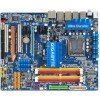
In typical Gigabyte fashion, the EP45-UD3P is comprised of a variety of colors, from yellows to reds to blues to purples to greens to *catches breath* - you get the idea. There's another point of interest in the above photo. Take a look at the fin design to the side of the large Gigabyte-branded heatsink. Due to the reflection from the DIMM slots, it resembles flames. I'm sure this wasn't done on purpose, but it's cool nonetheless!

I have no real complaints about the design or layout of the board, although I do wish there were more available fan connectors. This is not unlike any other budget motherboard though, so I guess cuts had to be made somewhere. The BIOS battery also happens to be in an inconvenient location, as it you will have to first remove most any graphics card to reach it.

That's made worse by the fact that there is no included jumper switch to clear the BIOS easily, so unless you have one hanging around, your only option will be to pull out the battery for a half-hour.

In the below image, you can see the CLR_CMOS jumper I'm speaking about, although it's a little difficult to see with the ATX chassis connectors directly in front of it. Besides that, this side of the board also features a total of eight S-ATA ports, which again, is more than I'd expect to see on a motherboard that sits in this price-range.

Not surprisingly, to help continue with the "value" theme, DDR2 memory would have been the right choice for this board, and sure enough, Gigabyte agrees. In this image you can also see two of the available fan connectors, which happen to be the only two available other than the CPU fan.

Now here's a socket you CAN stick your finger into. Well, you know... if the board isn't powered-on. You can see the six-phase power solution here, and also the 8-pin motherboard connector, which is in a very convenient location, especially if you route your cables through the back of the chassis, which is becoming a popular theme.

Continuing along the lines of the power solution, below you can see the top-right corner of the board which features a variety of LEDs that switch on and off as the different phases are being used.

Where available ports are concerned, we have three PCI-E 1x, although I'm unsure why so many are needed, amongst two legacy PCI ports and also two PCI-E 16x. Since the board uses the P45 chipset, CrossFireX mode is enabled, but if used, the slots operate at 8x each, which will decrease the overall performance of higher-end cards.

The board might carry a great price tag, but you wouldn't know it by taking a look at the back I/O panel. Of the slew of connectors here, you'll find eight USB, two FireWire, two Gigabit LAN, 7.1 channel audio as well as S/PDIF outputs and also dual PS/2 ports for legacy keyboards and mice.

Finally, everything needed to get up and running is included cables-wise, including S-ATA, Floppy and IDE. Also included is an additional panel that you can install in one of your spare ports that will open up eSATA functionality.

Overall, I have not a single complaint about this board that can be warranted given its price-tag. Judging by the board and accessories alone, the EP45-UD3P looks to be one fantastic offering. How about the BIOS? Read up on it next.

Checking Out the BIOS

Due to the stark similarities of the EP45-UD3P's BIOS to the EP45-EXTREME, which we reviewed last week, this page is a direct copy/paste. Three options in total are different, but none would be touched by most people and none are overclocking-related.

I'll admit that I'm not the biggest fan of the BIOS' used on Gigabyte's boards, but this one wasn't too bad to work with. I do feel it was a little bit clunkier than it needed to be - something I really don't think about when using a BIOS from ASUS. I'd love to see Gigabyte further improve their BIOS' in the future, both for ease-of-use and slow page refreshing.

That complaint aside, the board offers a slew of tweaking options that will make the enthusiast happier than a peach... if a peach could somehow be happy. The simplest options to stick to include the clock ratio, host frequency, memory multiplier and then select voltages. These options are scattered all over, so you'll have to scroll up and down constantly.

The voltage selection here is top-notch... better than any other motherboard I've ever seen. In some ways it's a little overkill, but if you have the skills needed to properly handle all these, then you'll feel right at home. I personally stuck with the CPU, MCH and DRAM primary voltages, which served me well in our overclocking tests, as we'll tackle later.

I'll let the rest of the images speak for themselves, since there's nothing truly new here.

As I hoped, the EP45-UD3P's BIOS certainly delivered. Though it's a little clunky, it offers an intense amount of tweaking-ability, and that's sure to be appreciated by any overclocker.

Test System & Methodology

At Techgage, we strive to make sure our results are as accurate as possible. Our testing is rigorous and time-consuming, but we feel the effort is worth it. In an attempt to leave no question unanswered, this page contains not only our testbed specifications, but also a fully-detailed look at how we conduct our testing.

If there is a bit of information that we've omitted, or you wish to offer thoughts or suggest changes, please feel free to shoot us an e-mail or post in our forums.

Test System

The table below lists our machine's hardware, which remains unchanged throughout all testing, with the exception of the motherboard. Each board used for the sake of comparison is also listed here, along with the BIOS version used. In addition, each one of the URLs in this table can be clicked to view the respective review of that product, or if a review doesn't exist, you will be led to the product on the manufacturer's website.

Component
Model
Processor
Intel Core 2 Extreme QX9770 - Quad-Core, 3.2GHz, 1.30v
Motherboards
ASUS P5E3 Premium - X48-based, 0505 BIOS (06/11/08)
ASUS P5Q Deluxe - P45-based, 0204 BIOS (08/28/08)
ASUS Rampage Extreme - X48-based, 0501 BIOS (08/28/08)
Gigabyte EP45-UD3P - P45-based, F4 BIOS (09/19/08)
Gigabyte EP45-EXTREME - P45-based, F8 BIOS (09/30/08)
Memory
DDR3: Corsair XMS3 DHX 2x2GB - DDR3-1333 7-7-7-15-1T, 1.91v
DDR2: Corsair Dominator 2x2GB - DDR2-1066 5-5-5-15-2T, 2.10v
Graphics
Audio
On-Board Audio
Storage
Seagate Barracuda 500GB 7200.11 x 2
Power Supply
Corsair HX1000W
Chassis
SilverStone TJ10 Full-Tower
Display
Gateway XHD3000 30"
Cooling
Thermalright TRUE Black 120
Et cetera
Windows Vista Ultimate 64-bit

When preparing our testbeds for any type of performance testing, we follow these guidelines:

To aide with the goal of keeping accurate and repeatable results, we alter certain services in Windows Vista from starting up at boot. This is due to the fact that these services have the tendency to start up in the background without notice, potentially causing slightly inaccurate results. Disabling "Windows Search" turns off the OS' indexing which can at times utilize the hard drive and memory more than we'd like.

Application Benchmarks

When benchmarking a graphics card or processor, performance is expected to scale in a certain manner, but that's not the case with motherboards. Since motherboards tend to only be as fast as the hardware installed on them, we don't run an exhaustive collection of benchmarks for the sake of avoiding redundancy. For the most part, one motherboard with an equal chipset to another should offer close to equal performance.

Our primary goal with motherboard-related benchmarking is to see if one motherboard is lacking in a certain area when compared to the rest. These discrepancies, if they exist, are usually caused by lackluster components on the board itself, which is why higher-end motherboards tend to see slightly better results than the more budget-oriented offerings.

To properly test the performance of a motherboard, we run a small collection of system-specific tools, such as SYSmark 2007, Sandra and HD Tune Pro. We then run real-world benchmarks using popular multi-media applications, such as Adobe Lightroom. To see how a board stacks up in the gaming arena, we benchmark using both Call of Duty 4 and Half-Life 2: Episode Two.

We strongly feel that there is such thing as too many benchmarks when it comes to a motherboard review, so we keep things light, while still being able to offer definitive performance data.

Game Benchmarks

In an attempt to offer "real-world" results, we do not utilize timedemos in any of our reviews. Each game in our test suite is benchmarked manually, with the minimum and average frames-per-second (FPS) captured with the help of FRAPS 2.9.5.

To deliver the best overall results, each title we use is exhaustively explored in order to find the best possible level in terms of intensiveness and replayability. Once a level is chosen, we play through repeatedly to find the best possible route and then in our official benchmarking, we stick to that route as close as possible. Since we are not robots and the game can throw in minor twists with each run, no run can be identical to the pixel.

Each game and setting combination is tested twice, and if there is a discrepancy between the initial results, the testing is repeated until we see results we are confident with.

The two games we currently use for our motherboard reviews are listed below, with direct screenshots of the game's setting screens and explanations of why we chose what we did.

Call of Duty 4

1680x1050
2560x1600


The Call of Duty series of war-shooters are without question some of the most gorgeous on the PC (and consoles), but what's great is the fact that the games are also highly optimized, so no one has to max out their machine's specs in order to play it. Since that's the case, the in-game options are maxed out in all regards, except the Anisotropic Filtering, which is set to the center of the slider bar.

Half-Life 2: Episode Two

1680x1050
2560x1600

It might have been four-years-ago that we were able to play the first installment of the Half-Life 2 series, but it's held up well with its new releases and engine upgrades. This is one title that thrives on both a fast CPU and GPU, and though it's demanding at times, most any recent computer should be able to play the game with close to maxed-out detail settings, aside from the Anti-Aliasing.

In the case of very-recent mid-range cards, the game will run fine all the way up to 2560x1600 with maxed-out detail, minus Anti-Aliasing. All of our tested resolutions use identical settings, with 4xAA and 8xAF.

SYSmark 2007 Preview

Synthetic benchmarks have typically been favored for performance testing, but the results they provide can be fairly abstract, and the methods they use to assign their scores can be dubious at times. By contrast, real-world application benchmarks provide performance metrics that apply directly to real-world usage, and we endeavor to apply both in our performance comparisons.

SYSmark 2007 Preview from BAPCo is a special case, because its synthetic scores are derived from tests in real-world applications. However, we still believe that synthetic benchmarking scores are best used to directly compare the performance of one piece of hardware to another, and not for developing an impression of real-world performance expectations. SYSmark is more useful than most synthetic benchmarking programs in our opinion, because its tests emulate tasks that people actually perform, in actual software programs that they are likely to use.

The benchmark is hands-free, using scripts to execute all of the real-world scenarios identically, such as video editing in Sony Vegas and image manipulation in Adobe Photoshop. At the conclusion of the suite of tests, five scores are delivered: an E-learning score, a Video Creation score, a Productivity score, and a 3D Performance score, as well as an aggregated 'Overall' score. These scores can still be fairly abstract, and are most useful for direct comparisons between test systems.

A quick note on methodology: SYSmark 2007 requires a clean install of Windows Vista 32-bit to run optimally. Before any testing is conducted, the hard drive is first wiped clean, and then a fresh Windows installation is conducted, then lastly, the necessary hardware drivers are installed. The 'Three Iterations' test suite is run, with the 'Conditioning Run' setting enabled. Then the results from the three runs are averaged and rounded up or down to the next whole number.

The UD3P managed to score the lowest of all the boards, but that doesn't surprise us given the price-range of the board. It still keeps right up to the others though, some of which are almost twice as expensive.

Multi-Media: TMPGEnc Xpress, Adobe Lightroom, 3ds Max

When it comes to video transcoding, one of the best offerings on the market is TMPGEnc Xpress. Although a bit pricey, the software offers an incredible amount of flexibility and customization, not to mention superb format support. From the get go, you can output to DivX, DVD, Video-CD, Super Video-CD, HDV, QuickTime, MPEG, and more. It even goes as far as to include support for Blu-ray video!

There are a few reasons why we choose to use TMPGEnc for our tests. The first relates to the reasons laid out above. The sheer ease of use and flexibility is appreciated. Beyond that, the application does us a huge favor by tracking the encoding time, so that we can actually look away while an encode is taking place and not be afraid that we'll miss the final encoding time. Believe it or not, not all transcoding applications work like this.

For our test, we take a 0.99GB high-quality DivX H.264 AVI video of Half-Life 2: Episode Two gameplay with stereo audio and transcode it to the same resolution of 720p (1280x720), but lower the bitrate in order to attain a modest filesize. Since the QX9770 we are using for testing supports the SSE4 instruction set, we enable it in the DivX control panel, which improves both the encoding time and quality.

Adobe Lightroom 2

Photo manipulation benchmarks are more relevant than ever, given the proliferation of high-end digital photography hardware. For this benchmark, we test the system's handling of RAW photo data using Adobe Lightroom, an excellent RAW photo editor and organizer that's easy to use and looks fantastic.

For our testing, we take 100 RAW files (in Nikon's .NEF file format) which have a 10-megapixel resolution, and export them as JPEG files in 1000x669 resolution, similar to most of the photos we use here on the website. Such a result could also be easily distributed online or saved as a low-resolution backup. This test involves not only scaling of the image itself, but encoding in a different image format. The test is timed indirectly using a stopwatch, and times are accurate to within +/- 0.25 seconds.

Autodesk 3ds Max 2009

Autodesk's 3ds Max is without question an industry standard when it comes to 3D modeling and animation, with DreamWorks, BioWare and Blizzard Entertainment being a few of its notable users. It's a multi-threaded application that's designed to be right at home on multi-core and multi-processor workstations or render farms, so it easily tasks even the biggest system we can currently throw at it.

For our testing, we use two project files that are designed to last long enough to find any weakness in our setup and also allows us to find a result that's easily comparable between both motherboards and processors. The first project is a dog model included on recent 3ds Max DVD's, which we infused with some Techgage flavor.

Our second project is a Bathroom scene that makes heavy use of ray tracing. Like the dog model, this one is also included with the application's sample files DVD. The dog is rendered at a 1400x1050 resolution, while the Bathroom is rendered as 1080p (1920x1080).

Gigabyte's UD3P is off to a great start here, showing no sign of weakness in any of our three tests here.

System: HD Tune Pro, SiSoftware Sandra 2009

While application performance shouldn't vary much between motherboards, one area where we can see greater differences is with synthetic benchmarks - at least with those that test both the storage and memory bandwidth/latency. Even still, if differences are seen, you are very unlikely to notice the difference in real-world usage, unless the performance hit is significant, which we've not found on any board we've tested in the past.

To test the storage I/O, we use a tool that we've been using for a number of years, HD Tune. The developer released a "Pro" version not long ago, so that's what we are using for all of our storage-related benchmarking. The drive being tested is a secondary, installed into the first available Slave port, and is not the drive with the OS installed. To avoid potential latency, the drive is tested once Vista is idle for at least five minutes, and CPU usage remains stable at >1%.

Gigabyte's own EP45-EXTREME is much more expensive than the UD3P, but it's hard to tell with results like these, which show two boards offering identical HDD performance.

SiSoftware Sandra 2009

Yet another classic tool from our toolbox, SiSoftware's Sandra is one of the ultimate benchmarking sidekicks around, allowing us to test almost every-single component in our PC, from CPU to GPU to memory to storage. In the case of our motherboard reviews, we stick with the memory bandwidth and latency tests, since its an area where some differences could very-well be seen.

As mentioned above, the results here don't represent real-world performance, and if one motherboard sees the memory 4ns slower, the chances of you noticing the hit in real usage is highly unlikely, if not impossible. If any scenario would be effected, it would be processes that last the course of a few hours, not a few minutes.

The same applies to Sandra as it did for our HD Tune... the EP45-EXTREME and EP45-UD3P score almost identical scores in both our memory bandwidth and latency tests.

Gaming: Call of Duty 4, Half-Life 2: Episode Two

Crysis Warhead might have the ability to bring any system to its knees even with what we consider to be reasonable settings, but Call of Duty 4 manages to look great regardless of your hardware, as long as it's reasonably current. It's also one of the few games on the market that will actually benefit from having a multi-core processor, although Quad-Cores offer no performance gain over a Dual-Core of the same frequency.

For our testing, we use a level called The Bog. The reason is simple... it looks great, plays well and happens to be incredibly demanding on the system. It takes place at night, but there is more gunfire, explosions, smoke, specular lighting and flying corpses than you can shake an assault rifle at.

Half-Life 2: Episode Two

The original Half-Life 2 might have first seen the light of day close to four years ago, but it's still arguably one of the greatest-looking games ever seen on the PC. Follow-up versions, including Episode One and Episode Two, do well to put the Source Engine upgrades to full use. While playing, it's hard to believe that the game is based on a four+ year old engine, but it still looks great and runs well on almost any GPU purchased over the past few years.

Like Call of Duty 4, Half-Life 2: Episode Two runs well on modest hardware, but a recent mid-range graphics card is recommended if you wish to play at higher than 1680x1050 or would like to top out the available options, including anti-aliasing and very high texture settings.

Once again, results are as we expected. No board excelled in any benchmark, gaming included, which is a good thing. You don't really need a top-of-the-line motherboard for improved gaming performance, and that's how it should be. Next up, overclocking.

Overclocking the EP45-UD3P

Before tackling our overclocking results, let's first clear up what we consider to be a real overclock and how we go about achieving it. If you regularly read our processor reviews, you may already be aware that I personally don't care for an unstable overclock. It might look good on paper, but if it's not stable, then it won't be used. Very few people purchase a new piece of equipment for the sole purpose of finding the maximum overclock, which is why we focus on finding what's stable and usable.

To help find the maximum stable overclock on any given motherboard, we focus on sticking to the simpler voltages, such as the ones for the Northbridge and CPU, and also the DIMM if it's required. We try to work within safe limits, because anything too high is going to only kill your hardware faster. Luckily, all computer components nowadays are designed to handle some abuse, so you never need a lot of voltage to get anywhere.

The front-side-bus is what's important on a motherboard, so that's where we keep our focus. Because the FSB overclock can vary widely between a Quad-Core and Dual-Core (it's much easier to achieve a higher OC on a Dual-Core), we test using both the QX9770 and E8400 to see how far we can get. Also, because our 4GB memory kit of choice isn't that overclockable, we revert to a 2GB kit for the Dual-Core testing in order to achieve much a much higher FSB frequency.

Overclocking Gigabyte's EP45-UD3P

First and foremost, I'll say that overclocking this board wasn't the most enjoyable of experiences. I found a lot of simple settings that should have been stable, weren't, and the overall navigation of the tweaking section was finicky - it didn't refresh fast enough and made scrolling up and down a chore. The good thing is that's the worst of it, and the potential of the board is good.

Due to time-constraints, I wasn't able to spend as much time with overclocking as I would have liked, and had to omit testing with a Dual-Core processor. However, I'd expect the results there to be quite similar to what we saw with the EP45-EXTREME, although maybe not as high. With our Quad-Core though, we hit an impressive 490MHz... just 10MHz shy of what we accomplished on the EP45-EXTREME. This was accomplished with 1.4v to the CPU and 1.59v to the Northbridge.

I sound like a broken record, but when picking up a motherboard that costs a mere $130 (without some sort of e-tailer discount), you don't normally expect to see such incredible overclocking headroom. Again, due to time, I wasn't able to stress the Quad-Core for the eight-hours I normally do, but I did two, and that's enough to prove to me that it's capable of handling some pain. To think, this was done using a six-phase power solution... who exactly needs one of those fancy 12 - 16 phases?

Power Consumption, Final Thoughts

It goes without saying that power efficiency is at the forefront of many consumers' minds today, and for good reason. Whether you are trying to save money or the environment - or both - it's good to know just how much effort certain vendors are putting into their products to help them excel in this area. ASUS and Gigabyte are two that immediately come to mind that have put a lot of R&D into this, and I'm sure with their leadership, power consumption will consistently get better.

To help see what kind of wattage a given motherboard eats on average, we use a Kill-A-Watt that's plugged into a power bar that's in turn plugged into one of the wall sockets, with the test system plugged directly into that. The monitor and other components are plugged into the other socket and is not connected to the Kill-A-Watt. For our system specifications, please refer to our methodology page.

To test, the computer is boot up and left idle for ten minutes, at which point the current wattage reading is recorded. To test for "full load" wattage, 3DMark Vantage is opened and run at the Extreme setting, while two instances of SP2004 (one copy on one core each) is run. This gives us a typical scenario where someone is gaming and using half of their Quad-Core CPU.

All throughout the review, I kept comparing the UD3P to the EXTREME, but it's hard not to, given their similar characteristics. It's not too often we see a higher-end board perform worse than a lower-end one, but in this case, that proves true. Our UD3P hovered around 331W at full load, and 192W idle, lower than all other boards in our line-up.

Final Thoughts

What more can be said that I haven't said over and over here? Gigabyte has a real winner with the UD3P, and I couldn't be more impressed by what $130 can net you nowadays. It used to be that $100 - $150 would net you a motherboard that felt like a budget offering, but no more it seems.

Let's recap. With the UD3P, you get some great "durable" features that for the most part do seem to serve a real purpose. You can't chuck the board at a wall and have it bounce off, but the UD3P is durable in other ways, with security, power efficiency, overclocking-ability and more.

I regret not having more time to test out the overclocking-ability, but with the single evening I spent with it, potential looked good. I hit 490MHz with ease, and I'm sure with a lot more voltage (and courage), you could go even higher, although I'd recommend against it since ruining hardware isn't much fun. My overclock was hit using modest voltages all-around, and that in itself is impressive.

The best part of the board is the price, at around $115. I do recommend shopping around, because some e-tailers are selling a bit higher than others, and others are selling for a low price without the usage of a mail-in-rebate, while another offers the same price with one. If you find the board for anywhere close to $115, pick it up. This is one board you can't regret a purchase of, and for that and other reasons, I'm awarding the EP45-UD3P an Editor's Choice award.

Discuss this article in our forums!

Have a comment you wish to make on this article? Recommendations? Criticism? Feel free to head over to our related thread and put your words to our virtual paper! There is no requirement to register in order to respond to these threads, but it sure doesn't hurt!


Gigabyte EP45-UD3P


Copyright © 2005-2009 Techgage Networks Inc. - All Rights Reserved.