Techgage logo

Logisys Copper GPU Heatsink

Date: March 24, 2005 - Author: Rob Williams - Editor: Rob Williams

For overclockers who really want to get an extra punch out of their GPU.. a stock cooler doesn't usually do it justice. Copper Heatsinks are becoming more and more popular, and Logisys has joined that bandwagon. Does their Copper cooler improve on a stock cooler?


Introduction

There are two primary reasons why anyone would want to use a Copper Heatsink, rather than the Stock cooler that comes with your video card. It could be that your GPU get's too hot and makes it unstable, or you want to see how much further you can take your overclock. Personally, I cannot have a video card without overclocking it 5 minutes after taking it out of the box, so I was looking forward to testing out the cooler.

Features

The kit comes in a nice package, that comes with everything you need. You do not need any tool for the mod that are not included.. except of course, your screwdriver. They call it 'All In One', because the Heatsink fits most GPU's. Here is a quick table of all the supported cards, as taken from the package:

Model Clip Mounting

Hole

Geforce 3 Ti 200/500 A 1
Geforce 4 MX 420/440/460 A 1
Geforce 4 MX 440 SE/ 440 8X A 1
Geforce 4 Ti 4200/4200 8X B 2
Geforce 4 Ti 4400/4600/4800 B 2
Geforce FX 5200/5500/5600/5700 L A 1
Geforce FX 5600 ULTRA /5700/5700ULTRA B 2
Geforce 5900/5900XT B 2
Geforce 5950 ULTRA B 2
Geforce 6800/6800 ULTRA

B

3

Model Clip Mounting

Hole

RADEON 9000 / 9000PRO A 1
RADEON 9200 / 9200PRO A 1
RADEON 9500 / 9550 A 1
RADEON 9600 / 9600 SE/ 9600PRO/9600 XT B 2
RADEON 9700 / 9700 PRO/ 9800PRO/9800 XT B 2
RX 300 /600/800 A 1

Below, you can click on the picture of everything out of the package. It even includes the Thermal Paste, so if you are like me, and don't have any handy, then this is really great. As you can see by the power Connector, it has a female and male Molex end, which means it won't steal a spot from your PSU.

Close Look

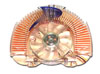
Here is a closer view of the Cooler. As you can see.. the fan looks kind of lonely without some type of logo; A Logisys logo would have been nice! The cooler has a great design though, and you can see the side view of it, just how well designed it is.

The Cooler is well polished and clean looking. It weighs 320gm, so it's definitely not a lighter cooler. It's much heavier than the stock cooler, so I was hoping it would be secure enough on the card.

It's very hard to tell, but the cooler has a plastic front that says "Logisys". The fan is also clear, and sports a blue LED, which I will have more pictures of later in the review.

Installation

Now that we have all of our components ready, it's time to install this thing. The card I am installing this onto is an MSI Radeon 9800 Pro. Here is what the card looks like Stock.

First step, is to remove your current Stock Heatsink. Mine was an incredible pain in the ass to remove, due to two of the small plastic mounts that held it in place. I had to take my knife to them to get them off. Most times, simply squeezing them with your fingers will remove it.. but these ones were stubborn. After the Heatsink was finally take off, I was left with my beautiful green PCB.

Installation

As you can see, my GPU needs to be cleaned badly. However, I did not have any Thermal Paste remover handy, so I had to leave it the way it is. I highly recommend cleaning your chip prior to installing a new Cooler, and then putting fresh paste on. For the sake of making me look like I know what I am doing, try to envision the board as it would be after a cleaning.

Now the first step you will want to take, is mounted the Memory Heatsinks that are included, onto the board. The kit comes with some Thermal Tape ready to be used, so it's as easy as sticking them on the back of the Heatsinks, then mount the Heatsinks to the board. These are not going to be removed easily, so careful how you place them.

You don't have to worry if the Memory Heatsinks will take too much room, because the GPU Heatsink gives them enough clearance. After they are placed, you can now use some Thermal Paste on the GPU and mount the Heatsink.

Now you will need the A or B clip that's included with the kit. It's somewhat tricky doing this with only two hands, but if I managed it.. 'nuff said. While holding the Heatsink in place, you need to turn over the card and mount the Clip and screw it into place.

All done! I can't say I am that pleased with the fit of the Cooler.. it's just not as tight as I would like it to be. It felt that the screws could have gone in further to tighten it.. but they wouldn't. It's sufficiently tight enough, but I would have preferred it a little tighter.. just to know that the Heatsink is as snug as possible against the GPU

Performance

To test the performance, I used a variety of different programs. The overclocking tool I used is ATI Tool, which is how I detected the maximum 'Safe' overclock. Below are the results of all the overclocking tests.

In the graph, Max Overclock can be translated as Asinine Overclock, as it's not always the safest thing to do on air. The stated overclocks is where it starts to show artifacts during 3D rendering. If I begin to see numerous artifacts, I have gone to far. So remember.. max overclock is where I seen the rare Artifact.

For benchmarking, I used Futuremarks 3D Mark 2003 and 2005.

As you can see, the benchmarks overall are better with the Copper cooler. For the most part, each test with the maximum overclock, increased it by 200 Marks. Not an extremely impressive result, but one thing I did notice, is that things seemed a lot more stable. With the stock cooler, there were more artifacts on screen during the tests, than with the Copper cooler.

I was not able to provide graphs with temperature changes. My ATI control panel used to display temperatures, but has not for the past while, for unknown reasons. However, since using the Copper cooler, my overall case temperature has gone down a few CÂș. Nothing amazing, but definitely welcomed.

Conclusion

Overall, this is a great product. Logisys has an impressive products inventory, and it's nice to see that they have released an item such as this. Of course, Logisys tries to shove LED's wherever possible, so this adds to the cool factor on this product.

If you are looking to get better performance from your video card, and more stability, I recommend you give this a try. The great price, around $24.99US, it makes this product a great value also. Thanks to Grace from Logisys for sending us the product for review!

Have something to say? Discuss it in our forums.


Copyright © 2005-2008 Techgage Networks Inc. - All Rights Reserved.