
- Qualcomm Launches Snapdragon 4 Gen 2 Mobile Platform
- AMD Launches Ryzen PRO 7000 Series Mobile & Desktop Platform
- Intel Launches Sleek Single-Slot Arc Pro A60 Workstation Graphics Card
- NVIDIA Announces Latest Ada Lovelace Additions: GeForce RTX 4060 Ti & RTX 4060
- Maxon Redshift With AMD Radeon GPU Rendering Support Now Available

Social & RSS Feeds
Latest Videos



Latest News
Logitech QuickCam Ultra Vision

by Rob Williams on February 14, 2007 in Peripherals
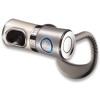
If you frequently use a webcam and are looking for the best one available, I don’t think there will be many other choices than the Ultra Vision. It’s equipped with a large lens, comprised of five glass elements for the best image quality possible. When taking everything into consideration though, is it worth your $120?
Page 1 – Introduction
|
|
One of the best parts about being a technology writer is being able to see cutting edge products as they are released. We at Techgage receive a healthy supply of these new “toys” such as cases, gpus, memory, cpus, etcetera. But, there’s one market up until now we’ve never, ever covered. That market, being webcams. No, it’s not too often that I pay attention to webcams and can’t even recall the last time I’ve sat in front of one.
At last months CES, we stopped by the Logitech booth and two webcams caught my attention. Yes, I was surprised at this also. Regardless, we were informed about their latest Ultra Vision webcam that might very well be “next-gen” as far as this market goes. Everything about it screams high-quality, but we will get into that shortly. We were also shown the QuickCam for Notebooks Pro, which includes its own healthy feature set. We will be taking a look at that webcam by itself in the weeks to come, as I ran into a few problems with my first copy.
Whereas their Notebooks Pro webcam is designed for portability, the Ultra Vision is geared to be the cream of the crop. According to press materials, this webcam has unsurpassed image quality and has the best lens available. Physically, it’s the largest webcam I’ve come across. This is thanks to the big f/1.6 lens that is comprised of five glass elements. The Ultra Vision also includes the RightLight and RightSound features for less echo and better overall lighting.
Despite being a top-end webcam, there is still only a 1.3 Megapixel sensor at your disposal. Will we ever see better resolution from a webcam? It’s starting to seem unlikely, but its probably for the best unless you want to pay upwards of $200. Aside from that fact, video higher than 640*480 can be quite laggy via chat. That’s more of a bandwidth problem than a webcam one, though.
First we can take a look at the packaging for both cameras. As I mentioned, the Notebooks Pro webcam had issues with it so I was unable to include it in this review.

Nothing extra is included with this model, except the software.

On each end of this cylindrical cam is a button used for a different purpose. One is to snap a quick photo while the other is a quick video preview, so you can make sure the lighting is appropriate, before going live.

On the front you will see the huge lens, microphone (center) and the Logitech logo. The ring around this logo lights up blue during use.

Finally, here is the Ultra Vision on my monitor. In the second image, you can see just how it manages to hold itself there. It’s a heavy, sturdy webcam, so it should stay wherever you place it just fine.


Now that you’ve finished ogling the webcam, let’s check out how the installation process went.
|
|

Support our efforts! With ad revenue at an all-time low for written websites, we're relying more than ever on reader support to help us continue putting so much effort into this type of content. You can support us by becoming a Patron, or by using our Amazon shopping affiliate links listed through our articles. Thanks for your support!

Rob Williams
Rob founded Techgage in 2005 to be an 'Advocate of the consumer', focusing on fair reviews and keeping people apprised of news in the tech world. Catering to both enthusiasts and businesses alike; from desktop gaming to professional workstations, and all the supporting software.


