Date: August 10, 2006 - Author: Matthew Harris - Editor: Rob Williams
Lasers are getting more and more popular. At one time they were so expensive and cumbersome to produce that a person could go their entire life and never see one, but no more. Now everywhere you turn you're confronted by "fricken lasers". Supermarkets, CD players, home improvement stores, mice... you name it and you'll find lasers either in use or for sale everywhere you go.
Today we take a look at an update to one of Microsoft's most popular mice, the Wireless Optical 5000. The new revision has been updates with a swoopier shell, ambidextrous use and a fricken' laser.
The 5000 comes in the obligatory display style box, the mouse is pleasingly displayed so you can ogle your purchase before you even hit the register. Personally I like to see exactly what I'm buying so to me these kinds of packages are great since you have an exact idea of what you're dealing with.
Inside the box resides the mouse, software, batteries, quick start manual and receiver.
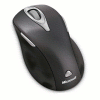
The mouse is molded from a very attractive black metalflake plastic. It's accented with silver buttons, one to each side, and silver trim around the scroll wheel. Not to mention the rear chrome laser badge and Microsoft branding. The mouse features the same tiltable scroll wheel as the Laser 6000 that I reviewed with the Microsoft Laser Desktop a while back. Needless to say I was sort of disappointed because the scroll wheel was the single downfall of that mouse. It has no detents so in FPS games it makes it a ticklish operation to sort through your weapons.
Underneath the mouse we find the laser window, battery compartment and four large low friction feet. The laser is a 1000DPI unit. Nothing earth shattering but more than capable of swift movement during intense fragfests.
The software is the Intellipoint software used by Microsoft for just about every mouse they offer. I've just included a single screengrab since it's pretty straightforward. You can choose from multitudes of options for just about every button on the mouse if you don't care for the default setup. I myself set the right side button to forward for my browser since I don't need a magnifier and I set the wheel button to select precision boost. This allows you to choose a percentage of the full resolution of the mouse at the push of a button. You can choose from 10% to 90%, I myself set it to 30% because it makes for easy work in photo manipulation proggies.

To give you an idea of the size and shape of the Laser 5000 I put it up against the Laser 6000 (center) and the Logitech MX-610 (left & top). The 5000 is a bit smaller in length than both of the other mice and narrower than the Laser 6000. As you can notice it's not heavily scalloped on one side like the other two mice therefore lending itself to the ambidextrous role. The buttons being spread to both sides also helps with this but I have one major issue with the side buttons or more correctly the right side button.
The left button is a floating button. This means that no matter where you press it, it clicks. The right side button, on the other hand (no pun intended) is hinged in the front. When I'm using the mouse the instinctive thing for me to do to depress that button is to slide my middle finger over the side of the mouse and press the right side button but due to the hinging it won't depress. Instead I've got to raise my ring finger up parallel to the button and press it with a sideways movement of my finger. It's very clumsy and I really wish that they'd gone with a floating button on both sides.
In use the mouse is very precise, it handles gaming and photo editing equally well. If it featured light detents on the scroll wheel it would be a great gaming mouse. It has a great feel and is very ergonomically sound causing no fatigue after extended use. The feet are very smooth and on a good mousepad it's extremely crisp. The weight is on the light side though so if you like a heavier mouse you might want to consider something else.
Unlike the Laser 6000 the 5000 isn't coated with any kind of anti-slip coating but due to the shape of the mouse it doesn't lose anything from this omission.
Now, Lets boil this down and see what floats to the top.
The list of good features really outnumbers the bad but they're both very big negatives. This mouse is a very smooth mouse, it is good for gaming as it tracks very well and it's good for more mundane uses. The lack of detents really hurts it for a gaming mouse although Microsoft excuses this by saying that gamers want corded mice. Not all of us do though. I've got more than enough wires and cords laying around my desktop without adding mice and keyboard wires to the mess.
The Laser 5000 is responsive enough that it's very apt for gaming. Actually, anymore it's hard to find a wireless mouse that lags enough to be a detriment to all but the top few percent of gamers out there. I know that many will disagree but out of all the games sold how many of us are making money gaming? 1%? 2%? I rest my case.
Overall I'm awarding the Microsoft Wireless Laser 5000 Mouse a 7 out of 10 and asking Microsoft to make a wireless mouse that will serve gamers as well as the rest of the PC users out there. They've got the speed, resolution and response times down, just add detents to the scroll wheels.
If you have a comment you wish to make on this review, feel free to head on into our forums! There is no need to register in order to reply to such threads.

Copyright © 2005-2008 Techgage Networks Inc. - All Rights Reserved.