Date: August 24, 2007 - Author: Rob Williams
Although DDR3 is still fresh to the computing industry, there are surprisingly many different kits available right now. For our first DDR3 review, we are taking a fresh look at one of the first kits made available back in May, OCZ's DDR3-1333 CL7.
Welcome to Techgage's first DDR3 memory review, courtesy of OCZ. Up until now, we haven't seen much of a need to publish a slew of DDR3 reviews as it's slow to catch on, but we will begin publishing much more in the months to come, as it's beginning to become more popular among enthusiasts.
This is not to say that you should run out to pick up a kit though, simply because it's "catching on". As I have mentioned in previous articles, I see absolutely zero need to move to a DDR3 platform. It offers no immediate benefits, unless you run absolutely hardcore bandwidth hogging applications. As it stands, I have a hard enough time trying to push DDR2 to it's limit, let alone DDR3.
I consider myself to be a memory enthusiast, but when DDR3 launched, I felt no enthusiasm whatsoever. One reason might be the lack of overall performance gain, another might be the fact that it's ridiculously expensive. That said, it's up to you to decide whether DDR3 is for you. It -is- faster, but it's just a matter of pushing it the right way in order to notice the difference.
You could almost compare the current state of memory to cars. Corvettes cost far less than Ferraris, but still offer great performance. So much so, that you will likely never reach the 'Vettes full potential. So while the Ferrari is beautiful to look at and enthusiasts all look at it in awe, there comes a time when something is overkill. In this case, most Ferraris cost 3x as much as a nice Corvette, and likewise with DDR3 vs DDR2.
With all of my DDR3 rants out of the way, the fact is that DDR3 is faster and is the obvious choice of memory enthusiasts. While most companies released DDR3-1333 kits at launch, they quickly seemed obsolete with some overclocks that some were seeing, as high as DDR3-2000. So one thing is for sure, if you want a kit of ram that has loads of overclocking potential, most DDR3 kits will treat you well.
Today's DDR3 kit comes from a company that we've come to enjoy working with over the past few years. Most everyone at OCZ is young, and it's reflected in their products. They conjure up new ideas all the time and keep things fresh, something we like to see.
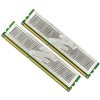
The particular kit we have here was received before DDR3 officially launched, so the packaging might be the same as a kit you'd receive, but the heat spreaders are not. The official DDR3 heat spreaders have a small "3" to the right of the big "Z" in the middle of the spreaders.
OCZ originally introduced their XTC heat spreaders in late 2005 and they became quite popular very quickly. How they compare thermally to competitors heat spreaders, I'm unsure, but they certainly get the job done.
As with most of the launch kits, this ones clock speed is DDR3-1333, aka 667MHz aka PC3-10666. It has stock timings of 7-7-7-20 with a slightly high 1.8v rating. By comparison, Kingston's DDR3-1375 kit only requires 1.7v for the same timings. Since these launches though, memory chips have improved, and will continue to improve, to push higher frequencies and lower voltages.
With our initial look out of the way, let's move on to our overclocking results and testing methodology.
Although overclocking any type of memory generally involves the same process, moving from DDR2 up to DDR3 can throw you for a loop. The main reason is that we are dealing with absolutely huge speeds, and it's a little daunting at first, and requires a little time to fully grasp what to expect from such modules. As I mentioned on the last page, DDR3-2000 speeds have been achieved by eager overclockers, while DDR2-1200 was once considered amazing.
That said, neither of the launch kits I received had such overclocking potential, but were still able to be pushed a fair bit. However when compared to our DDR2 reviews, we are left with a far smaller overclocked settings list, simply because there is no sense of getting intimate with minor frequency jumps.
Once said and done, the top overclock of this kit was DDR3-1500 with 8-8-8 timings, with 2.1v. What's good about this overclock is that even at it's speed, we were able to retain a modest voltage. Interestingly enough though, moving from 533MHz to 667MHz to 750MHz all -required- less tight timings.
As I found out, these modules could care less about voltage after a certain point. Up to DDR3-1500, it will take what you got and stay there. I tested the modules all the way up to 2.6v and it didn't inch the overclock any further. I should mention also that these settings are completely stable, meaning you could run it in your machine 24/7, although that's not generally recommended when using voltages far beyond stock. You might be alright, you might not be. It's all luck of the draw and depends on how great the chips are.
Regardless of what performance-related part we are evaluating, there are a few conditions that are first met, prior to testing.
Below is all of the information regarding our testing machine. Links lead to our review of said product.
Because each one of our overclocked settings hit the "right" number as far as dividers are concerned, we were able to run each with a CPU speed of exactly 3.0GHz and not a MHz over. At stock speeds of 333FSB and 9x Multi, both DDR3-1066 and DDR3-1333 speeds can be chosen. At DDR3-1500 speeds, a 375FSB was required, but lowering to an 8x Multi kept us at our 3.0GHz clock setting.
With overclocking and a look at our methodology out of the way, let's check out some benchmarks.
If there is one benchmarking tool that we at Techgage know well, it's SiSoftware's Sandra. It's proven to be a great tool simply because it has so many uses, including diagnostics, information reporting and of course, benchmarking. The company released their latest version, XII (2008), this past Monday. Starting with this review, we will use it instead of XI.

As far as raw bandwidth goes, the benefit is clearly with our DDR3-1500 overclock. It gave us a full 1,000MB/s boost over our DDR3-1066 underclock, despite the much more loose timings.

Our latency reports show a different story though. While bandwidth proved far better, latencies were slightly worse off with our largest overclock. This is most likely because of the 8-8-8 timings, as the modules were far from being overheated.
Super Pi is a great benchmarkers tool, but it serves no real purpose except to help you brag about your overclocks. It's a very CPU-intensive tool, but faster ram can help out greatly as well.

As seen in our Sandra latency report, the top overclock once again delivered slower results thanks to the lower timings. Now, if 7-7-7 was stable at 750MHz, the differences would be far greater.
Like SiSoftware, Canuck company Lavalys also recently released an updated version of their benchmark, Everest 4.0. Again, we have not used the latest version up until now, but will start with this review and continue using it in future reviews.

Sandra and Everest don't completely agree with our top two settings. While Sandra boasted major gains in between each one of the different settings, Everest shows minimal improvement when moving from stock speed up to our top overclock. Write speeds were better with that setting only because the FSB was increased to 375 in order to reach that memory frequency.

Both tools disagree on the latency issue as well. There is a rather significant difference between DDR3-1066 and DDR3-1333, but DDR3-1500 showed only a 1ns difference, thanks to the loose 8-8-8 timings.
Although I am not a huge DDR3 buff, yet, I had quite a bit of fun pushing these modules to their limit. They didn't hit major overclocks as some kits have, but it's not that surprising since this was a pre-production kit. As such, kits you purchase today should perform better overall, in way of overclocking. This is easily proven when looking at the even faster models on the market, such as OCZ's own DDR3-1800 kit and Super Talent's DDR3-1866.
The amazing thing is that such speeds come just months after DDR3s launch. DDR2 was around for quite a while before we started to see extraordinarily clocked kits for sale, so DDR3 is really off to a head start. At this point, it's really not that foolish to picture a DDR3-2500 kit in the near future, or even higher. Truly insane bandwidth capabilities there.
We normally give a product an overall rating at the end of each review, but at this point in time, I have no desire to haul out a rating of any sort for DDR3, simply because it's too difficult. There are too many factors that come into play, such as overall speed, price and so forth. It's also made even more difficult since this is the first DDR3 we've taken a look at. So rather, I will leave you to decide for yourself.
I mentioned earlier that I don't find DDR3 to be that important right now, but if you want to latest and greatest, all the power to you. As far as DDR3 goes, you will not be disappointed by this kit at all. Kudos to OCZ for being one of the first memory companies to push DDR3 out of the door, and a swift kick to my rear for taking so long to review it.
If you have a comment you wish to make on this review, feel free to head on into our forums! There is no need to register in order to reply to such threads.
Copyright © 2005-2008 Techgage Networks Inc. - All Rights Reserved.