
- Qualcomm Launches Snapdragon 4 Gen 2 Mobile Platform
- AMD Launches Ryzen PRO 7000 Series Mobile & Desktop Platform
- Intel Launches Sleek Single-Slot Arc Pro A60 Workstation Graphics Card
- NVIDIA Announces Latest Ada Lovelace Additions: GeForce RTX 4060 Ti & RTX 4060
- Maxon Redshift With AMD Radeon GPU Rendering Support Now Available

Social & RSS Feeds
Latest Videos



Latest News
Seagate 750GB Barracuda 7200.10

by Rob Williams on May 17, 2006 in Storage
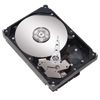
Seagate has introduced to us once again the largest consumer drive available, and we have it on our testbench. Surprisingly, not only does it have much more space than the previous 500GB model, it also proves to be much faster. Let’s take a close look at the drive, and see just what perpendicular magnetic recording can offer us.
Page 4 – Testing, Windows Install
To test out this beast, I ran it through many different tests, including real world. I compared the 750GB to the 7200.9 500GB and a WD 160GB. Before testing began, all hard drives were completely formatted with all partitions cleared. To completely clear the 160GB and 500GB drive, I ran Darik’s Boot and Nuke for a single pass. This program essentially overwrites all data bits on the hard drive to help them become unrecoverable. Of course, we are not worried about data recovery here, which is why I only used one pass.
- Test System
- CPU: AMD Venice 3200+ @ 2.75GHz
- Motherboard: DFI Ultra-D w/ 406BTA BIOS
- Memory: Corsair 2GB 4400PRO
- Video: eVGA 7800GT
- Sound: Chaintech AV-710
- Storage: Seagate 750GB Barracuda 7200.10
- Odds and Ends: D-Link WiFi PCI Card
- Etcetera: Windows XP Professional SP2, Windows x64 Professional SP1, NVIDIA 81.98 Drivers
Here is the list of tools I used for testing the drive, in case you want to test out your own:
Let’s jump straight into the benchmarks!
Windows Installation
The last two sets of results are from the testing done for the 500GB review. All components in the computer have been kept the same since that review. The end results are only approximate, but should not be within 5 seconds different of the actual value. The version of Windows I used was Media Center Edition 2005, which spans two CD’s. For some reason, installing with the 160GB drive, I had to swap the discs less than with the 500GB and the 750GB. Why? I have no idea. Here are the timelines:
- Seagate Barracuda 7200.9 750GB
- 11:19:10 – First Windows Screen boot following format and file copying
- 11:26:15 – Registration and Serial Key
- 11:27:11 – Continuing Installation
- 11:28:28 – Insert Disc 2
- 11:28:56 – Continuing Installation
- 11:28:58 – Insert Disc 1
- 11:29:35 – Continuing Installation
- 11:30:15 – Insert Disc 2
- 11:30:42 – Continuing Installation
- 11:32:49 – Insert Disc 1
- 11:33:21 – Continuing Installation
- 11:37:12 – Computer reboots
- 11:37:38 – Windows Boot
- 11:39:05 – SP2 Related Options
- 11:39:40 – Windows Desktop
After removing the prompting for different discs, the entire installation took around 989 seconds, or 16.5 minutes.
- Seagate Barracuda 7200.9 500GB
- 22:14:15 – First Windows Screen boot following format and file copying
- 22:21:09 – Registration and Serial Key
- 22:22:32 – Continuing Installation
- 22:23:51 – Prompt for Disc 2
- 22:24:25 – Prompt for Disc 1
- 22:25:02 – Continuing Installation
- 22:25:45 – Prompt for Disc 2
- 22:26:20 – Continuing Installation
- 22:28:29 – Prompt for Disc 1
- 22:28:58 – Continuing Installation
- 22:33:06 – Computer reboots
- 22:34:30 – Visual Elements Prompter
- 22:35:09 – SP2 Related Options
- 22:35:50 – Windows Desktop
After removing the prompting for different discs, the entire installation took around 1,038 seconds, or 17.3 minutes.
- Western Digital 7200 160GB
- 03:28:04 – First Windows Screen boot following format and file copying
- 03:31:39 – Registration and Serial Key
- 03:32:29 – Continuing Installation
- 03:33:49 – Prompt for Disc 2
- 03:34:18 – Continuing Installation
- 03:36:33 – Prompt for Disc 1
- 03:37:00 – Continuing Installation
- 03:41:08 – Computer reboots
- 03:41:47 – Visual Elements Prompter
- 03:42:18 – SP2 Related Options
- 03:43:00 – Windows Desktop
After removing the prompting for different discs, the entire installation took around 759 seconds, or 12.7 minutes.
The 750GB beats out the 500GB version in the Windows installation, but both still come short of the install time on the ATA drive.

Support our efforts! With ad revenue at an all-time low for written websites, we're relying more than ever on reader support to help us continue putting so much effort into this type of content. You can support us by becoming a Patron, or by using our Amazon shopping affiliate links listed through our articles. Thanks for your support!

Rob Williams
Rob founded Techgage in 2005 to be an 'Advocate of the consumer', focusing on fair reviews and keeping people apprised of news in the tech world. Catering to both enthusiasts and businesses alike; from desktop gaming to professional workstations, and all the supporting software.


