
- Qualcomm Launches Snapdragon 4 Gen 2 Mobile Platform
- AMD Launches Ryzen PRO 7000 Series Mobile & Desktop Platform
- Intel Launches Sleek Single-Slot Arc Pro A60 Workstation Graphics Card
- NVIDIA Announces Latest Ada Lovelace Additions: GeForce RTX 4060 Ti & RTX 4060
- Maxon Redshift With AMD Radeon GPU Rendering Support Now Available

Social & RSS Feeds
Latest Videos



Latest News
Tesoro Excalibur Illuminated Mechanical Gaming Keyboard Review

by Jamie Fletcher on June 15, 2015 in Peripherals
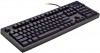
New company Tesoro bucks mechanical keyboard trends and ditches CHERRY MX switches for Kailh. These cheaper keys offer the same mechanical benefits as the MXs but at a lower price. Find out how the Tesoro Excalibur performs and what it does to turn a normal keyboard into a gaming one.
Mechanical keyboards have been all the rage for the last couple years in gaming circles. For the most part, a single company has kept the limelight, CHERRY. The MX series of switches made a rapid comeback after prices were slashed and demand rocketed. Now there’s a new player entering the market, and it’s not for the reasons you think.
CHERRY MX switches are made exclusively in Germany (and Japan), and have been since their inception. With so many companies moving manufacturing to China, it’s surprising to see such exclusivity. But things are changing, and there’s been a major issue looming for CHERRY: time. The mechanical switches pioneered by CHERRY were invented in 1983, which means something recently expired. Patents.
It didn’t take long before knock-offs and copy-cats started to spring up all over the place, and one such company making these switches is Kailh. The switches made by Kailh are pretty much identical to CHERRY MX switches, including the color designations, although supposedly at a lower price. Keyboards utilizing the Kailh MX-style switches started to crop up late last year, and one such keyboard is under review today. From a very new company (technology speaking), Tesoro has entered the fray with its Excalibur gaming keyboard.

The Tesoro Excalibur (G7NL-BL to be specific) is a fully illuminated mechanical keyboard that makes use of the Kailh blue switches. These switches behave pretty much identically to CHERRY MX Blues, in that they are tactile switches with a loud ‘click’. Other variations exist for the Excalibur too. Not only do the switches behave the same, they are constructed near identically too, even down to the + shaped button head, so after-market key caps can be used.
Apart from the switch type, the Excalibur is a fairly standard full-sized keyboard with some specific gaming and media-related function keys. While there are no dedicated additional keys, all extra functionality works without driver installation (which is a good thing in this case).

These extra media keys can be accessed by holding down the function key, which replaces the right-side Windows key. Media and volume is controlled via the F1 to F6 keys, profile selection is F8-F12, backlight brightness and pattern via the numpad, and finally the option to switch between 6-key and N-key rollover.

It seems silly to have the option to switch between 6 and N-key rollover, but as it turns out, it can be quite useful. Ever had a keyboard that refuses to work at a boot-menu or BIOS? Disabling N-key rollover might allow you to use the keyboard at boot-time.


There are a selection of backlights to cycle through, from various brightness levels to two different gaming-based key light mappings. This particular model does not come with multiple colors to pick from and just uses standard blue. There is an issue with the backlight and the keys which I will touch on later.
In terms of other physical features, that’s about it. No extra buttons, no extra USB port on the back, not even a braided cable. It’s about as basic a gaming keyboard can get. The only thing to look at is the software stack.
The Software
The first thing you’ll need to do is head on over to Tesoro’s website and track down the driver you require – which is not obvious if you are not sure what you are looking for. The support page lists all available drivers for its products – some categories would be nice.
The next issue is that the drivers are compressed with RAR. This is definitely strange. While RAR is common enough, Windows does not have native support for the format, so you will have to download extra software in order to use it (such as 7zip). The RAR file contains the self-extracting driver executable plus help files as web pages.
Once installed, the drivers require an obligatory reboot for no real reason, so you can ignore that and just launch the keyboard management software from either the toolbar icon or via the start menu. Brace yourself people, it’s revenge of the 90s.

Yikes is all I can say. While aesthetics is often a personal thing, this is rather… busy, and dare I say, poorly laid out. First, the fonts are small, hard to read, nor do they fit inside their designated buttons. There is no anti-aliasing around the border, so it’s all jagged. Those running high-resolution screens will probably find the interface difficult to use. It’s kind of sad, but this looks like a number of other poorly designed Chinese software suites – meaning, it wasn’t meant for other languages (the font style and poor fitting give it away).
Beyond the style, does it work? Mostly. This software looks as if it was built for a higher end model because there is an option to change the LED color – which doesn’t do anything. There are 6 profiles, 5 of which are programmable (PC mode appears to be a default). You can set profiles to synchronize with particular applications, import and export settings, and manage macros.

The macro interface is definitely not easy on the eyes, but it’s functional. Since the keyboard has no dedicated macro keys, pretty much any key can be assigned a macro or function instead, so pick carefully. The only keys you can’t change are the F keys (apart from F7), as these are used for the media and profile functions.
You have some pretty granular control over the macros, which is actually better than a lot of other suites (such as the fact you can move individual key presses around, insert individual keys and adjust timings). If it weren’t so hard to read, it would be fine.
There is one issue that’s quite common with a lot of programmable hardware, something that even the big name manufacturers struggle with sometimes. When saving the profiles to the device, it takes a very long time, with an almost useless ‘loading’ bar splashed across the screen which doesn’t change. You’d be forgiven for thinking nothing is happening (even Windows thinks it’s locked up) but give it time and eventually it’ll work. It’s not completely awful as you can continue to type and use the keyboard while the settings are flashed to the on-board memory.
Final Thoughts
For a basic gaming mechanical keyboard, the Tesoro Excalibur is fine. It doesn’t have any super snazzy features, but what it does have, works. While the software may be ugly, it works and has enough features to make it useful. However, if you decide to forego the software entirely, the keyboard can still make use of the extra media keys.
If there was any kind of real flaw with the keyboard, the only thing I would point out, something I alluded to with the backlight, was the chosen font for the lettering. Tesoro decided to use some kind of modern, gaming-inspired font for the lettering. If you touch type, this isn’t an issue, however, for the majority that don’t, you might find the font hard to read. This issue becomes worsened when the backlight is turned on.
While I may be getting older, my eyes aren’t that bad yet, but for the life of me, I struggle to focus on the letters when the backlight is switched on. It all becomes a bit blurred as the font is bold with few spaces between strokes – this means the backlight just bleeds through from all directions and becomes very hard to read. B N and M all look the same, the D looks like an O, and you can’t tell the difference between a comma and a period. Turn the backlight off, and it’s mostly fine.

With regard to the Kailh mechanical switches, you’d be hard pushed to tell them apart from the CHERRY MX series. They felt sharp and responsive, they clicked, were tactile, they made contact at the mid-point, and they felt lighter compared to dome keys (but not as light as reds). I could not tell any kind of variance between keys either, they all felt the same, although the physical properties of the keyboard itself made some keys echo slightly, sound hollow in places, but that’s down to how the PCB is supported.
One small fault that became apparent was a double-tapping J key. Every now and then, when J was pressed, it would sometimes trigger two or three times. Whether this is a fault with the switches or firmware is hard to say, as I’ve seen this behavior before (Corsair’s keyboards used to occasionally stream the key until it was pressed again, an issue later fixed with a firmware update).
For the most part, the Tesoro Excalibur is a decent keyboard for a new company. It needs to clean up the software and choose a different font, but otherwise the issues I have are minor. This isn’t the first keyboard to make use of Kailh switches either, Thermaltake and others have experimented with them too. The only thing that can’t be tested with the Kailh keys is longevity, whether the keys can last up to CHERRY’s 50 million presses.

If you want a mechanical keyboard without the CHERRY price tag, and are not too fussed with dedicated media and macro keys, the Tesoro is worth considering. We’ll be keeping an eye on this company from now on, to see if it improves its software.
Pros
- Kailh switches work just as well as CHERRY MXs.
- Simple keyboard with no frills.
- Software works.
Cons
- Software is seriously ugly.
- Lettering hard to read with backlight on.

Support our efforts! With ad revenue at an all-time low for written websites, we're relying more than ever on reader support to help us continue putting so much effort into this type of content. You can support us by becoming a Patron, or by using our Amazon shopping affiliate links listed through our articles. Thanks for your support!

Jamie Fletcher
Jamie has been abusing computers since he was a little lad. What began as a curiosity quickly turned into an obsession. As senior editor for Techgage, Jamie handles content publishing, web development, news and product reviews, with a focus on peripherals, audio, networking, and full systems.
