Techgage logo

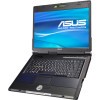
ASUS G1S 15.4" Gaming Notebook

Date: October 15, 2007 - Author: Rob Williams

Despite having a number of models available, ASUS is still not a name that's synonymous with notebooks. But one thing is certain, they don't push out poorly designed products. We are taking a look at a perfect example of what a quality notebook should be, with the G1S gaming series.


Introduction

I was speaking with a good friend a few weeks ago, one who's not that fluent on PC hardware. During our discussion, we got on the topic of this notebook, as I was working on benchmarking it at the time. One thing he mentioned struck me. He noted that when it comes to ASUS products, he'd be willing to pay more over a competitors product, because hes had such great experiences with their offerings in the past.

After pondering for a bit, I realized that I was in the same boat. We've reviewed numerous ASUS products in the past, fifteen to be exact, and we've never given one a "bad" review. The closest was the PW201 monitor which had ultra-poor touch-controls, which still annoy me to this day. It's not too often that we see such an abundance of quality products released from the same company, without receiving a less-than-ideal product every now and then.

The reason I bring all of that up, is because ASUS is not currently known in North America as being a notebook manufacturer. Of course around here, their motherboards are quite popular, but their notebook lineup is slow to catch on. Why? Too much competition, no doubt. With that in mind, how is a company to compete? By attempting to create better products than the competition, of course, something that ASUS has done well for a number of years.

The G1S is a perfect example of this methodology. All too often, when a company releases their first product into a new market, the results will be sub-par, but improve over time. This is due to their R&D department being not that well-versed in that market segment, or because the company simply wants to rush a product out the door to see who bites.

I'm unsure how long ASUS have been producing notebooks in Asia, but I do know that their North American releases have been nothing but impressive up to this point. From what I can see, ASUS doesn't release a product unless they know it's going to be well-received, and that it's well-built. After using the G1S notebook for the past two months, I can vouch for its quality.

Closer Look

You might be thinking that I am going to continue this ASUS-love-fest for hours, but that's not the case. As much as I love most of their products, there are many things that they could improve on, the primary one being product support. I'll touch up on this towards the end of our article. For now, let's take a look at what the G1S offers and what you will receive with it when you decide to purchase one.

First and foremost, a box is not normally a selling point of a product, but ASUS has always done a good job with their designs, so it's with that reason that I include a picture of it here. Let's game, indeed.

Before we jump on the notebook itself, we will take a look at what is included. In the picture below, you will find the various driver CDs, the manual, battery and it's power brick, LCD cleaning cloth, various accessories and an ASUS-branded Logitech MX518 mouse.

Once out of the box, you will notice that the G1S has been packaged well... it shouldn't have a single scratch once received. All sensitive areas of the notebook are protected with plastic, including the screen and faux carbon fiber.

Being a gaming notebook, the G1S couldn't leave the factory without some "bling" pasted on. In the case of this particular notebook, that bling included a carbon fiber chassis, which looks great. I've yet to find someone who didn't think that it looked good. Sure, it's fake, and it doesn't help to cut down on weight, but it looks great and from a gamers perspective, that matters.

With that, let's move onto a look at the physical features of the notebook itself.

Closer Look

As always, please excuse the office in the background. I am not sure who put it there while I was snapping photos. As you can see from the below picture, the laptop is a modest size, with help of it's 15.4" screen. 17" notebooks are far heavier, so the G1S is designed to offer a modest gaming experience while being portable at the same time.

Where carbon fiber was not used, black brushed aluminum was used in its place, including around the touchpad. It goes without saying... this is one of the best looking notebooks I've ever seen, and that's one reason why I'm so hesitant to give it back to ASUS...

The logo found between the left and right touchpad buttons is what denotes this as a Republic of Gamers product. It itself is not an actual button, nor does it light up.

Below the touchpad are five buttons used for media purposes. You might imagine that these could be pushed accidentally while in the heat of battle, but you have nothing to worry about. These buttons are flush with the surrounding laptop, and pushing one requires more effort than a regular key-press. This will not be done by accident.

If the notebook is turned off, you can hit the PWR button here, which will turn it on and automatically launch Windows Media Center once Windows is booted.

Additional buttons are found to the top-right-hand corner of the notebook, which include the power, WiFi enable/disable, performance mode-change, touch-pad disable and e-mail launcher.

If there were doubts that the G1S is a notebook designed for gamers, then check out the WASD keys, which are colored green so that you will notice them quicker. Despite their appearance, these keys do not glow in the dark.

To finish up, here are three more pictures: The system stickers, the 1.3 megapixel webcam found atop the screen and also what's found underneath.

As for connectivity, the left side of the notebook will offer the DVD-RW drive, while the right has firewire, audio, TV-out, modem and NIC. On the back, you will find four USB 2.0 ports, an eSATA port and even an HDMI port, along with VGA-Out. While I do wish a DVI port was available, the inclusion of both the eSATA and HDMI is a smart move.

With all of the physical aspects covered, the next page will focus on the laptop specs and software.

Specs, Software

When deciding on a G1S purchase, be sure that you are picking out the correct model. There's a G1 floating around, which has older specs. The G1S came out after the launch of Intel's Santa Rosa mobile platform, so power consumption is improved, as are the specs all around. The -A1 after the model denotes that this is the first revision of the notebook. There has not been a follow-up yet, but there has been for the G2S. Below, you will find all of the specs for the G1S-A1.

Feature
ASUS G1S -A1
Processor Intel Mobile Core 2 Duo T7500
2.20GHz, 4MB L2 Cache
0.850v Idle, 1.250v Load (Approx)
Memory 2GB (2 x 1GB) Hyundai Electronics
DDR2-667, 5-5-5-15
Graphics Card nVIDIA GeForce 8600M GT
256MB GDDR3, 513MHz Core, 700MHz Mem
Hard-Drive 160GB Hitachi Travelstar
5400 RPM, 11ms Seek
Optical Disk Drive Hitachi GSA-T20L ATA
2MB Buffer, LightScribe
CD-R / CD-RW: 24x
DVD+R / DVD+RW: 8x
DVD-R / DVD-RW: 8x / 6x
DVD+R9 / DVD-R9: 4x
Connectivity Intel Wireless WiFi 4965AGN
  Handles a/b/g and Draft-N
Realtek RTL8168B/8111B PCI-E Gigabit
Motorola SM56 Speakerphone Modem
Peripherals 4x USB 2.0
1x Firewire
1x eSATA
HDMI
VGA-Out
Realtek ALC660 (Intel 82801HBM Audio)
Card Reader: SD, MMC, Memory Stick Pro
Display 15.4" WSXGA+
Display Size: 33 cm x 20 cm (15.2")
1680x1050 (16:10 Aspect)
Et cetera Microsoft Windows Vista Home Premium
Weight: 6.8lbs
2-Year Limited Warranty
Battery: 69900 mWh

Overall this is a very capable gamer's notebook. The processor is fast, there is sufficient memory and the video card is the second-to-best to what's available from NVIDIA. The G1S impresses me for the fact that it includes both eSATA and HDMI, two technologies that are still not that mainstream. Even if you can't support either of those connections right now, you might be able to down the road, and it will be then when you appreciate their inclusion.

The eSATA support, to me, is the more important of the two. For those unaware, eSATA is essentially external SATA, which allows you to use an external hard-drive at full-speed. This allows you to return home, quickly backup what you worked on while out and then be on your merry way. eSATA is more than just a tech fad, it's something that will prove quite useful to those who use it, especially for backup purposes.

If anything strikes me odd about their choice of components, it might be the fact that the hard-drive is 5400RPM and not 7200RPM. From my understanding, this notebook had it's specs fixed in May, along with Santa Rosa's launch. At that time, 7200RPM 160GB hard-drives were still expensive, and I can't blame their choice of preferring density over speed. Personally, I don't mind having a level take 25% longer to load if it means I have a hard-drive that's 50% larger. Still, I assume that if we see a B1 revision of the notebook, then the hard-drive will be one of the components upgraded.

Software

If there is an immediate downside to the G1S, it would be that it includes Windows Vista. Sure, this isn't ASUS' fault. In fact, it's all a matter of tastes. I've mentioned in previous articles about my Vista gripes, so I won't get into them here. If anything, all I will say is that I still prefer XP over Vista, especially when it comes to notebooks. The reasons are stability, reliability and better battery life.

One area where I have praised ASUS in the past, is that if they offer a notebook with Vista included, they will have Windows XP drivers available through their website. Well, I've been using this particular notebook for over two months and there are still no such drivers available. During a conversation a few weeks ago, ASUS told us that drivers would be added, however they didn't have a prediction when that would happen. As it stands, there are a few drivers available, for the Camera and touchpad, but that's it.


ASUS G1S - Windows Desktop after initial boot

The G1S comes pre-bloated like all other ASUS laptops we've reviewed in the past, with the only piece of commercial software being Norton Internet Security 2007. This is more of a trial, however, as it lasts 90 days prior to requiring you to purchase a license. In my experience with NIS though, I'd recommend an uninstall and choose a more light-weight and capable firewall application. Most other applications are from ASUS' own labs, which can add to the usability of Vista. Here is a quick list of notable pre-installed non-system software:

As a casual user, you might appreciate a few of the applications that ASUS pre-bundles here, but most gamers will take the uninstall route for most of these. I don't have extreme gripes on the bloat, given that a lot of it is delivered by ASUS and is not commercial software, save for the the Norton Internet Security. It would be great though, to have an option of which software packages to include after Vista is installed, instead of simply being given everything all at once since it takes time to uninstall. Luckily for most, this will not need to be done that often. During testing, I had to deal with it five or six times... tedious!

Testing

We are in the works of creating a new testing methodology for our notebook testing, so instead of focusing on synthetic and other system benchmarks, we are going to focus on just game-related benchmarks here. Given that this is a gaming notebook, chances are good that 99% of it's purchasers care about gaming performance more than anything else.

Because no WinXP drivers were available at the time of this review, I decided to stick with Windows Vista Home Premium. All Windows Updates were applied. ASUS had a newer NVIDIA driver available on their site, so I installed that in replacement of the original.

We used eight games for our testing, all titles that are suited for a notebook with these specs. We didn't test out brand new games, such as Bioshock or Enemy Territory: Quake Wars, simply because those games have incredible details and would run better on a notebook with a beefier GPU. This is not to say that those games will not run, but the required resolution and settings would not be desirable.

Throughout our testing, our goal was to keep the resolution for each game as high as we could, as lowering a resolution far below native resolution on any LCD looks less-than-desirable. Therefore, we chose 1280x1024 as our lowest point, because even though it's not a widescreen resolution, it still was very playable and crisp.

All games were played manually, using FRAPS as the tool for capturing our Minimum and Average FPS. All results are found in the table below.

Game
Settings Used
Min/Avg FPS
Call of Duty 2 1280x1024
Bilinear Filtering, 0xAA
Shadows, Normal Dynamic Lights, Soften Smoke Edges: World Only, Medium Corpses
17 / 25.071
Flatout 2 1680x1050
Bilinear Filtering, 0xAA
Triple Buffering and Post-Processing Enabled
37 / 48.795
Half-Life 2: Episode 1 1280x1024
Bilinear Filtering, 0xAA
Simple Reflections, High Shadow, V Sync Enabled
19 / 57.521
NFS: Carbon 1280x1024
Medium Details
21 / 36.854
Trackmania 1680x1050
0xAA, Forced Bloom
34 / 49.800
Prey 1280x1024
4xAF, Low Texture Quality, Shader Detail: Medium, Specular, Sharpened Bumpmaps Disabled
19 / 39.900
STALKER 1680x1050
Static Lighting, Medium Quality Settings
17 / 63.932
Supreme Commander 1680x1050
Medium Fidelity Presets
7 / 15.273

All of the games we ran worked great, even STALKER, which surprised me. Supreme Commander has the lowest avg FPS of the bunch, but being an RTS, it's one of those games that doesn't require extreme performance to be completely playable. While the game didn't exactly run like a dream, it didn't run so poorly that you would still not enjoy it.

For miscellaneous other tests, I ran both MobileMark 2007 and SYSmark 2007 Preview, which delivered these scores:

Test
Results
DVD Playback
94 Minutes
Productivity
105 Minutes
SYSmark 2007
E-Learning: 81
VideoCreation: 55
Productivity: 110
3D: 116
Overall: 87

While the SYSmark results are not that important to those who have no basis for comparison, we are keeping them on hand so that we will have a basis of comparison in our upcoming notebook evaluations. As is the case with all gaming notebooks, the battery life exhibited here is far from stellar. In fact, 94 minutes for a DVD is painful. The G1S is meant to be portable, but also meant to be used where a power socket is available.

Final Thoughts

Whenever we receive a notebook for review, we have it at most for two or three weeks prior to it being sent back. That wasn't the case with the G1S, however. In all, I've been using the notebook periodically for the past 75 days, 19 of which it was used as my primary computer, due to travel.

After spending an extended length of time with the G1S, I highly recommend this notebook without reservation, whether you're a hardcore gamer or just a gear freak.

Naturally, no notebook suits everyone, and the G1S is no different. It's a product that is geared for consumers who want a notebook designed for gaming, but are not willing to pay upwards of $3,000 or more for a top-end offering. The G1S however, retails for a comfortable $1,750, which is in-line with competitor's offerings (a similar Dell machine priced up to be $1,722).

As you can see from the benchmarks on the previous page, the G1S is completely capable of gaming... a good thing since that's it's primary focus. I even had the opportunity to attend AsylumLAN 29, in Evansville, IN, back in August and used this notebook there. Throughout all of the Counter-Strike sessions, it performed very well. Throughout one evening, the game froze for a split second only once, which is something that can just as easy happen on a desktop machine.

That said, I do recommend turning down the graphics settings if a LAN party is in your sights, or multiplayer in general for that matter. Enhanced cooling might be appropriate as well, such as a laptop pad, as the laptop will get hot after long use. Bigger gaming laptops combat this by having bigger fans/heatpipes and a larger chassis, but since the G1S is designed to be portable, anything you can do to give it a little extra breathing room will help.

Gaming aside though, this is still a stellar notebook for getting things done. It features a fast processor, 2GB of ram and a gorgeous LCD capable of 1680x1050. The screen proved to be one of my favorite features... I have no single complaint. It's bright, offers a high resolution that allows for great workflow and produces rich colors. Consider the fact that this 15.4" screen uses the same resolution of most 20" - 22" desktop monitors. The result is ultra-crisp image quality.

Then we come to the bling factor. The faux carbon fiber look might not appeal to all, but it has a great track record around here. Not a single friend of mine didn't love the overall look of the laptop, and many of them expressed desire to own one of their own.

In creation of the G1S, ASUS doesn't seem to have skipped over anything important. They've developed a solid gaming offering that covers all of the bases... and even throws in some features that most people don't expect, such as HDMI support.

The notebook bag that ASUS includes is essentially a well-padded backpack that features lots of pockets and comfort. During the time I had with the notebook, I took it with me on three trips out of town, and even after all of the being thrown around, it still looks great. It's a great addition to the entire package that ASUS has delivered and beats out standard laptop bags for gamers, no question.

We don't give number ratings to notebooks we've evaluated, but we do give our an Editor's Choice, which this laptop readily deserves. It's a solid notebook for gamers, offers a great CPU, more than sufficient RAM, a gorgeous high-resolution LCD, great peripheral support and a very capable/comfortable notebook backpack, all at a price that is directly in-line with the rest of the competition.

While ASUS produces quality products, their customer service has never been well-known as being one of the best in the business. In fact, throughout all of the ASUS products we've reviewed in the past, there have been many comments about how lackluster their support is. The most common issue is getting a reply from the technical support promptly. The same can be said for a lot of notebook makers (I've been dealt many headaches with Dell), but ASUS no doubt needs to step up their service if they want to truly saturate the North American market with their notebook products.

Discuss in our forums!

If you have a comment you wish to make on this review, feel free to head on into our forums! There is no need to register in order to reply to such threads.


Copyright © 2005-2008 Techgage Networks Inc. - All Rights Reserved.