Techgage logo

eVGA nForce 750i SLI FTW

Date: August 5, 2008 - Author: Rob Williams

Need an SLI motherboard but have less than $200 to spend? No need to stress, as the 750i SLI chipset was designed with you in mind. We are taking a look at how eVGA put the chipset to good use in the form of their 750i SLI FTW board, which offers solid performance and overclocking-ability, in addition to great board design.


Introduction, eVGA 750i SLI FTW Features

It's been a little while since we've taken a look at an NVIDIA-based motherboard, so to say that we are long overdue for another would be an understatement. I'm happy to report though, that I've been able to spend a lot of time over the past few weeks with eVGA's 750i SLI FTW board, an affordable offering designed both for the enthusiast and the gamer.

NVIDIA's chipset line-up currently includes the 750i SLI, 780i SLI, 790 SLI and also the very high-end 790 Ultra SLI. You can guess that the 750i SLI we are taking a look at today is designed to be an entry-level product, but it's far from being a low-end offering, as we'll soon see.

The main draw for the 750i SLI will of course be the price, and this particular board currently retails for around ~$180. That puts it on par with Intel's higher-end P45 offerings. Where 750i SLI arguably has the biggest benefit though is with the dual 16x PCI-E slots, for multi-GPU mode. Intel's P45 also offers two 16x slots, but when used in dual-GPU mode, they effectively drop down to 8x, effectively killing top-end performance.

The chipset also features support for DDR2-800 (though eVGA broke that spec) and can also handle any recent Intel CPU, including the 45nm Wolfdale and Yorkfield.

eVGA 750i SLI FTW Features

The last eVGA motherboard I used was their 680i SLI, which was the highest-end offering of last-gen. It was a great board and one of the most well-rounded I had used in a while. It had fantastic performance and an incredible overclocking-ability (especially on the memory side), and luckily, NVIDIA's 7-series didn't change much.

eVGA's 750i SLI board is part of their 'FTW' series. I at first thought it was an explicit statement, but once I got my head out of the gutter, I realized that it was 'For The Win'. eVGA no doubt has the same sentiment about their boards over the competition, which is why the tag might be appropriate.

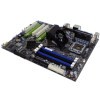
Despite the lighter color in the photo, the PCB used on eVGA's board is dark-brown. Not quite black, but close. At first glance, nothing appears out of the ordinary with the design, so let's go ahead and take a closer look.

Unlike the higher-end 790i chipset, 750i supports DDR2 only, officially at DDR2-800 speeds. Given the fact that DDR2-800 feels so 2005, eVGA kindly broke the spec and offer promises of DDR2-1066 supported speeds.

Towards the bottom-right-hand corner, numerous connections come into view. Being a 'budget' model, only 4 S-ATA ports are available off the board itself. Their placement is absolutely perfect, though, with ample space between each set in order to effectively maximize your cable-routing scheme. The fact that they are side-mounted makes it an even sweeter deal.

Also found below are the ATX chassis connectors, the BIOS chip (finally, one that's really accessible), the BIOS battery, BIOS status LED and also a USB connector. Two fan connectors can also be seen in this image.

Continuing along to the ports, we can see three regular PCI slots in addition to a single PCI-E 1x and of course the dual 16x slots. This board is SLI-ready and could even handle Quad-SLI if you had two graphic cards with two GPUs each, such as the 9800 GX2. Two more fan connectors can also be seen here.

Although the heatsink on eVGA's board offers ample performance, it doesn't really compete with the higher-end offerings seen on some boards from the competition, such as ASUS and Gigabyte. Looks are not what's important though, and I appreciate the fact that there is a lot of room for airflow, and that it's not completely dominated by a massive piece of copper thats main purpose is looks.

Overall, I am quite pleased with the board design and layout. Everything seems to be located in the most convenient location, which is a lot more than I could say last year about the 680i SLI. Note that the board also features a 6-phase power solution, which seems to pale in comparison to some of the competition, but should prove more than enough for light overclocking and high stability.

Taking a look at the back I/O panel, we can see dual PS/2 connectors, for mouse and keyboard, Firewire, two USB, S/PDIF, 7.1 channel audio, four more USB and also a single LAN connection.

The 750i SLI FTW might be eVGA's current lowest-end offering, but neither the board or included accessories makes it obvious. In addition to generic connectors (ODD, HDD), eVGA ships the board with two additional back-panel slot-fillers to add another Firewire port, should you need it, and four more USB ports. If you take them up on their offer, that means you get 10 USB ports right off the get-go.

Finally, also included is an SLI bridge, chipset fan, I/O panel, manuals and of course the driver CD-Rom. Can you think of anything that was left out? I sure can't, so let's move onto a look at the BIOS, and then finally, the performance reports.

Checking out the BIOS

If there is one area where NVIDIA's motherboards excel, it might be with overclocking. Although we haven't had too many nForce-based boards in our labs in the past few years, the ones we have thoroughly tested have delivered what we were looking for in terms of overclocking. eVGA's own 680i SLI was my absolute favorite overclocking board for quite a while, especially on the memory front.

The 680i SLI was an enthusiast board, however, and the 750i today is catered more towards the mid-range market. Well, as we saw in our look at the ASUS P5N-E SLI way back in December of 2006, NVIDIA's 'budget' chipsets aren't too limiting where overclocking is concerned. That board hit 500MHz FSB without much work, and for the given price-point of the board at that time, it was a stellar offering all around.

That said, while NVIDIA's boards are nice overclockers, the BIOS' tend to be nowhere near as robust as some seen with Intel's latest chipsets. That might not matter for some, however, me included, but if you take overclocking seriously, Intel's P45 or X48 chipset might be the route for you to take.

The first overclocking-related screen is simply the top-menu for the sub-sections, although the multiplier can be altered here. This is also the one-stop-shop for saving and loading overclocked profiles.

The first sub-menu in itself is not too interesting, but the fact that the default PCI-E frequency is 126MHz is. All Intel-based boards we've taken a look at recently have defaulted to 100MHz, so eVGA undoubtedly want to make sure that the beefiest of cards have the bandwidth and speed they'll need.

The second sub-menu is where the front-side-bus and memory frequencies are handled. One way that NVIDIA's boards are different than others with Intel's chipsets is that the FSB frequency displayed is the real value, not the simplified base value. This in itself is not an issue, but if you normally rely on the - and + keys to adjust values, it will take literally four times as long. Luckily, if your Num Lock is active, you'll be able to simply type in the value you want.

I accidentally forgot to photograph the sub-menu here for memory timings, but the options are as follows: tCL, tRCD, tRP, tRAS and CMD. Secondary timings include tRC, tRRD, tWR, tWTR, tREF. As I've already mentioned, some other boards (with different chipsets) offer far more memory overclocking ability, but the options found here should suffice for all casual overclockers.

Where voltages are concerned, this board again delivers all of what most users will need. The most 'hardcore' of them all is the CPU voltage, which ranges between 0.5v - 1.8v, allowing insane underclocking and overclocking potential.

The other voltages include the FSB, which tops out at 1.45v, the SPP at 1.55v and the NF200, also at 1.55v. The DDR2 voltage ranges between the JEDEC standard of 1.5v all the way up to 2.5v.

One thing I came to enjoy about this board was the fact that the PC Health section actually delivers more information than many other Intel-based 'budget' boards. Included are all the important voltages and fan speeds, and of course, the temperatures as well.

I'll let the remaining pictures speak for themselves:

Before we tackle our performance results, we first present our test machine and methodology on the following page. If you have never read through it before, we highly recommend you do. If you have been reading our reviews for a while, you are good to skip to page four.

Test Machine Specs & Methodology

At Techgage, we strive to make sure our results are as accurate as possible. Our testing is rigorous, and sometimes exhaustive, but we feel the effort is worth it. In an attempt to leave no question unanswered, this page contains not only our testbed specifications, but also a fully-detailed look at how we conduct our testing.

If there is a bit of information that we've omitted, or you wish to throw off recommendations or suggest changes, please feel free to shoot us an e-mail or post in our forums.

When preparing our testbeds for any type of performance testing, we follow these guidelines:

No hardware during our performance reviews is changed during testing, except for the product-type being reviewed, of course. Our current configuration is as follows:

For our testing, we use Microsoft Windows Vista Ultimate 64-bit. We chose to stick to a 64-bit Windows because throughout the past year of usage, we find it to be much more stable than the 32-bit counterpart.

Once we set up our OS', nothing changes unless we revamp our entire methodology.

Gaming

In an attempt to deliver accurate results, games that we test with are played through manually, with the average FPS recorded with the help of FRAPS 2.9.4. In our personal tests, we have found that manually benchmarking games is the best way to deliver accurate results, since time demos rely heavily on the CPU.

In order to deliver the best results, each title we choose is explored to find the best possible level for our benchmarking. Once a level is chosen, we play through in order to find the best route, and then in future runs, we stick to that route as close as possible. We are not robots, so we cannot make sure that each run is identical, but they will never be far off from each other. As we see in our results, scaling is good, so we are confident that our methodology is a good one.

Because performance between motherboards shouldn't vary by much to begin with, we choose to run a single game for our tests, along with Futuremark's 3DMark Vantage.

Half Life 2: Episode Two

1680x1050
2560x1600

On the next page, we'll kick off our results with SYSmark 2007 Preview.

SYSmark 2007 Preview

SYSmark 2007 Preview

Synthetic benchmarks have typically been favored for performance testing, but the results they provide can be fairly abstract, and the methods they use to assign their scores can be dubious at times. By contrast, real-world application benchmarks provide performance metrics that apply directly to real-world usage, and we endeavor to apply both in our performance comparisons.

SYSmark 2007 Preview from BAPCo is a special case, because its synthetic scores are derived from tests in real-world applications. However, we still believe that synthetic benchmarking scores are best used to directly compare the performance of one piece of hardware to another, and not for developing an impression of real-world performance expectations. SYSmark is more useful than most synthetic benchmarking programs in our opinion, because its tests emulate tasks that people actually perform, in actual software programs that they are likely to use.

The benchmark is hands-free, using scripts to execute all of the real-world scenarios identically, such as video editing in Sony Vegas and image manipulation in Adobe Photoshop. At the conclusion of the suite of tests, five scores are delivered: an E-learning score, a Video Creation score, a Productivity score, and a 3D Performance score, as well as an aggregated 'Overall' score. These scores can still be fairly abstract, and are most useful for direct comparisons between test systems.

A quick note on methodology: SYSmark 2007 requires a clean install of Windows Vista 32-bit to run optimally. Before any testing is conducted, the hard drive is first wiped clean, and then a fresh Windows installation is conducted, then lastly, the necessary hardware drivers are installed. The 'Three Iterations' test suite is run, with the 'Conditioning Run' setting enabled. Then the results from the three runs are averaged and rounded up or down to the next whole number.

As a general rule, one motherboard is normally not going to be noticeably slower than another, but as these results show, there are certain boards that deliver consistently worse results, such as ECS' X48T-A and Intel's DX48BT2. eVGA's board is the only NVIDIA-based one in our line-up, and it shined. It came slightly behind the P45-based ASUS P5Q, but kept ahead of the other six.

Multi-Media: DivX, Adobe Lightroom & 3DS Max 9

DivX 6.7

For our video conversion test, we use VirtualDub to transcode (converting from one codec to another) a 0.99GB high-quality DivX H.264 AVI video of Half-Life 2: Episode Two gameplay with stereo audio. The video is just under 4 minutes in length and has a 720p resolution (1280x720).

For our testing, we encode the video two different ways. The first transcoding run ("720p Video Recode") encodes the video at the same 720p resolution but with a lower quality, to achieve a more acceptable file size for distribution (~150MB).

The second transcoding run ("Mobile Video Recode") scales the video to a 480x272 resolution, similar to what some mobile devices such as Apple's iPod use. For both tests, "Enhanced multithreading" is enabled in the codec control panel, as well as "Experimental full search" using the highest version of the SSE instruction set that the CPU supports.

Adobe Lightroom 1.4

Photo manipulation benchmarks are more relevant than ever, given the proliferation of high-end digital photography hardware. For this benchmark, we test the system's handling of RAW photo data using Adobe Lightroom, an excellent RAW photo editor and organizer that's easy to use and looks fantastic.

For our testing, we take 100 RAW files (in Nikon's .NEF file format) which have a 10-megapixel resolution, and export them as JPEG files in 1000x669 resolution, like most of the photos we use here on the website. Such a result could also be easily distributed online or saved as a low-resolution backup. This test involves not only scaling of the image itself, but encoding in a different image format entirely. The test is timed indirectly using a stopwatch, and times are accurate to within +/- 0.25 seconds.

3DS Max 9

Autodesk's 3ds Max 9 is considered the industry standard when it comes to 3D modeling and animation, counting DreamWorks, BioWare, and Blizzard Entertainment among its users. It's a multithreaded application that's designed to be right at home on multi-CPU workstations or render farms, so it's right up our alley for testing systems with multi-core processors.

Instead of the polygon-based rasterization handled by most GPUs, 3ds Max 9 uses scanline rendering as its chief method, but some ray-tracing plugins exist (which we don't use).

In our testing, we use a standard dragon model provided with 3ds Max, 'Dragon_Character_Rig.max'. The scene is rendered in two formats. First, a single frame from the animation is rendered at a resolution of 1920x1080 (1080p). Then, a 60-frame sequence of the same model is rendered to a 490x270 resolution AVI file, which can be exported to a portable media player.

No motherboard in our results can tout itself as a dominator, but that's a good thing. Most boards on the market will offer similar performance, and the SLI FTW board is no exception.

System: HD Tach RW/3 & Sandra Memory Tests

Simpli Software HD Tach RW 3

To test the storage subsystem, we rely on Simpli Software's HD Tach, a superb storage benchmarking tool that's now free for everyone to use. It excels at benchmarking a variety of internal and external storage devices, and produces consistent data and information-rich reports.

For this review, HD Tach will be used to test the internal hard drive's data transfer rates. Since the main system drive is being tested, which contains the operating system software, we will only be performing read tests, not write tests (which might cause data corruption.) Also, since we're not specifically interested in the drive's performance per se, we won't be running any access time testing.

Interestingly, the drive performance proved the worst on the eVGA board, although not by a large margin. The notable difference was with the burst speed, although the importance of that in real-world application is negligible.

SiSoftware Sandra XII 2008 SP2

SiSoft's Sandra benchmarking package has long been one of our favorite tools, because of its comprehensive set of specific hardware benchmarks. It delivers excellent consistency, and offers a variety of tests devoted to the memory subsystem. Here, we'll use it to test memory bandwidth and latency.

Likewise to the HD Tach test, the SLI FTW board came real close to entering the 6000 number-range in the bandwidth test. The latencies also proved less-than-stellar, but wasn't far different than the others, whether it was DDR2 or DDR3.

Gaming: Half-Life 2: Episode Two & Futuremark 3DMark Vantage

Half-Life 2: Episode Two

For real-world game testing, we turn to Valve's Half-Life 2: Episode Two, which has long been a standard for our game benchmarking. With Episode Two, Valve delivers more of what fans loved about the original game, but were kind enough to throw in a few twists. It's becoming increasingly difficult waiting for Episode Three!

The level used for testing here is 'Our Mutual Fiend', which has you navigating a large outdoor area with many Striders and buildings about. The goal is to make your way through the level, decapitating all the Striders you are able, while doing your best to save as many of the buildings as you can. It can be a stressful level, but is great for benchmarking thanks to the constant action and massive amounts of AI.

For our testing, we begin by loading the level from the console, and once loaded, we enable the FRAPS benchmarking feature which will track our overall FPS information. We begin the level in the same spot each time, and follow a well-defined path throughout until we reach a specific point of the level where we tell FRAPS to wrap up its FPS recording. For detailed information about the settings used in testing, see the screen shots in our Testing Methodology page.

As we expected, the results delivered by the SLI FTW board don't sway much from the others.

Futuremark 3DMark Vantage

3DMark has been the 'gaming benchmark' standard for quite a while, with versions dating all the way back to 1998. Vantage is the latest iteration and is just as hardcore on your GPU as we had hoped. It will be a little while before it can be run on any hardware with relative ease, which makes it a perfect candidate for stressing our rig to the max.

Although the differences between all the boards is minimal, eVGA's board scored the lowest score we've seen, coming right behind ECS' X48T-A. It became the only board so far to have a GPU score under 5,000. Not a major difference regardless, but a difference nonetheless.

Overclocking & Power Consumption

When I first received eVGA's 750i board, I had high hopes. After all, the last two NVIDIA-based motherboards I used both proved amazing for overclocking in their own rite. Luckily enough, the new board does indeed offer a lot of overclocking room, although not as much as some other recent boards we've had in. To be fair though, this board retails for much less than other boards we've had in.

With Intel's Core 2 Extreme QX9650 slapped into the board, I was able to reach 450MHz FSB speeds, with a reasonable Northbridge voltage of 1.35v. This result is not that impressive compared to a few other boards we have here, but the highest I've achieved with that chip on any board has been 470MHz, so the mark wasn't that far off.

With the far less system-strenuous Core 2 Duo E8400 in place, the board reached 500MHz and beyond, finally settling in at 513MHz with a Northbridge voltage of 1.40v. At those speeds, the board did go a bit higher than most others in recent memory.

In the end, the board does have a lot of overclocking room, and for its retail price (when compared to the other boards that overclock a lot higher), it seems to scale nicely. Hitting 500MHz on a Dual-Core will not likely cause many complaints, although the somewhat lackluster Quad-Core overclocking leaves a bit to be desired.

Power Consumption

To capture power consumption, we use a Kill-A-Watt, a cool gadget that plugs into your socket and reports the current wattage reading. We plug our testing machine directly into this, with our Gateway XHD3000 monitor plugged into the other available socket. Our results here show the power draw from the computer itself (including all internal components) and nothing else.

Please note that these figures also include the power draw from our Corsair Nautilus 500 water-cooling system, which gets its power from our PSU. Also, only one hard drive is connected to the motherboard and power supply, and the only 'extra' accessory used is the RAM fan. Before testing, network adapters are enabled, but no LAN cable is connected.

To record our results, we grab figures while the machine is completely idle, and then also while half of the processor (Core 2 Extreme QX9650 Quad-Core) is being utilized. The third and final set of results are grabbed while half of the CPU is being used in addition to the GPU (NVIDIA 9800 GTX), which represents a realistic result from normal gameplay.

The results here help make the 750i SLI FTW stand out, but not in a good way. The board managed to pull almost 24W more at both idle and load than the second-highest in our running. Whether or not this is completely attributed to the chipset itself and/or other components on the motherboard, I'm unsure. The fact remains though, compared to our other seven boards as tested, this one is far more power-hungry.

Final Thoughts

eVGA hasn't been building motherboards half as long as some other companies, but you wouldn't know it with such well-rounded offerings such as the 750i SLI FTW. The board isn't without faults, but it's well-thought-out, all the way down to the included accessories.

Let's start with the board layout itself. The only thing to really bother me about this board isn't actually something under eVGA's control... the lack of S-ATA ports. NVIDIA's 750i chipset limits the number to four, so any 750i board out there will top out at that number, unless the manufacturer chooses to add more with the help of a secondary chip. I haven't seen this, however, and I'm sure the reasons are due to extra cost.

In the instance you'll need more than four ports (and today, it's not hard to require that), then you're best choice is to simply choose a 780i board, which comes equipped with six. Sadly, even that's not-so-impressive, as many other P45/X38 boards we've taken a look at in the past have featured eight, which is an entirely sweet number as it allows a lot of freedom.

That rant aside, the board features a great design and it's one I cannot find a real complaint with. The four S-ATA ports are cleverly placed and are vertically-mounted, making installation a breeze. Other connectors are well-placed as well though... even the ATX chassis connectors. Lastly, the fact that the board includes five fan connectors (excluding the CPU fan) is fantastic. I wish all motherboard builders were so kind.

From a performance perspective, the 750i SLI FTW delivers as we expected. Some results were a little lower than we would have hoped, but it's not unusual to see a board excel in one benchmark and not in another. There is no such thing as a "perfect" motherboard.

The biggest area for concern would be with power consumption... it's truly staggering how this chipset manages to suck down 24W at a minimum over our other boards. Compared to our ASUS P5Q Deluxe, a P45-based board, the differences are even more incredible. There, the eVGA board draws 42W more at idle, and 60W at load.

Again, these differences might not mean much to some, but the fact that they are so large strikes me as a bit odd. Hopefully the next NVIDIA chipset iteration (if there is one), will vastly improve power consumption. NVIDIA is now one of the few companies that release new products that actually draw more power than the last generation, and that can't go on forever.

While the power consumption is high, so is the overclocking-ability. On the Quad-Core side, 450MHz FSB was our top-end clock, which isn't majorly impressive, but reasonable nonetheless. Given that this board only has a 6 phase power solution, compared to a few other recent boards that feature 8 and higher, it does seem that having a more robust power solution can improve top overclocks.

On the Dual-Core side, things improved greatly, reaching 513MHz FSB. While still not "incredible" by certain standards, it should suffice for most any overclocker who acquires one of these boards.

While eVGA's 750i SLI FTW board has some select downsides, it has far more upsides. It comes in at a reasonable price (although certain 750i SLI competition can be had for much less), features a great board layout, includes a great set of accessories and has good overclocking-ability. If you are keen on getting set up with SLI, this board will definitely set you off on the right foot.

Discuss in our forums!

If you have a comment you wish to make on this review, feel free to head on into our forums! There is no need to register in order to reply to such threads.


Copyright © 2005-2009 Techgage Networks Inc. - All Rights Reserved.