Techgage logo

Hiper Osiris Mid-Tower

Date: March 4, 2009 - Author: Greg King

When we took a look at Hiper's Anubis chassis just over a year ago, we were quite impressed, to say the least. For a company that seemed to come out of nowhere, their first offering was robust, well-designed, and feature-packed. We of course had high hopes when we received their follow-up Osiris. Does it live up to our expectations?


Introduction

When on the market for a new chassis, Hiper isn't necessarily a company that rushes to the front of many builders' minds. Our first experience with Hiper came when we reviewed their Anubis mid-tower a year ago. In that review, we were impressed with its design, its rigid durability and the overall build quality. Using the conventional method of drawing in cooler air from the front of the case and expelling it out the back and top, the Anubis put out very respectable thermal numbers.

Setting itself apart from the pack though was the huge aluminum heat sink that ran the entire length of the top of the case. While the thermal assistance that this provided was certainly questionable, the look that it gave the case did separate it from the pack of mid-towers that are all pretty much the same thing.

Offering far more than cases, Hiper sells awarded power supplies, keyboards, fans, cables and multimedia hardware (I'm actually using a set of HDMI cables for my PS3 and PC that are needlessly thick but work quite well). I am also using the Anubis as my full time workstation chassis at home so when their latest offering, the Osiris showed up for testing, I called dibs and began to put it through it's paces.

Closer Look

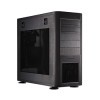
Lacking the large heat sink on top and a door on the front, the Osiris is an open face mid-tower offering hidden drive bays and the same 120mm front fan as the Anubis. When placed side by side, the overall build quality of the Osiris matches that of the Anubis. Using the same style of quick-off side panel as the Anubis, Hiper has made the Osiris just as easily accessible and from a profile prospective, the two cases look identical. Hiper has moved the power supply to the bottom of the case, added a 120mm filtered opening as well to allow the PSU to breath. From there, the differences are small.

The front of the Osiris, as mentioned earlier, is an open face chassis, lacking the door that we saw on the Anubis. There is metal grill with the Hiper logo stamped into it at the bottom to allow a 120mm fan that sits behind it to pull in cooler air from the front of the case and into the chassis. The top 2/3s of the case has five 5.25" drive bays with the top two offering spring-loaded doors to hide any optical drive that might reside behind them.

Surrounding both the grill and the drive bays is a silver bezel that adds a bit to the overall appearance of the case (though I could personally do without the lettering below the drive bays and the hieroglyphs in the upper right hand corner.)

The back of the Osiris offers the standard seven PCI slots, a 120mm fan and a bottom mounted power supply opening. The entire motherboard area of the case is thin-stamped aluminum that contrasts sharply with the rest of the black case. While this isn't anything different than almost every other chassis on the market today, it is something that I would love to see disappear.

I can mostly deal with the silver, but with thin aluminum strips, if you tighten your PCI slot screws too tightly (very easy to do), it can become stripped. Then you're stuck not using that slot at all, or rethreading it with a larger screw, and then try not to repeat the same mistake again. Like the Anubis, there is a pair or rubber-covered holes that can accommodate up to ½" diameter tubing for those of you that like to keep your thermals in check with water.

By placing the power supply at the bottom of the chassis, Hiper has solved a minor problem of allowing the PSU to breath. Most power supplies use one large fan, usually 120mm, to pull in cooler air and move it across the heat sinks on its way out the back. This is a problem in some cases as the fan sits only a few millimeters away from the bottom of the chassis. To remedy this, Hiper has placed a 120mm opening, covered by a filter, to allow cool outside air into the power supply instead of pulling in warmer internal air.

Another thing that carried over from the Anubis is the individual unit number. While kind of gimmicky, this is a neat extra that not a lot of companies offer, and to sweeten the deal, Hiper includes an Osiris keychain with matching number.

The right side of the Osiris is rather plain, as are most cases, but it does include the same type of latches that allow easy access to the underside of the motherboard tray. This is the side of the case that rarely get's opened by anyone, but the way that the Osiris is designed, to remove the hard drive tray, you need to access it from both sides. Having a door this easy to remove is wonderful.

We have seen the latches on the side panels that make them so easy to remove but on the interior, we see the spring loaded clamps that hold tight to the bottom of the chassis for a snug fit every time. Each side panel has a pair of these and they do a great job in holding the door in place.

Back is the top mounted I/O ports, but different from the Anubis is the inclusion of an eSATA port. Joining the eSATA is a pair of USB 2.0 ports, audio in and out, microphone, a reset and power button, as well as brilliant blue and purple LEDs for the hard drive and power respectively.

Next up, a look at the interior.

Interior

With the side panel off, we can see that aside from the power supply location, the Osiris is pretty much the same as the Anubis and that's a good thing.

Included with the Osiris are three fans, two of which flank the CPU cooler. Both are set to exhaust the warm air put off by the CPU and both use a small three pin power connectors. One thing that we did not like about the Anubis was the exclusion of fans for two of the three spots. It seems that the management at Hiper listened to the community and with the Osiris, they've included three Hiper fans this time around.

Also back is the hard drive carrier. Made out of the same thick aluminum that the rest of the case is, the Osiris can accommodate up to four hard drives, each kept cool by the front 120mm fan that attaches directly to the carrier.

Moving around to the back of the Osiris, we get to my main source of frustration. Not only is the aluminum motherboard tray thin, but you have to approach the PCI bracket screws from an angle with your screwdriver. I know that they market this as hands-free, but I don't know a single person with small enough hands to easily secure your PCI cards without the use of tools.

To make matters worse, the side of the case sticks out far enough that you have to go at the screws from a slight angle, making your chances of stripping the threads on the case that must more likely. This isn't a deal breaker but it is something that would be nice to see addressed in their future cases.

As with any case, there are the plethora of cables that allow the convenience of front facing I/O ports and the Osiris is no different.

One of the nice things about the Osiris is how easy it is to strip down. The front of the case comes off rather easily and the sides do just the same. With the case "naked", it's easier to install your components and route the cables as you see fit. Even with the front and both sides off, the Osiris is as solid as a rock and was able to support my body weight in its entirety.

Hiper has included a fan grill on the front fan as we can see with the front panel removed. With this Osiris, this addition seems completely unnecessary which leads me to believe that the Anubis and the Osiris share the same part. Which they do. By removing the thumb screws on either side, the hard drive carrier slides out the front. While it will certainly throw off your air flow, I see no reason why you couldn't move the hard drives up a few places and put a decent water pump at the bottom.

Hiper has decided to ship the chassis with a 5.25" to 3.5" adapter. I can't seen anyone using this anymore, but for those that might be looking for a case that offers this, here you go. I suppose you could mount a fifth hard drive in this spot and the aluminum sides that you attach it to might aid in dissipating some extra heat as well.

As we mentioned earlier, the front-mounted fan attaches to the hard drive cage and comes out with it when you remove it to install your hard drives. One complaint that we had with the Anubis was that we could not get our test Seagate 750GB drives into the cage as it was slightly too wide. After being assured by Hiper that this would be corrected, the first thing I tried when we got this case in for evaluation was to install this same drive. It fit this time.

Running along the top and bottom of the hard drive cage are sets of raised fins. These should aid in dissipating even more heat that the hard drives put off.

For demonstration, we installed three different hard drives into the drive cage. The top drive is a slim Seagate 250GB drive, the middle is a standard 320GB Seagate drive and the bottom on is the larger Seagate 750GB drive that we had issues with during our testing of the Anubis. To clarify on our 750GB drive issues, it was only the Seagate that we had issues with. I have recently purchased a pair of 750GB Western Digital drives and have them in the Anubis without problem. Thankfully, this is not an issue in the Osiris.

With the drives installed, putting the cage back in is as simple as setting it between the drive bay supports. Once in, the provided thumb screws will lock it in place. This is a tight fit unless you have it perfectly aligned, so don't fight it, just back it up and push it in slowly.

Taking a look at the front panel, it's held into place with four metal "pegs" and these also allow it to be removed with little effort as well. At the top of the front panel there is a pair of hidden drive covers with spring-loaded doors. These allow the front of the case to retain its smooth face and still allow access to optical drives that sit behind it. The one caveat to these are that the front bezel of your CD or DVD drive must be removed, otherwise they will catch on the fold- down door when they go back into the case.

Finally, let's take a look at the Osiris' accessories, and also our test results.

Accessories; Installation

Bundled with the Osiris is a keychain that is unique only to the owner of that individual chassis. In our sample's case, the back of this keychain has the number "001621". This is the case's individual number and matches the number on the back of the chassis. While nothing ground breaking, this is a nice way to set the Osiris apart from other cases of similar design. Anyone can purchase a mid-tower, but why not get a one of a kind mid-tower? This is the question that Hiper hopes we all ask ourselves the next time we go to get a new case.

On the front of the keychain is the head of Osiris, the green skinned god of the underworld and the dead. To his left are hieroglyphs that spell out his name… at least the top set does. I have no clue what the bottom ones represent.

Also bundled with the Osiris is a bag of screws and power cable adapters. Most companies throw these extras in a box and leave it at that but Hiper chooses to take a slightly different route and places everything into a small purple bag with a zipper that runs the entire length. Again, this is something simple but goes a long way to separate their brand from the competition.

The testing hardware has changed quite a bit since the Anubis review and this time around we have switched out video cards, the CPU and CPU cooler. Our test platform in this review consists of the following:

Component
Model
Processor
Intel Core 2 Duo E8400 - Dual-Core, 3.0GHz
Motherboard
abit IP35-PRO - P35-based
Memory
Kingston 2x1GB DDR2-800
Graphics
Audio
On-Board Audio
Storage
Seagate 7200.10 320GB
CPU Cooler
Stock Intel Cooler
Power Supply
Hiper Type R II 880W
Chassis
Hiper Osiris Mid-Tower
Et cetera
Windows Vista Ultimate 64-bit

Our testing procedure for the Osiris remains the same as it did in our testing of the Anubis. To get the CPU under full load, CPU Burn In was used, one instance per core and for the GPU, we used the tried and true RTHDRIBL (real-time high dynamic range image based lighting). Similar to CPU Burn In, RTHDRIBL does a fantastic job of taxing the GPU and as many of you know, the 4870 can get hot. Both tests were run for a period of 60 minutes simultaneously with both side panels in place. Ambient temperature fluctuated between 73 and 74 degrees Fahrenheit.

Both of these tools are free to download and should you like to test your hardware, they are straight forward and easy to use.

Even though we were using the stock Intel cooling in our testing, temperatures never reached critical levels on the CPU and actually stayed quite low considering the rather small size of the heat sink. The two 120mm fans that surround it on two sides help in pulling the hot air away from the area around the heat sink and expelling it outside of the chassis.

The 4870 however is a beast alone by itself and difficult to tame. The Osiris was able to feed the stock cooler with enough cool air from it's front 120mm fan to keep the temperatures in check without the notoriously LOUD stock cooler kicking into high gear and drowning out any sounds around you.

Conclusion

The Hiper Osiris is a good PC chassis. Getting that out of the way, there isn't much that truly jumps out and sets it apart from the rest of the competition aside from the fancy side panels. I know that the individual numbers and key chains do in fact set it apart from the pack, but from a chassis-only perspective, the Hiper Osiris is just another mid-tower. Albeit an above-average mid-tower.

The only thing that I truly dislike about the Osiris is the flimsy aluminum used for the motherboard tray and back of the case. I literally stripped two separate PCI bracket threads when installing our test hardware into the case. To be fair though, this is a problem on many different brands of cases, not just Hiper's.

Now that we have the bad out of the way, let's look at the positives, and there are far more good points than bad. The main thing that the Osiris has going for it is the build quality that is put into each case. Using military-grade aluminum gives the case a very sturdy look and feel. I can attest to this quality as I have taken my Anubis too many LAN parties and have never had an issue to date. Speaking of LAN parties, I'll be taking it down to Asylum LAN soon for another one of their extravaganzas, and I am confident that the Anubis will make another safe trip to and from.

Getting back on point, the Osiris also provides more than adequate air flow to feed the GPU and CPU coolers. This flow will surely decrease when more hard drives are added to the case, but if you're only running one or two, airflow will not be a problem. Easy tear down is also a great advantage that the Osiris has over cases that use the standard thumb screw to hold the side panels in place.

With all that in mind, the Osiris comes out ahead when compared to other mid-tower cases, but not by much. It's basically an Anubis with the power supply on the bottom and without and a door on the front and the large heat sink on the top. It does incorporate an eSATA port on the top I/O panel which is a great use for anyone that uses eSATA on their external drives. While Hiper doesn't earn an editor's choice this time around with the Osiris, they do earn an 8 out of 10. It's not perfect, but what it lacks, it makes up in spades with it's easy-to-disassemble design.

Discuss this article in our forums!

Have a comment you wish to make on this article? Recommendations? Criticism? Feel free to head over to our related thread and put your words to our virtual paper! There is no requirement to register in order to respond to these threads, but it sure doesn't hurt!


Copyright © 2005-2009 Techgage Networks Inc. - All Rights Reserved.