Date: July 16, 2007 - Author: Rob Williams
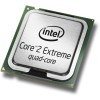
Intel today is announcing their 1333FSB Core 2 line-up, which consists of three dual-cores, including the E6750 we previewed a few weeks ago, and also the 3.0GHz quad-core that we are testing out today. Read on as we explore all of what Intel's latest flagship processor has to offer.
When Intel launched their P35 chipset two months ago, it ushered in not only DDR3 support, but also native 1333FSB support. This wasn't much of a surprise, since DDR3-1333 is a standard, and it's common to want to run 1:1 ratios with the FSB and memory frequency. We saw this with 800FSB CPUs and DDR2-800 memory and also 1066FSB CPUs with DDR2-1066 memory. The next big thing from Intel will be 1333FSB Penryn, which we have taken a look at in depth in previous months. To tide us over until then, Intel is launching refreshing parts of their Core 2 line-up to include native 1333FSB processors.
We took a look at their second-to-top offering a few weeks ago, in the form of a 2.66GHz E6750. Although it's an incredible CPU for the money, we already knew what to expect since it was a 'mere' speed bump and retained identical TDPs. You could take any Core 2 Duo and clock it to 1333FSB and have the same performance, in reality.
As I mentioned in that review, though, the biggest reason you should look forward to these new launches is because of their price points. The 2.66GHz E6750 will retail for around $200, which is an incredible thought considering what prices were set at last year. $200 will now get you a very powerful processor that will not be the bottleneck in gaming or other activities. In years past, you almost had to hand over $1,000 for a new CPU if you wanted ultimate performance. The Core 2 series has well proved itself since launch however, with even the budget offerings giving any enthusiast the performance they crave.
Those who don't enjoy overclocking, or are skeptical of the activity, are in luck because of the fact that they can still have a great CPU and not skip a car payment. But, despite the fact that there are powerful CPUs out there for reasonable prices, the Extreme line exists for two types of people. Those who want a top of the line processor without overclocking, and those who want to get every last ounce out of their overclocking. Because Extreme CPUs are binned higher, it's not unusual to see the top overclocks performed with them.
The only downside, of course, is the price. One has to wonder if the premium nowadays is truly worth it, considering the performance of the budget offerings can still be considered extreme by todays standards. Nothing stops overclockers from achieving the same frequencies with ease, either. Still, those who refuse to overclock for the sake of stability or what-have-you, but still want the best performance available, can't go wrong.
That's where the QX6850 comes into play, a 3.0GHz Core 2 Extreme that offers four cores to computing enthusiasts. This is the fastest Core 2 processor ever released, and in turn the fastest processor the market has to offer. Price as expected, is $999 in quantities of 1,000. You should expect to see it retail for closer to ~$1,250 at your favorite e-tailer, or even higher though. It's like buying a Ferrari, where paying $50,000 over SRP is not uncommon. This is just on a far smaller scale.
Although we are taking a look at the top offering for the 1333FSB processors, there will be a total of five being released immediately, with availability in the coming weeks. Below you will find the completely up-to-date line-up.
CPU Model |
Clock Speed |
FSB |
L2 Cache |
TDP |
Cores |
| Intel Core 2 Extreme QX6850 | 3.0GHz | 1333MHz | 4MB x 2 | 130w | 4 |
| Intel Core 2 Extreme QX6800 | 2.93GHz | 1066MHz | 4MB x 2 | 130w | 4 |
| Intel Core 2 Quad Q6700 | 2.66GHz | 1066MHz | 4MB x 2 | 130w | 4 |
| Intel Core 2 Quad Q6600 | 2.40GHz | 1066MHz | 4MB x 2 | 105W | 4 |
| Intel Core 2 Duo E6850 | 3.0GHz | 1333MHz | 4MB | 65W | 2 |
| Intel Core 2 Extreme X6800 | 2.93GHz | 1066MHz | 4MB | 65W | 2 |
| Intel Core 2 Duo E6750 | 2.66GHz | 1333MHz | 4MB | 65W | 2 |
| Intel Core 2 Duo E6700 | 2.60GHz | 1066MHz | 4MB | 65W | 2 |
| Intel Core 2 Duo E6600 | 2.40GHz | 1066MHz | 4MB | 65W | 2 |
| Intel Core 2 Duo E6550 | 2.33GHz | 1333MHz | 2MB | 65W | 2 |
| Intel Core 2 Duo E6540 | 2.33GHz | 1333MHz | 2MB | 65W | 2 |
| Intel Core 2 Duo E6400 | 2.13GHz | 1066MHz | 2MB | 65W | 2 |
| Intel Core 2 Duo E6300 | 1.86GHz | 1066MHz | 2MB | 65W | 2 |
| Intel Core 2 Duo E4500 | 2.2GHz | 800MHz | 2MB | 65W | 2 |
| Intel Core 2 Duo E4400 | 2.0GHz | 800MHz | 2MB | 65W | 2 |
| Intel Core 2 Duo E4300 | 1.80GHz | 800MHz | 2MB | 65W | 2 |
Compared to the previous top-end processor, the QX6850 has a 70MHz advantage. Though a non-impressive frequency boost, it should prove much faster than the QX6800 overall, thanks to the much-improved FSB frequency.
The first Extreme Quad-Core released late last year was the QX6700, clocking in at 2.66GHz. Because of this new launch, it is being re-released as the Q6700, meaning no unlocked multiplier. Its price will also be dropped, alongside the rest of the line-up.
Below is a table of just the new processors, with their prices in quantities of 1,000.
CPU Model |
Clock Speed |
FSB |
L2 Cache |
TDP |
Cores |
$/1,000 |
| Intel Core 2 Extreme QX6850 | 3.0GHz | 1333MHz | 4MB x 2 | 130w | 4 | $999 |
| Intel Core 2 Quad Q6700 | 2.66GHz | 1066MHz | 4MB x 2 | 130w | 4 | $530 |
| Intel Core 2 Duo E6850 | 3.0GHz | 1333MHz | 4MB | 65W | 2 | $266 |
| Intel Core 2 Duo E6750 | 2.66GHz | 1333MHz | 4MB | 65W | 2 | $183 |
| Intel Core 2 Duo E6550 | 2.33GHz | 1333MHz | 2MB | 65W | 2 | $163 |
Also announced today is Intels first extreme mobile part, the X7800. Like the desktop counter-parts, this Extreme processor features an unlocked multiplier, so it's overclocking friendly. This dual-core CPU is clocked at 2.6GHz and features an 800MHz FSB and 4MB of L2 Cache. Like all other extreme offerings though, it doesn't come cheap, costing $851 to OEMs.
The 6x50 series will be available to consumers in two weeks time, through your favorite retailer or e-tailer. The X7800 mobile CPU is being sold to OEMs now, and should be available in various notebooks in the coming weeks.
With that, let's cover our testing methodology and then jump right into benchmarking.
Over the past month, we have re-evaluated our CPU benchmarking suite and have now put it into place. This review will have a variety of new benchmarks, while retaining a few of the more important ones. Starting with this review, our testing methodology page will feature all the information you need, to better understand how we conduct our testing.
By no means is our suite perfect, and we are constantly evaluating benchmarks to add, or replace. We always welcome any suggestions of what you'd like to see included.
Regardless of the OS we are running, there are a few conditions that need to be met:
Here is the machine used for testing, followed by our operating systems configurations.
For our CPU reviews, we use two different versions of Windows and one version of Linux. Even though Vista has been out for half a year now, we focus on XP because it has a much wider user base, and is preferred for the best performance and compatibility. Vista is used only for our SYSmark 2007 Preview suite.
Game benchmarking is an important part of testing the capabilities of a CPU, and for this review we've included five popular titles: Half-Life 2, NFS: Carbon, Prey, STALKER and Supreme Commander. Average FPS is captured using FRAPS 2.8.2, except for Prey, which is our only non-manual game.
Half-Life, Prey and Stalker are played at 1600x1200 with 4xAA, Half-Life being the only one with bumped AF. NFS: Carbon is also run on 1600x1200 with high detail settings, but all advanced video options are left at default.
Supreme Commander is the only game run at 1920x1200 with all options maxed alongside an 8xAA. This is because the game is multi-core compatible, and we wanted to see if the game would benefit from a quad-core in a realistic scenario.
Each game play through lasts between 3 and 5 minutes, except Supreme Commander which lasts closer to 8. All run-throughs are manually played, except for Prey which uses a time demo, in order to break through the 60FPS hard-limit. Results are captured using FRAPS 2.82.
All other non-game benchmarks will be explained along the way. Without further ado, let's proceed.
SYSmark is an industry leading system benchmarking tool, which is completely automated but utilizes real-world tests. It installs common applications such as Microsoft Word and Excel, Photoshop CS2, 3DS Max, SketchUp! among others.
SYSmark grades the performance of the system by how well it could handle different operations. Systems with more than one core will benefit in the tests, since there is a lot of multi-tasking throughout. Once the test is completed, it will provide you with an overall score, in addition to showing areas where the computer excelled.

Running the entire suite shows us that this benchmark is totally capable of handing out appropriate scores for very fast CPUs. There are a few interesting points here. First is the fact that the extra CPU power helped the QX6850 storm past the others in the 3D tests, scoring a full 40 points higher than the 2.4GHz Q6600. It's important to note that 3D refers to rendering, not gaming.
In addition to that, the three other tests were undoubtedly in the QX6850's favor. Additional cores are obviously helpful, but the extra frequency in general, can also make a massive difference.

Seeing as how our 3.0GHz chip outperformed everything in all tests, it's no surprise to see it perform better than our other three CPUs. It scored 20 points higher than our Q6600.
When thinking about faster processors or processors with more cores, multi-media projects immediately come to mind as being the prime suspects for having the greatest benefit. However, anyone who regularly uses Linux knows that a faster processor can greatly improve application compiling, with the GCC compiler. Programmers themselves would see the greatest benefit, especially those who find themselves recompiling their application every few hours.
Even if you don't use Linux, the results found here can benefit programmers in general, or those who simply wish to know what faster frequencies and additional cores are capable of. GCC is completely multithreaded friendly, so the results found here should represent the average increase you would see with similar multithreaded applications.
For testing, we use Fedora 7 x86, as it's an easy distro to install and maintain. It's not bloated, which is important as well. Our target is a copy of Wine 0.9.30. The distro is based on the 2.6.21 Linux kernel and we are using GCC 4.1.2 as our compiler. For single core testing, "time make" was used while dual and quad core compilations used "time make -j 3" and "time make -j 5", respectively.

My everyday OS is Gentoo, a source-based distro, so to me, these are completely drool-worthy results. By comparison, my 2.5 year old single-core AMD 3200+ Venice, overclocked to 2.7GHz, compiles the same application in 1,985 seconds. Our QX6850 cleaned it up in only three minutes, or just under ten in single-threaded mode. How far we've come in only a few years.
Any type of multi-media encoding/re-encoding/conversion will greatly benefit from multi-core processors and those with faster frequencies. Nero Recode is a tool we enjoy using because it's easy to use, and very effective. For testing, we first ripped our copy of Lamb of God's concert DVD, "Killadelphia" and re-encoded it using Recode to fit on a normal sized 4.5GB DVD. The original DVD rip weighs in at 7.7GB.

For whatever reason, Nero Recode doesn't utilize all cores 100%, but rather it hovers around 75%. I believe this to be so that the user will not have a laggy computer while the operation is in progress. Moving up from a dual-core to quad-core exhibits obvious benefits. However, moving from our 2.4GHz quad-core to the QX6850, very little difference is shown.
If you chose "High-quality mode" for the recode process, it normally will use more than 75% of the overall CPU, but many will normally run the same settings that we had. However, because of the faster processors being released, many may move on over to the high-quality mode, simply because it's faster than 'normal' mode was just a year ago, on any available CPU.
DVD ripping/re-encoding is a popular pass time, but so is video editing and conversion in general. For this test, we used VirtualDub 1.6.19 and DiVX 6.0. Using FRAPS, we originally recorded a three minute gameplay run of Half-Life 2, through the d1_canals_07 level recorded using a 1280x1024 resolution. The outputted file weighed in at 3.7GB, obviously far too large of a file to upload to share with friends. So, the file was re-encoded using the DiVX codec and also resized to a 640px wide resolution.

As you can see, the DiVX 6 encoder doesn't take advantage of the quad-core to the fullest extent, but it usually hovered around 1.2 cores, on all four of our CPUs. For future reviews, we will be testing different video conversion tools to find a more appropriate multithreaded option.
Audio conversion is another popular scenario some people will run into, especially if they have FLAC files on their PC but want lossy versions for their iPod or other music player. Sadly, like VirtualDub, LAME is also a single-threaded application, so the results will scale with frequencies, not because of additional cores. There -is- a multithreaded version of the application available, but it's constantly argued by audiophiles that the resulting quality is not as high as the singlethreaded version. So if you really care about the quality of your music, the single-threaded option is the smarter move.

As expected, our QX6850 stormed past the others thanks to it's 3.0GHz clock speed. Proof that extra cores do nothing can be found when comparing the E6600 to the Q6600, both being 2.4GHz processors. What we need, is an application to convert more than one file at once, instead of using more than one core for the same file. That would result in great quality, but much faster results.
One crowd that benefits from faster processors and additional cores is the workstation crowd, those who render huge models that can take hours to complete. 3D Studio Max has been multithreaded for quite a while, even back in the day when some workstations had two physical CPUs installed, with one core each.
This is one real-world scenario where a Quad-Core processor can actually increase the rendering time upwards of 3.8x, so the benefits of owning such a chip is undeniable. For our test, we render an object with 406 objects and 106,000 vertices to a 3200x2400 resolution.

The results here are good. Comparing our E6600 to the Q6600, we see a 94% increase in rendering time. Then moving from a 2.4GHz Quad-Core to our QX6850, there is yet another 20% increase. These types of speeds almost make me wish I was a model designer myself. The benefits seen here would be crucial to any business that relies on rendering large projects.
Like 3D Studio Max, Cinebench emulates a similar scenario, where you render a high-resolution image. The nice thing about Cinebench though, is that it spits out a nice, clean number and also shows you your gain when moving to multi-threaded rendering.

Once again we can see the immense benefits of the larger processor, even in the single-thread mode. The 3.0GHz clock speed will prove useful in more than one scenario.
POV-Ray is another program with the sole purpose of creating amazing scenes and models. Similar to Cinebench, POV-Ray includes a multithreaded benchmark that will render a large model and output a score of PPS, or pixels per second.

Again, the QX6850 majorly outperforms even the Q6600, but it's not unexpected. I think we've clearly shown that for any type of rendering project, quad-core processors are a serious blessing.
When people think about faster processors, not many will think about the benefits of photo editing. But it's true, multi-tasking in general is far more efficient on a multi-core processor, and so when running numerous photo-related applications at the same time, thing should prove quicker.
In an age when DSLR cameras are becoming more and more affordable, lots of people are now dealing with RAW file formats. Adobe Lightroom is a fantastic application for altering your RAW photos, which is why we chose it to benchmark with. The actual test consists of taking 100 RAW (Nikon .NEF) 10 Megapixel photos, and exporting them to JPG format, while at the same time, resizing all of them to 1000x667 resolution.

Thanks to the multithreadedness of Lightroom, the process speeds up with additional cores. It's certainly not twice as fast, when compared to a dual core of the same speed, but the benefit is clear. Comparing the Q6600 to the QX6850, the latter proved 35 seconds faster overall. That's quite a large difference when it's a matter of three minutes for the entire process.
Even though multi-core processors are not necessarily new, it's tricky finding a photo application that handles them properly. Lightroom was one, Photoshop is another. However, writing scripts for Photoshop is ridiculous. Instead, we are testing the single core benefit of ImageMagick, a popular image command line image editing application for Linux, Windows and Mac OS. It's mostly used on servers, but serves the purpose here as well.
The benchmark consists of taking the 100 outputted JPGs from our last test and watermarking them. Then, it creates 500x335 thumbnails for each of those.

This test would be far more impressive if more than one core would be used, but this can accurately show you how performance for single-threaded applications could be increased simply because of the better frequency.
For the last of our non-gaming related benchmarks, we will spin each CPU through both 7-Zip and Futuremark's 3D Mark and PC Mark. 7-Zip is an interesting benchmark, because results can depend entirely on the settings you choose. By default, the LZMA algorithm is used to compress your files, but it's very slow overall and will use no more than two cores in your system. Bzip2, however, utilizes all four cores and is faster regardless.
As a comparison, LZMA took 1,385 seconds on our E6600, while Bzip2 took 801. The differences in outputted file size was that the Bzip2 method was 10MB larger. For a 3.85GB file, I will take the much faster speed over 10MB. So, Bzip2 is the algorithm used here.

Both quad-cores performed exceptionally here, though the extra frequency can also make quite a large difference.
Though Futuremarks products usefulness are often disputed, we like to include them because they somewhat accurately show how one CPUs power will compare to another by giving a single clean number. 3D Mark 06 stresses the CPU in such a way an actual game would, while PC Mark puts it through tests based on real-world scenarios.

PC Mark doesn't push the CPU enough to access all four cores, but even then, we almost hit the 10,000 mark. This is quite impressive for any CPU at stock speed. Will Penryn help us break the 10K mark?
As mentioned on our testing methodology page, all FPS are tracked using FRAPS 2.82 except for Prey, which is the only title here to use a timedemo. There are two reasons for this. First, the game limits the framerate to 60FPS, while the timedemo does not. The downside is that at that point, it's more CPU dependant than GPU dependant. In the case of this review though, that's a good thing.
All games are run at 1600x1200 with mid-level AA and AF. The exception is Supreme Commander which is run at 1920x1200 and completely maxed out settings. An 8800GTX card is used to remove as much of a bottleneck as possible, so that any increase of Avg FPS will be solely because of the faster processor. Note that Half-Life 2, Stalker, NFS: Carbon and SupCom are completely manual play-throughs, so variances in each run could cause a CPU achieve a lower score.

Half-Life 2 is a heavily CPU-bound game, although the game doesn't take advantage of dual core or higher processors. With 160FPS as is though, do we really need it to?

As evidenced by comparing the E6600 to Q6600, STALKER is single-threaded, but improved by faster CPU frequencies. Compared to our 2.4GHz processors, the QX6850 gave us an FPS-boost of 32%.

As much as I love the Need for Speed series, there's no denying that they are far more GPU dependant than CPU dependant, clearly obvious by the graph above. If you have a good CPU, your only worry will be your GPU.

Being a timedemo, the highest FPS will automatically go to the fastest processor. It gives us a general idea of what benefits to expect from moving up to a faster frequency, however. As mentioned on our testing methodology page, SupCom is run with maxed out graphics (8xAA) at 1920x1200 to push our GPU as much as possible and also to see if more than one CPU core will be used.
The level chosen is Finn's Revenge, run off a saved-game that we previously made which begins us late into the mission. For this run, we create a few extra killing machines in addition to what we already have, and command them to go destroy the enemy. The entire process takes about eight minutes, and you can see an example of how much action and bots are on the screen on our testing methodology page.

At any given time, not more than 1.5 cores were used, and that was only random peaks. I am not sure what it would take to have even more usage, but the fact is, if you have at least a dual core processor, you can expect good results. By comparison, I disabled one of the cores on the E6600 processor and received an average of 37FPS.
With all of our benchmarks out of the way, let's continue on into our power consumption tests and also temperatures.
Dual Core CPUs have been in consumers hands for a couple years now, but it was a slow process before we started seeing applications exploit them. Today, things are a lot different. Most of our everyday applications are multi-threaded including a few that we benchmarked earlier. Nero is one of the ones that stands out in my mind, because I used it regularly. It's not always the multi-threaded applications that people care about though, it's the fact that they have spare cores to play with.
There has been one big gripe ever since we first received Dual Core CPUs, that being that there are no games out there that support them. The benefits would be obvious. Some newer games are not just taxing on your graphics card, but CPU as well. Using a Dual Core, you'd essentially be doubling the amount of information that can be passed along. It sounds good in thought, but the problem is that not many developers are taking an initiative.
The most common complaint from game studios is that making a multi-thread game is not easy. In fact, it requires additional training and understanding in order to execute properly. This results in a more costly title in the end. Time is another factor, for obvious reasons. Planning out a multi-core capable game takes a lot of planning to make sure it flows as it should.
That being said, the future for gaming is still bright. It will still be a while before it becomes commonplace, but later this year we should be seeing a few titles that will greatly benefit from additional cores. Will these extra cores wipe out the need for a physics card? Probably not right off the get go, if at all. But in the end, we will likely see extra cores used as common practice far before we see a PhysX card becoming mainstream, simply because -every- gamer out there will have a CPU, while add-on cards are another expense.
While visiting Intel at this past January's CES, they showed off two demos, both of which I used more in-depth over the past week. The first was their Ice Storm Fighters, which was developed by Futuremark exclusively for them. There is one reason this demo was developed and one reason only, to show the immediate benefits that a multi-core processor can have on gaming. Reminiscent to the Tie Fighter scene in Star Wars episode IV, Ice Fighters consists of a large snow covered level that has many vehicles and Mechs right in the heat of battle.
There are two options at the main screen, Low and High. High is for Quad-Core CPUs while Low is for Dual-Core. This demo stresses ALL cores like no other game, so if you choose High while using a Dual-Core, it will be laggier than downloading a webpage off a 2800 Baud modem. You have the ability to add or remove bots if you want, but the more you add will simply slow down the demo even further. Even with just 20 units on the screen, it put all four cores to good use.
The cores are essentially being used for physics engines, where all of the AI and particle effects are being placed on each core. Not only the actual AI is stressing the CPU, but everything else in the scene, including left over bullet marks in the snow, which you can see an example of in the picture below.
While this demo can be manually played, it's not designed to become a full blown retail release, it's strictly a tech demo. What it proves though, is that multi-core processors can be used to their full potential in gaming and have obvious benefits. Instead of bullet-hole decals fading away after a few seconds, the extra CPU power can be used to keep them there, resulting in a more realistic experience. Lets face it, in this day in age it is weird to play a game and see your bullet-holes disappear right after you put them there.
This is just one example though, but it goes to show that extra cores can be put to good use -if- the developers want to go that route. One thing I will mention is that installing the Ice Fighters demo will also install the AGEIA PhysX engine. So while you may not need a PhysX card up front, AGEIA seems to have a good thing going with their API. To give the demo a try for yourself, you can grab it here. You do need an Intel Dual-Core or Quad-Core to use the demo, it will error on an AMD.
If you read our Q6600 back in February, you probably recognize everything written above. That's because it's a direct copy/paste, and sadly, not much has changed since then. We are still awaiting games that take advantage of multi-core CPUs, but the good thing is that it doesn't seem too evident that we actually need them yet.
Supreme Commander is one of the more popular games to be released recently that will take advantage of more than one core. Not surprising, since action can get heavy with large missions. As you saw on our game benchmark page though, all those extra cores didn't help us out at all. As long as you have a dual core processor and good GPU, the game should play smooth. A quad-core won't change anything.
The fact is, we are waiting for games to exploit all of our cores, but it's going to be a while until it will actually happen, as the only 'games' to show us benefits are benchmarks, such as this one from Valve.
Essentially, this benchmark will run you through four different intensive physics demos that thrive on additional processor horsepower, including extra cores. Once completed, we are left with a simple score, which seems to scale quite appropriately.

While not entirely representative of real multi-threaded gaming, it proves that those with CPUs with more than one (or even four) cores will benefit from smoother gameplay. As mentioned many times though, we have yet to find a game that will truly push a dual core processor, let alone a quad.
As our processors become faster and more robust, power consumption can also increase. Thanks to the focus on efficiency though, current processors can use less power than models seen just two years ago. Like the QX6800, the QX6850 has a TDP of 130W, while our other quad-core, the Q6600 has a TDP of 105W. Both the E6750 and E6600 have a TDP of 65W, so the differences should be apparent.
We use a Kill-A-Watt in order to capture the wattages. At each setting, we eye the meter for around a minute in order to grab an average. Normally, the wattage will stay the same for the entire minute, once the computer either sits idle for a minute or two, or if the benchmarks are in full swing. Idle results are grabbed after the PC sits idle for two minutes, while the 50% CPU is with 50% of the available cores being stressed using SP2004. This would simulate more intensive applications that wouldn't make use of more than half of the available processing power.
Lastly, for a full load recording, we run a copy of SP2004's Small FFT test on each core, effectively keeping usage at a constant 100%. After a minute of watching the meter, the highest wattage point reached is recorded.

The first thing that stands out to me is that the E6750, oddly enough, uses less overall power at Idle and 50% than the slower E6600. But what matters here is the QX6850 results, which scaled as we expected when compared to the Q6600. Though both processors used the same amount of voltage, the faster 3.0GHz topped out 46W higher than the Q6600. When stressing the CPU and 8800GTX at the same time, the total power consumption couldn't even break through 400W. Not bad for such a screaming fast setup.
When you cram four cores under the same IHS that usually houses two, temperatures are bound to skyrocket. This really means one thing... that you do not want to use a cheap air cooler. A high-quality air cooler should suffice, but for the enthusiast, water-cooling is really the only way to go.
For grabbing temperature information, I stick to using Everest 4.0, since it seems quite accurate. However, when bringing it up with Intel, we were told that there is no way for any application to have a completely accurate reading for Quad-Core temperatures, Everest and CoreTemp included.
Quad-Cores utilize what's called a Digital Temperature Sensor, DTS for short, which provides an offset from the Prochot trip temperature. If the processor is 12°C away from activating the TCC and Prochot, then the reported temperature, behind the scenes, will be -12°C. Intel states that the reason exact temperatures cannot be determined is because they have not defined the precise temperature at which the TCC is activated. How it's activated at all, I am not sure.
Temperatures gathered with quad-cores shouldn't be considered accurate with any application, which leads me to wish that Intel offered a tool for finding the precise temperature. During testing though, when Everest reported a 80°C temperature for the entire CPU, I had my Type K diode against the side of the IHS which reported a temperature of 74°C. So because of this, I believe Everest is still in the right ball-park.
That leads to another thing, though. If your quad-core seems to hit 80°C on any core, it's not really a cause for alarm, as they are designed in such a way to handle a fair amount of heat. If for whatever reason the CPU does get too hot, which I assume to be when the TCC and Prochot is activated, a reverse-EIST effect will occur, where the processor will automatically reduce the multiplier to 6 in order to reduce the clock speed and in turn, the temperature.

Interestingly enough, even though the QX6850 vastly surpasses the performance of the Q6600, it's only kept 2°C hotter. As we will find out on the next page, even with the QX6850 overclocked to 3.337GHz, it topped out the same. So to reiterate, temperatures on Quad-Cores are far higher than dual cores, for obvious reasons. Although Everest's results cannot be called completely accurate, it's still wise to properly cool your CPU to give it a long life. But, if you are like many who visit this site who don't mind shortening your CPU's lifespan, overclocking is up next.
Because the QX6850 is not based on a different microarchitecture from the previous QX6700 and QX6800 models, most already know what to expect performance wise, especially since many have already achieved and surpassed the 3.0GHz clock speed with overclocking. The QX6850 will undoubtedly become the processor that die-hard overclockers will use though, especially those with exotic cooling setups. As I found out, even with a simple water-cooling kit, overclocking has potential.
Intel could have marketed the QX6850 as a 3.33GHz processor, as overclocking to that point is not only easy, but incredibly stable. Thanks to the unlocked multiplier (6 - 11), you could set a multiplier to 10 and not deal with it any further. The voltage that the board automatically sets for the CPU will be enough to deem it as stable.
For an overclock to be considered stable, 3D Mark 06 is looped three times, followed by at least eight straight hours of SP2004's Small FFT test, one instance per core. The computer must also be turned on and off multiple times, to make sure that the motherboard is going to cooperate. As a final test, the computer is left turned off for at least a half-hour, then turned back on to make sure it performs normally.
Well, after such testing, 3.37GHz was declared the max overclock on stock voltages. I proceeded to play through my installed selection of games and stress the CPU with all available methods and didn't run into a single issue. According to Everest 4.0, the core temps did not increase with the overclock. Both the Core 1 and 2 topped out at 80°C at both settings (66°C total CPU temp), in a 77°F room temperature. This is why I consider it to be a completely stable and 'free' overclock. 10% frequency boost for simply selecting a different multiplier.
One last thing I will mention about this overclock, is that by default the motherboard sets the Vcore to 1.325v, which is actually higher than what I used. I always manually set the Vcore to 1.3v, as it's a modest amount of voltage and any stock CPU shouldn't require more than that. So, if you want your CPU to run a wee bit cooler, you should manually test out 1.3v with your copy, and go even lower should the processor continue to be stable. Quad-Cores can run very hot, so anything you can do to lower the temps is a good move.
Between 1.3v and 1.4v, overclocking ability was not greatly increased. To push further, I set the Vcore to 1.4v which allowed an overclock of 3.6GHz, also stable. The problem here though, is that Everest was reporting much higher temperatures for Core 1 and Core 2, to the point that the setting should not be used for long periods of time unless you have very nice cooling.
The accuracy of Everest can be debated, however, which we covered on the previous page. How far did we manage to push the QX6850, while risking it all? 1.5v+ and higher didn't work well for stability, but 1.45v kept things rather stable while keeping the CPU at a 'reasonable' temperature. Utilizing a FSB of 428MHz and a multiplier of 9, we had a nice 3.85GHz clock speed.
I don't recommend trying for the same overclock on your own CPU, as it's treading into dangerous territory. If you have a high-quality water-cooling setup, peltier or anything else that keeps CPU temperatures far more reasonable than what air or a cheap water-cooling setup can avail you, then have a go. Major overclocks are not needed regardless, as this is already the fastest processor available today.
Usefulness of an unstable overclock aside, what's fun to note is the fact that it almost outperforms Intel's own 8-Core Xeon setup that they were showing off at this years CES. While their machine accomplished a 3D Mark 06 CPU score of 6,089, our machine with 50% of the available cores hit 6,056. Sure, it can be argued that their system was more stable than ours, but where's the fun in that?
Intel's QX6850 has been an enjoyable chip to benchmark and stress-test with, but that's probably not much of a surprise. It has four cores and rolls in with the highest clock speed to hit the Core 2 series. Even comparing this CPU to our Q6600, the extra clock speed has clear advantages in applications that access all of the cores.
But now we come back to the question of whether or not the processor is worth it's $999 (higher at retail) price tag. Like most top-end computer components, it's up to you, the consumer, to decide whether you are willing to pay such a premium for the fastest processor on the market. For non-overclockers that have money, it's going to serve them well if they are huge multi-taskers or regularly use multithreaded applications.
As we saw throughout our testing, more and more applications are becoming available that will fully use your extra cores, not just workstation applications such as 3D Studio Max. Nero Recode, Adobe Lightroom and even 7-Zip showed very large improvements when four cores were used. Clearly though, we are in need of even more. There are many applications used for testing today that are still single core, such as LAME and ImageMagick.
Quad-core processors in general are designed for those who are hardcore multi-taskers, and those who, like modelers, use applications that will greatly benefit with extra cores and higher frequency. However, the QX6850 is really in a league of its own, given the price.
Allow me to quote myself, "The only downside, of course, is the price. One has to wonder if the premium nowadays is truly worth it, considering the performance of the budget offerings can still be considered extreme by today's standards."
With these new launches, we will have a re-launched Q6700 processor which clocks at 2.66GHz and sells to retailers for $530, almost half of the QX6850. At that point, you could purchase the $530 processor and overclock yourself to reach QX6850 speeds with relative ease. But as mentioned, those who refuse to overclock have even fewer options. Price drops are also on the way, and it's speculated that the Q6600 2.4GHz will sell to retailers for $266 in quantities of 1,000. Intel has not verified any of this yet, but if it proves true, then even I will be purchasing one for my main machine. Just last year, the dual core version of the same chip retailed for much more than that.
So as with most products we review, it all comes down to price. Given that this is a premium part, it's up to the consumer to decide it's value. Most enthusiasts have no problem in buying a cheaper part and overclocking it. But that aside, the Q6600 won't overclock to 3.337GHz on stock voltages like our QX6850 did. Many factors come into play with parts like this, and by now, you should have a good idea of whether or not it's for you.
For those who don't care to spend over $1,000 on a CPU, the prices of these new processors are still enough to instill excitement. The E6750 2.66GHz will retail for ~$200, a true 'bargain' considering the speed that comes along with it. Given that all these CPUs use a 1333FSB native bus, you are ready to pair it up with some DDR3 of the same frequency.
Times are good to be building a new PC. The Core series is impressive enough, but these new prices are hard to ignore. Penryn will be launching later this year, which will be worthy of paying attention to as well. It will bring more efficient processors to the table, based on a 45nm process in addition to High-K MG transistors. Extra cache and higher frequencies are also expected.
Penryn will not be 'dirt cheap' as C2D are now though, so it's not worth holding off for if you need a new processor right now. Stay tuned, as we will be covering both Penryn and Nehalem in more depth in the months to come.
If you have a comment you wish to make on this review, feel free to head on into our forums! There is no need to register in order to reply to such threads.
Copyright © 2005-2008 Techgage Networks Inc. - All Rights Reserved.