Date: September 29, 2008 - Author: Rory Buszka
We're taking a look at Intel's first attempt at a full-featured media center motherboard, the DG45ID. It's also our first look at their new G45 Express chipset, which promises to finally bring DX 10 support and hardware-accelerated HD video playback to their integrated graphics offerings. Can the DG45ID prove itself a worthy choice for your HTPC?
Since we first reported on the arrival of Intel's 4-series "Eaglelake" chipsets, quite a bit of review coverage has been given by the tech press to motherboards based on the P45 chipset. This makes sense; after all, the P45 is the successor to the wildly-successful P35 "Bearlake" chipset.
Though the X48 chipset had surfaced some time earlier, we saw a similar phenomenon as was seen between the X38 enthusiast chipset and the P35 performance chipset in Intel's 3-series - with many enthusiasts (and many PC tech news sites) discovering that the affordable "P" chipset provided most of the performance of the more expensive "X" enthusiast variant.
Though the P45 has been the darling of the PC enthusiast press lately, the real news with the 4-series chipsets comes with the G43 and G45 integrated-graphics models, which feature Intel's first DirectX 10-capable graphics core, the GMA X4500.
The G45 chipset receives a GMA X4500HD graphics core, which includes hardware acceleration for H.264 HD video decompression and playback at a resolution of 1920x1080 (1080p), offloading that functionality from the CPU. In addition to the introduction of the revamped X4500 IGP, the G43 and G45 chipsets have also undergone a process shrink from 90nm to 65nm, to decrease power usage and heat output.

Intel remains one of the last motherboard core logic chipset makers that still manufactures its own motherboards using those chipsets. The only other one we know of is VIA, which recently announced that it would cease the manufacture of motherboard chipsets for CPU platforms other than its own.
Many of their CPUs are designed to be soldered directly onto a motherboard, and VIA sells a complete integrated motherboard solution directly to the public, a practice that Intel has adopted for their Atom-based desktop products. (Of course, system builders like ASUS can still build custom motherboards for Intel's Atom or Via's Nano, and use the CPUs and chipsets in their own products.) With the ability to control not only the quality of the CPU and chipset, but the motherboard components as well, it's no wonder that Intel motherboards have long held an excellent reputation for long-term stability and reliability.
The recently-announced Intel DG45ID motherboard breaks new ground for the company's motherboard lineup, being designed from the ground up to showcase the graphics and multimedia capabilities of the G45 Express integrated-graphics Media Controller Hub (what Intel has begun calling its chipsets as of late). It's a Micro-ATX design that has clearly been designed to live inside a home theater PC, as evidenced by its HDMI video output and optical digital output for multichannel audio.
We've received a pre-production sample of Intel's DG45ID motherboard, and in this article, we'll put it through its paces to determine exactly how excited you should be about Intel's newest integrated-graphics chipsets.
The pre-production sample of the Intel DG45ID that we received was so new, it didn't have a box, I/O shield, any cables, or a even pressed driver disc - it arrived in a foam-padded shipping box, with a CD-R burned with a hodgepodge of driver installers, yet everything that we needed was supplied in one form or another. Unfortunately, at this point, we can't comment on the final hardware and software bundle that will be included with production motherboards.
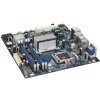
The DG45ID motherboard is similar in design to the earlier DG33TL, which featured the G33 chipset with GMA 3100 onboard graphics. It's manufactured on a deep-blue PCB (a darker shade than Gigabyte's), and is dominated by a large silver-colored passive heatsink with a plastic retention bridge, mounted over the northbridge. The various structural elements of the board, such as PCI and memory slots, are nicely color-coordinated, in case you're planning on a windowed case to put your hardware on display, though the overall color scheme is one of the more conservative ones that we've recently seen.
As mentioned earlier, this motherboard is positively designed around home theater PC applications, so its Micro ATX form factor enables it to be used in any of the various HTPC-style chassis that use Micro ATX motherboards in order to match the dimensions of most home audio/video equipment. Let's take a look at a breakdown of the board's specs and features.
There's very little with the DG45ID that we haven't already seen when it comes to board layout. In fact, its layout is almost identical to the aforementioned DG33TL G33-based motherboard, with the only differences being in the onboard components used. Here's another look at the board from the top:
The layout of the Intel DG45ID reflects the company's years of experience designing motherboards in the cleanliness of its organization. While the level of attention to detail isn't quite as fanatical as we've seen lately from companies like ASUS, and there's virtually no enthusiast-oriented glitz to speak of, the overall design of the board is very straightforward and practical, with some nice surprises.
At a glance, there don't appear to be any potential clearance train wrecks for extremely long video cards, and the overall use of space within the Micro ATX form factor's truncated dimensions is surprisingly effective. From this overhead view of the motherboard, you'll also notice that there's plenty of room to reach the retention tabs for all of the memory slots, even with a video card installed - this has been a common complaint with other boards we've seen, but the DG45ID offers room to spare.
The DG45ID features four memory slots, arranged in pairs for each individual memory channel. This arrangement is great for installing memory with bulky heatspreaders, since the four sticks aren't simply packed in together like sardines. It's also great for airflow if you have only two memory modules installed, since the channels are interleaved - you'll populate the blue slots first, then the black ones, leaving plenty of room for the modules to breathe.
The LGA 775 CPU socket on the DG45ID leaves plenty of room on all sides for a bulky 'tower'-style CPU cooler, with the chipset and its bulky heatsink being placed far enough away to still allow space to work with your fingers, even with the board installed in a case. The capacitors near the CPU socket are low-profile, conductive-polymer parts, so they won't interfere with the mounting systems of most tower-style CPU coolers. Though as always, it's helpful to double-check your heatsink manufacturer's motherboard compatibility list before making a heatsink buying decision.
The DG45ID uses a combination of conductive polymer and electrolytic capacitors. The conductive polymer capacitors are used in the output stages of the motherboard's power supply circuitry, which means that any drift in the effective capacitance values of the electrolytic capacitors on the board won't affect the quality of the power reaching the CPU.
At the bottom front corner of the DG45ID motherboard, you'll find five SATA ports. The DG45ID features a total of six SATA2 3.0 Gb/s connectors - the sixth is an eSATA port on the rear panel of the motherboard. There are also three headers for external USB ports, as well as an IEEE-1394a header and an Intel HD Audio header for front-panel audio I/O. The G45 chipset's southbridge is an ICH10R, which supports RAID 0/1/5/10 configurations. It's covered by a low-profile aluminum heatsink that won't interfere with a multi-slot video card cooler.
One thing you'll notice about the Intel DG45ID's array of rear-panel ports is that it's completely free of any 'legacy' connections. PS/2, RS-232 (serial), and parallel ports have all been kicked to the curb, though you can still connect an RS-232 port via a header. We're glad to finally see the move away from outdated interfaces - thus freeing up additional rear-panel space for even more device connectivity.
The DG45ID places its expansion slots a bit differently than we've seen in the past. The PCI Express x16 slot is sandwiched in between two PCI Express 1x slots, which means that there's still room to install a PCI Express 1x card if you've got a video card installed that has a double-height cooler. The DG45ID sports a total of four expansion slots, and they're placed such that you can make use of all four at once, if you use a GPU card with a single-slot cooler.
Now that we've taken a closer look at the Intel DG45ID's layout, let's delve into its BIOS.
With value-level integrated-graphics motherboards like the Intel DG45ID, we don't often expect to see much in the way of BIOS tweaking-ability, especially when it comes to overclocking features. Inexpensive motherboards often leave out voltage adjustments for the CPU, chipset northbridge, and memory, and some that we've tested have even left out the ability to adjust the CPU's frequency or system bus speed.
Since most people who purchase this motherboard will seek to pair it with low-power CPUs and fairly ordinary RAM, and use it for recording video or accelerating HD-resolution video playback, BIOS tweaks and overclocking do not figure as heavily into our conclusions for these motherboards. With that, let's take an in-depth look at the DG45ID's BIOS menu, and see what tweaks are actually on offer.
Upon booting the system, this is what you'll see. The Intel DG45ID provides a full splash screen, with keystroke hints for accessing the BIOS and viewing the boot screen.
The DG45ID's main BIOS screen is more informative than most that I've encountered at this price point, with detailed processor, memory, and system bus information. Other low-priced motherboards I've seen have cluttered this page with relatively meaningless information about the installed storage configuration. However, the DG45ID BIOS presents information that's more of interest to enthusiasts and system builders.
The 'Advanced' section of the DG45ID's BIOS is your gateway to the adjustments that will unlock more of the DG45ID motherboard's performance. While the DG45ID (like most newer motherboards) does a decent job on its own of discerning the appropriate settings for 'stock' performance, there are a few settings you'll want to make sure you adjust manually to get the most out of the DG45ID.
The Video Configuration screen of the DG45ID's BIOS allows manual setting of the frame buffer and aperture size used by the onboard GMA X4500HD graphics core, as well as a setting called "PAVP" - which stands for Protected Audio Video Path, a scheme for encrypting protected content as it passes from a software application to a hardware component, in this case the X4500HD graphics core.
The default setting for PAVP is "Disabled", but a setting of 'Lite' or 'Paranoid' is required for the G45 chipset's hardware acceleration of HD video to operate properly. Why this isn't set by default to 'Lite', I've got no earthly idea, since not every user will think to check this setting in the BIOS to enable hardware-based HD video decoding functionality. (On a side note, 'Paranoid' is an extremely appropriate term to describe the PAVP scheme itself. But you didn't come here to read a content-protection rant, so I'll move on.)
The DG45ID doesn't offer quite as broad of a range of thermal management options for its fan headers, but it does offer plenty of sensors, including a temperature sensor in both the northbridge and southbridge. (Unfortunately, I couldn't get Speedfan to recognize either of them.) The voltage readings are carried to three decimal places (that is, millivolts), and they update continuously, so the numbers appear to jump around quite a bit more than they actually do. You'll see a core voltage reading for the G45 GMCH (northbridge), but don't get too excited - you can't actually adjust it, or overclock the X4500HD graphics core.
The DG45ID's fan speed control settings allow you to set how quickly the processor fan responds to CPU temperature variations, and how often the fan speed varies as it keeps the CPU at a constant temperature (the 'Damping' parameter). However, there's no setting to completely disable the speed control function entirely, which might be a turnoff for some. An even bigger bummer is the omission of an option to disable Intel's "SpeedStep" functionality, which throttles the CPU when its entire throughput capability is not being used.
The Chipset Configuration screen is sparsely populated - the only linked page that offers anything of interest is the Memory Configuration page. Here, you can set the reference and operating frequency for your memory, as well as the typical set of four timing values that most RAM manufacturers specify. That's it - no voltage adjustments or additional timing values.
At first glance, these options seem fairly meager. But then again, the target audience for the DG45ID motherboard likely won't care much for tweaking the system to its maximum performance; they'll be much more concerned with building a power-efficient home theater PC. Let's move on to our performance testing and see what kind of performance you'll be able to expect from the DG45ID.
At Techgage, we strive to make sure our results are as accurate as possible. Our testing is rigorous and time-consuming, but we feel the effort is worth it. In an attempt to leave no question unanswered, this page contains not only our testbed specifications, but also a fully-detailed look at how we conduct our testing.
If there is a bit of information that we've omitted, or you wish to throw off recommendations or suggest changes, please feel free to shoot us an e-mail or post in our forums.
When preparing our testbeds for any type of performance testing, we follow these guidelines:
No hardware during our performance reviews is changed during testing, except for the product-type being reviewed, of course. Our current configuration is as follows:
|
Component |
Model |
| Processor |
Intel Core 2 Duo E7200 (Wolfdale 45nm, 2.53GHz) |
| Motherboard |
Intel DG45ID (Intel G45-based, Driver 9.0.0.1009) ASUS P5E-VM HDMI (Intel G35-based, Driver 18.11) |
| Memory |
OCZ 4GB DDR2-800 Reaper HTC (DDR2-800 5-5-5-15) |
| Video |
Intel GMA X3500 (G35 GMCH, Driver 18.11) Intel GMA X4500HD (G45 GMCH, Driver 7.15.10.1545) ASUS EN9600GT Silent 512MB (NVIDIA 174.53) |
| Audio |
Onboard HD Audio, ITC Codec |
| Storage | |
| Power Supply |
PC Power & Cooling Silencer 500 |
| Chassis | |
| Cooling |
Intel Stock Heatsink, Interior Airflow |
| Et cetera |
For our testing, we use Microsoft Windows Vista Ultimate 64-bit. We've chosen to stick to a 64-bit Windows because throughout the past year of usage, we find it to be much more stable than the 32-bit counterpart.
Once we set up our OS', nothing changes unless we revamp our entire methodology.
In an attempt to deliver accurate results, games that we test with are played through manually, with the average FPS recorded with the help of FRAPS 2.9.4. In our personal tests, we have found that manually benchmarking games is the best way to deliver accurate results, since time demos rely heavily on the CPU.
In order to deliver the best results, each title we choose is explored to find the best possible level for our benchmarking. Once a level is chosen, we play through in order to find the best route, and then in future runs, we stick to that route as close as possible. We are not robots, so we cannot make sure that each run is identical, but they will never be far off from each other. As we see in our results, scaling is good, so we are confident that our methodology is a good one.
Half-Life 2: Episode Two
In this article, we'll be testing Half-Life 2: Episode Two. Please note that the settings used for testing with IGPs are different than those we use when testing systems based on discrete graphics processors. IGPs typically lack the oomph to tackle antialiasing or high levels of anisotropic filtering.
We also eschew our typical 2560x1600 mode testing, since there's no point in making the integrated graphics processor struggle needlessly at resolutions that you're not likely to attempt to run on an integrated-graphics motherboard. While we attempt to test each game at a resolution of 1680x1050 (which is often far too demanding on many IGPs, and usually unplayable), for this review we'll be testing the game at a resolution of 1280x1024 pixels - for reasons we'll explain later in the article.
|
1280x1024 |
Call of Duty 4: Modern Warfare
To further put the motherboard's integrated graphics core to the test, we run through a level of Activision's Call of Duty 4: Modern Warfare. CoD4 is run at a resolution of 1680x1050 pixels, which we feel is the highest reasonable resolution to attempt with an IGP, and corresponds to the native resolution of most 20"-22" widescreen monitors.
|
1680x1050 |
On the next page, we'll kick off our results with SYSmark 2007 Preview.
Synthetic benchmarks have typically been favored for performance testing, but the results they provide can be fairly abstract, and the methods they use to assign their scores can be dubious at times. By contrast, real-world application benchmarks provide performance metrics that apply directly to real-world usage, and we endeavor to apply both in our performance comparisons.
SYSmark 2007 Preview from BAPCo is a special case, because its synthetic scores are derived from tests in real-world applications. However, we still believe that synthetic benchmarking scores are best used to directly compare the performance of one piece of hardware to another, and not for developing an impression of real-world performance expectations. SYSmark is more useful than most synthetic benchmarking programs in our opinion, because its tests emulate tasks that people actually perform, in actual software programs that they are likely to use.
The benchmark is hands-free, using scripts to execute all of the real-world scenarios identically, such as video editing in Sony Vegas and image manipulation in Adobe Photoshop. At the conclusion of the suite of tests, five scores are delivered: an E-learning score, a Video Creation score, a Productivity score, and a 3D Performance score, as well as an aggregated 'Overall' score. These scores can still be fairly abstract, and are most useful for direct comparisons between test systems.
A quick note on methodology: SYSmark 2007 requires a clean install of Windows Vista 32-bit to run optimally. Before any testing is conducted, the hard drive is first wiped clean, and then a fresh Windows installation is conducted, then lastly, the necessary hardware drivers are installed. The 'Three Iterations' test suite is run, with the 'Conditioning Run' setting enabled. Then the results from the three runs are averaged and rounded up or down to the next whole number.


In the SYSMark 2007 benchmarking suite, the DG45ID pulls out an early lead - though it doesn't put up much of a fight in the E-Learning or Video Creation categories, it surprises the reference ASUS P5E-VM HDMI in the productivity and 3D categories. This could be partially attributed to the performance of the Intel G45 Express chipset's ICH10 storage controller - since productivity applications draw heavily on storage resources.
Developed in cooperation with BAPCo, Intel's Digital Home Capabilities Assessment Tool (DHCAT for short) Pro 3.0 is another synthetic benchmark that tests performance in real-world applications. In this case, the real-world applications are related to the various aspects of audio and video recording, processing, and playback relevant to a media center or home theater PC. As with SYSMark 2007, we conduct our testing on a clean 32-bit Vista install.

Here, we can see that the Intel DG45ID falls behind the G35-based P5E-VM motherboard, in spite of its HD video decoding acceleration. While Intel suggests a different test to determine the performance benefits of the G45 Express chipset's HD video acceleration, we still expected it to make some difference here as well... apparently it didn't.
Next, let's take a look at the DG45ID motherboard's performance in some real-world multimedia application testing.
For our video conversion test, we use Pegasys TMPGEnc 4.0 Xpress to transcode (converting from one codec to another) a 0.99GB high-quality DivX H.264 AVI video of Half-Life 2: Episode Two gameplay with stereo audio. The video is just under 4 minutes in length and has a 720p resolution (1280x720).
For our testing, we encode the video at the same 720p resolution but with a lower quality, to achieve a more acceptable file size for distribution (~150MB). In all our transcoding tests, "Enhanced multithreading" is enabled in the codec control panel, as well as "Experimental full search" using the highest version of the SSE instruction set that the CPU supports.

In this test, the ASUS board beats the Intel board by several seconds. In our past experience, when it comes to CPU-Memory bandwidth, Intel boards tend to not be as highly-tweaked as their third-party counterparts. That's likely the cause for the performance lag observed here.
Photo manipulation benchmarks are more relevant than ever, given the proliferation of high-end digital photography hardware. For this benchmark, we test the system's handling of RAW photo data using Adobe Lightroom, an excellent RAW photo editor and organizer that's easy to use and looks fantastic.
For our testing, we take 100 RAW files (in Nikon's .NEF file format) which have a 10-megapixel resolution, and export them as JPEG files in 1000x669 resolution, like most of the photos we use here on the website. Such a result could also be easily distributed online or saved as a low-resolution backup. This test involves not only scaling of the image itself, but encoding in a different image format entirely. The test is timed indirectly using a stopwatch, and times are accurate to within +/- 0.25 seconds.

Again, while not by a huge margin, the Intel DG45ID still suffers a several-second performance hit in this memory-bandwidth-intensive and storage-intensive test. The conventional wisdom that Intel motherboards tend to place stability over performance holds true here as well.
Autodesk's 3ds Max 9 is considered the industry standard when it comes to 3D modeling and animation, counting DreamWorks, BioWare, and Blizzard Entertainment among its users. It's a multithreaded application that's designed to be right at home on multi-CPU workstations or render farms, so it's right up our alley for testing systems with multi-core processors. Its scanline renderer divides up the rendering task equally among the CPU's cores.
In our testing, we use a standard dragon model provided with 3ds Max, 'Dragon_Character_Rig.max'. The scene is rendered in two formats. First, a single frame from the animation is rendered at a resolution of 1920x1080 (1080p). Then, a 60-frame sequence of the same model is rendered to a 490x270 resolution AVI file, which can be exported to a portable media player.

Here, the Intel DG45ID again stays right at the ASUS motherboard's heels, but can't outpace the P5E-VM HDMI. 3ds Max tends to be more CPU-bound than most of our multimedia tests, but memory bandwidth also plays a part. Since no output file is specified in our testing, the loading of the storage subsystem during the test is slight.
Next, we'll take a look at two more multimedia applications - audio encoding and blu-ray playback.
Today's CPUs make short work of audio compression and encoding, but it remains an important and consequential performance metric for anyone who works with a large library of digitally-stored music. Even the most uptight audiophiles have begun to embrace lossless encoding of digital sources, and this has led to a proliferation of PC-based audiophile music servers as well.
To examine the handling of large amounts of audio data in an encoding or transcoding operation, we employ Illustrate's dBpoweramp music converter. Encoding places demands on the CPU-memory link, as well as the storage subsystem, but in the development of our methodology, we found the storage aspect to be far more variable, and less consistent, so we focus on a benchmarking application developed by Illustrate that uses dBpoweramp's compression engine, and doesn't involve the storage subsystem at all.
Our battery of music compression tests is automated by a batch file, and tests encoding in both FLAC and MP3 file formats. (For a breakdown of the differences between common encoding formats, check out our article.) First, a conditioning run of each test is performed, and then a data-collection run for both tests. This is done to ensure the most consistent results possible. Data is then recorded to an output text file for each compression format, though both tend to scale consistently.

Strangely enough, the Intel DG45ID finds its footing here and completes the FLAC encoding task one second faster than the P5E-VM, though the MP3 encoding task takes two extra seconds on the Intel board. This may have something to do with differing usage of memory for the LAME encoder when compared to the FLAC encoder, though it is a slight break from our typical result scaling. The results are extremely consistent for multiple trial runs, so the numbers presented here are valid.
Now that the HD format war has subsided, we can all breathe a sigh of relief and begin thinking seriously about how to integrate high-definition video playback into our home theater systems. The home-theater PC figures into that in a big way, but even enthusiast PCs will likely be tasked with Blu-Ray playback on the desktop, and notebook PCs are just now beginning to be capable of playing back a complete Blu-Ray movie on a single charge.
Hardware acceleration of high-definition video decoding plays a large part in the Blu-Ray experience on your PC, offloading the decoding task from the CPU and ensuring stutter-free and artifact-free HD playback. This is especially important in cases where the PC must handle multiple CPU-intensive tasks simultaneously, such as recording HD television while watching a Blu-Ray movie - an entirely reasonable usage scenario for a home theater PC.

In light of this, we've incorporated a Blu-Ray playback test that compares CPU usage in ArcSoft's TotalMedia Theatre media player. We chose the ArcSoft solution after comparing the various player packages available, thanks to its broad support for a variety of GPU acceleration implementations. The purpose here is to compare CPU usage between different motherboard IGPs while decoding a Blu-Ray movie. The movie we selected is Disney's Pirates of the Caribbean: At World's End, which is encoded in the H.264 format. For comparison's sake, we've also tested the motherboard under review with our reference NVIDIA GeForce 9600GT discrete GPU.

In this test, the Intel G45 Express chipset's built-in GMA X4500HD graphics core significantly relieves the CPU of the decoding task, while the G35's GMA X3500 graphics core (which lacks hardware acceleration for H.264 decoding). However, the discrete NVIDIA GeForce 9600GT GPU provides even more effective hardware acceleration, with the CPU load from Blu-Ray playback cut to single-digit values. The Intel DG45ID motherboard makes more sense than a G35-based solution if you're planning a machine that'll be used to play Blu-Ray movies in the future, though there's still more performance to be gained from using a discrete GPU from either the ATI or NVIDIA camp.
Thus far, we've seen that in multimedia application testing that doesn't involve hardware video acceleration, the Intel DG45ID motherboard falls a few steps behind its last-generation competition. Direct benchmark testing of the storage and memory subsystems will likely reveal the reason for the DG45ID's underwhelming performance.
To test the storage subsystem, we rely on Simpli Software's HD Tach, a superb storage benchmarking tool that's now free for everyone to use. It excels at benchmarking a variety of internal and external storage devices, and produces consistent data and information-rich reports.
For this review, HD Tach will be used to test the internal hard drive's data transfer rates. Since the main system drive is being tested, which contains the operating system software, we will only be performing read tests, not write tests (which might cause data corruption.) Also, since we're not specifically interested in the drive's performance per se, we won't be running any access time testing.

What's plainly clear is that the Intel DG45ID's ICH10 storage controller just can't manage to outpace the ASUS board's last-generation ICH9 storage controller – suggesting that all that's changed between the two southbridge chips is the ICH10's smaller 65nm manufacturing process.
SiSoft's venerable Sandra benchmarking suite is our tool of choice for assessing the performance of memory subsystems accurately and consistently. We'll be using it here to test memory bandwidth and latency.


As you can see here, the DG45ID also suffers from slower memory performance than its third-party competitor – though the memory controller aboard the G45 GMCH northbridge is exactly the same as that on the G35 chipset's northbridge. This can only be blamed on a lack of performance tuning; the DG45ID simply hasn't been tweaked to wring the maximum possible performance out of the G45 chipset.
Next, let's see if the G45 chipset's improved GMA X4500HD graphics core can give it the upper hand in our gaming tests.
For real-world game testing, we turn to Valve's Half-Life 2: Episode Two, which has long been a standard for our game benchmarking. With Episode Two, Valve delivers more of what fans loved about the original Half-Life 2, as well as a few twists, including a level where players pilot a cobbled-together dune buggy through an obstacle course. Driving may seem like a strange addition to what is typically considered a first-person shooter, but the "Riding Shotgun" level we're using in this testing combines fast-moving scenery with complex AI, which is a perfect test for the capabilities of more modest hardware.
For our testing, we begin by loading the level from the console and initiating the benchmarking run in FRAPS 2.9.4, which is used to collect frame rate data during the test. The vehicle begins the level in exactly the same spot, and follows a well-defined path through the obstacle course to its finish. For detailed information about the settings used in testing, see the screen shots of the 'settings' screens on the Testing Methodology page of this article. Again, average and minimum frame rate data is collected, as well as frametime data which is translated to frame-by-frame frame rate data and plotted vs. time below.

We ran into a little trouble when we attempted to benchmark Half-Life 2: Episode Two on the Intel DG45ID motherboard. Okay... a lot of trouble, most of which can probably be blamed on immature video drivers. We experienced an instant game lockup when we attempted to change display modes in the 'Options' panel, and the 1680x1050 display mode we usually attempt to test at proved to be so problematic that after working on the issue for weeks with Intel, we finally gave up and settled for 1280x1024.
Intel promises significantly improved 3D performance from the G45's integrated GMA X4500HD chipset, and that much proved true - while the G35 tottered along at a meager (and unplayable) 9.7 FPS, the G45 chipset on the DG45ID managed to crank out 14 fps - still not where we'd call the game 'playable', but still a marked improvement over the G35. We did witness another phenomenon that was troubling, however - the game would occasionally fail to load certain textures, causing certain geometry within the scene to appear as monolithic black objects. Again, this can likely be blamed on the G45's premature drivers, and not on any flaw in the hardware itself.
Activision's Call of Duty 4: Modern Warfare has been a mainstay of our graphics hardware test suite for quite some time, and its ability to scale well to lower-power GPUs made it a natural choice for our IGP motherboard testing. It's multi-threaded, and its graphics engine is one of the most efficient in the business.
Our level of choice for graphics testing is "The Bog", which is an extremely system-intensive level that features spectacular lighting, gunfire, and explosions, as well as fog and night-vision overlays. Our run consists of storming an apartment building and flushing the enemy out of their second-story hiding spot, and ends just as we're leaving the building - on average, a four-minute scenario. Check out the Testing Methodology page of this article for more details on the settings used.

In sharp contrast to our hair-tearing experience with Half-Life 2: Episode Two, we had no trouble getting Call of Duty 4 to run at a 1680x1050 resolution. However, at that resolution the G45 chipset still couldn't manage a playable frame rate. Even so, the G45 flexed its comparatively larger graphics muscles and delivered a significantly higher frame rate than the ASUS motherboard's G35 chipset, again validating Intel's claims of greatly improved 3D performance.
Let's wrap up with our final thoughts on the DG45ID on the next page.
From a purely functional standpoint, the Intel DG45ID offers a remarkably well-rounded feature set for anyone who's looking to build a competent media center PC, or to integrate a home theater PC into their living-room setup. Its G45 Express chipset offers hardware acceleration for HD video decoding, which is a first for any Intel integrated-graphics chipset, and it also improves upon its predecessor's 3D gaming performance.
The board itself is thoughtfully laid out, and there are other nice touches, such as a completely legacy-free I/O complement, and plenty of PCI Express slots. It manages to pack a great deal of componentry onto a Micro ATX board, without ever seeming cramped.
While the DG45ID's feature set is impressive, however, we were still somewhat underwhelmed by the motherboard's performance when compared to a third-party motherboard based on Intel's last-generation top-end integrated graphics chipset, the G35 Express.
The G45's onboard GMA X4500HD graphics core is the first from Intel to support DirectX 10, but we're a little dubious as to its value after witnessing the way the chipset still struggled to play demanding DirectX 9 games at resolutions that aren't altogether unreasonable when one considers that even most 20" widescreen monitors sold today have a native resolution of 1680x1050. Of course, the trouble we ran into with the G45's immature video drivers when trying to play Half-Life 2: Episode Two was simply unacceptable, but we have faith that Intel can get its drivers up to speed before too long, just as they did with G35.
Throughout our application testing, the DG45ID motherboard demonstrated that another Intel tradition is alive and well - motherboards that perform just a hair shy of their third-party competition. In testing that was unrelated to 3D gaming or video playback, the G45 Express chipset seemed to offer no real performance advantage over the G35 Express chipset on our reference ASUS motherboard, which suggests that the core logic part of the G45 northbridge has remained virtually unchanged from the G35.
However, the G45 Express chipset pairs the G45 northbridge with an improved storage controller, the ICH10R, which offered some performance improvement in benchmark tests that tended to stress the storage subsystem more heavily. One thing we were pleased to see was that on the DG45ID, there wasn't a marginal Realtek integrated anything to be found - the integrated IDT audio and Intel Ethernet controller were both of higher quality than we're used to seeing on a motherboard in this category.
The Intel DG45ID represents Intel's latest take on what an ideal home theater PC motherboard should be. The G45 Express chipset shows quite a bit of promise, with its functional hardware acceleration for HD video playback, and its support for DirectX 10. The DG45ID melds the G45 chipset with an enticing array of integrated peripherals, and Intel's legendary reputation for stability and build quality.
However, we can't help but feel that perhaps Intel's third-party board partners may be able to obtain better performance from the G45 chipset. Perhaps, at least in the enthusiast market, Intel should consider stepping aside and allowing its motherboard partners to deliver more highly-tweaked solutions based upon its chipsets in the future.
If you have a comment you wish to make on this review, feel free to head on into our forums! There is no need to register in order to reply to such threads.
Copyright © 2005-2009 Techgage Networks Inc. - All Rights Reserved.