Techgage logo

Logitech G11 Gaming Keyboard

Date: September 28, 2006 - Author: Rob Williams

Hardcore gamer? Then you probably are on the lookout for any product that will help you tweak your skill further, and maybe gain an advantage over the competition. If the G15 proves too expensive, or you don't like the LED screen, this one may be up your alley.


Introduction

Logitech made quite a splash last year with the release of their G15 gamers keyboard. Though most companies will label their products for "gamers", this one actually did cater specifically to the hardcore crowd.

The most notable feature on the G15 that helped it sell was the LCD screen. At a time when people couldn't get enough of the Optimus OLED vapor keyboard, Logitech released these and it quickly became the "next best thing". Luckily, it turned out to be a great keyboard for gamers and modders alike, thanks to it's rich software. But, we are not looking at the G15. That was Gregs job a few weeks ago.

We are instead taking a look at the G11, which is essentially the G15 sans an LCD screen. Fair enough! Not much of a difference, but I was interested to see how I enjoyed the keyboard over how Greg enjoyed his G15.

Closer Look

One thing that I noticed quick was how heavy the box was. I have handled many Logitech keyboards in the past, but this one was far heavier than anything prior. Added to this neat fact is that the only thing in the box -was- the keyboard. The software and jazz was kept seperate as this was a pre-release version. So... I knew before I even looked at it that it was a sturdy board.

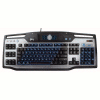
Here it is in all of it's sturdy glory. I have to say, this keyboard is much larger than I expected it to be. Granted, it has more buttons than most keyboards out there... so maybe I am just that naive. It's so large... it has carrying handles?

The layout of the keyboard is similar to others, but the main difference is the 18 extra buttons to the left. Scattered around are a few more, but I will get to those shortly. I don't have a complaint about the layout per se, but I will get into the facts later in how I decided it's not quite for me.

Closer Look

If you decide to purchase a G11, you will know you received the right keyboard when...

Here is the G spot of the keyboard, with 18 buttons in total. With the included software, you can set up various macros and have access to them simply by pushing the button. I will get more into this in the software portion of the review.

Above the 18 G buttons is an M1, M2 and M3. What could that possibly be for? Pushing each one will essentially load an entire new set of macros. So effectively, you could assign up to 48 freaking macros per game! Who would complain about such a thing?

Things get better, however. Note the MR button... Macro Record. While you are playing a game, you can push this button followed by a G button. Then, you can perform whatever action you want. Once you are done, just push the MR button again and that macro will be assigned to whatever G button you selected.

Though this is a rather simple button, it's purpose is amazing. Switching to the "game" mode disables the Windows key so it will cease to function. Basically.. pushing it during a game will not give you the boot. Ever 'almost' get the perfect kill, and then half a second later see your desktop? Yeah, that's what this fixes.

Media controls. Most keyboards have them, this one is no exception. However, these ones light up a very bright blue when the keyboard is in use. Does YOUR keyboard do that?

Just to the right of those controls are two more... mute and backlight control. Logitech notes on the box that there are three degrees of the backlight... one being off. So, you can have it somewhat blue, or really blue. The lowest setting may be the best as it may not distract you as much from a game, getting you killed. After all, that's what this board is designed to combat.

That covers the front of the keyboard, but surprisingly... we are not done. On the tip of the board we have two USB ports... a great addition. One could be used for your mouse.... or a USB flash drive. Heck, whatever you want. I can't see myself making real use of a USB port on a keyboard, but some may enjoy it.

Overall, I like what the keyboard offers. Nothing is missing that I can see... and the layout is good. However, I quickly found out that this keyboard is definitely for gamers and not for those who do a lot of regular work on the PC.

When I jumped on the PC, I was Photoshopping a few pictures. I use shortcuts in PS all the time, and on this board I kept hitting a G button instead of the control button. Simply put, the added G buttons will screw you up at first, only because you always expect certain buttons to be on that side. To me, these G buttons would be better placed atop the keyboard, right below the F1 - F12. However, then that would throw a new set of hurdles in the way.

In the end, I love the keyboard, I really do. However, the layout just bugged with me too much. I type without ever looking at the keyboard, and use shortcut keys for everything. So without looking at the keyboard constantly, I was pushing the wrong buttons often. So, as with any new product, there's a learning curve. I just found this curve to be a lot more curvacious this time around.

Software, Final Thoughts

After throwing in the software installation disc, you will be greeted with... an installation screen. Besides the standard software though, you can also install GameSpy Arcade (wow that's still around?), Ricochet Lost Worlds and Roger Wilco. If you are of the 1% who don't have PDF reader software installed, that is here also.

The first thing the program will do is scan for installed games. On this benching rig, the single game I have installed is HL2, and it found it no problem.

The following is what you will see the most often. It's a simple layout of all 18 keys, and here are the defaults. When creating a new macro, you can name it. That way, the macros will be easily identifiable through this app. To create a macro or use a preset one, you can just right-click one of the buttons and select it from the menu.

I wasn't really interested in using the preset macros, so I wanted to create one.

It seems simple, but this works, and works well. After pushing start, you can type away... whatever actions you want the macro to perform. In my case, I wanted to use G1 to type "sv_cheats 1" in the console in HL2, so that it will enable the cheats. You will notice that there are some letters twice... but the arrow down and up reflects that you didn't hold down the key. This would prove useful in an instance like "CTRL+ALT+DEL" where you can't let go of any keys until you press all three.

There's more here than what I show though. If you want the macro to be performed realisitally, you can choose the Record Delays option. This tracks how much time you take in between key presses. If you want things executed as fast as possible though, you will want to ignore this.

If you've ever dealt with Macros in the past, in any game, you know how touchy they can be. If a key is pressed too fast or too slow, it can adversly affect what it was you were trying to do. I ran into this problem with my macro above. I had it set as "~ impulse 101 ~" which basically brings up the console, types in the command and then closes the console. However, the action is so fast, that the last tilde does not have any affect. So, right clicking the last tilde, I inserted a delay of .5 seconds. This took care of the problem and the macro performed perfectly.

So, this will be work. Creating macros is almost like creating code... it needs to be precise in order to function properly. After you spend some time setting things up though, things will work well.

Final Thoughts

More often than not when I review a new keyboard, I will continue to use it until a new one rolls in. That said, I didn't give this keyboard as much attention as I have previous ones... it's just not for me. It's far from being a bad board, but the layout played with my patience. I work often on the PC, and when a keyboard switches things up, it throws me for a loop.

Yes, this is a great gaming keyboard, there is -no- denying that. If you are up for a slight learning curve, you are good to go. To me though, regardless of the macros I still prefer any media keyboard out there. It's just more comfortable, plain and simple.

Because the primary selling point of the board is the macro keys, it only makes sense that they were well thought out. Luckily, it has the software to match. It will take a while to customize everything to your liking, but I don't have a single complaint regarding anything software related. Completely easy to understand, and macros worked as they should.

Besides that, this keyboard features a few additions that are worthwhile. The subtle but sweet "windows key disabler" is a helpful tool... especially if you have a knack for hitting that button at the worse possible times. Oh, and the LED's are not so bad either ;-)

I am awarding the G11 an 8 out of 10. For the retail price of $70US... I feel this keyboard is well worth it. However, I'd love to see the G spot hit a different area of the board if it's even possible. I found myself hitting those keys much more than I should be, when not playing games. If you have the patience to set up many macros and don't mind a slight learning curve, pick one up. If you are well off with whatever keyboard you are using now and don't require macros, then stick with it.

Discuss in our forums!

If you have a comment you wish to make on this review, feel free to head on into our forums! There is no need to register in order to reply to such threads.


Copyright © 2005-2009 Techgage Networks Inc. - All Rights Reserved.