Date: August 29, 2006 - Author: Greg King - Editor: Rob Williams
Are you looking for the ultimate gamers keyboard? We say the ultimate because you are supplied with 18 quick shortcut keys, in addition to a crisp LCD screen that can display a myriad of useful information.
As gamers, we are always looking for an edge. Some pay ridiculous amounts of money in order to get the very best frame rate while others take their rig and run the game at ridiculously low resolutions to get an incredible frame rate. One piece of hardware often overlooked is the keyboard, and for good reason might I add. If gaming mice are the A team, keyboards have always been the practice squad. Logitech intends on changing that perception.
Computers have always needed I/O devices and keyboards have been around for a very long time. In this time, the keyboard has remained a mainstay of every single PC build and has managed to stay relatively unchanged. I know you might be thinking that a keyboard is a keyboard is a keyboard, and for the most part, I agree with you. If it aint broke, don't fix it. While Logitech isn't exactly reinventing the wheel, the G15 does offer a few new uses for the lowly keyboard. My current keyboard is a Logitech Elite and for what I use it for, it has done me well for the better part of 4 years. Can the G15 stand up and offer me a more enjoyable gaming experience? Let's find out'
The G15 review sample came to me in the retail box. This is the same packaging that you would find at any brick and mortar store you might get your hardware from. This also includes any e-tail stores you frequent as well. As with most packaging, the box is colorful and provides any potential buyer all the marketing mumbo-jumbo one can stand.
Once opened up, we find the wrist rest, the driver CD and the USB cable.
Once those items are out of the way, we see the keyboard itself, wrapped in a protective sleeve to protect the G15 from scratches that could happen in transit.
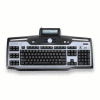
And finally, we see the G15 out in the open. Notice the center LCD screen on this baby. This is the feature that Logitech is most hoping to catch the gamer's attention with.
My initial reaction of the G15 was its sheer size. The G15 is a standard keyboard with the addition of an LCD screen in the center, media buttons underneath the said LCD display and 18 'G' keys. I will get into the 'G' keys later in this review but they are where the extra size comes from.
Starting with the LCD display, let's take a look around the G15 and see what we can turn up.
The LCD display is hinged on its back side, allowing it to rotate up. With close, the G15 looks good, but with it raised, the G15 looks sexy'sexy for gamers at least.
On the right side of the G15, there are 18 extra keys along with 4 more above those. These are the macro keys and after the LCD display, these are the second most important extras that allow Logitech to market this keyboard primarily to gamers.
Another neat feature of the G15, that I have really learned to love, is the PC/Game switch. While that is a name I just made up, it seems to fit the function. Basically what you do is disable the Windows key on your keyboard with a flip of a switch. I always leave the Windows key disabled but everyone is different.
If you were paying attention in the last picture, you might have noticed the USB symbol. This is there for a reason. Flanking the LCD display are 2 USB ports. These are handy for thumb drives, MP3 players or anything else that you might want to hook up if free USB ports are not handy to get to on your case.
Another feature that needs to be touched on is the backlit keys of the G15. While there are other keyboards that offer this feature, the G15 is nice in the sense that each key is individually lit up as opposed to a few LEDs shining across the keyboard underneath the keys. There are also three settings of the backlit key: dim, dimmer and off. Right beside the light button is the mute button. This is nice for me when I am gaming or listening to music and I need to talk to someone, I can simply mute the sound and carry on a conversation should I ever find something important enough to pull my attention away from gaming.
When the keys are lit up, they are relatively bright and readable in all strengths of light.
Underneath the LCD display lays a set of multimedia buttons. Like other Logitech keyboards, you have the option to control your music through your keyboard. There is a volume wheel, forward, back, stop and play buttons. Above these buttons are 5 keys that allow you to control what the LCD display is showing.
One more thing that I would like to note is that this is a corded keyboard. Being a gamer's keyboard, the last thing you want to have happen when you are playing is your wireless connection between your PC and your keyboard be dropped. While a cord is a slight inconvenience, its reliability cannot be questioned. The G15 uses a standard USB connection to connect to your PC. This also allows the two USB ports on the keyboard itself to connect with your PC.
No good product is without it's vanity as well. Just for good measure, Logitech added their logo and the G15 name just under the lock key icons. I personally like this as it fits in with the rest of the G15's theme.
There really isn't a whole lot to installing the G15. If you can put your shoes on, you can get this keyboard up and going. Once installed however, there is a bit more that you have to do in order to get the LCD display to work correctly.
Provided in the box was a driver CD. On this CD is the software that will allow you to use the G15's LCD display. The software version on the CD is v1.02 and at the time this review goes live, Logitech's website still has this version as the latest software version.
Before we can get to the installation of the software, Logitech has system requirements that your PC must meet in order for you to use the G15 to its full potential. Unsure if you're PC meets the requirements? Rest easy as it doesn't take a beefy PC to run this software but the G15 does require Windows XP.

Once the autorun of the CD takes over, you are presented with a lot of extra software that you can either choose to install or leave alone. As I always do, I did not install any of the extras as I am not interested in any of the offerings.
Once installed, the program you use to control the LCD display is fairly straight forward and to the point. You start out with a window that has a drop box in it. You can drop this box down and select the supported game.
From this screen, you can also assign functions to your macro 'G' keys that we spoke of earlier. The following pictures show you what all you can do with your macro keys. These are not regulated for gaming but rather, anyone can use these keys for almost any situation.
As you can see, there are many different functions that you can assign your macro keys to that can help you in a game. While I don't really thing that taking my fingers off of the WASD keys in BF2 is a good idea, there are times when the action is slow, that you can hit these keys and bring up whatever information that you need.
In Rome: Total War, the macro keys really shine. As stated earlier, FPS games require a lot of attention and fast reflexes. While a RTS is no less intense, the pace is sometimes a bit slower and the macro keys allow you to control your units a lot closer than one would have been able before the G15. You can select only infantry or only mounted units. This is similar to assigning a group number to an army but being able to select like units with one button is nice.
Turn on, Tune in, drop out'.an LCD adventure:
Now we are getting into the most interesting piece of the G15, the LCD display. As stated in the software section of the review, there is a lot that you can control and have displayed on the LCD display. These include:
Initial applet selection
Music and Multimedia
FRAPS
CPU and RAM usage. Note the CPU usage bar and the two separate bars, one for each of my 4600+'s cores.
Xfire
There is also an applet that you can download directly from Logitech's website that will allow your LCD screen to display information for all you AMD users out there. The following pictures are the three screens that this applet displays.
Not a bad little applet there. It's not really a huge deal, but it certainly cool to be able to display that information. The A64 logo looks killer as well.
Time and date
There is also an email display that will alert you when you receive any POP3 email and a stopwatch that I will never, ever use.
The Logitech G15 is a well made keyboard that was made with gamers in mind. Having said that, I am somewhat skeptical as to who might use all of these features. There are a lot of FPS gamers out there who would not get the full experience that the G15 has to offer. RTS gamers are another story all together. The ability to assign specific commands to each 'G' key available is nice. I loved playing Rome: Total War with the G15 and I can honestly say that the G15 made my experience that much more exciting.
As for the performance of the G15, the regular day to day keyboard functionality is what anyone would expect from Logitech. The keys are not difficult to push and there is little noise when typing away. The backlit keys are absolutely brilliant and the LCD screen adds even more the G15's functionality.
While on the LCD topic though, I am rather disappointed with the lack of support for many games that we all play. While Logitech does offer updates to the software, they are not coming out at an acceptable speed. However, not all hope is lost. The boys and girls over at G15mods and G15forums have taken up the challenge and are working on all sorts of applets for you to use with your G15. There is even a Counter Strike: Source applet out that looks promising.
There you have it folks. The G15 performed just the way I expected a Logitech keyboard to perform. They have not made a keyboard that I have not liked and the G15 continues this tradition to the present day. I have been using the G15 on my personal computer for the past 2 weeks and I am happy to report 0 problems. While the price of $75 is a bit much for a keyboard, you do get a solid keyboard with an LCD screen on it. This is something that will certainly turn a few heads at the next LAN party you attend.
One more thing before I issue a score is that the guys and girls over at the 2 fan sites listed above, G15forums and G15mods, have put in a lot of work and should you get the G15, please stop by and see what they have to offer. I guarantee that you will find something that you like.
With all is said and done, I am awarding the Logitech G15 a solid 9. The G15 is a keyboard with so many options and so many features that almost anyone can find something about this keyboard that they like.
If you have a comment you wish to make on this review, feel free to head on into our forums! There is no need to register in order to reply to such threads.

Copyright © 2005-2009 Techgage Networks Inc. - All Rights Reserved.