Techgage logo

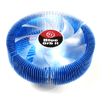
Thermaltake Blue Orb II

Date: February 24, 2006 - Author: Greg King - Editor: Rob Williams

There are so many CPU coolers on the market, it's very hard to choose. Some may cool well but look horrible, but not so for the Blue Orb II from Thermaltake! Let's jump into the review and see how this cooler compares to previous ones we've looked at.


Introduction

Hello friends! Welcome to another socket 939 cooler review. Today we are taking a look at the Thermaltake Blue Orb II. This is the newest cooler to come from Thermaltake and I am going to compare it to a few other coolers I have reviewed in the past.

Thermaltake needs no introduction to anyone in the PC game but for those that might stumble across this review, here is a history lesson. Thermaltake was started in 1999 and has provided cooling solutions for PC and industrial application systems. These cooling solutions include cases, fans and heat sinks. Their headquarters are located in Taiwan but they have offices in the US, Mexico, Japan, China, the Netherlands, Germany, and Brazil.

Now, onto the review.

Packaging

The Blue Orb II comes in a nice plastic casing that shows off the cooler in its entirety. There is a small box on the top of the case that houses the Intel adapters as well as the instructions.

On the back you can see the details and the copper base of the Blue Orb II.

Aside from that, there isn't really anything to the packaging of the Blue Orb II. Short and sweet and to the point. That's what I like to see!

The Product

It is said that copper conducts heat better than aluminum yet aluminum can radiate the heat away faster. This is interesting because the Blue Orb I have here, combines both copper and aluminum in its design. The base of this cooler is made of a copper slug. The base is approx. the size of a half dollar (US) and is connected to the aluminum fins.

There are a lot of similarities with this cooler to the Zalman 7700. The basic design is the same as both sport a 120mm fan sunk into the cooling fins of the cooler. That, it seems, is where the similarities end. The Blue Orb II is sporting Thermaltake's new crotched fin design. What this is basically is a tree pattern. Where the aluminum fins meet the copper base, the aluminum is somewhat thick and as it reaches out, away from the base, it branches out into thinner fins. Repeat this pattern twice and you have the Blue Orb II. I am not going to pretend to have counted the fins but let me tell you, there are a lot. How about we take a look at the crotched fins?

Now that's some crotch action!

Also included in the package is a small box. Like stated earlier, this box contains all the necessary adapters, stand offs and various other hardware that you will need to install this cooler on your CPU.

Installation

Installation didn't take near as long as it took to remove the motherboard tray. Once removed, I replaced the back plate brace with the one provided in the box, attached the standoffs and went to town on the cooler. There was a fair amount of force needed to get the cooler screwed into the standoffs but no more than any other cooler I have worked with. Instead of screwing your screws until tight enough, all you have to do with this cooler is get the screws into the standoffs enough that they wont come out and the springs on the screws themselves will provide the needed tension and hold your cooler in place.

The fan used the 3-pin connector that virtually all coolers use. Not much to report on that.

Results and Conclusion

The test bed here, as with all of my cooler reviews, is as follows:

I knew going into this review, rather I assumed, that this was going to be a good performing cooler. I have owned Thermaltake products in the past and have never been upset with my purchases. They have performed up to my expectations and this cooler was not any different.

I have said, time and time again, that ambient temperatures will affect your overall CPU temps more than you would think. I keep my house cool in the summer and cool in the winter. This helps my PC stay cool but mainly I am cheap. My hatred for heat and humidity trumps my cheapness though. To find the load temps, I decided this time to render an image I made in one of my PC graphics classes as well as run CPU burn-in to further tax the CPU and get it hot, and quickly!

Anyway, let's take a look at how the Blue Orb did.

Up until this point, the Zalman 9500 has been the top dog in cooling but it has a new rival in the Blue Orb II. The idle temps were lower than the Zalman which surprised me quite a bit. When we look at the load temps however the Blue Orb II toped out at 36 degrees Celsius. This, while not as low as the Zalman, is certainly a good temperature and I can't very well hold it against the Blue Orb as anything under 40*C to me, is great when stressing the CPU as I was.

All in all, I have no reservations giving this cooler a solid 9. As I will list below, there were a few things that I thought could have been improved but all in all, this is a solid cooler that I would recommend to anyone looking for one of the top air cooler out on the market at this time. You certainly can't go wrong with the Thermaltake Blue Orb II.

This, while not perfect, is a great cooler for an Intel or AMD system. The faults are not a big deal and should not sway you away from considering this cooler as an upgrade for you PC. The only word of advice I can give, is make sure your RAM will not interfere with your cooler. Like I said earlier, this is a giant cooler. Other than the size, I am happy with this cooler. Go buy one!

Thanks to Thermaltake for making this review possible. Your fine products didn't start with this cooler and I hope they don't end with this cooler either.

Feel free to discuss the review here! There's no need to register in order to reply to our content threads.


Copyright © 2005-2009 Techgage Networks Inc. - All Rights Reserved.