
- Qualcomm Launches Snapdragon 4 Gen 2 Mobile Platform
- AMD Launches Ryzen PRO 7000 Series Mobile & Desktop Platform
- Intel Launches Sleek Single-Slot Arc Pro A60 Workstation Graphics Card
- NVIDIA Announces Latest Ada Lovelace Additions: GeForce RTX 4060 Ti & RTX 4060
- Maxon Redshift With AMD Radeon GPU Rendering Support Now Available

Social & RSS Feeds
Latest Videos



Latest News
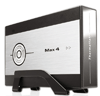
Thermaltake Max 4 3.5inch HDD Enclosure

by Rob Williams on October 26, 2005 in Storage
Do you want a hard drive enclosure that not only lives up to your expectations, but looks classy at the same time? We are taking a look at the Thermaltake Max 4, which does just that… and well!
Page 1 – Introduction
Let’s face it.. we are always on the go, and this means we need portable equipment. Sure, thumb drives are extremely portable, but they cannot match the 200GB capabilities like a real hard drive. Thermaltake’s Max 4 is a solution that allows you to take your 3.5" HDD with you anywhere you want to go. Many enclosures on the market usually have a fan inside to help keep your disk cool, but not the Max 4. Instead, it uses an aluminum heat spreader to dissipate the heat. Without further ado though, let’s get through Thermaltake’s bio!


Max 4 Features
The product comes in a clean looking box, that’s tightly packed with all the contents. Because of the good packaging job, the product arrived in perfect condition.
- Specifications
- Aluminum spreader fan less design
- Silver body with graceful black adorn
- Metal homocentric polished diagram
- Blue LED indicate data transfer signal
- Cypress AT2+ chip – speed & protect your digital data
- IDE to USB2.0 interface – the most compatibility
- Compact mount easily to stand
- Transfer speed up to 480Mbps


Besides the cables and the enclosure, the box includes a CD-Rom and manual. Unlike most manuals, this one is actually very clear and concise, which is a huge bonus if you are a tech newbie. After picking up the enclosure, the first thing I realized was that this thing is sturdy. Squeezing all around and looking over the build quality, it’s a very well built product. Since the Max 4 is not that inexpensive, at least it should prove money well spent.
This enclosure is one of the more stylish ones you will find on the market, and could add class to even a messy room.. such as mine. The entire enclosure is made of metal, and has a silver body which adds to the look. Because there is no fan included with the Max 4, it should prove much quieter than those that do.


Connectivity is on par with the rest of the market, using the standard USB 2.0, which should prove fast enough for most things you need to do.

Support our efforts! With ad revenue at an all-time low for written websites, we're relying more than ever on reader support to help us continue putting so much effort into this type of content. You can support us by becoming a Patron, or by using our Amazon shopping affiliate links listed through our articles. Thanks for your support!

Rob Williams
Rob founded Techgage in 2005 to be an 'Advocate of the consumer', focusing on fair reviews and keeping people apprised of news in the tech world. Catering to both enthusiasts and businesses alike; from desktop gaming to professional workstations, and all the supporting software.


