Date: October 2, 2007 - Author: Matthew Harris
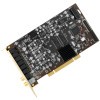
Finally! We are beginning to see Creative's chipset offerings being used in other manufacturers sound cards. The first such product is Auzentech's X-Fi Prelude, which we have on the test bench today. Though it excels in some regards, we find out that it has a lot of room for improvement.
Creative has been around since the dim days of the beginning of "Multi-Media" PC's. I remember software requiring a Sound Blaster card or one that was 100% compatible, which meant that Creative was the standard to which all sound hardware was compared. Until earlier this year Creative was the only company you'd see using a Creative chip.
I guess the competition created by other card makers using third party chipsets and the quality of those chipsets was finally enough to make Creative dip their toes into the waters of being a chipset vendor along with being a card vendor. Today we look at the first ever 3rd party card to use a Creative chipset, the Auzentech X-Fi Prelude.
Earlier this year, the PC enthusiast world was rocked by the news that Creative was finally licensing their highest end offering to a 3rd party sound card vendor, Auzentech. This is surprising in that Auzentech was one of the few card makers to rattle the saber in any meaningful way when they released their X-Meridian late last year. They took the Oxygen HD chipset from C-Media and built a card that blew away all comers with their replaceable OP AMPs and uber high 5VRMS analog outputs built on shortest route from OP AMP to connector topography.
As a result they have super high signal to noise ratio of >115db (s/n) and a very strong dynamic range of ~120db. It's surprising that Creative has released a chipset to a vendor that has the ability to design a superior card to their own based on the same chipset. But I guess that if you're going to dabble in being chipset vendor you'll want to first foray into the venture to be with a hardware vendor that can make your product shine.
This is something I never believed I'd see... a third party Creative based card!
The back lists all the features and benefits of the card.
Auzentech X-Fi Prelude
Better Circuit Board. Better Audio.
The Auzen X-Fi Prelude is a one-of-a-kind circuit board designed by Auzentech's engineers, leaders in the fields of analog and digital audio. Assembled with superior components, the board includes Auzentech-only innovations such as user-upgradable Operational Amplifiers, combo-ports that support both coaxial and optical connectors, and more.
National LM4562NA High Performance Audio OPAMP
The LM4562 from the NATIONAL combines extremely low voltage noise density (2.7nV/ √ ^Hz) with vanishingly low THD+N (0.00003%) to satisfy demanding audiophiles.
TI OPA2134 SoundPlus High Performance Audio OPAMP
The OPA134 series are ultra-low distortion, low noise operational amplifiers fully specified for audio applications. A true FET input stage was incorporated to provide superior sound quality and speed for exceptional audio performance.
Swappable OPAMP Socket (Front L/R only)
OPAMP IC can be easily replaced with another one. The swappable dual DIP type Operational Amplifier(OPAMP) provides convenient do-it-yourself upgrade for ultimate analog sound quality and color.
Optical / Coaxial COMBO Port
The SPDIF Output port has 25mbps bandwidth and supports DTS-
HD/DolbyTrue HD. It is possible to shift between Optical and Coaxial in this port.
KM AK4396VF DAC
The AK4396 is a high performance stereo DAC for 24bit 120dB stereo, 96kHz sampling rate, DSD Input, ultra-low out-of-band noise, 180mW, digital attenuator manufactured by Asahi Kasei Micro systems.
KM AK5394AVS ADC
The AK5394A is a 24bit, 96kHz sampling 2ch A/D Converter for professional digital audio systems. The modulator uses the new advanced multi-bit architecture and achieves 123dB dynamic range and wide bandwidth with superior distortion characteristics.
Solid Condenser for maximum durability & stability
The solid capacitor has been adopted to provide higher durability and stability than usual condensers, and to stabilize the electric power source.
Right now, all the surround features are "Coming soon", aside from EAX in games surround and Dolby movie surround during DVD playback. There are a few music surround effects and the X-Fi Crystalizer but I'll get to those later.
The side continues with the features of the card which I've listed above.
Opening the box reveals the X-Fi Prelude in all it's glory safely tucked away in a static proof blister.
The back of the card looks rather spartan compared to the face. I'm surprised that there aren't many SMC's on the back like we see with video cards. I guess (well, I know) sound hasn't caught with video in terms of complexity.
Under the card we find the manual, multi function SPDIF adapters and optical SPDIF cable. Pretty bare compared to the goodies that Rory got with the ASUS Xonar he reviewed a few weeks ago.
In that baggy there's a manual, coaxial to optical adapters for the SPDIF output and input along with the driver disk and optical SPDIF cable. No coaxial cable, no 3.5mm to RCA for input or output to/from the analog connections on a home receiver. Nope, nothing like that, but this is still one of the most expensive cards on the market. It comes in a mere $10 cheaper than the Creative X-Fi Elite but runs $50 more than the X-Fi Fatal1ty Gamer Platinum.
To my way of thinking, Auzentech could have thrown in the rear expansion port so that the end user could go ahead and use it for music creation right off the bat. Sure, it has all that crazy stuff in the control panel (tons of effects when you stop to consider all the variations via the user adjustments which I'll cover a bit more in depth later) but you have all of two external inputs on the card.
No midi inputs, one auxiliary input and one mic input. Yes I know there's the digital SPDIF input which I'm sure would go nicely with some high tech mixer (if such a thing exists, I don't know as I gave up playing music and rebuilding gear ten years ago) that features built in A/D conversion and SPDIF output but sadly, the SPDIF input isn't working right now thanks to a glitch in the drivers! Booo!
Speaking of the manual, here's a look at the Prelude manual (left) compared to it's predecessor the X-Meridian (right). Though it's hard to tell here the Prelude manual is about 1/3 the manual that the X-Meridian manual is. I imagine that's because, compared to the X-Meridian, the Prelude just doesn't have enough features (yet) to fill a 60+ page manual. Auzentech promises to have these features hammered in soon so I imagine that there will be online documentation to cover these updates.
I really hope that the X-Fi Prelude incorporates hardware DTS decoding so that it'll output the decoded DTS in DVD movies to the analog speaker outputs. I know my old school Audigy Platinum did. The C-Media cards didn't feature it (although I had been told that the Oxygen chipset would decode DTS, it didn't do it) due to not having a hardware decoder, rather it used software to encode DTS and Dolby 5.1 to the digital output. This means that if you don't have a home theater setup or speakers with onboard decoding (via digital input) you were out of luck for DTS. Personally I like DTS as it has more dynamic range than Dolby Digital.
Let's have a closer look at this baby. We can see that there's only one user replaceable OPAMP on the Prelude. If you can't see it I'll fire up the close up for you.
Yep, that's it just to the left of the red arrow. Don't flame me for the green letters, as I am aware it's not Christmas yet! Green was the only color that was not going to blend into some aspect of the background. We can also see that the D/A converters are the marginally cheaper (and lower spec 'ed) AKM units versus the TI Burr Brown units. We can also see the X-RAM (as it's called) but we'll look at that a bit more in depth in a minute.
Here is the closer look at the X-RAM. The X-RAM on the X-Fi Prelude is Micron Technologies (MT) MT48LC32M8A2 which is CL3 SDR 8 Meg x 8 ram that can be either PC100 or PC133 but running it at PC133 would make the most sense as it would increase the throughput. This really emphasizes how much of a difference there is in rendering a soundfield versus rendering visuals. I haven't seen ram this slow on a GPU since 2000. Although, games didn't have complicated enough sound rendering to leverage dedicated audio ram until very recently.
Bear in mind, the X-RAM isn't something that needs be implemented to insure audio quality, it's something used to help boost frame rates by keeping the audio off the mobo as much as possible and is only supported by a few games.
What's nice about the back of the card is that it labels the connectors. I think the labels should be flipped 180 degrees so that they're easily legible from the case door side rather than from the mobo side but that's just me.
Here's a look at the X-Fi Prelude and the X-Meridian. I thought I'd never see a sound card capable of eclipsing the size of the X-Meridian but the Prelude nearly equals it. The X-Meridian is wider than the Prelude but the Prelude equals it in length.
A look at the back of both cards reveals that they both share the labeling of the ports from the top of the card where it can be seen in a non-crowded mobo load out. The only difference is that the X-Meridian labels are oriented in such a way that they're right side up when you peer in at them from the case door side.
Finally here's a look at the naked chip. Stop drooling, I didn't say naked chick. When I was attempting to install the Prelude I ran into a bit of trouble in that the heat sink was interfered with by the rear of the GPU under it. No real problem really, I've used the X-Fi Elite Pro and it didn't have a heat sink on it and so far I've run into no heat induced issues with the Prelude.
Ok, now that we've discussed the X-Fi Prelude let's see what it has to offer the end user. First we'll start off with a look at the difference between the X-Fi Prelude and the X-Meridian in 3DMark '03 gaming sound test.
Test |
X-Fi Prelude |
X-Meridian |
| No Sounds | 79.5 FPS | 72.1 FPS |
| 24 Sounds | 70.3 FPS | 62.4 FPS |
| 60 Sounds | 64.3 FPS | N/A |
Well, we see that there's a minimal improvement with the Prelude on the tests run but the fact that the margin stays pretty much the same from no sounds to 24 sounds there's no telling if the card or some other variable is to thank for the change.
The second round of gaming tests will consist of two runs on GRAW2 for each card. The tests were run at two different save points and started after the game had fully loaded and stabilized. Both tests use the same save points for each card and were conducted in such a way as to be as close to identical as possible.
X-Meridian |
1st |
2nd |
| Min. | 0 | 23 |
| Max. | 67 | 45 |
| Avg. | 30.927 | 33.000 |
Hmmm... it hits zero at one point in test one. I ran it twice and got the same results both times although I never noticed a difference. If it dropped to zero it did it for a split second. Test two looks far better with a minimum frame rate that's not low enough to be a slide show, most movies display at close to 23FPS and they look perfectly fluid and the game was pretty fluid the entire time.
X-Fi Prelude |
1st |
2nd |
| Min. | 13 | 32 |
| Max. | 54 | 63 |
| Avg. | 46.058 | 47.800 |
The Prelude fares a little better in the first test, it never hits zero and instead drops to a minimum of 13FPS, the maximum drops to 54FPS but the average is considerably better at a touch over 46FPS. The second test shows the Prelude really leveraging the onboard DSP. The minimum comes up to a nice 32FPS while the maximum comes up to 63FPS and the average picks up nearly 15FPS. It shows that the onboard DSP is really helping to improve the overall gaming experience.
I decided to give RightMark Audio Analyzer 6.05 a spin, I got some interesting results.

The first round I threw the controls into "Game" mode and turned off all effects and set the record to "What U Hear" so that the loopback was done internally before the OPAMPs so the output levels wouldn't run the risk of becoming damaging to the input of the card, say if I slipped or something and sent the full 5V of the output screaming into the auxiliary input.
I tested it at 16 bits at 44kHz in Direct sound, named device, 24 bits 96kHz named device, 24 bits 192kHz named device and 24 bits 192kHz primary device. The frequency response was pretty flat in every test I threw at it, very nice.
The noise levels were low in 16 bit mode but moving up to 24 bits lowered it to levels better than Creative's offerings except the Elite Pro which ran $325 when it was initially introduced. Of course now it can be had for a few dollars more than the X-Fi Prelude. But by specs the Elite Pro is rated for 116db S\NR so it's a minor increase if any... this is considering that the Prelude is rated for 120db S\NR.
The rest of the numbers look pretty good, the distortion is low enough to bring a smile to any audiophile's face and the dynamic range is right up there with upper end audio equipment.

The next round I decided to set the recording device directly to the Wave output, this gave me the truest version of the waveform from RMAA. The results are rather interesting. We see a dramatic improvement in the 16 bit test run in the noise levels. We also see a marked improvement in crosstalk.
Moving to the first 24 bit test (all were run as outlined in the first group) we see a dramatic improvement in the noise levels and the crosstalk. The dynamic range suffers a bit as does the distortion in the swept frequencies. The next test sees similar improvement in the S/NR (noise level) and a huge improvement in the dynamic range. The THD drops to none the crosstalk stays insanely low. Wow, this thing is pretty accurate on the upstream side. Perfect would show no deviation from the test signal since we're recording from the source. Sadly nothing's perfect but this shows what's being lost the further we go into the signal chain.
Now, I started getting strange aberrations in the input/output in RMAA. It'd report channel leakage yet the crosstalk (another term for leakage) scores would be fine. Then I started getting clipping errors (clipping occurred in 0.000% of the samples) so I went and got a loopback cable. What I found was rather disappointing:

I ran the tests all at 24 bits 96kHz in both named and primary device modes... it has some bearing but I'll get to that. We see here that the noise levels with the loopback cable (tests 1 and 3 from left to right) have significantly higher noise levels (10 db is what a human perceives as an acoustic doubling in volume) because we're picking up 1.5 times the noise on the loopback. Tests 2 and 4 are both running on "What u hear" and the dynamic range and noise levels are markedly better.
Oddly, the bass levels are boosted and the treble is down by nearly a full db yet I had the levels set to flat in all three test groups and all all three groups were run in "game" mode with all effects turned off. I tried in the other two modes but they had a curve similar to what we see in group three. I can only attribute this behavior to the drivers, somehow it's not fully releasing the EQ when disabled. The stereo crosstalk was also lower when the loopback cable was used.
The whole reason I had run named and default driver tests was the clipping and channel leakage I'd mentioned earlier. In one driver mode (24 bit 192kHz named) I got those errors and in the other (24bit, 192kHz default) they were absent. After a while I got the leakage and clipping errors irregardless of the mode used.
This is a sad turn of events because I really had high hopes for the X-Fi Prelude. This has me wondering if other X-Fi cards suffer from this. The upside is that compared to the Audigy 4 that Rory compared the Xonar against, the X-Fi Prelude fares better. This is the problem with relying on drivers from Creative, they tend to be a bit odd for lack of a better word. C-Media based cards might do well with reference drivers but given the complexity of the X-Fi chip and how far removed the Prelude is from any other X-Fi variant Auzentech really should look into coming up with their own proprietary driver.
Speaking of drivers, let's take a look at them.
I'm going to take a protracted look at the Entertainment mode since it covers all the same features as Game mode does and offers a few additional tweaks for entertainment (music and movies) that the Game and Music Creation modes don't. It makes it easier to point out features you won't see than describe the ones that are missing.
This is the main menu of the Entertainment mode. You'll notice the subtle word "Theater" placed in an out of the way pla... oh, hey wait a minute... it's emblazoned across the middle of the display in large electric blue letters! Ahem. I was saying, you'll notice the word "Theater" boldly displayed in the main menu. This is a visual cue as the the EAX soundfield in use. Clicking the icons brings up the associated adjustments.
For instance, clicking the EAX icon brings up the submenu for choosing and making adjustments to the soundfield. Unlike the C-Media based cards, there's a real honest to God effect adjustment rather than arbitrarily devised "room sizes". The C-Media effects are good sounding but unfortunately the adjustment only go from "A bit too much" to "Are we in a cave?" to "You've got to be kidding me!" levels.
With this, you can adjust the soundfield to the extreme or make it very subtle. I choose to run the Theater soundfield since it has a nice flow to it. It's not too harsh or too reverberant and at -15db to -18db it really gives the impression of being in a large cinema. Very nice. Not to say that the other soundfields are bad, I just prefer the sound of a largish area filled with sound dampening materials as opposed to a huge area lined with sound reflective materials.
Moving along we come to the CMSS (Creative multi speaker surround) setting for expanding two channel material into a quasi surround sound. I say quasi because it's emulated rather than real surround sound which entails channel steering so that you hear the Blackhawk come screaming up from behind you just before it shoots past you.
Instead if it was a two channel source, you'd hear the blackhawk get louder with a bias towards where ever you set the slider. It works OK for movies but it does bring music to life especially when coupled with an EAX soundfield. The slider focuses the sound bias between the front and rear speakers in either Stereo Expand mode or Stereo Surround mode. Stereo Expand is like added presence simulating a wide stereo field while Stereo Surround sounds more like old school quadraphonic, ah, the good old days!
The X-Fi Crystalizer adds dynamic range often lost on compressed music. When you compress music you don't keep it intact. Instead it goes through and loses a bit here and a bit there. Some is lost on the upper and lower ends of the audible spectrum while others are lost in lowered dynamics and other subtle alteration of the music.
X-Fi Crystalizer tries to rectify that by adding some of the dynamics back. The Crystalizer effects are pretty subtle, I wasn't readily able to hear a difference I could point to and say "Aha, that's from the Crystalizer!" but it doesn't hurt the sound quality either. Could I tell a difference? Not especially, but it could be something in the drivers, I have no idea.
The SVM button brings up the SVM setting. It's either off or on and honestly it's best left off. SVM stands for Smart Volume Management, it's a compressor and expander. It boosts soft sounds and compresses loud sounds so that the average output is at X level across the board. Sounds good on paper but on execution it's a bit too enthusiastic with the compression.
Soft sounds were boosted to a livable level but during times of boosted levels such as gunfire or explosions, I saw the compression render normal conversational level dialog mute. I'm not surprised, I've seen these schemes in everything from software DVD decoders to enthusiast grade audio equipment in the early days of Dolby surround (pre Pro Logic, 4 channel surround) when audio equipment builders were trying to get dialogue levels up to reasonable levels. The results were less than spectacular back then too. Best solution is to leave SVM off and drop the bass levels down so that the rumble in big explosions is reduced.
This is the mixer mode. It's permanently stuck in playback mode with access to one slider in recording mode. The arrow above the slider brings up the drop down menu that allows you to choose from the record source. The other sources are muted so all you have is the one to utilize. This too holds true for the mixer in gaming mode.
Digital I/O mode. Here's where you choose the sampling rate for the digital input and output. Sadly, from all the documentation I've read from Auzentech, the input isn't functioning right now and won't for another few months. Booo!
On the lower left corner we see the "Mode" button. Hitting it brings up the mode switcher. You click on the mode you want and hit ok and the current console closes and the chosen console opens.
To give a quick look we have the Audio Creation mode. In this mode you can choose as many input sources as you'd like and add effects, mix them with other sources (that are using effects if you desire them) and also mix them into a dolby esque soundfield. Many of the effects are user customizable and you can choose the amount that you want mixed in with the source.
Here I took the auxiliary input (running from the cable box) and added chorus to it, assigned the chorused signal to the front speakers and rear speakers, then I added digital delay (stock preset) with it assigned to the rear speakers which were also run through an additional chorus. The effect was amazing in that it really opened up the soundstage. The room felt huge yet it wasn't cheesy.
You can record anything you do as two channel output and you can upmix it so that it can be decoded by a Dolby decoder upon playback. For all the home music recordists this means you've just turned your PC into a home recording studio.
The downside is that to fully leverage this you'll need the optional input from Auzentech so that you've got midi inputs. Also not all the inputs work on the daughter card, I noticed that the large mic input doesn't function on it. Come on guys, if you're going to charge more for the X-Fi Prelude than any other bare card X-Fi on the market you should at least make all the features work on the expansion interface daughter card.
Here's a look at the game mode. Notice that the CMSS offers MacroFX and the ElevationFilter. I think they have something to do with optional audio information in the games but I haven't noticed any difference in the games I've played whether they're on or off. There's also an optional bass boost tab that allows boost at a user adjustable cutoff frequency. With an EQ the bass boost is really overkill, especially if you're an apartment dweller or have room-mates or kids or even parents to annoy.
Here's the next change for the Game mode, the EAX effects are for games that leverage them and there's a mix slider. I've had a few games that had EAX environments in them and they sound great. Sadly they're not used often and usually just in a couple of places in any one game.

Here's the no frills console for the Prelude. Basically anything you want to adjust can be done in this console aside from the EQ.

Here's Entertainment mode Note that there are 9 tabs.

Game mode also has 9 tabs, the same tabs as Entertainment mode.

Audio Creation mode loses the X-Fi CMSS-3D tab. Yeah, instead you have all the effects you can mix in. Sadly those too are only access able from the GUI console.
Now that we've seen what's under the skin of the X-Fi Prelude and looked at the numbers as reported by RMAA let's see or rather hear what it offers end users.
These listening tests will be broken into three sets of impressions: Music, Movies and Gaming. The music and movies were listened to in Entertainment mode and games played in Game mode aside from noted exceptions. I'll report on all three as to how they sounded and of any abnormalities I encountered.
I listened to everything from 128Kbs MP3's to 256Kbs to 320Kbs and finally WMA lossless (1.01Mbs) and I'm fairly impressed. The songs I listened to were: Overkill - Stone Cold Jesus (320Kbs), PowerMan 5000 - Blast Off to Nowhere (128Kbs), Audioslave - Cochise (256Kbs) and Ozzy Osbourne - Diary of a Madman. (1.01Mbs). All these songs share a common trait, they're all filled with large dynamic peaks and valleys. They were all rendered very well with no noticeable distortion or color.
The Crystalizer didn't seem to have the least bit of impact on the music but neither did bit rates. Had I not known the bit rates of these songs I would have been hard pressed to determine if they were high or low, the sound is very nearly flawless across the board. It sounds like music not like compressed music. Sonically there's nothing lacking.
I watched several movies on the X-Fi Prelude. On DVD I watched Hot Fuzz, great movie for surround effects. I love the hallways of the hotel creaking like a sailing ship. Fun stuff. I also watched Lord of the Rings: The Two Towers which has some really well done environmental effects. The woods, the battles with catapults hurling stones into walls or the riders on the vast fields. Just awesome foley work.
I also decided to see how this card would fare for HTPC duties using an analog input from my cable box. Via the cable box I watched Hackers. Pure cheese, I know but fun to watch when you're bored. It helps that I had it on DVD so I'm very familiar with it.
All three movies sounded pretty good, the one from the digital cable wasn't near the quality of the DVD's but that's due largely to the audio section of the cable box, it's horrible. The DVD's were played in Dolby Digital, I tried a couple other in DTS mode and they were a no go. No sound. The CMSS effects had no effect on the DVD's but it was pretty good at simulating a surround mode on the cable movie. Nothing fantastic but then again, simulated surround is never great. It just makes two channel a little more satisfying.
The dialogue was rendered very competently by the Prelude in four channel mode. Easily as legible as the X-Meridian with it's simulated 7.1 channel surround. A vast improvement over the Audigy Platinum I had back in 2003. During Hackers I played around with the Audio Creation mode which I spoke about when I highlighted it earlier. It makes a pretty interesting effect compared to the stock CMSS in Entertainment mode. I also played with the headphone version of CMSS which is supposed to simulate surround in a two channel environment.
Overall, I walked away less than enthusiastic. It was just a bit of reverb and wasn't very convincing. One thing I did notice during Hackers was that during the scene where Dade is deciphering the worm in Kate's room, you could hear several low frequency rumbles. I kind of wonder if they were muffled sounds of large trucks on the set lot, they sounded suspiciously like that.
Overall, the movie watching experience is very enjoyable. I like the added ambiance afforded by the EAX effects, the theater soundfield makes movie listening much more realistic for fans of the cinema.
I've been playing GRAW 2 quite a bit for the testing of the X-Fi Prelude. In the current section I'm in there's one EAX effect that just is too awesome for words. I go booking along the wall and sidle into a closed doorway. Suddenly from the other side of the door comes the sound of a baby crying. It sounded so realistic, I was briefly looking for the source of the cries. Just fantastic.
Gunshots around like they're coming from real firearms... not cap guns. Explosions sound so realistic they had my room-mate asking if there was thunder brewing outside. The crunch of team mate's boots on gravel as the come along from behind you when you're pinned down is a welcome sound, the Prelude renders the stealthy sound of 3-4 Force Recon marines very well indeed.
I played a bit of BioShock and found it to sound creepy. The sound is very fitting with the aquatic backdrops and the added effects of drips and structural groans are really cool. I didn't find any cool EAX effects but that's okay, I'm hoping I'll run across one soon.
With the added FPS by off loading the DSP effects from the CPU and the well rendered EAX effects (when you stumble across one) the card acquits itself well in gaming. I've made the mistake of launching a game in Entertainment mode and the card has complained about it quite vocally. I'd get clicks and squeals as the game first loaded then it would start making the sounds of random shots. It doesn't do this in Game mode and I haven't given it a spin in Audio Creation mode so I have no idea if it happens there. Still, overall I'm impressed with the gaming performance.
Now we get down to seeing just how the X-Fi Prelude does overall.
Auzentech shook the enthusiast world with the announcement of the X-Fi Prelude and many hoped this would mean freedom from the Creative drivers that many find to be cantankerous if not just plain bad. I had hope that their more esoteric design would yield far superior results to the competition from Creative but it looks like the advantages are minor yet the price comes at a premium.
The sound is very convincing and the gaming performance benefit does make it a worthwhile upgrade if you've got the money and onboard sound. If you have a lesser X-Fi card I'd suggest just staying put though. The XRAM isn't in widespread use so that's basically a waste for the time being. If games start supporting it en masse then their could be a reason to sell the Extreme Sound you're using and going for one with XRAM.

Does that mean it has to be the X-Fi Prelude? Not really, at least not for $229. For $229 it should incorporate the auxiliary input interface (the X-Tension is the optional one) that gives all the functionality that Creative offers with their $10 higher Sound Blaster X-Fi Elite Pro. Right now the X-Fi Prelude falls into the category of "An awesome idea but not an awesome product" Instead it's very competitive with the $145 Fatal1ty Gamer Pro but miles distant from the functionality of the Platinum Champion series or the Elite Pro.
That said I'm awarding the X-Fi Prelude a 7/10 because it's just not up to the task... yet. Auzentech is close to hitting it on the head but they're still dancing around the nail at the moment.
If you have a comment you wish to make on this review, feel free to head on into our forums! There is no need to register in order to reply to such threads.

Copyright © 2005-2008 Techgage Networks Inc. - All Rights Reserved.