Techgage logo

Corsair 2GB XMS PC4000 Platinum

Date: October 31, 2005 - Author: Rob Williams - Editor: Greg King

Corsairs back, and they have delivered the fastest memory we have ever tested! Clocked at DDR500 speeds and 3-4-4-8 timings, it's quite fast on it's own. Add on the large amount of overclocking headroom, and these modules have serious potential.


Introduction

When building or upgrading PC's today, people always encounter the nagging question of whether it's truly worth it to go 2GB or not. Is it really worth the extra money, usually near double, to go from 1GB to 2GB? Obviously, the answer depends on the types of games you play primarily. If you plan on playing the likes of Battlefield 2, F.E.A.R. and future titles to their full potential, there should be no doubt in your mind that you want 2GB. Prices continue to plummet, so there is no real need to stick with 1GB unless you are on a serious budget.

It's no wonder then, that companies who specialize in memory are rushing to push out as many 2GB kits as they can, that come in many varieties. To date, this is our third 2GB kit review, and you will see more in the near future. So, we know that 2GB is a smart deal, so now it's a matter of buying the fastest memory that fits your budget. As always, let's go through the Corsair bio, then move onto the heart of the review.

The modules we are taking a look at today, were just announced last Wednesday. In that press release, they promise very fast modules at an extremely competitive price. At the time of writing, these modules are $280.00US over at NewEgg, so that latter fact is absolutely true.

Corsair 2GB PC4000 Platinum Features

Not only does more memory make a difference in our gaming, but faster memory can make even as much of a difference. The standard DDR speed is 200MHz, but these roll in at 250MHz, so we already have a large benefit there. As is the norm for these speeds, this kit has stock timings of 3-4-4-8, and the voltage requirement is 2.75. If you are the type of person who hate to see high timings, don't worry about the CAS latency of 3... our benchmarks will prove that these are not bad timings at all.

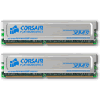
Taking a closer look at the modules themselves, we can see that there is nothing too fancy about them. They arrive in a blue backed blister pack, which do a fantastic job of keeping the modules protected during travel. The heat spreaders are the standard Platinum style, a flat silver color. One benefit here is, that you can't easily get noticeable fingerprints on these ones! Beneath the heat spreader, we have Samsung based UCCC chips. UCCC is somewhat notorious for being a good overclocker, and being a terrible overclocker. We will soon see what case we have with these modules :)

The heat spreaders are kept on securely with a simple clip, that can be removed if you want to take them off. If you are not careful, the clips will scrape on the heat spreader as you are removing it, so you will want to be careful. I'm always a wary one for taking off heat spreaders, because with my luck I know I will take a chip with it.

Overclocking

Corsair 2GB PC4000 Platinum Overclocking

Since the Ultra-D does not support 2.75v by default, I went with the next highest support voltage of 2.8. The modules were put through a 12 hour MemTest test run, at the stock speeds of DDR500. As hoped, the memory proved clean of any errors, so overclocking was quickly underway. Here is the system being used for testing:

Processor
AMD 64 3200+ S939 Venice @ 2.50 - 2.88GHz
Motherboard
DFI LanParty NF4 UT Ultra-D
BIOS is 704-2BTA
Power Supply
Coolmax CXI 400W
Memory
2GB Corsair XMS PC4000 Platinum (1024MB * 2)
Hard Disks
160GB Western Digital 8MB Cache
2 * 200GB Western Digital 8MB Cache

Sound Card
Chaintech AV-710 7.1
Video Card
eVGA 7800GT PCI-E 256MB
Using BETA 81.87 drivers.
Etcetera
Windows XP Professional with SP2

You will immediately notice one thing of the following results, that the timings have not changed an inch. Using between 2.8v and 3.2v, I was unable to tighten the timings at all. I had hoped of being able to tighten them to 3-3-3-8, but this did not prove in my favor. No matter how much I played with the TRC, TRFC and TREF, it did not make enough leeway to make tighter timings possible. In the end, these were my completely stable speeds:

284MHz is a huge accomplishment on these modules, so I am not about to complain about not being able to tighten the timings!

Corsair 2GB PC4000 Platinum Benchmarking

To benchmark these modules, we will be using our regular memory specific tests. First up is Lavalys EVEREST Ultimate Edition. I have to come to love this program and it's included three tests, Read, Write and Latency. The second program used is the trusted SANDRA 2005, using the Memory Bandwidth test.

So that we can have an accurate comparison to modules at similar speeds, we have included scores of the OCZ 2GB PC4000 Gold kit, as well as the Crucial Ballistix 1GB PC4000 kit. Please note that the scores seen below are not taken from those reviews, but were re-tested the same day as the ones we are reviewing today. Also, the Ballistix is an odd ball because it is a 1GB kit, which were able to handle a CAS of 2.5, while the other kits could not. This will reflect the scores, but will give a general idea of the results when comparing 1GB and 2GB kits.

Synthetic Benchmarks

Lavalys EVEREST Ultimate Edition

Despite the fact that these graphs state that the modules were all run with 3-4-4-8 timings, please remember that the Crucial Ballistix is the only exception, being the 1GB kit, it is running with it's CAS at 2.5. The Corsair modules with the impressive 284MHz overclock was able to reach 7,700MB Read speeds! This memory proved to be the fastest we have played with to date.

SiSoftware SANDRA 2005

In our SANDRA test, we only tested each kit at the stock speeds of PC4000 with their stock timings as well. Out of the 2GB models, it looks like the OCZ Gold takes the cake. If only those were able to be clocked higher, we may have seen some stiff competition.

Gaming Benchmarks

Half-Life 2 & Quake IV

To see how the modules are reflected in gaming, I have taken two games, one older and one just released. Half-Life 2 has been out for over a year now, but looking at the graphics capabilities today is still amazing. While testing, I can't get over just how great the graphics are, especially the special effects, and it's able to always retain a great frame rate on a decent system.

Since Quake IV was released, we will be using that in our benchmarks to replace Doom III. Why? For one, I am sick and tired of Doom III, and Q4 seems to do an even better job of pressing hardware to the limits. It will be interesting to see if overclocking will affect the frame rate here, because it was rare to see an increase in Doom III.

How we benchmark our games!

At 260HTT, the OCZ clearly dominates. It's really too bad that memory couldn't manage a further overclock, or things could have been seriously interesting. That will have to wait until our 4000 EB review in a few weeks I guess ;)

Edit: Woops! It was noticed after all the gaming benches were performed, that 4x AA and 16x AF were being forced in the NVIDIA driver. In addition, Multi-Sampling Anti-Aliasing was also being forced. All of the figures below were retrieved using these settings, so they should not be compared to other gaming benchmarks around the web.

Quake IV was quite a benchmarking experience. Please note that the Crucial Ballistix settings are run at High and not Ultra like the 2GB kits were. Trying to play the game on Ultra with the 1GB kit was impossible, due to the severe lag. It took an easy 2 minutes for the level to load, and even then I had to wait before I could move. The game was far too choppy.. less than 1FPS. Oddly enough, this could be a strange problem on my end, because it seems others are playing the game on Ultra with 1GB kits just fine. I rebooted and verified settings, but nothing could remedy the lag.

Overall, the performance is very impressive! The memory overclocking to 284MHz proved completely stable throughout all the tests.

Conclusions

Corsair 2GB PC4000 Platinum Conclusions

What bad can be said about these modules? Not a damn thing. Not only do these modules perform way better than I had hoped, they come in at a fantastic price as well. Sure, they don't have the pizzazz as the Pro series with lights, but these modules are solid. I was able to take the stock DDR500 and safely overclock to stable DDR568 speeds. Those speeds were able to set EVEREST and SANDRA records of anything else we have tested before.

Corsair has another set around the corner that have a stock speed faster than these, so I would be very impressed to see if they can overclock higher than the modules tested today. One thing that also makes these sticks so great is the price.. which is currently $280.00US on NewEgg, at the time of writing. When you think about it being only 512MB for $70 for some of the fastest memory on the market, it's a great deal.

This memory had a lot of headroom, and there may be a chance that we could see these modules go even higher with even more than 3.2v, (If you are that brave). Once again, I am giving the latest from Corsair a 10 out of 10, and our Editors Choice award. I am thinking that it may be some time before we see any faster modules hit our desks, but we'll see ;)

If you want to discuss this review, please feel free to comment in our review thread! You do not need to register to post in our article threads.


Copyright © 2005-2008 Techgage Networks Inc. - All Rights Reserved.