Techgage logo

Corsair TWINX2048-3500LLPRO CAS2

Date: October 10, 2005 - Author: Rob Williams - Editor: Jen McPherson and Mark Ozimek

Corsair have just launched what they call the fastest ASUS compatible DDR1 memory on the market. At PC3500 and CAS2, these 1GB sticks soar past the competition. Let's see just how overclockable they are, and see how far we can push them while keeping our beloved CAS2.


Introduction

In the DDR1 market today, it's hard to have a serious edge over the competition. There are lot's of 2GB kits out there, but to see CAS2, they are usually rated for PC3200 speeds. Corsair has recently joint partnered with ASUS to optimize this memory for their new A8N32-SLI DELUXE/WIFI & A8N32-SLI DELUXE boards, although it's far from necessary to own these boards to enjoy the speed these modules offer.

As always, before we jump into further specs, let's look over Corsairs bio.

About Corsair Micro

Corsair has earned a reputation of consistently being first to market with quality leading-edge products that support new computing platforms and technologies. Each stick of Corsair memory is specifically designed for rock-solid performance in the most demanding of applications. Corsair has a long history of cooperation, qualification and collaborative testing with the major motherboard and systems manufacturers. Often we are first to market with reliable memory for the latest systems.

If you are still saying "Why would I need 2GB?", then consider this. Lately, we are seeing games like Battlefield 2 and upcoming games like FEAR that are testing your PC's limits once again. If felt like deja vu after BF2 was released... because many users had to upgrade their memory to 1.5GB and 2GB just to get smooth gameplay. In fact, in our eVGA 7800GT review, we noted some findings with our look at FEAR. Increasing the system memory to 2GB made an immense difference, compared to even 1GB. You can see those findings here.

XMS 3500LL Features

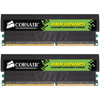
These modules like many others come packaged in a clear blister pack, which showcases them well. The modules themselves have Black "XMS Pro" heatsinks, which are included with all of Corsairs Pro line. The heatsinks are large, and have a huge XMS logo to make it clear that these modules mean business. A lot of memory heatsinks can usually be easily removed so we can take a look at the chips, but not these. Removal of these heatsinks risks hurting the chips, so I left them intact.

The heatsinks are much larger than normal ones, so side by side, they clearly tower over. This is because the heatsinks have activity lights on top, which will look cool in any case mod. Overall, these are well designed modules, and you can feel the quality just by holding them.

This memory is rated for PC3500 speeds, which equates to DDR438. Stock timings are 2-3-2-6-1T at 2.8v... yes a CAS of 2! Hence the LL in the title, for Low Latency. Corsair is a first to have PC3500 1GB modules with a CAS Latency of 2, so we have high hopes here. It's definitely a great feat they have accomplished.

Since I could not get inside the modules to see the chips, Corsair was kind enough to let me know that they are Infineon rev B IC. This means that we are dealing with BE-5, which is 5ns ram. Normally, B5 have native timings of 200MHz at 2-3-3-6, so no doubt Corsair had a fair amount of tweaking to do to acquire the timings we have on these modules.

As mentioned earlier, even though these were brought forth because of a joint effort between ASUS and Corsair, they do not require a special ASUS board to run. Why exactly are these modules recommended for use with an ASUS A8N32-SLI DELUXE/WIFI & A8N32-SLI DELUXE?

Overclocking

This joint effort started quite a while ago, and ASUS have been working hard to make sure the modules work pefect in the two boards listed. The engineers at ASUS have been using the memory in their lab for characterization, performance optimization, BIOS engineering and so forth. This should prove some awesome overclocking ability, to say the least.

Obviously, Corsair did their part as well. As ASUS found better ways to do things, Corsair modified their memory so that they could get the desired performance. They had one huge goal in mind, and that was to have the memory work flawlessly at CAS2.

Overclocking

My immediate goal with these modules, was to see how far I could go in pushing more MHz into them, while keeping the CAS latency of 2. My secondary goal was to see if they could reach DDR500 speeds, which is a very healthy jump from the stock DDR438 speeds.

Before any overclocking, I ran looped MemTest 1.60 for 15 hours to test for errors at stock speeds of DDR438 (2.19GHz). After the tests came back clean, I got right to work. It was not too long before I figured out that the CAS of 2 would not work beyond the stock 219HTT, as even 220HTT brought on many errors in MemTest.

After spending about 8 hours this past Saturday overclocking, here are my final results:

All of the settings above proved error free for two runs of tests #5 and #8 in MemTest. They also were completely stable during the memory related and gaming benchmarks. The final result at 260HTT was error free after an 8 hour loop of MemTest.

One thing I found during testing, was that this memory doesn't respond that well to extra voltage, which is why all the results were accomplished with 2.8. Heading up to 2.9 or 3.0 didn't change anything performance wise, and beyond that would begin to give errors during memtest.

Finally, all results before the 250HTT mark were done without cooling of any kind. To get 250HTT and higher, I mounted a 120mm fan to help things along, and it did apparently help a fair bit. I am pleased with the overclocking results here. They proved completely stable at DDR 520 (PC 4160) speeds, with fantastic timings.

Testing

To benchmark these modules, we used the usual slew of programs and games. For straight out memory testing, we used Lavalys' EVEREST Ultimate Edition, and also SiSoftware's SANDRA 2005. For games, we used the classics: Half-Life 2 and Doom III.

For our memory benchmarks, we used all of our successful overclocked settings. For our gaming benchmarks, we only used a few select ones since playing the same level 7 times in a row get's tedious fast :)

We have also included a few comparison benchmarks, which use these settings:

Everest, Sandra

Lavalys EVEREST

EVEREST has been one of my favorite benchmarking programs for a while, but it's primary focus is CPU and Memory. Whenever I benchmark memory, I always load this program up first, and have become accustomed to using it. You can download it from the Lavalys website if you want to give it a try.

After each successful memory overclock, I ran the memory Read/Write and Latency tests. For Read and Write, a higher score is better, but as for Latency, lower is better.

At 250HTT speeds, we can see that the OCZ PC4000 (Which use Samsung UCCC) memory outperforms the PC3500 overclocked to those speeds, slightly. The Corsair set has a higher Write though. Overall, great scores.

SiSoftware SANDRA

SANDRA is one of the most popular memory benchmarking tools in the world, and is used in countless reviews around the world. They have a solid reputation and their benchmarks are very accurate. You can grab the program from the SiSoftware website.

We can see here again that the OCZ outperforms the Corsair ever so slightly.

Gaming Tests

For gaming, we chose to use Half-Life 2 and Doom III. Only custom tests are used to gather scores, no benchmarking tools have been used. Each run is 5 minutes long, and is timed with Fraps. Fraps is also what gives us the resulting average FPS. Because we do the runs ourselves, each run will be different because of varying situations in the games. Benchmarking this way gives a much more accurate look on the performance, however.

Please remember that the timings listed in the graphs are for the Corsair memory only. Please refer to page 2 for the timings on the other modules. They are not much different, but they will still likely make a difference.

In Doom III, I am playing through the Caverns Area 1 (map game/caverns1) level. This is like most other levels in the game, dark and monsters pop out from every corner. This game was run in at 1280*1024, High Quality with 4x Anti-Aliasing. Because of the immense amount of monsters in this area, God Mode was used to assure I'd survive the entire 5 minutes ;)

For our Half-Life 2 run, I loaded up one of my favorite levels, Canals. We started off at point 7 (map d1_canals_07), which starts you off beside your hovercraft. The game was run at 1280*1024, 4xAA, 16xAF and everything else maxed.

The results are very impressive! The Corsair modules performed better in all instances, which the tighter timings have helped I'm sure. Because the other modules tested could not support lower TRCP and TRP rates like the Corsair could, this is why we likely see better gaming performance with them. Great stuff.

Conclusion

So what can we make of these modules? These are the first Corsair modules that we have taken a look at on the site, and they will certainly not be the last. They came, I saw and they impressed. These are indeed the first 1GB modules at PC3500 speeds that come in with a stock CAS of 2. We were not able to overclock at all and keep that CAS rating, but either way, that's a big accomplishment.

We have also come to a conclusion, that even though these modules are 'ASUS-Ready', they still kick ass in other set-ups. Since these are so optimized for use with the ASUS boards though, I am interested in seeing the performance seen when combining the two.

Our overclocking results were impressive. 260MHz at 3-3-2-6 is some great stuff, and is made even better by the fact it's only using 2.8v. These modules proved faster than any other in our previous reviews, making buying this 2GB kit a smart move.

What else sets this memory apart are the heatsinks. If you have a case mod, then the lights can really add some flair to it, and make your friends envious. On the customer side of things, Corsair offers lifetime warranties on all their modules. If you are interested in seeing the lights in action, you can download a small video clip here (6.0MB).

If there's any doubts left in your mind about buying a 2GB kit in general, there shouldn't be. A few months ago, you would be hard pressed to find a quality 2GB kit under $400US. Now, we can get a kit for just over $300, and the prices continue to drop. Since our OCZ PC4000 2GB kit review last month, those modules have already dropped $50. Times are good in tech!

The TWINX2048-3500LLPRO have impressed us, and come feature packed. They can handle very tight timings, have a lifetime warranty and also are not too expensive. In fact, they are some of the lowest priced 1GB modules out there, and that adds a ton to the value. I do not have a single bad thing to say about these modules, and am awarding them a 10/10 and an Editors Choice award. I look forward to seeing what Corsair has in store next, and can't wait to see benchmarks being done with the recommended ASUS board.

If you have any comments you'd like to make on the review, please feel free to post in our related review thread. Suggestions and questions are definitely welcomed. Registration is not necessary to post in our article threads.


Copyright © 2005-2008 Techgage Networks Inc. - All Rights Reserved.