
- Qualcomm Launches Snapdragon 4 Gen 2 Mobile Platform
- AMD Launches Ryzen PRO 7000 Series Mobile & Desktop Platform
- Intel Launches Sleek Single-Slot Arc Pro A60 Workstation Graphics Card
- NVIDIA Announces Latest Ada Lovelace Additions: GeForce RTX 4060 Ti & RTX 4060
- Maxon Redshift With AMD Radeon GPU Rendering Support Now Available

Social & RSS Feeds
Latest Videos



Latest News
Kingston 2GB PC2-6400 CL3
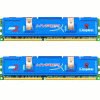

by Rob Williams on August 22, 2007 in Miscellaneous
DDR3 might be lurking out there, but DDR2 is still the most popular option for most people, and for good reason. It’s fast, and currently, very inexpensive. Although there are many PC2-6400 kits available, Kingston puts a twist on their’s by offering it with tight 3-3-3 timings.
Page 1 – Introduction
|
|
Since DDR3’s launch this past May, things have died down a bit on the DDR2 front. This past January, Corsair released fast PC2-10000 ram, which is basically touching the DDR2 ceiling, at least right now. Other companies topped that kit after it’s release, but Corsair’s is the only one I’ve ever seen on sale (and it still is today). The sad fact is, DDR2 only became popular for most people in May 2006 with the launch of AMD’s AM2 platform, and it seemed to have been ousted as soon as it was becoming truly popular.
So we have the DDR3 launch, and all is fine and good. Except that it happens to be expensive as heck. Not many people really want to pay $500 for a 2GB kit, so as far as that’s concerned, DDR2 is still king. Add to that, I have not really seen a real-world scenario where DDR3 has an advantage. MHz for MHz, power consumption is lower, but the slight increase in your power bill will likely be overshadowed by the $300 premium you are paying for the ram to begin with.
Now that my DDR3 rant is out of the way, let’s get right to the review of Kingston’s latest DDR2 kit, the HyperX 2GB PC2-6400 CL3. Though pricing is not available at this time, I assume that it will fall in line with other similar kits on the market and not go beyond the $170USD mark. One thing is for sure… this is a fantastic time to buy ram. Not long ago, a nice kit would run you at least $300, but now it’s half that. It’s prices like these that make 4GB rigs so much more attractive.
There are few PC2-6400 CL3 kits on the market, for a few reasons. First is that having a CAS Latency of 3 on most modules isn’t that possible without an asinine amount of voltage. Even this kit uses 2.35V which is getting high as is. Most kits with similar speeds stick to CL4 and some even use CL5. But with prices as they are today, you might as well get your money’s worth.
Closer Look
As mentioned above, what makes this kit special is the CL3. Here’s where I am uncertain though. This kit could either be 3-4-4-8 or 3-3-3-8… I was unable to retrieve an answer regarding it from Kingston prior to writing this review. I will add an addendum once I find out for sure. Although, it doesn’t matter, because as you will find out on the next page, this kit proved completely stable at 3-3-3-8 with stock timings.
Arriving in the usual tight-blister-pack, the blue modules are well protected during shipment. No timings information can be found, but the voltage is.

Once freed from their plastic prison, you can see the modules in their full glory. Though simple, I love the look of Kingston’s modules, which may or may not be due to the fact that I love the color blue. That aside, they are well equipped to dissipate heat, but fans should be used if you plan on doing some big overclocks.

The back of the modules look even cooler, thanks to the fact that it’s sticker-less. But it doesn’t have the bold “ASSY IN USA” statement as the front does though.

Let’s hop right into our testing methodology and then our testing.
|
|

Support our efforts! With ad revenue at an all-time low for written websites, we're relying more than ever on reader support to help us continue putting so much effort into this type of content. You can support us by becoming a Patron, or by using our Amazon shopping affiliate links listed through our articles. Thanks for your support!

Rob Williams
Rob founded Techgage in 2005 to be an 'Advocate of the consumer', focusing on fair reviews and keeping people apprised of news in the tech world. Catering to both enthusiasts and businesses alike; from desktop gaming to professional workstations, and all the supporting software.


