Techgage logo

Matrox TripleHead2Go

Date: June 22, 2006 - Author: Greg King - Editor: Rob Williams

We have all dealt with products that, on paper, are full of promise. These products generate a lot of hype and buzz but once they become hands on, the magic surrounding them seems to disappear. Today we are taking a look at a product that seems almost too good to be true.


Introduction

Back in late March, I was fortunate enough to attend the Game Developers Conference in San Jose, California. San Jose is somewhat of a nerd Mecca in the sense that in this town, so much technology has started. It seems fitting that this was my first look at Matroxs latest offering to the surround graphics crowd.

To most, Matrox needs no introduction. Founded in 1976 in Montreal, Canada, Matrox has been an innovator in the graphics industry. With a primary focus on the professional user, Matrox is the leader in multi display graphics solutions. You might remember them from the days of the Parhelia. The Parhelia was a Matrox graphics card that allowed the user to use up to 3 displays for a true surround experience. The Parhelia was also the first video card to use a 256-bit memory bus. Unfortunately it could not compete with the GeForce 4 Ti or the ATI 9700 and slipped in sales. Matrox was still able to sell the card mainly because of its unique feature of allowing the user to experience surround gaming.

Today, we are taking the Matrox TripleHead2Go for a spin. This name might sound familiar to you as the Matrox DualHead2Go has been out for a while. Like its older brother, the TH2Go allows the user to span their desktop across multiple screens. While the DH2Go allowed users to use 2 displays, the TH2Go allows users to use up to 3 displays. This is referred to as Surround Gaming by Matrox and should provide for added productivity as well as an enjoyable gaming experience. Before we jump to any conclusions, lets take a look at the unit.

Packaging

The TH2Go comes packaged in a colorful blue box with a trio of LCD monitors on the front, allowing anyone looking at the box to experience what the end result could be should you purchase this product.

On the back of the box, there is a bit of information about the TH2Go and examples of the different configurations you can have with hooking up your unit.

Once inside the box, we find the pieces sorted neatly inside another fold out box. These pieces include the power supply and power cord, a VGA to VGA cable, a driver CD, a DVI to VGA cable and the TH2Go unit itself.

Now that we have a feel for how the unit came packaged, lets move onto the unit itself.

The Hardware

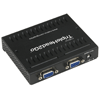
The TH2Go itself is small. Like the first picture suggests, the unit fits in the palm of most hands. With dimensions of 3.6" x 4.2" x 1" or 9.2 cm x 10.7 cm x 2.5 cm, the TH2Go is small enough to take anywhereanywhere you are willing to take 3 monitors that is.

The front of the unit has 2 female VGA ports, one for the input cable and the other for the right display. Also on the front is a LED to signify power as well as when the unit is being used. When your PC is powered down and there is no signal being sent to the TH2Go, the LED is red and when there is signal running through the unit, the LED is green. Pretty straight forward and to the point.

The back of the unit has 2 more female VGA ports. One being for the left display and the other for the center display. There is also a power supply jack as the TH2Go is not passively powered through the monitor cable.

As you can see in the pictures, there are small openings in the casing of the TH2Go. These are quite obviously for cooling purposes. While the unit does not get hot, it does get warm and these slots allow the hot air to move much more freely away from the unit when it is in use.

Finally, lets take a look at the information provided by Matrox about the unit itself.

The Premise

The premise of the TH2Go is quite simple. The unit receives a signal from your graphics card and proceeds to break this signal into 3 separate sections. When connected, the TH2Go tells the graphics card that there is a single monitor with the capability to run resolutions up to 3840x1024. From here, the graphics card sends out a signal relative to the set resolution, in this case, 3840x1024. The TH2Go then breaks the signal into three sections, one to each display and each individual monitor runs at a universal 1280x1024. While this all seems simple, here a picture provided by Matrox to further explain the process.

There you have it folks. This is how the TH2Go allows you to use 3 monitors for one picture. Pretty simple so lets see how the thing works.

Installation & Hardware

On the driver CD, there is plenty of software included. This software includes the needed drivers as well as a configuration tool to optimize game titles for wide screen gaming. The first screen you see when you insert the CD into your drive is this...

From here, you will want to install the software. This will not only install the driver, but install the PowerDesk SE software. The PowerDesk SE software allows you to tweak and customize your triple monitor experience. Here are some shots from the different options you have to manipulate.

As you can see, there are many different settings that you can have. My personal favorite is ability to maximize the windows in the display that the window is in. You also have the option to maximize it across all three when you hold down the control button while maximizing. I work a lot with my PC so being able to have 3 separate windows open at once is a beautiful thing and is something that no one can appreciate until it is experienced.

Another program you will install is the Matrox TH2Go Surround Gaming Utility. This program will allow you to optimize any supported game installed on your computer. In my case, I have Half Life 2, Counter Strike: Source and Far Cry. I have other games on my PC that are installed that will allow me to set the resolution to 3840x1024 but these 3 titles can optimized by using the SGU.

Once each game is optimized, an icon will be placed on your desktop. Only by double clicking on the widescreen shortcut can you play the optimized version for widescreen. These shortcuts look just like the original ones, only with surround in the name.

Installation of the TH2Go is as easy of hooking up a monitor. You obviously want to have the correct displays going into the correct ports but for times sake, I will work under the assumption that you all ready know which cable corresponds to the left, right and center monitor on your desk. Once installed, you will have a bit of a cable mess but in my case; it blends right in with all the other cables I have running out of the back of my case.

Once installed, you can now select your desired screen resolution.

Compatibility

The TH2Go offers use with 2D applications as well as 3D gaming. This is all fine and good but there are still compatibility issues with some graphics cards. In the picture below, you can see that NVIDIA works well in both 2D and 3D when used with any GeForce 4 card and up and can do so in the maximum resolution. Sadly, ATI cannot do this as of yet when working at the maximum resolution of 3840x1024.

For those of you readers who are working with ATIs Crossfire, the TH2Go will not work for you. For those of you with NVIDIAs SLI, rejoice, as your setups can run with the TH2Go. I currently am running a pair of 7800 GTs and I am curious as to how important SLI will be when running at the ridiculous resolution of 3840x1024.

Test Setup Information:

For this review, I am using my everyday PC at everyday settings. My PC specs are as follows:

While this isnt the most powerful machine on the planet, I am hoping that there is enough under the hood to power 3,932,160 pixels.

Results and Screenshots:

The results were recorded by using FRAPS. They are averaged on an approximately 15 minute run in each game benchmarked. The results are as follows:

As you can see, the results are somewhat dramatic. There is a significant drop in frames per seconds in each of the three games involved. These tests were taken with all of the eye candy turned on. The Valve games were benched with 4x AA and 16x AF and Rise of Legends was benched using application controlled4x AA and physics turns on. While these frame rates are low, I consider them playable, especially when taking into consideration the sheer size and area that your graphics cards will be asked to render.

You have seen the results, now lets take a look at where these results came from

In each of these sets of pictures, you will see the same picture twice. One version of the picture will be of the game at 1280x1024 and the other will be at 3840x1024.

Cell Factor

Half-Life 2: Episode 1

Counter-Strike: Source

Rise of Nations: Rise of Legends

Conclusion

The Matrox TripleHead2Go is a unique product to say the least. As stated earlier, this is not the first multi display unit from Matrox, but it is the first to allow the user to use 3 displays not in a card form. The unit is light and extremely portable should you ever want to use three screens at work and then take it home for some gaming fun. I am torn on the uses of the TH2Go though.

When productivity is concerned, this unit cannot be beat. I love the fact that I can have an open word tablet, a folder of pictures or documents that I can reference quickly as well as a web page to reference as well. Now you can mix and match these windows as you see fit but when I am writing a review or doing work at home, the use of three screens cannot be compared to anything that I have used in the past. Gone are the days of Alt+Tab for me. All I have to do is move my mouse cursor to another screen and select what I want.

When it comes to gaming, there is the problem of the bezel in between each screen. While this is a necessary evil, some might be turned off by it. I want to be the first to say however, that I have gotten used to them and do not notice them at all now. When I say gotten used to them, I want to note that it did not take any time at all to get acclimated to the bezels in between the screen and I can operate now without paying them any mind at all. When gaming, the middle screen is obviously the main display with the left and right acting as peripheral screens. This came in handy in the FPS games that I played.

When playing Rise of Legends, the extra screen real estate was borderline nirvana. It was a beautiful thing to be able to select vast amounts of units and control them all at once. Yes you can do this on one monitor but to be able to see them all at once is incomparable. Yes there are frame rate issues when gaming at such a high resolution. Even my SLI system was barely able to produce playable frame rates. This is at no fault the TH2Go, but when you get into these resolutions, low FPS come with the territory. One also much consider that anyone willing to shell out 250+ per monitor for three displays will have a pretty robust PC to begin with. This is just my assumption but I would consider it a fair assumption.

All in all, gaming with TH2Go is pure bliss. Words cannot describe how wonderful it was to have Rise of Legends sprawled out across 3 monitors. The uses for this are not purely for gaming, all though I would assume most people here with us at Techgage would use this primarily for gaming. No, the boost in productivity for me was astounding as well. This has seriously reduced the time it takes to write a review considerably.

I also want to note that the community behind this product and others like it is strong. There is a forum called widescreengamingforum.com that I suggest anyone with an interest check out. The members there are dedicated to modifying games to run on the TH2Go and so far, they have been very successful.

You can find the TripleHead2Go at most all e-tailers around the $299.00 (US) price range. If you are in the market for something unique, give this a try, I dont think it will let you down.

When taking everything into consideration, I am giving the Matrox TripleHead2Go a very solid 9 out of 10 with an editors choice award for good measure.

Special thanks go out to Jennie with Matrox. Her quick replies to emails helped make this review as thorough as possible.

I am leaving you with 2 pictures. One is of my setup at home and the other is a screen shot of my desktop at the time of completing this review. Note the 3 different windows. A wonderful thing for productivity!

Discuss in our forums!

If you have a comment you wish to make on this review, feel free to head on into our forums! There is no need to register in order to reply to such threads.


Copyright © 2005-2008 Techgage Networks Inc. - All Rights Reserved.