Techgage logo

Sapphire X1050 and X1550

Date: March 5, 2007 - Author: Rob Williams

Sapphire has recently launched two new video cards that are designed to deliver you a great Vista experience. Though not touted as gaming cards, they offer enough performance to be worthy of consideration over on-board video.


Sapphire X1050

It's not too often that we review video cards around here, but it's something we plan on amping up as time passes, due to the evident interest. Today we will be taking a look at not one, but two budget video cards, both for those people who don't have gaming as a high priority.

Each of these are designed for different folk. First we have the X1050 which is essentially an upgrade from integrated video, for those who want to have good overall video capabilities with the addition of being able to use Vistas Aero theme. It's clear, it's really not a gaming card by any means except for simple titles. The X1550 has similar goals as the X1050, except it can handle light gaming better, albeit still at lower resolutions.

All of that said, this review will not be as long as others we've done, simply because there is not as much to tackle. Both of these cards are specifically suited for a certain audience, so it's our goal to make sure that these live up to their promises.

Benchmarking is not a huge concern, but we did include tests from both Half-Life 2 and Need for Speed: Carbon, in addition to Futuremarks products. One of the main bragging rights of these cards is that they are completely Vista-capable, meaning you will have no issue running the Aero interface, even on the X1050.

Both cards have a few things in common. They are both PCI-E 16x, so they will work in any modern motherboard with full bandwidth capabilities. Each also includes 256MB of GDDR2, but the bus width is better on the X1550. In addition, both cards have TV-Out for those who require that functionality. As for the core, both cards use the same one as found on the X1300, the RV530. The only difference is memory and clock speed.

Before we jump into a physical look, let's sum up the differences now.

Model
GDDR2
Clock
Memory
SM2.0
SM3.0
Pricing
Sapphire X1050 256MB (64-Bit Width) 400MHz 666MHz Yes No $45
Sapphire X1550 256MB (128-Bit Width) 550MHz 800MHz Yes Yes $65

With that taken care of, let's first delve into each card separately, then we can move onto testing.

Sapphire X1050

Even though this card costs only $45, it still comes in a great looking box. I appreciate the clean look... nothing too flamboyant. We are introduced to the card by a sly looking alien named Zot. Our version of the card uses 256MB of GDDR2, although there are 128MB cards available, though they are much less common.

Included is what you would expect. We have a manual, driver disc and also PowerDVD 6. This is not touted as a gaming card by any stretch, so instead of including a full game, various trials are included. These are Tony Hawk's Underground 2, Richard Burns Rally, Prince of Persia: Warrior Within and Brothers in Arms: Road to Hill 30.

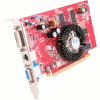
Here is the red PCB we've come to expect from the majority of ATI cards. Seeing as how this card doesn't utilize high clocks, we don't need a huge cooler. So here we have a cooler reminiscent of some found on select motherboard northbridge chipsets.

Taking a closer look at the memory chips, we can see they are by Hynix. If you want to view a full resolution version of the photo below, you can click here.

Four additional memory chip can be found on the back.

Overall, a great looking card that deserves a few additional glory shots.

Onto the X1050's big brother, the X1550.

Sapphire X1550

Like it's little brother, the X1550 comes in the same clean white box, which includes just enough detail to give you an idea of what to expect. No alien this time around, but instead a nameless blue vixen.

This model includes many additional cables however, in addition to a full version game. Seeing as how Just Cause was released not that long ago, it really adds to the value of the card as whole.

No red PCB this but, but instead blue, which I'm totally content with. Instead of the small round chipset cooler of the other card, this one has a much larger powdered gray heatsink which covers not only the core, but the four front memory chips.

On cards with lower memory frequencies, the memory chips rarely get hot enough to warrant a heatsink, except with overclocking, so this is strictly for looks. If you wish to see a full res version of the image below, click here.

Both cards we are looking at today have a VGA, DVI and TV-out outputs.

While the X1050 utilized Hynix memory chips, this model uses Samsung... still GDDR2, however.

There are two versions of the X1550 on the market, from Sapphire and others. One includes a 64-Bit memory interface and the others use 128-Bit. Normally the price difference is within $2 - $5, so if you have a choice, make sure you get the 128-Bit model as the performance difference should be clear.

With that out of the way, let's jump into installation and then test 'em out!

Installation, Testing Methodology, HL2

Installation of a video card is never difficult, especially with ones of this size. It's the drivers we are concerned about, especially with Windows Vista. Even though these cards both acknowledge compatibility with Vista, there are no such drivers found on the disc. This is due to the fact that both of the cards were released prior to Vistas launch, so you will be required to grab the 90MB package off the official ATI site.

Installation for Windows XP was simple... as always. However Vista was a little trickier. The process was the same, but before any acceleration could be used, Windows Update had to be used to download specific updates for each card. Once that was done, the OS worked great, as did the Aero interface.

This is where I began Vista testing. The X1050 promised great Aero experiences, so I used the OS for the course of a few hours working on various things, including this review. I'm happy to report that I didnt' run into a single problem. Aero ran smooth as pie... just as it would with an X1950. I have absolutely no complaints. So in that case, if you are interested in Aero and no gaming, I can already recommend the X1050 to you. The X1550 of course offered the same experiences, with no hitches to mention.

As far as Vista goes, I have no complaints. The most difficult part was downloading the Windows Update fix. That should be kept in mind though, if you do decide to pick up the card. I wasn't sure of this until I re-installed the driver three times, only to be left completely confused. It was only a last minute ponder that made me decide to check the Windows Updates page. XP didn't require such an update though... the included drivers on the CD-Rom worked swimmingly.

Testing Methodology

Throughout all of our benchmarks regardless of what we are reviewing, testing is done in a clean and stand-alone version of Windows XP Professional with SP2. Prior to testing, these conditions are met:

The testing rig used for today's benchmarking is as follows:

For our first test, I chose to use one of my personal favorites, Half-Life 2. I performed testing in both XP and Vista to see if one resulted in better or worse performance. All average FPS were recorded using FRAPS 2.8.2. The level I chose to test is one of my favorites in the game, d1_canals_07.

On all resolutions, the X1550 had the clear advantage. However, I admit that the X1050 proved even better than I imagined. It's definitely not for resolutions above 800x600, however. At certain points during my HL2 run-thru, the game became -very- sluggish, as if I was playing it in slow motion. The X1550 held on tight though. Note that these tests were all done with no AA or AF. Still, for a game like this, 82FPS for a $65 card is not too bad at all.

Let's wrap up testing with a look at Need for Speed and finally Futuremarks products.

NFS: Carbon, Futuremark, Final Thoughts

Alongside Half-Life 2, Need for Speed has always been a favorite series of mine, dating all the way back to the first one. As with most racing games, it's one genre that can really push a video card to it's limits. But, you don't normally need super high averages to retain a good gameplay experience. Even 20FPS tends to be completely playable.

Once again the X1550 took the lead, but it's not a surprise. It didn't exactly dominate either, thanks to the fact that this game that requires ultra-fast GPUs to see 40+ FPS. Even though the X1050 kept up to it's big brother in the 1024x768 tests, I would not recommend using that setting. Despite it being close, it was not near as smooth to play. It didn't run in slow-motion at points like Half-Life 2 did, but it wasn't smooth as silk either.

Last up, I put the cards through some Futuremark testing. Since both cards have SM2.0 support, I ran that specific test in 3D Mark 06 and for complete testing, I ran 3D Mark 05 official run, minus the CPU specific tests.

As far as Futuremark is concerned, the X1550 is vastly superior to the X1050, with up to 90% gains. Of course this will vary between games, but there is no denying that the X1550 does indeed have more breathing room.

Final Thoughts

I am sure by now you are aware of whether or not these cards are for you. Their main draw is the ability to use Vistas Aero interface, and it accomplishes that goal without issue. I had run into absolutely no problems with Aero, so I'm happy to recommend these cards for that reason. The X1050 specifically I'd recommend for those who are wanting a basic card but don't want to suffer with an on-board solution. At $45, its not a bad deal. Gaming is not really an option here, although older titles shouldn't prove much of a problem at all. It ran Half-Life 2 at 800x600 just fine, but that's about the largest game you will see. Even at 800x600, gaming is an ugly experience.

I am more apt to recommend the X1550 for anyone looking for a cheap solution, however. Although it's not that much of a jump from the X1050, it has better specs all around and will offer much more freedom. It handled HL2 at 1024x768 for example, while the X1050 was far from playable.

At $45 and $65, respectively, these cards deliver exactly what you'd expect. If you are looking for a keen Vista experience but don't have gaming in mind, either of these will treat you well. Just opt for the X1550 if you have a gut feeling that you will want to relax to some light gaming. For anything more than that, I'd highly recommend an X1650 Pro. It costs $20 - $40 more, but will be a lot easier to deal with with regards to gaming.

Discuss in our forums!

If you have a comment you wish to make on this review, feel free to head on into our forums! There is no need to register in order to reply to such threads.


Copyright © 2005-2008 Techgage Networks Inc. - All Rights Reserved.