Date: May 30, 2005 - Author: Rob Williams - Editor: Rob Williams
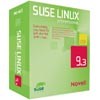
Novell released an update to their SuSE OS late last month. The update included numerous system updates and new versions of all the included software. We're going to take a look at SuSE Professional 9.3, to see if it's worthy of a purchase or upgrade.
For those unaware of what SuSE brings to the Linux table, here is an official note:
Whether you're new to Linux or you use it daily, SUSE LINUX Professional 9.3 delivers the features you need most for home computing and networking. SUSE LINUX Professional also includes more than 1,000 of the world's leading open source applications. From established solutions like Firefox and OpenOffice.org to "first looks" at emerging technologies like Beagle and Xen, these applications are a real value. You simply open the box, run the installation program and start using Linux for everything you do. Choose the default set of applications or customize your computing environment. It's truly that easy!
I personally have been using SuSE Linux since version 7.0, and even though I have used numerous distros, it has been the only one to keep me. When Novell acquired SuSE in 2003, I had gut feelings that it would harm the OS more than help, because many companies tend to do that to products (Winamp anyone?). However, it's been the opposite, I find. The OS continues to only get better, more secure, and more feature packed.
So who would use SuSE? Whenever people who've never used Linux before, ask me which distro to try first, I always recommend SuSE, because of it's ease of use. Unlike some competitors though, such as Linspire, they don't make it so completely idiot-proof, so you still have lots of opportunity to learn the OS as you go along. They don't take away any of the OS potential, so even *Nix veterans will enjoy the OS, but for veterans, it may be more refined than it needs to be. After reading the review, you should have a good idea of whether SuSE is for you.
I primarily use Linux on my notebook, and the entire review will be based from my use there. For the review, I completely wiped the hard drive, which previously housed SuSE 9.1 Professional, and started fresh. So let's hop to it.
The CD case that came with the product, includes 2 DVD's and 5 CD-Roms. It's up to you which to use, as both versions contain the install. Naturally, if you have a DVD-Rom, you would use that method, since it's much quicker. It's also interesting to note, that the install DVD is double-layer, and contains both the 32-Bit and 64-Bit version of SuSE.
As with previous SuSE installations, it's extremely easy. By extremely, I mean that if you know how to read and click a mouse, and know a little on Harddrive Paritions, you will have it easy. The developers make it very easy to Dual Boot (One PC, two OS's) as well. If you wish to have a Windows/SuSE machine, like I do, I recommend you install Windows first, and create a partition through it. If you install SuSE, then Windows.. well, you will run into issues that could have been avoided. I plan to write a full-fledged article on this in the near future.
During installation, you can choose which partition to install Linux to, and also have the option of which OS to make default. After installation, if you did Dual Boot, it will create a Boot Loader which will give you the option of which OS to boot into.
When you install, you will have the ability to choose which applications you want, and don't want. You can also choose pre-configured packages as well. Choosing "Development" would install the most popular coding and compiling apps, for instance. If you've installed Linux before, you are well familiar with this. Unlike another OS developer, most *Nix distros don't shove an unwanted Solitaire game down our throats ;)
One of the best features of installing SuSE, is the ability to update the OS with Security fixes before you even hit the desktop. Once you have installed your updates, you can finish the install, and within minutes you will be in your preferred desktop.
Out of all the Desktop Environments available, I usually stick to KDE, unless I am forced into another. So all screenshots will be under the K Desktop. SuSE 9.3 includes the latest version of the KDE, 3.4.0.
Novell includes many packages for new, and advanced users. First and foremost, it comes with Mozilla Firefox 1.0.3. Shortly after 9.3 was released, Mozilla released Firefox 1.0.4, so you will want to upgrade to that after you set up the OS, because it includes important security patches. They definitely encourage all users to use Firefox though. Upon hitting your desktop, a Firefox icon awaits. Konqueror is built into KDE, and is one of the most popular Linux browsers out there as well, but Firefox contains so much more, and has limitless capabilities, as most are aware.
Also included is the latest version of OpenOffice.org (AKA OOo), the 2.0beta. Open Office is very similar to Microsoft Office, except this is free and open source, and built on Java. OO just keeps getting better, and is no doubt better in some respects to MS Office. In each new version, they continue to add new features, and in the 2.0 release, that's an understatement.
Writer has so many features and additions, it's hard to keep count. You have a huge array of documents you can create, including Text and Business Cards. Impress is an awesome replacement to MS PowerPoint, allowing you to do everything it can. It even has the ability to create Flash output files of your presentations. There is so much more new though, so I recommend you check out the official OO site here.
The Gimp 2.2 is pre-installed as well. For those unaware, The Gimp is the worlds most popular open source graphic editing program, which is great for people who want to use Photoshop, but can't afford the $700 price tag. It's definitely not a watered-down Photoshop though, as it includes most of everything you need.
The Gimp is definitely one of Open Sources coolest showings. Gimp is such a good Photoshop replacement, that even our very own Jen McPherson uses it as her primary image editor, and has for years. For examples of what the gimp can do, you can check out her deviantArt gallery.
Also included are updated versions of image viewers, including F-Spot, digikam and Gwenview. They also tout the Beagle application, which is basically a Desktop search engine, (think Google Desktop), but I was unable to get it to work. I was prompted to start the Beagle daemon in order for it to work, but clicking the option did nothing! The picture below is a stock photo of the program.
Those are the largest programs in the new version that are great for beginners. Let's take a look at some of the advanced programs also included.
Many of the 'advanced' applications included are meant for Offices and Servers, so I will not get too in-depth about any of them, and some of them I have not even run myself.
Xen is a Virtual Machine Monitor, that allows you to use more than one Linux OS at a time. This is one application I personally have no use for, but in a business environment, I can see how useful it could be. Check out the official screenshots to see cool examples. Four Linux distros running at one time!
Since VoIP (Voice over Internet Protocol) is becoming so popular, they have included LinPhone. This I was also unable to test out, because my headset is a Logitech USB and SuSE detects it as a mouse, and not a headset. LinPhone gives you the capability to call anyone on the phone, using your internet connection. If I manage to get my headset working properly, I would love to give it a try.
They really upped the Mobility features in 9.3 as well.. adding Bluetooth and improved WiFi support. Sadly, once again I was unable to test out either new feature. My laptop doesn't have BlueTooth, and I don't have any wireless networks to connect to.
A slew of Security features have been added as well, including a built-in Firewall. My only gripe with the Firewall, was the in-ability to connect to my home network with it on. Once the Firewall was turned off, I could connect to it fine. Apparently I was not the only one with this problem, and TweakHound has written a guide on how to get around it.
Also included are new versions of AntiVir, the free Linux Anti-Virus app, and SpamAssassin, a good Spam Detection application.
The previously mentioned applications are only the ones that are really being pushed as selling points for the OS. There are many, many other applications though. Here is a quick rundown of some applications that are also included, and their version numbers:
Blender - 2.36 GAIM - 1.14 K3b - 0.11.22cvs Kaffeine - 0.5 KBear - 2.1 KDevelop - 3.2.0 KMPlayer - 0.9.0-pre3 Kopete - 0.10 RealPlayer - 10.0.4.753 X-Chat IRC - 2.41 XMMS - 1.2.10
Those are just a few that I find to be popular applications. For the full list, you can check out the Official Listing.
One thing I have found about these updated programs though, is that they are a lot less stable than they used to be. I am unsure whether this is the SuSE Distro, the KDE 3.4, or the actual packages themselves. For instance, Kopete 0.10 freezes the entire computer after a while, while 0.93 did no such thing. With the Gimp 2.2, on start up, it freezes the entire computer every so often. Kbear crashes every time, when I try to either upload, or download a file from a remote FTP.
You certainly may not have these problems, and I am going to jump to conclusions and say that they are KDE 3.4 related problems. Browsing the forums for the respective programs, I found that I am not the only one with the problems.. especially with Kopete 0.10. If you use a different distro than SuSE, and are running under KDE 3.4, please shoot me an e-mail and let me know if you have any problems with any of the included packages.
Since SuSE is great for home use, they have included a lot of open source games, over 80. Of course, none of the games are huge, but are meant for "jump-in-and-go" type of action. Or, "My-boss-thinks-I'm-actually-doing-work" type of games.
Many classics are here, such as TuxRacer, Neverball, LBreakout, SuperTux.
Since these are just games that come with the OS, none of them are large. They are great for when you want a quick break though. There is a huge amount of Puzzle, Card and board games that can keep you busy. Just don't play Neverball.. I got addicted to that one quick.
Even though most games are small, they are completely fun. Since they are open source, you can edit the code if you are a programmer. At least with Linux, you get updated games, not the same version of each game throughout 6 major OS releases. (*snicker*)
One reason that I love SuSE so much, is their YaST (Yet Another Setup Tool) control center. It's the equivalent to a Control Panel in Windows, and gives you complete control over every technical aspect of the system.
From the software side of things, you can easily update your system via the online update. You can add and remove your installed programs through the Install and Remove Software option. One note about this though, is that unlike Windows, you will only be able to uninstall programs you installed through YaST. Programs you compiled from source, will not be included in the list. This is why you don't delete the source code directory, so you can uninstall later if you need to. You can also check out your Media, to make sure that it's in good shape. Other options in here are self explanatory.
As you can easily see, they really give you control over everything. A lot of options related to the Network are here in case you set up a server. Linux is GREAT for servers, and you could easily set up one of your PC's to act as a web server, e-mail server and even a DNS server. It's nice to have all this available to you already, rather than having to go download and install them. They even include Apache, which is good in case you want to host your website on your personal server, especially since Apache is relatively easy to set up.
Of course, SuSE comes with a KDE Control Center as well. Here is where you can change the look and style of KDE, change power schemes and configure peripherals. No matter how much of a computer/Linux noobie you are, this is all pretty straight forward and fun to play around with.
Years ago, Linux was known as an operating system that only geeks used. Back then, you used to have to read up on how to use it, because you would be left clueless. Even today, if you jump into Linux, you are a geek in some way, so be proud. There has never been a better time to try out Linux, and I highly recommend you do if you don't currently use it. More Open Source projects for Linux start up every day, and some packages are so good, that they end up better than the Windows counter-part they are trying to replace.
There are many Linux distributions out there, that are developed for the Windows user in mind, such as Linspire, Xandros , Knoppix, MandrivaLinux and of course SuSE. I have personally used all of these, except Xandros, but still recommend SuSE above all. Even if you know your way around Linux already, SuSE is an OS that doesn't bog you down with too many fillers, and still gives you full control over what you are doing.
Of course, if you are new to Linux, you may have a few hurdles, but that's part of the fun. Installing programs, understanding the file system, and my favorite, getting DVD movies to play (Damn copyrights), are things you will have fun figuring out. However, once you figure things such as these out, your road ahead is easy. If you are already familiar with Windows, especially the command prompt, you are a step ahead.
Conclusion
Overall, I recommend SuSE. In the intro, I mentioned that I already use SuSE, and have for years, but even today, it's obvious why I still use it. It's one of the most popular distros out there, for a reason. Albeit that SuSE is not free, for a retail product at least, it's still worth the money. For the retail price of SuSE 9.3 Pro, it's around $99US. Considering how much you get with the OS, and the fact that Microsoft XP Pro costs easily twice that, putting things into perspective, it's easy to see which is a great value. Just look at the books it comes with! They could easily cost $100 alone.
If you wish to own a copy of SuSE, you currently have to buy a retail package. However, they will allow a free downloadable version, that doesn't include support, in another month or two. Novell makes it very easy for new users to check out the OS, as well. You can head over to their website to download a Live Evaluation copy of the OS, which allows you to test out the OS without installing it. It doesn't even write to your HDD, so there's no risk of you screwing up your system.
Since this is a complete OS, it's technically impossible to give it a rating of any kind. However, it certainly deserves our Editors Choice award. If you have any comments or questions, or want to prove me wrong in one of my statements, please feel free to post in our forums, or by e-mailing news [At] techgage [DoT] com. Thanks to Novell for supplying the product for review.

More Information:
Official Novell SuSE Site
Purchase Information
SuSE Related Downloads
Copyright © 2005-2008 Techgage Networks Inc. - All Rights Reserved.