Date: February 27, 2006 - Author: Rob Williams
Can't set up a 5.1 speaker setup, but want true surround sound? Maybe you want surround sound to have late at night when your families in bed?! We are taking a look at a new 5.1 headset from Turtle Beach, and throw many tests at it to see just how good it's 5.1 capabilities are.
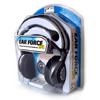
There's no doubt that there are many headsets available, which makes it very difficult to choose one to buy. In the past year, I have become attached to the IceMat Siberia's, because they are very lightweight, have great sound and are very comfortable. Today, I will be taking a look at the Turtle Beach HPA headset, which is part of their Earforce family. These are 5.1 headphones, meaning that are are capable of pure Surround Sound. These are the first 5.1 headphones I have used, so I am looking forward to seeing just how cool the 5.1 'emulation' is.
Before we get into the performance, let's check out what the HPA's have to offer and see how easy they are to set up. Here is a quick look at the official description and features of the headset:
The headset arrived in a huge package that's designed to protect the contents incase they are dropped. I had to cut along the backside of the package in order to take the contents out, which is usually the same way I have to open most things like this. It would be great if companies, not just Turtle Beach, could invent a better packaging system that doesn't require extra tools to open. At any rate, once open, there were more contents than I originally expected.
First thing I took out was the headset itself, which uses similar styling to the IceMat. At first look they look like they'd be very comfortable. They share the open air design as the Siberia, and the gray felt band is very soft. When worn, the two plastic pieces at each end of the band will just barely touch your head. The ear pieces are well cushioned also, but don't seem to allow much airflow, so I will see what wearing them for hours at a time will feel like.
The exterior on each earpiece has a honeycomb shape which I assume is to allow cool air in, or warm air out, I'm not really sure. The speakers are hidden directly behind this, so if you do wear the headphones for a long period of time then they could potentially get warm. Instead of that in turn warming your head up, the honeycomb shape allows the air to escape. Heck, it could be just for looks, but either way it does look nice. Each of the earpieces also can swivel up to 180° to allow for better comfort.
The cable attached to the headset is about 3 and a half feet long, which should prove plenty enough to make sure the amp will stay on your desk. If you plan to sit on your couch and use these from across the room, the amp will not be far from you. The cable that's connected to the amp includes much more than just an amp. You must first plug the cable from the headset into the respective cable coming from the amp. On the opposite end of that cable is four sound card cables in addition to a power cable.
The orange cable is for the sub, the pink for the mic, green for front and black for the surround. Turtle Beach even went as far to include a splitter cable, so that you can have both your speakers and this headset plugged into the same sound card. You must plug the cable from the AC adapter into the available cable and then plug that into the wall. After that's done, you are good to go. Once the headset is plugged into the wall, a bright blue LED lights up on the amp.
Let's take a quick look at the amp itself to see what it has to offer. There is a master volume control which is completely separate from your Windows volume control. In order to get a decent sound level, you will need to make sure that your Windows master sound is up high enough. There are four separate dials on the amp that allow you to change the degree or the varying effects including Front, Surround, Center and Sub. The Front control is the most important and makes up for the majority of the sound from the headset.
The reason these headphones are classified as 5.1 is because they use the four required ports on your sound card. While most other headphones on the market have one speaker in each earpiece, these have four. As you can see from the picture below, the Center, Rear and Front are kept in the very back of the earpiece while the Sub is kept in front of them. At louder volumes, the sub will actually vibrate but it's not something you will likely feel.

Because of the way the speakers in each earpiece are laid out, it should provide a rather true surround sound experience. The included microphone plugs into the bottom left earpiece only when you need it, which makes it rather convenient. The microphone cord is extremely flexible so that you can place it exactly where you want. It's definitely the most versatile microphone on a headset I have used.
It's fairly difficult to benchmark a headset, so all of the results are based on real world testing. I will be playing games, viewing movies and listening to music to see just how surround sound the headphones are. If possible during the test, I will run the headphones in stereo by selecting Headphones or 2 Speakers mode in the application. I will then run the same test using whatever 5.1 mode is available. The soundcard used during testing is the Chaintech AV-710, which is based on the Envy24HT-S chip. Let's start out with some games.
The first game I played was Half-Life 2, in one of my favorite levels, Canals_07. I first did a run-thru with Headphones mode, then 5.1 Speaker mode. I was surprised that the 5.1 mode actually did seem more fun to play due to the directional sound. The sound quality is technically the same, but I found that I was better able to pinpoint sounds, such as grenades fired from behind and a ship flying ahead of me. Overall, I preferred playing with 5.1 mode, but the differences are not intense, really.
The same thing was evident with Counter-Strike: Source. When 5.1 mode was enabled, the directional sound better but nothing revolutionary. I mean that it was great, but you won't need to rely on 5.1 for you to be a great player. It just makes the game sound a bit more realistic.
Even though Call of Duty doesn't note that it supports surround sound, it definitely does. I played the first mission in the game with the IceMat Siberia and then the HPA's and I found the HPA's to be a much crisper and accurate sound. Out of the three games I tested, CoD showed the best improvement with the headphones. Bullets flying, men screaming, bombs exploding... it was a an absolute blast with these headphones.
The two concert DVD's I used for testing were Lamb of God - Killadelphia and Bad Religion - Live At The Palladium. Both DVD's use Dolby Digital 5.1 surround sound. To do testing, I first listened to a track with my IceMat Siberia's followed by the HPA. The IceMat Siberia's were used in conjunction with 5.1 settings also, despite being standard stereo headphones.
I first loaded up "Now You Have Something To Die For" on the Lamb of God DVD. This was the first sign where I actually found a noticeable difference between the two headsets. Randy Blythes voice and the music were really top notch. No matter how high I raised the volume on the headset, there was not a *single* sign of distortion. In truth, I couldn't even test out the max volume because they were incredibly loud. The guitar playing, drums... everything, it was a pure treat for the ears. There was more range and depth using the HPA's here, so I am quite happy with them in this instance.
The second test was to listen to "Infected" on Bad Religions DVD, Live At The Palladium. Again, I did notice a difference when moving to the 5.1 headphones. I especially noticed a difference in the guitars and drums in the track; they were much more 'real' and clear. The crowd in this DVD is much more evident than in the Lamb of God one, and you can really notice it here. You can hear the crowd cheering through all channels before and even during the song.
I am pleased with the performance when watching the concert DVD's... I prefer these headphones over the Siberia's for this purpose. Now I will test out a few music CD's to see if I can hear a benefit there.
For the audio CD's, I will be using the same discs as I did in my IceMat Siberia review. Bad Religion is my personal favorite band, and if you enjoy punk music, you likely already know their music. DJ Tiësto is a legendary trance artist, and one of the most popular DJ's in the world.
First up was "Los Angeles Is Burning" off the Bad Religion album "The Empire Strikes First". The album sounded great on the 5.1 headphones, slightly better than the Siberia's. I quickly found out that in order for regular music to sound great though, the surround dial on the amp needs to be turned down to about half, or off entirely. It sounds *slightly* hollow when it's maxed, but turning it down solved the problem. Throughout the song, the 5.1 headphones brought out the background sound more, such as Brooks Wackerman on the drums. It didn't beat the Siberia's by much, but some aspects of the song were evidently better.
For the Tiesto album, I tested the headphones out using track 6 on the second disc, "Sounds Rushing". This is an amazing song with a lot of bass and soft sounds throughout. It's also a great song to get pumped up while writing a review! Unlike the last song, I found that this one actually sounded better with the surround dial at max. Throughout the song, the background drum beat was much clearer and the entire song as a while was more vibrant. I could hear subtleties better on the HPA's better than the Siberia's; I'm impressed.
I've been using these headphones for about a week now, and I don't go an hour without music. It's time to set my Siberia's down for a bit because these are my new headphones of choice for music at least. But how about movies? Let's check out two of the same movies we used in the Siberia review.
For movie testing, I chose to use 8 Mile and Gone In Sixty Seconds, a couple of my favorites. In 8 Mile, I played the "The Final Battle" chapter, which has B Rabbit free styling against a Free World member. The reason this is a great chapter for testing, is because it takes place in an echoey basement, where the voices bounce off the walls. For Gone in Sixty Seconds, I played through the various chapters where Nicholas Cage is escaping with Eleanor (1967 Shelby Mustang GT 500). Obviously, any great car chase scene makes for good sound testing.
In 8 Mile, the 6 Channel sound was great, except for one small problem. With B Rabbit up on the stage, it's easily evident the sound is directional. The problem is that when he starts rapping, his voice is not loud, so you must turn up the volume to hear him properly. Playing the movie in 2 channel sound worked great and sounded as good, if not better than the other headsets I have used. I would have loved to hear certain channels at a louder volume during the battle though.
The same goes for Gone In Sixty Seconds. Playing the movie in 6 Channel was a no go. At the beginning of the scene, two men walking who are talking are completely inaudible. Playing the movie in 4 Channel works swimmingly though. Even in 2 channel though, these headphones sounded *great*, and I prefer them over anything else I have. These *are* 5.1 headphones though, so I would expect to be able to watch movies properly. Whether or not this is due to my exact configuration, I'm not sure. I will be checking with Turtle Beach to see if I can resolve the problem, if there is one.
Without a doubt, this is a great headset. From the minute I started using them, I immediately loved them and prefer them more than previous headsets I have used. The overall quality of the set is great and they are extremely comfortable. I literally wore these for a span of 10 hours (working and testing, with breaks of course!) and they did not bother me whatsoever. Since I wear glasses, some headsets can bother me after some time due to them pushing the glasses frames into my skull. These are just plain out comfortable.
As with most headsets, this one has it's good's and bad's. One thing I really like about the amp is that it does not require any batteries since it's plugged into the wall. This saves in the long run and are more reliable. The amp works superbly also. With it, you can really get that volume loud, but it will be far louder than anyone would possibly need. One bad side about the amp is that I didn't find the Center and Subwoofer dials to do that much good overall. Turned from the bottom to the top, there was not that much of a noticeable difference, just a minor treble boost maybe.
I would love to figure out my issues with the 5.1 movies I was viewing to see if it's a problem with the headset itself or my configuration. I will be looking into it with Turtle Beach to see if this problem can be resolved. One thing that impressed me quite a bit was with the microphone and it's quality. It's superb in terms of recording quality, and it's insanely flexible. It doesn't clip in very tight, so if you need it out of your face you can just push it to the side. Having a detachable mic was a wise choice.. it's definitely the way to go nowadays.
Despite the odd 5.1 issues, which I hope to be temporary, I wholeheartedly believe that this headset is worth the $100 asking price. They sound superb, are the most comfortable I have used, include an amp and even include a splitter so you can use your headset without unhooking your speakers. That being said, I am awarding the Turtle Beach HPA headset an 8 out of 10.
If you wish to discuss this review, please feel free to comment in our related thread. If you think you know the answer to my 5.1 movie problem, let me know!
Feb 27 Edit: The problem has been solved! There was a small option under the Subwoofer tab called "Magic 5.1". Disabling it fixed most of the problem and the movies sounded good. Enabling Center/LFE Swap under the Center options made the voices stand out even more. After hearing the difference, I wholeheartedly recommend these headphones.

Copyright © 2005-2008 Techgage Networks Inc. - All Rights Reserved.