Techgage logo

XFX GeForce GTX 260 Black Edition

Date: October 31, 2008 - Author: Rob Williams

No matter your need for graphics power, the choice of GPUs right now is fantastic. Where high-end gamers are concerned, two popular options are the HD 4870 1GB and the GTX 260/216. We're taking a look at XFX's latest release of the latter, which features such an impressive factory overclock, it manages to keep up to the GTX 280.


Introduction, Closer Look

When writing a graphics card review today, it's very easy to start off with a line like, "ATI struck back, NVIDIA weeps", but the truth is, although ATI did release some killer GPUs this past summer, as we've covered multiple times, saying NVIDIA is out of the game couldn't be something further from the truth.

There's little question that over the course of the past few months, there has been a massive shift towards ATI, and NVIDIA is undoubtedly feeling the effects. Coupled with company layoffs, ongoing lawsuits and defective product, it couldn't be much fun being an NVIDIA employee right now. But while the company is going through a rough patch, some of their best GPUs are getting overlooked, like the GTX 260/216, which competes very nicely with ATI's 1GB HD 4870, for roughly the same price.

Given the choice personally, I tend to be drawn more towards NVIDIA's offerings, but it's for a few different, but very specific reasons. The first is the drivers, which I find to be much more reliable in terms of installation when compared to ATI's bloated .NET-based offering. I've installed ATI drivers many times in the past that didn't take effect until I installed them a second time. Something like that just shouldn't happen. Second, NVIDIA's drivers are far more Linux-friendly, but that's going to appeal to a much more specific crowd.

But I digress, and when all said and done, both companies offer superb GPUs for prices that are unbeatable. Just take a look at what was available at this time last year, and the year before. Just this past January, I recall talking to friends about how great the 8800 GTX still was, even a year after its release. But fast forward ten months later to today, and that card looks completely outdated when compared to the latest offerings. What am I getting at? It couldn't be a better time to upgrade your machine with a new graphics card. Prices are great, and performance greater. It's almost impossible to go wrong.

Closer Look

As I mentioned above, the GTX 260/216 is quite comparable to ATI's HD 4870 1GB. Where things begin to change is with overclocking, because while NVIDIA's GPUs are quite open-ended (thanks in part to RivaTuner), ATI's Catalyst Control Center, for some reason, gives poor top limits on both the Core and Memory clocks. Part of that reason might be due to heat, but that still gives the advantage to NVIDIA for overclocking fanatics.

In the case of XFX's "Black Edition", the company wanted to make sure that the HD 4870 1GB took a seat on the runners-up bench, and given the pre-overclocked nature, it might even come close to GTX 280 performance.

As a quick recap, there are two different versions of NVIDIA's GTX 260. The first saw a release in late June, while the follow-up came months later. The reason was of course to help combat ATI's fresh releases, and while such a move is understandable, it certainly adds to the confusion factor. The differences between the two are minimal, but the most recent version has had its stream processors count bumped to 216, from 192.

That can cause a slight issue when looking to purchase one. For some reason, many of the older 192 cards are still selling for close to the same price as the 216, and sometimes even more, so without looking closely, it's easy to end up paying more for a lesser-performing card. It's made more difficult because even the core clocks are identical, so it's important to make sure what you are buying has 216 available cores, unless you find the older model for $30+ less than the newer model.

Model
Core MHz
Shader MHz
Mem MHz
Memory
Memory Bus
Stream Proc.
GTX 280
602
1296
1107
1GB
512-bit
240
GTX 260/216
576
1242
999
896MB
448-bit
216
GTX 260
576
1242
999
896MB
448-bit
192
9800 GX2
600
1500
1000
1GB
512-bit
256
9800 GTX+
738
1836
1100
512MB
256-bit
128
9800 GTX
675
1688
1100
512MB
256-bit
128
9600 GT
650
1625
900
512MB
256-bit
64
9600 GSO
550
1375
800
384MB
192-bit
96

What helps set XFX's Black Edition apart is a pre-overclocked Core Clock, which at 666MHz, is 90MHz above stock. That's no small change, so compared to a stock-clocked GTX 260/216, differences are sure to be seen. The Black Edition is set to carry an SRP of $329, although the street price is going to be closer to $299 - $309, which puts it on par with other GTX 260/216 models out there.

To help increase the value further, XFX is bundling the Black Edition with a copy of Far Cry 2, which seems to be a great choice. That game has been receiving rave reviews so far, and it sure looks more attractive than the games being bundled with other GTX 260/216's, if they happen to (Zotac bundles GRID). Due to time-constraints, I was unable to test out the game in order to include results in this article, but when able, I'll explore the game and see if it makes sense to include results from in in our forthcoming reviews.

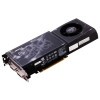
XFX's card follows the reference design to a T, with a bulky, yet capable cooler that truly helps make the card feel like a tank. Included on XFX's model are two DVI ports along with a TV-Out. For those looking to use other connections, the company also includes a DVI-to-VGA adapter and also a similar adapter for HDMI. Since the card utilizes HDCP, you'll have no problem enjoy your high-definition content with this GPU.

Like ATI's HD 4870, NVIDIA's GTX 260 (and 280) require two PCI-E 6-pin connectors, and a power supply requirement of at least 500W with 36A available on the +12V rail. If you wish to take the SLI route, finding an "SLI Certified" PSU is a good idea, or at least finding one with an even higher amount of amperage on the +12V rail.

With our look at the card out of the way, we can jump right into our testing methodology. We highly recommend you read through this page if you are unfamiliar with how we conduct testing, as it differs from what you may be used to. If you are already familiar with how we do things, feel free to skip to page three, as we kick off our testing with Crysis Warhead.

Test System & Methodology

At Techgage, we strive to make sure our results are as accurate as possible. Our testing is rigorous and time-consuming, but we feel the effort is worth it. In an attempt to leave no question unanswered, this page contains not only our testbed specifications, but also a fully-detailed look at how we conduct our testing.

If there is a bit of information that we've omitted, or you wish to offer thoughts or suggest changes, please feel free to shoot us an e-mail or post in our forums.

Test System

The below table lists our testing machine's hardware, which remains unchanged throughout all GPU testing, minus the graphics card. Each card used for comparison is also listed here, along with the driver version used. Each one of the URLs in this table can be clicked to view the respective review of that product, or if a review doesn't exist, it will bring you to the product on the manufacturer's website.

Component
Model
Processor
Intel Core 2 Extreme QX9770 - Quad-Core, 3.6GHz (Overclocked), 1.35v
Motherboard
ASUS Rampage Extreme - X48-based, 0501 BIOS (08/28/08)
Memory
Corsair XMS3 DHX 2x2GB - DDR3-1333 7-7-7-15-1T, 1.91v
ATI Graphics
Palit Radeon HD 4870 X2 2GB (Catalyst 8.9)
Palit HD 4870 512MB (Catalyst 8.9)
ASUS EAH4850 512MB (Catalyst 8.9)
NVIDIA Graphics
Palit GTX 280 1GB (GeForce 178.13)
XFX GTX 260/216 896MB (GeForce 178.24)
Palit 9800 GX2 1GB (GeForce 178.13)
ASUS EN9800GTX+ 512MB Dark Knight (GeForce 178.13)
ASUS EN9800GTX 512MB (GeForce 178.13)
Gigabyte 9600 GT 512MB (GeForce 178.13)
Audio
On-Board Audio
Storage
Seagate Barracuda 500GB 7200.11 x 2
Power Supply
Corsair HX1000W
Chassis
SilverStone TJ10 Full-Tower
Display
Gateway XHD3000 30"
Cooling
Zalman CNPS9700 Air CPU Cooler
Et cetera
Windows Vista Ultimate 64-bit

When preparing our testbeds for any type of performance testing, we follow these guidelines:

To aide with the goal of keeping accurate and repeatable results, we alter certain services in Windows Vista from starting up at boot. This is due to the fact that these services have the tendency to start up in the background without notice, potentially causing slightly inaccurate results. Disabling "Windows Search" turns off the OS' indexing which can at times utilize the hard drive and memory more than we'd like.

Game Benchmarks

For graphic card reviews that pit us with a mid-range card or higher, we test at three popular resolutions that span the mid-range to high-end ground, consisting of monitor sizes of 20" (1680x1050), 24" (1920x1200) and 30" (2560x1600).

In an attempt to offer "real-world" results, we do not utilize timedemos in our graphic card reviews, with the exception of Futuremark's automated 3DMark Vantage. Each game in our test suite is benchmarked manually, with the minimum and average frames-per-second (FPS) captured with the help of FRAPS 2.9.5.

To deliver the best overall results, each title we use is exhaustively explored in order to find the best possible level in terms of intensiveness and replayability. Once a level is chosen, we play through repeatedly to find the best possible route and then in our official benchmarking, we stick to that route as close as possible. Since we are not robots and the game can throw in minor twists with each run, no run can be identical to the pixel.

Each game and setting combination is tested twice, and if there is a discrepancy between the initial results, the testing is repeated until we see results we are confident with.

The six games we currently use for our GPU reviews are listed below, with direct screenshots of the game's setting screens and explanations of why we chose what we did.

Crysis Warhead

1680x1050
1920x1200
2560x1600


Crysis and its Warhead successor are two of the most demanding games on the PC today, and as a result, Anti-Aliasing is not our focus in testing. The noticeable differences come when the advanced options are increased, and to keep things simple, Crytek offers four profiles to choose from: Entry, Mainstream, Gamer and Enthusiast.

We run all three of our resolutions at the "Gamer" setting as it's playable enough on all current mid-range (and higher) GPUs to complete a full run-through. The game unquestionably runs better on "Mainstream", but "Gamer" helps push even the highest-end GPUs to their breaking-point.

Call of Duty 4

1680x1050
1920x1200
2560x1600


The Call of Duty series of war-shooters are without question some of the most gorgeous on the PC (and consoles), but what's great is the fact that the games are also highly optimized, so no one has to max out their machine's specs in order to play it. Since that's the case, the in-game options are maxed out in all regards, except the Anisotropic Filtering, which is set to the center of the slider bar.

Half-Life 2: Episode Two

1680x1050
1920x1200
2560x1600

It might have been four-years-ago that we were able to play the first installment of the Half-Life 2 series, but it's held up well with its new releases and engine upgrades. This is one title that thrives on both a fast CPU and GPU, and though it's demanding at times, most any recent computer should be able to play the game with close to maxed-out detail settings, aside from the Anti-Aliasing.

In the case of very-recent mid-range cards, the game will run fine all the way up to 2560x1600 with maxed-out detail, minus Anti-Aliasing. All of our tested resolutions use identical settings, with 4xAA and 8xAF.

Unreal Tournament III

1680x1050
1920x1200
2560x1600


For as long as the Unreal Tournament series has been around, people have been benchmarking it. So it's a little strange that UT III offers some of the most simplistic in-game graphics settings ever, with the "Texture Detail" and "World Detail" being of most importance. These two options scale between 1 and 5, and we of course use 5 as it can be used on almost any current mid-range GPU as long as the resolution is kept in check.

To help make both the game look better and our test more demanding, we force an Anti-Aliasing setting with the help of either ATI's or NVIDIA's Control Center. Both allow us to force a 4xAA setting, which is where we keep it.

S.T.A.L.K.E.R.: Clear Sky

1680x1050
1920x1200
2560x1600


The original S.T.A.L.K.E.R. was one of the most demanding games we've ever tested with, and its Clear Sky sequel is no different. Unlike most other games, S.T.A.L.K.E.R. not only offers quality setting profiles (Medium, High, etc) but also render settings. New to Clear Sky though is the "Enhanced Full Dynamic Lighting DX10" render setting, which enables all of the DX10 goodies that fans were waiting for.

We test the game at this setting for two reasons. First, it's incredibly demanding on even the highest-end GPU, and second, FRAPS will not properly show the FPS counter or record an average FPS with any other render setting - I'm unsure why.

Need for Speed: ProStreet

1680x1050
1920x1200


The Need for Speed series has been a personal favorite ever since I first laid my hands on the third iteration, and I cannot see myself getting bored with any of the games soon. Sadly, Electronic Arts does not allow a 2560x1600 resolution with ProStreet, so we are limited to testing at both 1680x1050 and 1920x1200 only. In-game settings are completely maxed out, with 4xAA and V-Sync Off.

The next release from the NFS series will be Undercover, which is due out in late November. We will more than likely replace ProStreet soon afterwards, and we can only hope that EA learned their lesson from ProStreet and opens up 2560x1600 support.

Crysis Warhead

As PC enthusiasts, we tend to be drawn to games that offer spectacular graphics... titles that help reaffirm your belief that shelling out lots of cash for that high-end monitor and PC was well worth it. But it's rare when a game comes along that is so visually-demanding, it's unable to run fully maxed out on even the highest-end systems on the market. In the case of the original Crysis, it's easy to see that's what Crytek was going for.

Funny enough, even though Crysis was released close to a year ago, the game today still has difficulty running at 2560x1600 with full detail settings - and that's even with overlooking the use of anti-aliasing! Luckily, Warhead is better optimized and will run smoother on almost any GPU, despite looking just as gorgeous as its predecessor, as you can see in the screenshot below.

The game includes four basic profiles to help you adjust the settings based on how good your system is. These include Entry, Mainstream, Gamer and Enthusiast - the latter of which is for the biggest of systems out there, unless you have a sweet graphics card and are only running 1680x1050. We run our tests at the Gamer setting as it's very demanding on any current GPU and is a proper baseline of the level of detail that hardcore gamers would demand from the game.

On the introduction page to this review, I mentioned that XFX's pre-overclocked GTX 260/216 might compete nicely with the GTX 280, but as we can see, there is no "might" about it. In each one of our resolutions here, XFX's card keeps up to our stock-clocked GTX 280, and in some cases, surpasses it.

Graphics Card
Best Playable
Avg. FPS
Palit HD 4870 X2 2GB
2560x1600, Gamer, 0xAA
31.382 FPS
Palit 9800 GX2 1GB
2560x1600, Mainstream, 0xAA
50.550 FPS
Palit GTX 280 1GB
2560x1600, Mainstream, 0xAA
46.038 FPS
XFX GTX 260/216 896MB
2560x1600, Mainstream, 0xAA
45.940 FPS
ASUS 9800 GTX+ 512MB
2560x1600, Mainstream, 0xAA
34.319 FPS
Palit HD 4870 512MB
2560x1600, Mainstream, 0xAA
32.973 FPS
ASUS 9800 GTX 512MB
2560x1600, Mainstream, 0xAA
30.840 FPS
ASUS HD 4850 512MB
2560x1600, Mainstream, 0xAA
26.530 FPS
Gigabyte 9600 GT 512MB
1920x1200, Mainstream, 0xAA
31.979 FPS

Like the GTX 280, "Gamer" isn't likely to be chosen when using 2560x1600 as your resolution of choice. That particular setting is a lot more playable at 1920x1200, but when maxing out what your 30" display is made of, you'll want to scale down to "Mainstream", which still delivers a gorgeous experience at a comfortable 45FPS.

Call of Duty 4

Crysis Warhead might have the ability to bring any system to its knees even with what we consider to be reasonable settings, but Call of Duty 4 manages to look great regardless of your hardware, as long as it's reasonably current. It's also one of the few games on the market that will actually benefit from having a multi-core processor, although Quad-Cores offer no performance gain over a Dual-Core of the same frequency.

For our testing, we use a level called The Bog. The reason is simple... it looks great, plays well and happens to be incredibly demanding on the system. It takes place at night, but there is more gunfire, explosions, smoke, specular lighting and flying corpses than you can shake an assault rifle at.

Because the game runs well on all current mid-range GPUs at reasonable graphic settings, we max out what's available to us, which includes enabling 4xAA and 8xAF, along with choosing the highest available options for everything else.

Our results here are not much different from what we saw with Crysis. Although the GTX 260/216 performed slower than the GTX 280, the differences are incredibly minor, and "incredibly minor" might be an understatement.

Graphics Card
Best Playable
Avg. FPS
Palit HD 4870 X2 2GB
2560x1600, Max Detail, 8xAA
113.024 FPS
Palit GTX 280 1GB
2560x1600, Max Detail, 4xAA
85.440 FPS
XFX GTX 260/216 896MB
2560x1600, Max Detail, 4xAA
83.300 FPS
Palit 9800 GX2 1GB
2560x1600, Max Detail, 4xAA
76.192 FPS
Palit HD 4870 512MB
2560x1600, Max Detail, 4xAA
64.825 FPS
ASUS 9800 GTX+ 512MB
2560x1600, Max Detail, 0xAA
74.392 FPS
ASUS 9800 GTX 512MB
2560x1600, Max Detail, 0xAA
70.363 FPS
ASUS HD 4850 512MB
2560x1600, Max Detail, 0xAA
69.745 FPS
Gigabyte 9600 GT 512MB
2560x1600, Max Detail, 0xAA
48.180 FPS

Like the bigger brother, the best playable setting with CoD4 is the same as the max setting we test with, 2560x1600 with 4xAA and all the goodies enabled. That delivers over 80FPS and it's hard to be upset with performance like that.

Half-Life 2: Episode Two

The original Half-Life 2 might have first seen the light of day close to four years ago, but it's still arguably one of the greatest-looking games ever seen on the PC. Follow-up versions, including Episode One and Episode Two, do well to put the Source Engine upgrades to full use. While playing, it's hard to believe that the game is based on a four+ year old engine, but it still looks great and runs well on almost any GPU purchased over the past few years.

Like Call of Duty 4, Half-Life 2: Episode Two runs well on modest hardware, but a recent mid-range graphics card is recommended if you wish to play at higher than 1680x1050 or would like to top out the available options, including anti-aliasing and very high texture settings.

This game benefits from both the CPU and GPU, and the skies the limit. In order to fully top out the available settings and run the highest resolution possible, you need a very fast GPU or GPUs along with a fast processor. Though the in-game options go much higher, we run our tests with 4xAA and 8xAF to allow the game to remain playable on the smaller mid-range cards.

The tradition continues here with the GTX 260/216 performing almost identically to the GTX 280 at higher resolutions. For some reason, the GTX 280 performs a little bit better at 1680x1050, but like our previous results, it's a minor difference.

Graphics Card
Best Playable
Avg. FPS
Palit HD 4870 X2 2GB
2560x1600, Max Detail, 8xAA, 16xAF
81.418 FPS
XFX GTX 260/216 896MB
2560x1600, Max Detail, 8xAA, 16xAF
62.184 FPS
Palit GTX 280 1GB
2560x1600, Max Detail, 8xAA, 16xAF
61.437 FPS
Palit HD 4870 512MB
2560x1600, Max Detail, 8xAA, 16xAF
56.572 FPS
Palit 9800 GX2 1GB
2560x1600, Max Detail, 4xAA, 8xAF
89.596 FPS
ASUS 9800 GTX+ 512MB
2560x1600, Max Detail, 4xAA, 8xAF
54.977 FPS
ASUS 9800 GTX 512MB
2560x1600, Max Detail, 4xAA, 8xAF
51.272 FPS
ASUS HD 4850 512MB
2560x1600, Max Detail, 4xAA, 8xAF
48.142 FPS
Gigabyte 9600 GT 512MB
2560x1600, Max Detail, 0xAA, 8xAF
52.297 FPS

XFX's nice overclock on this card helped push it up and over the GTX 280 by half a frame-per-second, totaling over 60 FPS for an absolute top resolution and ultra-high-end settings.

Unreal Tournament III

As odd as it may seem, every single game we currently use for our graphic card benchmarking is a sequel or an entry in a series of games, including this one. The original Unreal Tournament launched in late 1999, and since then, it has become a stature with GPU benchmarking. Similar to Call of Duty, the UT series of games is one that manages to deliver spectacular graphics, but doesn't require a bleeding-edge machine to see them.

UTIII offers a variety of modes and levels, and has some of the most interesting and lush environments ever seen in a video game. If I could choose where I wanted to die, it would most likely be in the Gateway level, which you can see in the screenshot below. This level is one of the most interesting in the game as it's essentially three levels in one, linked together with portals - and it's hard to beat the feeling of scoring a portal frag.

The game might be one of the best-looking currently on the PC, but it doesn't offer robust in-game settings like some others in our suite. Because of this, we are forced to enable anti-aliasing in the control panel of the current graphics card. Both ATI's and NVIDIA's drivers allow us to choose 4xAA, so that's what we stick with throughout all of our testing.

Just like our previous tests, the GTX 260/216 performs favorably alongside the GTX 280. It doesn't manage to exceed the big brother's performance, but once again, it comes excruciatingly close.

Graphics Card
Best Playable
Avg. FPS
Palit HD 4870 X2 2GB
2560x1600, Max Detail, 4xAA
55.479 FPS
Palit 9800 GX2 1GB
2560x1600, Max Detail, 0xAA
78.909 FPS
XFX GTX 260/216 896MB
2560x1600, Max Detail, 0xAA
72.954 FPS
Palit GTX 280 1GB
2560x1600, Max Detail, 0xAA
72.148 FPS
Palit HD 4870 512MB
2560x1600, Max Detail, 0xAA
57.617 FPS
ASUS 9800 GTX 512MB
2560x1600, Max Detail, 0xAA
48.874 FPS
ASUS 9800 GTX+ 512MB
2560x1600, Max Detail, 0xAA
47.707 FPS
Gigabyte 9600 GT 512MB
2560x1600, Max Detail, 0xAA
43.781 FPS
ASUS HD 4850 512MB
2560x1600, Max Detail, 0xAA
42.228 FPS

UTIII is one game where poor FPS equals lots of deaths, so hitting at least 60 FPS on average is imperative. We didn't manage to see that happen with Anti-Aliasing, but removing it boosted the performance and the gameplay became a silky-smooth experience.

S.T.A.L.K.E.R.: Clear Sky

When it comes to first-person shooters, post-apocalyptic adventures are a dime a dozen. But when S.T.A.L.K.E.R. was first released in the spring of 2007, it dared to be different. How? By basing the game off of a real-world tragedy, the Chernobyl nuclear disaster, which occurred way back in 1986 near the city of Prypiat in the Ukraine. Despite the disaster happening so long ago, people are still unable to live in the surrounding area, and will be unable to for at least another 150 years.

In addition to the games real-world ties, S.T.A.L.K.E.R. happened to be one of the grittiest, realistic (aside from the problematic AI) and expansive games we've seen on the PC in a while. Having the ability to roam as you like is a huge benefit and really helped make the game feel real. Clear Sky further delivers on what made the original so great, but at the same time, adds support for DX10.

It might be difficult to judge from the screenshot, but Clear Sky (like the original) is one of the most demanding games on the PC today, especially if you wish to play using DX10. To help push all of our GPUs to their breaking-point, we stick to that mode while using the "High" quality setting.

The humorous thing about S.T.A.L.K.E.R. is that almost all of the above results are not "playable" by my standards, except with the HD 4870 X2 on 1680x1050 and 1920x1200. Using DX10 mode is very strenuous, and it might just take a little while before affordable GPUs can handle the stress at any resolution.

Graphics Card
Best Playable
Palit HD 4870 X2 2GB
2560x1600, Enhanced Full Dynamic Lighting, Medium
Palit GTX 280 1GB
2560x1600, Enhanced Full Dynamic Lighting, Medium
XFX GTX 260/216 896MB
2560x1600, Enhanced Full Dynamic Lighting, Medium
Palit 9800 GX2 1GB
2560x1600, Full Dynamic Lighting, High
Palit HD 4870 512MB
2560x1600, Full Dynamic Lighting, High
ASUS HD 4850 512MB
2560x1600, Full Dynamic Lighting, Medium
ASUS 9800 GTX+ 512MB
1920x1200, Full Dynamic Lighting, High
ASUS 9800 GTX 512MB
1920x1200, Full Dynamic Lighting, High
Gigabyte 9600 GT 512MB
1920x1200, Full Dynamic Lighting, Medium

With that said, like the GTX 280, the best playable setting is achieved by using the same graphics mode sans DX10 and also dropping the quality settings to Medium.

Need for Speed: ProStreet

Where the racing genre is concerned, there are few games like Need for Speed. The first title launched in 1994, and since then, the series has done well to stick to its roots by offering an exciting racing experience that doesn't hinge on being a simulator, like Gran Turismo or Forza. Instead, it delivers close to an arcade-like experience, which seems to be preferred by most people. EA has also kept incredibly regular with the series, having released sixteen different versions in a fourteen year span. That's impressive.

What wasn't impressive was ProStreet, however, as it took the franchise and turned it upside down. Sometimes reinventing a series is a good thing, but with concern to this game, EA should have left things as they were. The developers realized they goofed though, and the upcoming Undercover game (slated for a Nov. 17 release) looks to bring the series back on track. On release, we'll replace ProStreet with Undercover in our testing.

ProStreet offers a wide-range of graphics options, allowing you to intricately tweak the game to work on your machine, regardless of what hardware you have. However, even when using maxed out detail settings, the game is still playable enough to complete a reliable benchmarking run, so we take that route. We also enable anisotropic filtering and 4x anti-aliasing.

What's the difference between a stock GTX 280 and XFX's GTX 260/216? Not much, according to almost all of our results thus far!

Graphics Card
Best Playable
Avg. FPS
Palit 9800 GX2 1GB
1920x1200 Max Detail, 4xAA
111.112 FPS
XFX GTX 260/216 896MB
1920x1200 Max Detail, 4xAA
94.916 FPS
Palit GTX 280 1GB
1920x1200 Max Detail, 4xAA
93.939 FPS
Palit HD 4870 512MB
1920x1200 Max Detail, 4xAA
81.253 FPS
ASUS 9800 GTX+ 512MB
1920x1200 Max Detail, 4xAA
70.844 FPS
ASUS 9800 GTX 512MB
1920x1200 Max Detail, 4xAA
66.830 FPS
ASUS HD 4850 512MB
1920x1200 Max Detail, 4xAA
64.861 FPS
Gigabyte 9600 GT 512MB
1920x1200 Max Detail, 4xAA
52.189 FPS

Thanks to the fact that we are stuck with 1920x1200 being our top-end resolution here, all of our cards can run the game using identical settings. It does scale well as you increase your graphics power, though, as easily seen by our table above.

Futuremark 3DMark Vantage

Although we generally shun automated gaming benchmarks, we do like to run at least one to see how our GPUs scale when used in a 'timedemo'-type scenario. Futuremark's 3DMark Vantage is without question the best such test on the market, and it's a joy to use, and watch. The folks at Futuremark are experts in what they do, and they really know how to push that hardware of yours to its limit.

The company first started out as MadOnion and released a GPU-benchmarking tool called XLR8R, which was soon replaced with 3DMark 99. Since that time, we've seen seven different versions of the software, including two major updates (3DMark 99 Max, 3DMark 2001 SE). With each new release, the graphics get better, the capabilities get better and the sudden hit of ambition to get down and dirty with overclocking comes at you fast.

Similar to a real game, 3DMark Vantage offers many configuration options, although many (including us) prefer to stick to the profiles which include Performance, High and Extreme. Depending on which one you choose, the graphic options are tweaked accordingly, as well as the resolution. As you'd expect, the better the profile, the more intensive the test.

Performance is the stock mode that most use when benchmarking, but it only uses a resolution of 1280x1024, which isn't representative of today's gamers. Extreme is more appropriate, as it runs at 1920x1200 and does well to push any single or multi-GPU configuration currently on the market - and will do so for some time to come.

According to 3DMark, XFX's GTX 260/216 offers almost identical performance as a stock-clocked GTX 280, especially at our top resolution of 2560x1600.

Overclocking, Temperatures

Before tackling our overclocking results, let's first clear up what we consider to be a real overclock and how we go about achieving it. If you've read our processor reviews, you might already be aware that I personally don't care for an unstable overclock. It might look good on paper, but if it's not stable, then it won't be used. Very few people purchase a new GPU for the sole purpose of finding the maximum overclock, which is why we focus on finding what's stable and usable.

To find the max stable overclock on an NVIDIA card, we use the latest available version of RivaTuner, which allows us to reach heights that are no way stable - a good thing.

Once we find what we feel could be a stable overclock, the card is put through the stress of dealing with 3DMark Vantage's "Extreme" test, looped three times. Although previous versions of 3DMark offered the ability to loop the test infinitely, Vantage for some reason doesn't. It's too bad, as it would be the ideal GPU-stress test.

If no artifacts or performance issues arise, we continue to test the card in multiple games from our test suite, at their maximum available resolutions and settings that the card is capable of handling. If no issues arise during our real-world gameplay, we can consider the overclock to be stable and then proceed with testing.

Overclocking XFX's GeForce GTX 260 Black Edition

Overclocking can sometimes be a huge part of a graphics card review, but mostly if the card doesn't happen to be pre-overclocked. In the case that it is, we always start out rather skeptical, especially with this particular card since XFX did a masterful job of applying a factory overclock that's actually substantial... not a measly 15MHz boost like some other companies try to pull.

But, were we able to push it even further? Believe it or not, yes. The "stock" clock for XFX's card is 666MHz Core, 1404MHz Shader and 1150MHz Memory, and after a few hours of tweaking with RivaTuner, our max stable overclock proved to be 700MHz Core, 1475MHz Shader and 1200MHz Memory... a healthy boost.

What was a little odd, though, was that we managed to go much higher than this, especially on the Core and Shader, but there were almost zero differences in the overall scores delivered. The main change was the temperature, so it made all the sense in the world to lower all clocks to a more modest level. If you have a superb after-market cooling system, you may be able to push the card higher than what we've achieved and see real benefits, but it's not likely to happen using the stock cooler.

As we'd expect with such a nice boost in clocks, some real differences are seen, especially with CoD4 and NFS: ProStreet. I personally wouldn't overclock for the sake of gaining an extra 4 FPS with a game that already scores well over 80 FPS, but if you would, then all the power to you.

GPU Temperatures

Regardless of whether or not you plan to overclock, having reasonable system temperatures is always welcomed. Not only will your machine be more reliable with cooler temps, it will likewise not add any unneeded heat to the room you are in (unless it happens to be wintertime and you keep the windows open, then it might be a good thing).

To test a GPU for idle and load temps, we do a couple things. First, with the test system turned off for at least a period of ten minutes, we measure the room temperature using a Type-K thermometer sensitive of up to 0.1°F. The result from this is placed beside the GPUs name in the graph below. Since we don't test in a temperature-controlled environment, the room temp can vary by a few degrees, which is why we include the information here.

Once the room temp is captured, the test system is booted up and left idle for ten minutes, at which point GPU-Z is loaded up to grab the current GPU Core temperature. Then, a full run of 3DMark Vantage is run to help warm the card up, followed by another run of the same benchmark using the Extreme mode (1920x1200). Once the test is completed, we refer to the GPU-Z log file to find the maximum temperature hit. Please note that this is not an average. Even if the highest point was only hit once, it's what we keep as a result.

Compared directly to the GTX 280, XFX's card ran a little warmer while sitting idle, but oddly enough, it proved 2°C cooler at full load. I was a little surprised at this, given the GTX 260/216 is running much higher clocks, but the proof is in the pudding.

Power Consumption, Final Thoughts

In the age where anyone can appreciate good power efficiency, it's almost upsetting to see how much wattage any graphics card manages to pull from our walls. Even the lowest-end models don't seem too impressive when compared to the power efficiency of a CPU, but that's how it is, at least right now. It's interesting to see how different GPUs compare in this regard, as some might perform better than others, but use less power, like we normally see with a shift to a smaller process node.

To help see what kind of wattage a given GPU eats on average, we use a Kill-A-Watt that's plugged into a power bar that's in turn plugged into one of the wall sockets, with the test system plugged directly into that. The monitor and other components are plugged into the other socket and is not connected to the Kill-A-Watt. For our system specifications, please refer to our methodology page.

Like our temperature testing, the computer is boot up and left idle for ten minutes, at which point the current wattage reading is recorded. To test for full load wattage, 3DMark Vantage is again loaded up and run at the "Extreme" setting. The space flight test is used here, with the result being recorded during a specific sequence during that run where it seems to stress the GPU the most.

We saw very small improvements in XFX's card over the stock GTX 280 in our temperature tests, but the differences in our power efficiency tests are far more stark. Despite the fact that XFX's overclocked card runs pretty-well just as fast as a GTX 280, it used over 30W less at full load. Oddly enough, just like the temperature tests, the idle wattage was higher, by 4W.

Final Thoughts

As I touched on in the intro to this article, it's been quite easy lately to be caught in a trance with regards to ATI's product line-up. They released a few killer GPUs recently and effectively took everyone's eyes off of NVIDIA for the time-being. But, it's cards like the GTX 260/216 that prove that NVIDIA loves a good fight.

XFX did a great job of taking things to the next level, though. Although we haven't taken a look at the stock-clocked GTX 260 in the past, I was well-aware of what to expect performance-wise, so when the delivery guy first chucked the Black Edition at my doorstep, I already had figures floating around in my head. That was until I noticed the huge factory overclock, which as seen in our tests, works wonders.

Our results prove one important factor. XFX's card has such a nice overclock that it actually managed to negate the fact that the GTX 280 has additional stream processors. In some cases, the Black Edition even managed to exceed the performance of the GTX 280 - something I did not expect to see.

To gage the worth of XFX's offering, a few factors have to be looked at. Where GTX 260's are concerned, the original models can be found online for as low as $235 after a slew of rebates, which puts it on the same level as ATI's HD 4870, which retails for around the same price. So is another $65 worth it for the 216 model?

As usual, that's a question you yourself have to answer, but the answer is made much easier when taking a look at XFX's Black Edition. This card is poised to launch very soon (should have been this week, but I haven't see it online yet), for around $300 - the same as other 216 cards. But, the Black Edition includes two notable features: Far Cry 2 and an incredible factory overclock.

Where those factors are concerned, the Black Edition is well-priced. I checked out similar cards from other manufacturers, and none were directly comparable with this one. Some had high overclocks (the closest was 650MHz Core), but didn't include a game. The ones that did include a game, had stock or very minor factory overclocks. So when taking everything into consideration, $300 - $310 for the Black Edition turns out to be a very reasonable price.

Bottom line? If you want to save some money but still want a fantastic gaming experience, pick up an original GTX 260 or HD 4870. If you want an enhanced experience that almost matches the performance of the GTX 280 and also have the benefit of a "free" game, the Black Edition is a no-brainer. This card impressed me for multiple reasons, and I have a hard time finding a single real downside, and for that, it earns our Editor's Choice award.

Discuss this article in our forums!

Have a comment you wish to make on this article? Recommendations? Criticism? Feel free to head over to our related thread and put your words to our virtual paper! There is no requirement to register in order to respond to these threads, but it sure doesn't hurt!


XFX GeForce GTX 260 Black Edition


Copyright © 2005-2009 Techgage Networks Inc. - All Rights Reserved.