Date: March 12, 2007 - Author: Rob Williams
Kingston is not willing to allow other performance memory companies hog all the limelight. Their current line-up proves that point well. Today we are taking a look at their screaming fast PC2-9200 ram. Let's see how it compares to the competition.
The memory market is constantly moving and leaves the customer to make a tough choice. It's hard to wade through all those kits on your favorite e-tailers site and know which is the best. That's why we evaluate them for you, so you have a good idea before handing over a few Benjamins. If you are not into overclocking, the choice is made easier though. Find the right price and one with a heatspreader you like and you should be golden. Of course, warranties could come into play as well.
We've taken a look at close to thirty kits of memory in our two years of existence. Some from OCZ, some from Corsair and the rest from other smaller known companies. Today we are taking a look at a new kit from Kingston and although they are far from being unknown, they are not usually the first choice when it comes to performance memory. Kingston is actually larger than Corsair and OCZ combined, so you'd imagine they have a solid grasp on how to make good memory with quality, high-binned chips.
A few weeks ago, Greg took a look at their PC2-6400 HyperX kit which left us impressed. It overclocked quite high considering it had only a 400MHz stock frequency. Last year I had taken a look at their PC2-8000 and was left equally impressed. In fact, it's been in one of my machines since that review. That said, Kingston has not let us down yet, so we are expecting great things from their PC2-9200 kit.
Before we dive into this specific kit, we should cover a few other aspects. This is not Kingstons top-end kit, despite the already extreme clocks. No, instead that place is left to their PC2-9600 kit, clocked at an even 600MHz. Both the 9200 and 9600 kits have the same stock timings and voltage requirements. The 9600 simply has better chips. But here's the funny thing. Kingston sells the 9200 kit for $455 and the 9600 kit for only $5 more. Seem strange? It does to me. I'd opt for the higher kit if you are going to splurge on a kit like this, simply because you are gaining 25MHz for an additional 1% of the price.
I will mention though, Kingstons store was the highest priced I found, which isn't much of a surprise. There may be larger differences in the prices through other e-tailers, so you will want to do some shopping around.
The PC2-9200 kit arrived in the same plastic blister pack that Kingston have used for a while. I have to say, this is the -best- blister pack on the market. It tightly contains the memory and is securely shut with the information sticker. Your memory is it's safest when in this pack.
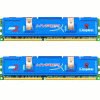
We've come to expect the navy blue spreaders from Kingston, and they plan on keeping them around for a while. I actually like the color and design quite a bit. Simple, but it works.
Taking a close look at the sticker, we can see the serial code, model number and the word "Assy". Kingston is the only company I know of off-hand that actually puts the required voltage on the sticker. This saves people from having to go to their website to find out that simple, yet important fact. I strongly believe other companies should start doing this. It just makes sense.
Both the front and back look identical except for the logo in the center.
Overall I like the look of the modules. Simple, but sweet. Green PCB is boring, but black wouldn't go that well with those blue heat spreaders, so I can't complain much there. Thats an idea though... blue memory PCB. That I'd like to see.
With our introductions out of the way, we can move on in to overclocking.
Kingstons PC2-9200 kit is one of the highest clocked on the market, but that's not to say it doesn't have any additional headroom when it comes to overclocking. As I found out with the recently reviewed Corsair 9136 and OCZ 9200, there is always a little more room to push every last ounce of performance.
More often than not, all of the highest-clocked modules on the market will use similar memory chips. In the past year, those chips have been Micron D9GKX, a 400MHz binned part. In some cases, there have been really good batches of D9GMH, which are less expensive. Those are used occasionally as well. For the sake of knowing these modules retail for over $400, I will jump to conclusions and assume GKX is what's found in these.
Before we go into more detail regarding the overclocks, I need to specify what I consider to be a maximum overclock. In order for me to consider an overclock to be "max", it has to pass MemTest for Windows up to 1000% and also pass through a 3D Mark 06 run without crashing. Often, the modules I will review do have more headroom, but anything beyond my max was not considered stable. So, when I declare a max overclock, you know that it proved 100% stable on my personal rig. I solidly believe that there is no point to run unstable overclocks. Having a performance computer that spontaneously reboots doesn't make a bit of sense to me.
That said, recently our OCZ 9200 and Corsair 9136 hit 625MHz and 635MHz, respectively. I expected the same from Kingston, and it delivered. It's max stable overclock proved 13.5MHz slower than what our Corsair kit could muster, settling in at 621.5MHz, or PC2-9944, or +8%. Here is the complete list of overclocks that proved stable and were used for testing:
The board I use for testing is the eVGA 680i. It's a great overclocking board, but it's vdimm only allows for up to 2.5v. This is a safe limit, but for even greater overclocks you will want a board that goes higher, such as DFI's latest RD600. Some ASUS boards also go straight up to 3.0v, although that's crazy ;-)
Throughout all of our benchmarks regardless of what we are reviewing, testing is done in a clean and stand-alone version of Windows XP Professional with SP2. Prior to testing, these conditions are met:
The testing rig used for today's benchmarking is as follows:
Most of the results listed deal with how all of our settings scaled, although there will be direct comparisons to other kits of ram as well.
SANDRA has been one of my favorite memory tools for a while, simply because its very customizable and in-depth. In our review tests, we simply run the most common method, a simple buffered run. This shows the amount of memory bandwidth in MB/s that's available. Buffered runs rely a lot on the CPU as well though, so as the CPU frequency gets higher, so will the end bandwidth results.

Overall, the results scale as they should. What's interesting here is that the 533MHz proved slower than 500MHz using the same CPU freq and timing set. This wasn't a voltage issue, but must has something to do with the different divider. Let's check out the results from our Everest and Super Pi tests.
Everest is another great benchmarking tool, although it doesn't offer the same sheer amount of customization as Sandra does. We run three tests here, the Read, Write and Latency. Read/Write is similar to what Sandra spits out for the Buffered tests, while latency refers to the amount of time that it takes for the computer to grab data from the RAM. The higher the CPU frequency here, the better the overall latency. The same goes for tighter timings... they help out a lot in this test.
Here, we can see just how much of a difference the CPU speed can make when it comes to the Read. While it doesn't affect the Write as much, the Read is noticeably affected.

Nothing too surprising here, although the move from stock to our max overclock made a big 7ns difference.

Though it's no longer in development, Sciencemark is a tool I still like to keep in my chest... err thumb drive. It gives results far more in-depth than other benchmarking programs out there, although you'd have to be an engineer to care for -all- the information it delivers. It generates a bandwidth result just like Everest and Sandra does, and is effected by higher CPU clocks.
Once again here we can see that extra CPU power affects the average MB/s quite a bit. Almost 500MB/s are gained from stock to overclock.

This is not a memory benchmark per se, but rather one that stresses a single core of your CPU to it's full potential. Because it crunches such an insane amount of digits, tighter timings and faster memory generally offers better results. We choose to run with an 8 million test, as anything lower flies by too fast on a Core 2 Duo and it's hard to generally see the differences that way.

With the help of our max overclock, we crunched 8 million digits in 3 minutes and 39 seconds. Let's finish off with comparisons to other performance kits.
Here, we compare our overclocks of the memory being reviewed alongside other recently evaluated sticks. These graphs include benchmarks with each kit of ram at DDR2-1000 4-4-4-12-13 2.1v along with each kits own top overclock. While the DDR2-1000 results should not vary much, the top end overclocks will, given that each kit will top out differently.
For reference, here are the top overclocks for each kit of ram included:
Compared to OCZs VX2 and DFI Special, the Kingston dominated. It fell short compared to the Flex XLC and Dominator, however.

Kingston had one of the lowest times for our PC2-8000 results, was beat out by everything else in the top overclock.

Our DDR2-1000 results are what we'd expect... all similar. Corsairs kit too the lead though, thanks to the extra CPU freq.

Overall, not bad results at all. Kingstons 9200 kit fell behind the others, but primarily in the tests where it lacked CPU frequency due to the fact that it would not overclock as high.
It wasn't until last year that I was well aware that Kingston delivered such high-performance kits, but with each one they release I am even more impressed. Although the results didn't keep quite up to our OCZ Flex and Corsair Dominator, it has been at least $40 cheaper at every e-tailer I came across. So for the speed/$ ratio, it's superb. If you want to overclock and see the best possible results out of your system, then one of the other kits would better suit you.
I regret not also having the 9600 kit here to compare to. I was unaware of the small price difference until I received this one. Although I haven't had a chance to use that kit, it would be hard to not recommend it instead, if you do indeed find a retailer that sells it for only dollars more than the 9200. As it stands, that is one of the highest performance kits on the market for a price substantially lower than the others. To be fair, the others charge a lot more thanks to their fancy heat spreaders. It's up to you to decide whether you'd rather a special heatspreader or not. Either way, you will want to use a fan if overclocking is in the plan.
Thanks to it's good value and high performance, I am going to award the Kingston 9200 kit a 9 out of 10.
If you have a comment you wish to make on this review, feel free to head on into our forums! There is no need to register in order to reply to such threads.

Copyright © 2005-2008 Techgage Networks Inc. - All Rights Reserved.