Techgage logo

Sapphire Radeon HD 4870 Vapor-X 2GB

Date: May 4, 2009 - Author: Rob Williams

Believe it or not, despite the HD 4890's launch last month, the HD 4870 is still totally relevant, thanks to ATI's current pricing structure. There's a card for every budget, and if you're willing to spend around $180, you can get hooked up with a 1GB version of the card we're taking a look at today. It's silent, keeps cool, and still delivers great performance for the money.


Introduction

With ATI's launch of the high-end Radeon HD 4890 card happening just last month, it may seem a little odd that we're taking a look at the older HD 4870 card now, but for the most part, it's not. The HD 4890 is still priced comfortably above the HD 4870, by about $40 on average, and even though the HD 4780 came out about ten months ago, it still has the brawn needed to power all of today's games with relative ease.

One common thing to be said in most of our GPU content is that the best time to buy a GPU is now, and that's been the case for a while. It used to be that you'd have to unload your wallet to get a decent graphics card, but nowadays, most people will be happy with a $150 offering, especially if they're running a resolution of 1680x1050 or lower. Really, the best bang for the buck is with any current GPU offering. It's hard to go wrong.

The best thing about the current state of graphics cards is that there's a price-range to suit every taste possible. For budget gamers, there are numerous models under $100, and in some cases, well under $100, and then we have cards at $125, $150, $175 and upwards. The good thing is that most scale well with their price, so any card you pick up should give you exactly what you paid for.

Closer Look

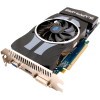
The HD 4870 we're taking a look at here isn't just a quick release, but rather features a unique "Vapor-X" air cooler that's been designed from the ground up to deliver the best cooling performance with the lowest noise, and after having dealt with the card, we can say there is a vast improvement between this and a reference card (so, no more sporadic 100% fan speedups!). But before we take a look at the card itself, let's review the current state of ATI's line-up:

Model
Core MHz
Mem MHz
Memory
Bus Width
Processors
Radeon HD 4870 X2
750
900
1024MB x 2
256-bit
800 x 2
Radeon HD 4850 X2
625
993
1024MB x 2
256-bit
800 x 2
Radeon HD 4890
850 - 900
975
1GB
256-bit
800
Radeon HD 4870
750
900
512 - 2048MB
256-bit
800
Radeon HD 4850
625
993
512 - 1024MB
256-bit
800
Radeon HD 4830
575
900
256 - 512MB
256-bit
640
Radeon HD 4670
750
900 - 1100
512 - 1024MB
128-bit
320
Radeon HD 4650
600
400 - 500
512 - 1024MB
128-bit
320
Radeon HD 4550
600
800
256 - 512MB
64-bit
80
Radeon HD 4350
575
500
512MB
64-bit
80

ATI's most attractive mid-range offerings are the HD 4850 (~$150), HD 4870 (~$180) and also the HD 4890 (~$230). All prices quoted are after mail-in rebate, but it's hard to find such a card nowadays that doesn't have one. As mentioned above, each of these cards scale well on a $/performance ratio, so you'll get your money's worth regardless of which one you wind up with.

The HD 4870 proves to be one of the overall best choices for gamers right now, especially for those who crave anti-aliasing. It offers a sweet blend of high clocks, lots of memory and most importantly, an under-$200 price tag. But before we go further, I have to point out that the card we're looking at here is a little unique, because it features 2GB of GDDR5 rather than 1GB. What will that premium cost you? About $45 over the 1GB model. Ouch.

Even without testing the 1GB model, I can honestly say that you should save your money and stick with the much more affordable 1GB card, because let's face it, for the price of the 2GB, you might as well get yourself hooked up with an HD 4890 1GB. From a gamer perspective, that just makes much more sense. Plus, from the HD 4870 standpoint, this is a GPU that's unlikely to take advantage of 1GB+ in any title, so just skip it. That's not to say we won't have a need for 2GB in the future, but chances are good it will be put to better use on higher-end models, that can both handle higher resolutions and higher anti-aliasing modes.

That said, the 1GB version of this card falls in line with the others, to sit around $200 ($180 after MIR), while the 2GB model, is as I mentioned, $45 more to sit at $245.

As you can see in the photo below, the cooler for the most part looks rather generic, but underneath is a massive copper base that covers the entire area of the GPU core socket, allowing for fantastic coverage. On top of this copper base is a typical finned heatsink designed to dissipate heat quickly, while the fan's job is to blow the hot air towards the back.

The entire cooler is shrouded to prevent the hot air from escaping and getting into the main chassis, and the overall design directs it towards the back, to escape through the back of the case. Taking a look at the below photo, you can see that the opposite end of this shroud is covered.

Also on this side, you can spot the two PCI-E power connectors, and also the somewhat large Sapphire-branded heatsink that sits atop some of the card's MOSFETs. This heatsink is passively-cooled. Finally, on the back you can see yet another heatsink which covers the card's GDDR5 in its entirety.

Although not pictured, this card features three connectivity options: 1x VGA, 1x DVI and 1x HDMI, so all of the current bases are covered. Overall, I like the design of this card, not really for its looks, but for the thought that went into it. This cooler isn't designed to see the best possible temps, but rather its goal is to see the best possible temps while keeping quiet, and that's something we'll test out shortly.

Test System & Methodology

At Techgage, we strive to make sure our results are as accurate as possible. Our testing is rigorous and time-consuming, but we feel the effort is worth it. In an attempt to leave no question unanswered, this page contains not only our testbed specifications, but also a fully-detailed look at how we conduct our testing.

If there is a bit of information that we've omitted, or you wish to offer thoughts or suggest changes, please feel free to shoot us an e-mail or post in our forums.

Test System

The below table lists our testing machine's hardware, which remains unchanged throughout all GPU testing, minus the graphics card. Each card used for comparison is also listed here, along with the driver version used. Each one of the URLs in this table can be clicked to view the respective review of that product, or if a review doesn't exist, it will bring you to the product on the manufacturer's website.

Component
Model
Processor
Intel Core i7-965 Extreme Edition - Quad-Core, 3.2GHz, 1.25v
Motherboard
ASUS Rampage II Extreme - X58-based, 0903 BIOS (12/31/08)
Memory
OCZ Gold PC3-12800 - DDR3-1333 7-7-7-24-1T, 1.60v
Graphics
Palit Radeon HD 4870 X2 2GB (Catalyst 8.12 Hotfix)
Sapphire Radeon HD 4890 1GB (Catalyst March 25, 2009)
Sapphire Radeon HD 4870 2GB (Catalyst 9.4)
Diamond Radeon HD 4870 1GB (Catalyst 8.12 Hotfix)
Sapphire Radeon HD 4830 512MB (Catalyst 9.2)
Sapphire Radeon HD 4670 512MB (Catalyst 9.2)
NVIDIA Graphics
Zotac GeForce GTX 295 1792MB (GeForce 181.22)
EVGA GeForce GTX 285 1GB (GeForce 182.06)
NVIDIA GeForce GTX 275 896MB (GeForce 185.63)
Palit GeForce GTX 280 1GB (GeForce 181.22)
XFX GeForce GTX 260/216 896MB (GeForce 181.22)
EVGA GeForce GTS 250 1GB (GeForce 182.08)
ASUS GeForce 9800 GTX+ 512MB (GeForce 182.08)
Audio
On-Board Audio
Storage
Seagate Barracuda 500GB 7200.11 x 2
Power Supply
Corsair HX1000W
Chassis
SilverStone TJ10 Full-Tower
Display
Gateway XHD3000 30"
Cooling
Thermalright TRUE Black 120
Et cetera
Windows Vista Ultimate 64-bit

When preparing our testbeds for any type of performance testing, we follow these guidelines:

To aide with the goal of keeping accurate and repeatable results, we alter certain services in Windows Vista from starting up at boot. This is due to the fact that these services have the tendency to start up in the background without notice, potentially causing slightly inaccurate results. Disabling "Windows Search" turns off the OS' indexing which can at times utilize the hard drive and memory more than we'd like.

Game Benchmarks

For graphic card reviews that pit us with a mid-range card or higher, we test at three popular resolutions that span the mid-range to high-end ground, consisting of monitor sizes of 20" (1680x1050), 24" (1920x1200) and 30" (2560x1600).

In an attempt to offer "real-world" results, we do not utilize timedemos in our graphic card reviews, with the exception of Futuremark's automated 3DMark Vantage. Each game in our test suite is benchmarked manually, with the minimum and average frames-per-second (FPS) captured with the help of FRAPS 2.9.8.

To deliver the best overall results, each title we use is exhaustively explored in order to find the best possible level in terms of intensiveness and replayability. Once a level is chosen, we play through repeatedly to find the best possible route and then in our official benchmarking, we stick to that route as close as possible. Since we are not robots and the game can throw in minor twists with each run, no run can be identical to the pixel.

Each game and setting combination is tested twice, and if there is a discrepancy between the initial results, the testing is repeated until we see results we are confident with.

The six games we currently use for our GPU reviews are listed below, with direct screenshots of the game's setting screens and explanations of why we chose what we did.

Crysis Warhead

1680x1050
1920x1200
2560x1600


Call of Duty: World at War

1680x1050
1920x1200
2560x1600


Far Cry 2

1680x1050
1920x1200
2560x1600

Left 4 Dead

1680x1050
1920x1200
2560x1600

Mirror's Edge

1680x1050
1920x1200
2560x1600

Need for Speed: Undercover

1680x1050
1920x1200
2560x1600

Call of Duty: World at War

While some popular game franchises are struggling to keep themselves healthy, Call of Duty doesn't have much to worry about. This is Treyarch's third go at a game in the series, and a first for one that's featured on the PC. All worries leading up to this title were all for naught, though, as Treyarch delivered on all promises.

To help keep things fresh, CoD: World at War focuses on battles not exhaustively explored in previous WWII-inspired games. These include battles which take place in the Pacific region, Russia and Berlin, and variety is definitely something this game pulls off well, so it's unlikely you'll be off your toes until the end of the game.

For our testing, we use a level called "Relentless", as it's easily one of the most intensive levels in the game. It features tanks, a large forest environment and even a few explosions. This level depicts the Battle of Peleliu, where American soldiers advance to capture an airstrip from the Japanese. It's a level that's both exciting to play and one that can bring even high-end systems to their knees.

Note: Before we dive into the results, I'd like to point out that both ATI's drivers and the games being tested have been updated since we last benchmarked our 1GB HD 4870. Therefore, the card we're taking a look at today is going to pull ahead for those reasons. This is important, because in our graphs, it looks as though the 2GB card is the reason for the better performance, but in reality, the 1GB model will perform roughly the same with the latest drivers (we conducted quick tests to verify this). So please just bear that in mind.

Compared to the rest of our GPU lineup, the HD 4870 is beginning to look a bit outdated. That's not so much the case though, since all of the cards that rank above it is more expensive, with the exception of NVIDIA's GTX 260/216 which hovers around an identical price-point.

Graphics Card
Best Playable
Avg. FPS
NVIDIA GTX 295 1792MB x 2
2560x1600 - Max Detail, 8xAA
90.283 FPS
NVIDIA GTX 285 1GB x 2
2560x1600 - Max Detail, 8xAA
63.401 FPS
Zotac GTX 295 1792MB
2560x1600 - Max Detail, 8xAA
52.461 FPS
Palit HD 4870 X2 2GB
2560x1600 - Max Detail, 8xAA
37.825 FPS
NVIDIA GTX 285 1GB
2560x1600 - Max Detail, 4xAA
41.510 FPS
NVIDIA GTX 275 896MB
2560x1600 - Max Detail, 4xAA
39.998 FPS
Palit GTX 280 1GB
2560x1600 - Max Detail, 4xAA
38.192 FPS
Sapphire HD 4890 1GB
2560x1600 - Max Detail, 4xAA
34.094 FPS
XFX GTX 260/216 896MB
2560x1600 - Max Detail, 4xAA
32.723 FPS
Sapphire HD 4870 2GB
2560x1600 - Max Detail, 4xAA
30.409 FPS
ASUS GeForce 9800 GTX+ 512MB
2560x1600 - Max Detail, 0xAA
34.596 FPS
NVIDIA GeForce GTS 250 1GB
2560x1600 - Max Detail, 0xAA
34.192 FPS
Diamond HD 4870 1GB
2560x1600 - Max Detail, 0xAA
30.372 FPS
Sapphire HD 4830 512MB
1920x1200 - Max Detail, 0xAA
40.157 FPS
Sapphire HD 4670 512MB
1920x1200 - Max Detail, 0xAA
28.101 FPS

For most FPS titles, I tend to say that 30 frames per second is the bare-minimum, so we're cutting it close here. However, although at times the game dipped below 30 FPS, I still found it to be extremely playable, and I personally wouldn't hesitate to play through the entire thing like that. However, if you prefer higher FPS over anti-aliasing, disabling it is a quick fix. At this ultra-high resolution, AA is not missed too much, especially in the heat of battle.

Crysis Warhead

As PC enthusiasts, we tend to be drawn to games that offer spectacular graphics... titles that help reaffirm your belief that shelling out lots of cash for that high-end monitor and PC was well worth it. But it's rare when a game comes along that is so visually-demanding, it's unable to run fully maxed out on even the highest-end systems on the market. In the case of the original Crysis, it's easy to see that's what Crytek was going for.

Funny enough, even though Crysis was released close to a year ago, the game today still has difficulty running at 2560x1600 with full detail settings - and that's even with overlooking the use of anti-aliasing! Luckily, Warhead is better optimized and will run smoother on almost any GPU, despite looking just as gorgeous as its predecessor, as you can see in the screenshot below.

The game includes four basic profiles to help you adjust the settings based on how good your system is. These include Entry, Mainstream, Gamer and Enthusiast - the latter of which is for the biggest of systems out there, unless you have a sweet graphics card and are only running 1680x1050. We run our tests at the Gamer setting as it's very demanding on any current GPU and is a proper baseline of the level of detail that hardcore gamers would demand from the game.

This particular title gave me issues during testing, so the results here may not be typical of what you'd see. In the rest of our games, you'll see that the latest drivers from ATI ups the performance over older versions, but for some reason, Crysis Warhead for me would simply not function (game would crash upon entering a level) with either the Catalyst 9.3 or 9.4. For that reason, I had to fall back to 9.2.

So, with that, the performance isn't too surprising, and it happens to be right on par (actually, a smidgen behind) with the 1GB version of the same card. Certainly not playable with the Gamer profile at anything above 1920x1200, and even that resolution is cutting it very close (similar to our CoD: WaW report).

Graphics Card
Best Playable
Avg. FPS
NVIDIA GTX 295 1792MB x 2
2560x1600 - Enthusiast, 0xAA
42.507 FPS
NVIDIA GTX 285 1GB x 2
2560x1600 - Gamer, 0xAA
45.835 FPS
Zotac GTX 295 1792MB
2560x1600 - Gamer, 0xAA
37.97 FPS
NVIDIA GTX 285 1GB
2560x1600 - Mainstream, 0xAA
51.283 FPS
NVIDIA GTX 275 896MB
2560x1600 - Mainstream, 0xAA
48.873 FPS
Palit GTX 280 1GB
2560x1600 - Mainstream, 0xAA
46.912 FPS
XFX GTX 260/216 896MB
2560x1600 - Mainstream, 0xAA
40.750 FPS
Sapphire HD 4890 1GB
2560x1600 - Mainstream, 0xAA
37.795 FPS
ASUS GeForce 9800 GTX+ 512MB
2560x1600 - Mainstream, 0xAA
34.735 FPS
NVIDIA GeForce GTS 250 1GB
2560x1600 - Mainstream, 0xAA
34.327 FPS
Diamond HD 4870 1GB
2560x1600 - Mainstream, 0xAA
33.849 FPS
Sapphire HD 4870 2GB
2560x1600 - Mainstream, 0xAA
33.634 FPS
Palit HD 4870 X2 2GB
2560x1600 - Mainstream, 0xAA
30.670 FPS
Sapphire HD 4830 512MB
1920x1200 - Mainstream, 0xAA
37.051 FPS
Sapphire HD 4670 512MB
1920x1200 - Mainstream, 0xAA
25.175 FPS

Like our 1GB model of the card, and pretty much the rest of our line-up, moving to the Mainstream profile boosted our performance to a very playable level at 2560x1600. The game isn't quite as clean looking with the Mainstream, but if you have a 30" monitor, it's going to look much better than 1920x1600 with Gamer.

Far Cry 2

Sequels are common, and three of our six games used here prove it. But what's different with Far Cry 2, though, is that while the other sequels here don't throw you for a loop when you first load it up and generally give you what you'd expect to see, this game does the absolute opposite. We knew for months that Far Cry 2 wasn't going to be a direct continuation of the original, but for the most part, this game could have gone by any other name and no one would even make a connection. Luckily for Ubisoft, though, the game can still be great fun.

Like the original, this game is a first-person shooter that offers open-ended gameplay, similar to S.T.A.L.K.E.R. You'll be able to roam the huge map (50km^2) of a central African state which will mostly be traversed by vehicle, as walking even 2% in any direction gets very tedious after a while. This game is a perfect GPU benchmark simply because the graphics are better than the average, with huge draw distances, realistic nature and even a slew of animals to pass by (and kill if you are evil enough).

Our run through takes place in the Shwasana region, and consists of leaving a small hut and walking towards four people prepared to kill me for no apparent reason (except that this is a game). After the opponents are eliminated, a walk along the dirt road continues for another twenty seconds until we reach a small hut with supplies.

Once again, we can see the 2GB card pull ahead over the 1GB thanks in part to the latest drivers. All three resolutions were playable with max detail and 4xAA, but like the two previous titles, 30 FPS is a bare minimum, so we have cut it close one more time.

Graphics Card
Best Playable
Avg. FPS
NVIDIA GTX 285 1GB x 2
2560x1600 - Max Detail, 8xAA
46.502 FPS
NVIDIA GTX 295 1792MB x 2
2560x1600 - Max Detail, 4xAA
88.608 FPS
Zotac GTX 295 1792MB
2560x1600 - Max Detail, 4xAA
55.951 FPS
Palit HD 4870 X2 2GB
2560x1600 - Max Detail, 4xAA
43.600 FPS
NVIDIA GTX 285 1GB
2560x1600 - Max Detail, 4xAA
37.785 FPS
Sapphire HD 4890 1GB
2560x1600 - Max Detail, 0xAA
48.568 FPS
NVIDIA GTX 275 896MB
2560x1600 - Max Detail, 0xAA
47.509 FPS
Palit GTX 280 1GB
2560x1600 - Max Detail, 0xAA
43.460 FPS
Sapphire HD 4870 2GB
2560x1600 - Max Detail, 0xAA
43.131 FPS
Diamond HD 4870 1GB
2560x1600 - Max Detail, 0xAA
41.777 FPS
XFX GTX 260/216 896MB
2560x1600 - Max Detail, 0xAA
38.527 FPS
ASUS GeForce 9800 GTX+ 512MB
2560x1600 - Max Detail, 0xAA
34.735 FPS
NVIDIA GeForce GTS 250 1GB
2560x1600 - Max Detail, 0xAA
31.521 FPS
Sapphire HD 4830 512MB
1920x1200 - Max Detail, 0xAA
38.323 FPS
Sapphire HD 4670 512MB
1920x1200 - Max Detail, 0xAA
28.819 FPS

Although we bearly broke through the 30 FPS mark, we still experienced sufficient smoothness in our gameplay, so we stuck with it. Like the previous games, not everyone will agree on this, so some may drop things down to 4xAA. At anything below 2560x1600 though, 4xAA isn't remotely a problem.

Left 4 Dead

Not too many game publishers can brag about having such a great track record like Valve can. None of their major game releases have ever been released to anything but praise, which goes to show that not rushing to release a game to please investors can make a huge difference. Take Half-Life 2, Team Fortress 2 and Portal, for example.

Left 4 Dead is one game I didn't take seriously up until its launch. After playing it though, my opinions changed drastically, and even as I type this, I feel like saving the document and going to play. But, I'm also scared of Zombies, so continue writing I shall. Like Dead Space, this game is a survival shooter, but unlike that game, this title focuses completely on co-op. For the most part, the game is dulled in single player, but team up with three of your friends and let the laughs and excitement begin.

The portion of the level we use for testing is contained within the No Mercy campaign. The ultimate goal in the entire campaign is to make it to the top of a hospital in order to be picked up and brought off to safety. Our run through takes place in the final part of the the campaign, which leads up towards the roof tops. If one thing can be said about this title, it's that causing a Boomer to explode (as seen in the above screenshot) proves to be one of the most satisfying things to do in any game I've played in a while.

Although our Sapphire card ranked low compared to the others in our final two graphs, the point is moot really. This is one game that runs well on almost anything, and even our lowly GTS 250 handles the game with max detail at 2560x1600 and 4xAA. If only more games were like this!

Graphics Card
Best Playable
Avg. FPS
NVIDIA GTX 295 1792MB x 2
2560x1600 - Max Detail, 8xMSAA
117.701 FPS
Palit HD 4870 X2 2GB
2560x1600 - Max Detail, 8xMSAA
117.039 FPS
NVIDIA GTX 285 1GB x 2
2560x1600 - Max Detail, 8xMSAA
109.491 FPS
Zotac GTX 295 1792MB
2560x1600 - Max Detail, 8xMSAA
102.422 FPS
NVIDIA GTX 275 896MB
2560x1600 - Max Detail, 8xMSAA
79.651 FPS
Sapphire HD 4890 1GB
2560x1600 - Max Detail, 8xMSAA
73.803 FPS
NVIDIA GTX 285 1GB
2560x1600 - Max Detail, 8xMSAA
72.072 FPS
Palit GTX 280 1GB
2560x1600 - Max Detail, 8xMSAA
66.775 FPS
Sapphire HD 4870 2GB
2560x1600 - Max Detail, 8xMSAA
66.638 FPS
Diamond HD 4870 1GB
2560x1600 - Max Detail, 8xMSAA
66.294 FPS
XFX GTX 260/216 896MB
2560x1600 - Max Detail, 8xMSAA
56.608 FPS
NVIDIA GeForce GTS 250 1GB
2560x1600 - Max Detail, 8xMSAA
47.142 FPS
ASUS GeForce 9800 GTX+ 512MB
2560x1600 - Max Detail, 4xMSAA
62.571 FPS
Sapphire HD 4830 512MB
2560x1600 - Max Detail, 4xMSAA
48.612 FPS
Sapphire HD 4670 512MB
2560x1600 - Max Detail, 0xAA
39.770 FPS

Given the fact that the card eats up this game at even our top setting, upping the anti-aliasing to 8xMSAA did nothing to the gameplay. Though the average FPS decreased, it was still remarkably playable.

Mirror's Edge

What was the last first-person game on the PC to truly blow you away, or offer some unique gameplay experience? New first-person shooters come out quite often, and while some show off some new features and gameplay twists, few of them truly regenerate the genre like we'd hope. Mirror's Edge is a title that strived to do just that, and for the most part, I'd have to say they've done a great job.

First and foremost, Mirror's Edge isn't so much a first-person shooter as it is a first-person adventure game, because for the most part, combat isn't the main focus. Throughout some of the few levels I played through, at times there could be a full ten-minute span without even seeing a single person, which is actually somewhat refreshing. The game focuses on figuring out the best way to get from point A to point B, heavily utilizing the parkour style of travel.

Most levels in Mirror's Edge offers a similar level of system-intensity, so I based our choice on one that was fun to play through, and one that allowed an easily-replicable run-through. It takes place in chapter six, "Pirandello Kruger", and Checkpoint A. We begin in a large building, behind a window, looking out at the city. Our run-through takes us outside of this building, down to the street and up to the top of the building shown to the right in the above screenshot.

We see some slight improvement with the latest drivers on the 1680x1050 resolution, but at 1920 and 2560, the performance is essentially identical between the 1GB and 2GB cards. Great performance overall, as long as PhysX isn't one of your requirements.

Graphics Card
Best Playable
Avg. FPS
NVIDIA GTX 295 1792MB x 2
2560x1600 - Max Detail, 8xAA
118.680 FPS
NVIDIA GTX 285 1GB x 2
2560x1600 - Max Detail, 8xAA
88.346 FPS
Zotac GTX 295 1792MB
2560x1600 - Max Detail, 8xAA
70.562 FPS
NVIDIA GTX 275 896MB
2560x1600 - Max Detail, 8xAA
54.090 FPS
NVIDIA GTX 285 1GB
2560x1600 - Max Detail, 8xAA
48.385 FPS
Palit GTX 280 1GB
2560x1600 - Max Detail, 8xAA
44.806 FPS
Sapphire HD 4890 1GB
2560x1600 - Max Detail, 8xAA
44.531 FPS
Diamond HD 4870 1GB
2560x1600 - Max Detail, 8xAA
41.452 FPS
XFX GTX 260/216 896MB
2560x1600 - Max Detail, 8xAA
38.122 FPS
Sapphire HD 4870 2GB
2560x1600 - Max Detail, 8xAA
37.100 FPS
Palit HD 4870 X2 2GB
2560x1600 - Max Detail, 8xAA
35.297 FPS
NVIDIA GeForce GTS 250 1GB
2560x1600 - Max Detail, 4xAA
35.756 FPS
Sapphire HD 4830 512MB
2560x1600 - Max Detail, 4xAA
32.589 FPS
ASUS GeForce 9800 GTX+ 512MB
2560x1600 - Max Detail, 0xAA
46.250 FPS
Sapphire HD 4670 512MB
1920x1200 - Max Detail, 0xAA
39.204 FPS

With 42.829 FPS on average with 4xAA, we were cutting it somewhat close to what we consider to be a truly smooth gameplay experience for this title, but if you really love your 8xAA, the frame rates you're left over with are still totally manageable.

Need for Speed: Undercover

The Need for Speed series is one that remains close to my heart, as I've been played through each title since the release of the second title. Although the series has taken some strange turns most recently, the series still manages to deliver a great arcade-like experience that can be enjoyed by NFS die-hards and casual gamers alike. Sadly, more serious racing fans have had to look elsewhere lately, so hopefully the next NFS incarnation will finally perfect what fans are really looking for.

While ProStreet diverted from the usual "open-world" design, Undercover returned to it. Also returning are police cars, a favorite of most fans. I'm a firm believer that most NFS titles should include police chases, and for the most part, they're executed well in Undercover. There's not too much that exists in this world that proves more frustrating than running over a spike strip after a clean 30-minute run, though.

For all of our tests, the graphics settings available are maxed out to their highest ability, with 4xAA being our chosen Anti-Aliasing setting.

Although this game doesn't carry NVIDIA's logo, it might as well given that their cards have an obvious advantage. But even still, our ATI card performed well at all resolutions, including the topped-out 2560. Anything close to 50 FPS is going to deliver an enjoyable experience.

Futuremark 3DMark Vantage

Although we generally shun automated gaming benchmarks, we do like to run at least one to see how our GPUs scale when used in a 'timedemo'-type scenario. Futuremark's 3DMark Vantage is without question the best such test on the market, and it's a joy to use, and watch. The folks at Futuremark are experts in what they do, and they really know how to push that hardware of yours to its limit.

The company first started out as MadOnion and released a GPU-benchmarking tool called XLR8R, which was soon replaced with 3DMark 99. Since that time, we've seen seven different versions of the software, including two major updates (3DMark 99 Max, 3DMark 2001 SE). With each new release, the graphics get better, the capabilities get better and the sudden hit of ambition to get down and dirty with overclocking comes at you fast.

Similar to a real game, 3DMark Vantage offers many configuration options, although many (including us) prefer to stick to the profiles which include Performance, High and Extreme. Depending on which one you choose, the graphic options are tweaked accordingly, as well as the resolution. As you'd expect, the better the profile, the more intensive the test.

Performance is the stock mode that most use when benchmarking, but it only uses a resolution of 1280x1024, which isn't representative of today's gamers. Extreme is more appropriate, as it runs at 1920x1200 and does well to push any single or multi-GPU configuration currently on the market - and will do so for some time to come.

Given the known scalability of 3DMark Vantage, there's absolutely nothing unexpected here.

Final Thoughts

When Sapphire asked us to take a look at the Vapor-X version of their HD 4870, we thought it was a little odd at first given the HD 4890 was soon to be released, but as mentioned earlier, it still deserves a spot on your list of cards to consider. Today's GPU market is a good one, with a price-range to fit every budget, and the HD 4870 in particular perfectly fits into "just under $200" slot.

At that price, it sits alongside NVIDIA's GeForce GTX 260/216 card, and like their prices, both performed quite well throughout all of our tests. In the majority, NVIDIA's card pulled ahead, but we attribute some of this to be due to the fact that we're using a few games that are known to cater to the green team (we're in the process of revising our list of games to use for these articles). The original HD 4870 might have come out close to a year ago, but it still proves that we're in no incredible rush for a major architecture upgrade (although one would be nice).

So what about this card in particular? Sapphire did a great job in the design as far as I'm concerned, because although it's not the prettiest card out there, it serves its function well, and that's to cool well enough to keep the card working well (overclocking included) while remaining as quiet as possible. I can honestly say that there is no comparison between this and the reference card where that's concerned.

And where overclocking is concerned, this card delivered. Although I didn't include results this time around for post-overclock performance, this card proved 100% stable at 790MHz Core / 1100MHz Memory, set with the Catalyst Control Center. We're talking 6 straight hours of OCCT 3.0's GPU stress test along with numerous runs of 3DMark Vantage and a dabble of real-world gameplay. Definitely a sweet overclock.

Although it will be tough to tell the difference if you're running a machine with numerous audible fans, it's when you slow the other fans down that you begin to really notice the difference. Whereas our reference HD 4870 was clearly distinguishable among all the other fans in our machine, Sapphire's Vapor-X has to have an intent ear to pick it out of the crowd. It does its job very well.

As I mentioned before, Sapphire isn't looking to see the best possible temperatures from this cooler, but rather favors noise, but we found out that it handles both quite well. Although compared to our 1GB reference card the Vapor-X idled five degrees warmer (62°C), it had a far lower load temperature of 80°C (compared to 87°C). During load, the card is a little more audible, but nowhere near the extent of the reference card, which is actually a whine, not a simple hum.

Although I like this card and what it brings to the table, I still feel the 2GB model is a waste of time. For the price of this exact model, you can score an HD 4890, and unless you don't care deeply about noise, that would be the more sensible purchase. I can't see proof of more memory being beneficial on a card like this at this point in time, so I really think you should save your money and stick to the 1GB model. Luckily enough though, even the 1GB model falls below some of the competition's pricing, so choosing it is a no-brainer.


Sapphire Radeon HD 4870 Vapor-X

Discuss this article in our forums!

Have a comment you wish to make on this article? Recommendations? Criticism? Feel free to head over to our related thread and put your words to our virtual paper! There is no requirement to register in order to respond to these threads, but it sure doesn't hurt!


Copyright © 2005-2009 Techgage Networks Inc. - All Rights Reserved.