Date: December 14, 2005 - Author: Rob Williams - Editor: Pete Johnson
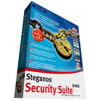
Steganos cares about your computer security, and offers a complete suite to make sure you are kept safe. It combines 10 security tools together into one massive package, and we are going to take a look at what's available and see if it's worth your money.
The latest version of Steganos Security Suite was released last month with some great updates and additions. I will be picking apart each and every tool that's included and will ultimately decide whether it's worth the $69.95US price tag. The suite is divided into two main components, the AntiSpyware and the suite itself. The Security Suite is a collection of tools that will help keep your data safe, while the AntiSpyware is actually a stand-alone product that's been bundled in.
When people ask me why their computer is running so slowly, I immediately think of spyware. Many computer users today still do not realize the importance of running an Anti-Spyware program. In my opinion, it's just as important as an Anti-Virus, if not more important. It's much easier to get infected with Spyware than it is a trojan, unless you are completely careless.
When I deal with commercial Anti-Spyware applications, I am always skeptical. There are so many free Anti-Spyware programs available on the internet, that a paid one has to be extraordinarily good to to be worthy of a cost. As I first opened the program, I immediately recognized it as if I've seen it before. That's because it's powered by Webroot, who develops Windows Washer which shares a similar UI. I have never used any other Webroot software than Windows Washer, but I am hopeful to see how this one performs.
As with most similar app's out there, it's simple to use and navigate. Upon opening, it will check for an update and prompt you to do so if one is available. Scanning is as simple as clicking "Start" and only takes a few minutes to scan. One thing that did stand out was the fact that it shows you the exact number of various objects that were scanned. The Sweep System screen shows that it scans the Memory, Registry, Cookies and Files/Folders. It certainly seems in-depth enough to please anyone.
I wanted to compare the usefulness of AntiSpyware 2006 and another on the market, so I chose to compare it primarily to Ad-Aware SE Professional 1.06r1. I keep my computer extremely clean on a daily basis, but I am going to install a couple known spyware applications and compare the usefulness and detection quality of both programs. I installed a few known spyware programs including Alexa and Kazaa and visited numerous shady website's and willingly installed whatever software I was prompted to. Don't worry, this was done on a computer that had no real user information :)
After I had a fair bit of spyware on my system, I ran Ad-Aware, being that it's my favorite choice for spyware removal. It located 231 traces of spyware; much more than my system has ever seen. Different programs will detect a different amount of spyware, sometimes even if they find the same thing. This is due to the way that the scan works, as it may consider a cookie to be spyware, where another program may include that in with something else.
I had a fair amount of spyware, so I was very skeptical about Steganos Anti-Spyware removing it all. One of the spyware pieces even installed a toolbar in my Firefox browser! Since I now knew a generic figure from Ad-Aware, I closed it and then opened up Anti-Spyware and let it do it's scan.
Shortly after I did these scans, my PC crashed and I lost the exact numbers for the results, but I clearly remember the gist of them. AntiSpyware did find a fair bit of spyware though, and removed it with no issues. After it was finished, I rebooted the PC to start fresh once again. I then ran the program again, and since it found nothing, I loaded up Ad-Aware. Ad-Aware's scan brought the original number of 231 down to 83... which is still much too high.
I cleaned the rest of the spyware with Ad-Aware, and then updated and scanned with SpyBot. Once again, SpyBot still found traces of spyware and cleaned them pretty quickly. Finally, I ran Microsoft Anti-Spyware and performed a scan using it. Even after using three separate spyware tools, Anti-Spyware still found some traces, but most of them were related to Kazaa. So it really goes to show that there is no perfect spyware remover, and that it's necessary to use more than one. For a commercial spyware program, I would have expected some better results, so it's hard to justify a purchase of Security Suite for the Anti-Spyware component. I hope to find out the the rest of the suite to make up for the AntiSpyware.
Every time you boot into Windows after installing the SS, it will keep an icon in your systray. You can either right click this for a menu of tools, or double click it for the same options in a GUI. I have high hopes for this kit, so I will be taking a thorough look at each and every tool here.
Safe is one of the features I am most looking forward to using in the Security Suite. Safe is a large enough product and includes numerous features, that Steganos also sells it as a separate product just like the AntiSpyware. What Safe allows you do to is create a new drive to store data in, which will keep it completely safe.
Steganos chose to use 256-Bit AES Encryption to protect your data, and that is a smart choice. AES (FIPS-197 Cert) uses such a strong encryption scheme, that your data can be considered completely safe at even 128-Bit. Steganos has made the default and only choice to be 256-Bit though. Despite it doubling the amount of encrypted bits, it's still incredibly fast. If the US Government trusts this encryption to handle sensitive data, than I feel safe enough using it for my own.
You must choose the size of the private drive as well as a password. Like other Steganos products, as you type in your password, it will 'grade' it depending on how hard it is to crack. It took me a total of 23 various characters in order to qualify for DoD standard security. You can also save the password in an encrypted state on your thumb drive. Once you do that, you are then prompted to choose where you want to save the .sle file, which will act as the private drive. If you save the file to your C:, it will be stored there as a file and not an actual partition.
From this point forward, you can either access the drive by typing in your password, or by simply plugging in your thumb drive. In order for your thumb drive to work, you will still need to have the Security Suite software open and sitting in the systray. Once you plug it in though, it will automatically open up all of your created private drives. The very second you remove the drive, it will close all of your protected safes and make them unattainable. If you choose to use the thumb drive method, Steganos will save a 1KB file to it that will contain the password and drive information, both encrypted. For both 'safes', I used the same password and that's reflected in the code here.
For a quick test, I created a small 250MB safe and stored almost 210MB worth of plain text .txt documents. I then opened the respective .sle file with a Hex editor to see if any words could be identified at all. As you can see from the below picture, the encryption did a fantastic job because not a single word from any of the documents can be seen here. Even the empty 40MB of the safe is encrypted, so someone who was actually hex editing the file wouldn't know either way if there's data there to begin with.
One thing that I really do like about Safe is that you can delete one without needing a password or the thumb drive. This is important because anything can happen, really. If you don't want your data on a specific computer anymore, there's no worry about a password. Of course, this means that you will still want to keep regular backups of the Safes so that you don't lose them entirely. Overall, I am very impressed with Safe and wouldn't hesitate to use it if you want to protect your data. It's a security tool that can really give you a true piece of mind, because it does exactly what it says it does, and quite well.
Portable Safe is identical to Safe except that everything resides on a CD-Rom or Thumb Drive. This is actually extremely cool if you can picture some of the possibilities. Imagine having data that you must mail to a co-worker, but no one is supposed to view the data except for them. They insert the disk and input a password to view the data; very James Bond-ish! When you create the drive to the portable disc originally, you will be asked to input a password. It will create files, including an autorun.inf to the drive or ROM, which is set to open up the starter.exe one it's plugged into the computer.
Copying to a Thumb Drive seems easy enough, but how is this possible on a CD-Rom? When you select to burn to a ROM, it will give you the choice of CD/DVD/DVD DL and depending on the amount of space you will need, you can choose that accordingly. It will create a folder on your desktop where you are to place all of the data that will be encrypted. You simply burn that folder when you are finished, and that's it. Remove the folder and you are good to go.
I tested both methods here, and they both worked incredibly well. The Thumb Drive doesn't automatically popup with a password prompt, so I had to manually open up the starter. CD-Rom's obviously support autoruns quite well so I had no issues there. Of course, it's impossible to edit data off of a CD-Rom or DVD-Rom, so it should be treated as read only. If you sent it to a friend who does not have the Security Suite, then they will not be able to get the data back to you in the same secure manner.
The title of this tool really does speak for itself. We have taken a look at this one with our evaluation of Internet Anonym 2006, but it's nice to see they have included it in this package also. In one sentence: You are able to store bookmarks within this tool that you don't want others to see. Of course, if there's any level of protection at all, you will want to use a nice long password to keep things really secure.
After you set your password, you are greeted with a simple box. You have the option to add a new bookmark or edit one that is already there. This tool is split into two sections: Unencrypted and Encrypted. There should be some already in the unencrypted area, because it will use whatever you have in your IE favorites list. If you click any link however, they will load in your default browser. This tool has it's uses, but is not one everyone will need. If you have an addiction marthastewart.com though, then use this tool to protect your dignity.
Just as it sounds, this tool can keep track of all your passwords so that you only need to remember one. This is probably overkill if you use the same password for everything even though that's not recommended. I personally do use the same password for everything, but it's ~20 characters long, so I am not that concerned. If you like to use various passwords all over, then you will love this tool.
If you don't care about ever wanting to remember any password, you can use the included password generator. You can adjust the level of difficulty and choose whether to use special characters or not. One password I had it generate even included a § sign, which is pretty hardcore if you ask me. The Password Manager can even fill out forms for you automatically, although I was not able to get this to work.
One thing is for sure... e-mail is not ultimately secure. One of the most popular ways to encrypt e-mail has been by using PGP, but here is a great alternative. To put it simply, you open up the tool and type out your e-mail. Once you are finished, you have the option to send it now or to save the necessary file so that you can do it later.
Once you choose your route, you have to input the password. You would obviously have to inform the recipient of what the password would be before they receive the e-mail. It would be foolish to send the password in the same e-mail, but it would be alright to say it over the phone, in person, or even IM. Once the person receives the e-mail, they must download the .cab file and run the executable inside. Once they type in the password, they can view the e-mail and any attachments that you have included. It's a very simple process, but just like the Portable Safe, this can work only one way unless the person you are sending the e-mail to also has the Security Suite.
File Manager is similar to Safe in that it protects your files, but it does it in a very different way. One option is that you can save all your data to a file that you can move around, unlike Safe where it created another drive. The second option is far cooler because it allows you to hide files in a legit file, such as a WAV or BMP picture. This would be effective if you really, really wanted to keep your file in a non-discreet location but did not want people to have a slight clue about data that resides there.
I tested this feature with a BMP picture; a screenshot from a game. I hid a couple files in there and then set a password. The process took a few minutes, and will take a lot longer depending on the file sizes. The program has to take it's time so that it does not destroy the original file so that it's still usable. In the end, it worked perfectly but is time consuming. If it sounds like a solution that you are interested in though, then you will be pleased.
This is one feature of the suite that I am unable to test, because I do not have Windows installed on my laptop. However, this is one feature that has to be mentioned because it does have the ability to save your laptop. Personally, when I am out and about with my laptop, especially in large public areas, I hate to even turn my head because these things are not inexpensive. If one get's stolen, they are ridiculously hard to locate, and chances are it would be gone forever.
Anti-Theft is one extra layer of protection that may help give you a better piece of mind. After you first install the program, your notebook will be assigned an ID that you will want to keep care of. When the notebook is connected to the internet, that ID will be sent to the Steganos servers at regular intervals and will include information such as the IP address. In the instance that your laptop is actually stolen, and the thief simply logs onto the internet, then Steganos will have the IP address and info you need in order to contact the proper authorities. You will have the ability to log onto the Steganos website and gather all of this info.
This is a very light level of protection, because smart thieves would know how to get around it easily. But since we have so many stupid thieves in the world, it certainly does not hurt to have such a system in place. It's not a memory hog either, so when you are using your PC during everyday use, you will not even notice it running.
If you have read our Internet Anonym review, then you already know about these two features. First off, Internet Trace Destructor is exactly as it sounds. There could be numerous reasons why you want to hide this information, whether it's from the government or your wife. In a nutshell, the Destructor will get rid of all internet related traces, including cookies, cache and browser history. Not only does it simply delete them, it makes sure that none of it can be recovered by any means.
Then we have Shredder which is essentially the same thing, but for regular files or free disk space. Most people know, that if you empty the recycle bin, your data is still technically there, just hidden. With special tools, most of it can be recovered back very easily, depending on how often you use your computer and when it was deleted. If you decided to Shred a file or folder, it will delete it from your computer and scrub the free space over and over so that it is impossible to get back. The other method, free space cleaner, is perfect if you are planning on selling a storage device on eBay or somewhere else. You have the option to overwrite free space and data one time, 7 times or using the Guttman method of 35 times. This is a great tool if you have anything to hide, or simply want to protect yourself from data theft.
This version of the Security Suite is obviously packed, but is it worth your $69.95US? That's a tough question because there's some tools that I just didn't find that useful. The Anti-Spyware is a big part of this package, but as I have tested, it didn't do an incredible job like I had hoped it would. Of course, I had so much spyware on my system, that it took four separate programs to remove all of it. Either way, I would have expected a commercial version of a spyware remover to remove more than this one did. As with spyware in general, you will want to use more than one program since not one is perfect. It's just not worth it to buy this package if all you are interested in is the Anti-Spyware. In fact, even with this package, I would not bother to install the Anti-Spyware since Ad-Aware and SpyBot found more spyware in general. Of course, this would vary on the exact type of spyware you have, but I still would have liked to see it remove more.
If they bundled Internet Anonym with this package instead of Anti-Spyware, then it would be worth the $69.95 without a doubt. But what about the rest of the package? My favorite tool by far was the Safe, because it keeps your files locked down so well, that you can have an absolute piece of mind. Even though it has to encrypt your data well, it does it very fast. Retrieving it is as simple as typing in a password or plugging in your thumb drive. The only thing with Safe though, is that it's available as a standalone package for $30US, which is priced right.
Some of the other great features is the portable safe, which is one of the coolest security tools I have seen to date. E-mail encryption is something else that's quite unique, if you are willing to take the needed steps to send one. Both of these are incredibly secure though, which is what makes them so great. The other tools included are pretty minor but are nice to have if you need them. If the Anti-Theft feature really appeals to you, then this package may be worth purchasing for that tool alone, although there are some other competitors out there to also suit this need.
Overall, I am giving this suite a 7/10. If they cut out the Anti-Spyware and sold the suite for $50US or there about's, then it would get a 9/10. The Anti-Spyware really does take away from the overall quality of the suite only because it's not really that great. The other ding is that the Security Suite does not work in Windows x64, although a x64 version of Safe is currently in development. After checking out this article, you should be well aware of whether this suite is for you. Without a doubt though, if you are interested in Safe, then that is well worth your money and I recommend trying it out.
Feb 09, 2006 edit: It appears as though Steganos may have taken our recommendations as there is now an SE version of the software. The only difference is the removal of the Anti-Spyware software, and it retails for our predicted price of $49.95US. You will do yourself no wrong by picking up the SE version, it's certainly worth it! Thanks to Gabriel for letting us know about this.
Want to discuss this review? Feel free to discuss it in our related forum thread. You do not have to register in order to comment in our content threads!

Copyright © 2005-2008 Techgage Networks Inc. - All Rights Reserved.