Date: March 14, 2008 - Author: Greg King
Given their nature, external water-coolers have a lot of room to do things right. Zalman took full advantage of the space they had with the XT and delivered a superb external solution with excellent performance. Though slightly expensive, "you get what you pay for" rings true here.
A year ago February, we released our second review of a Zalman Reserator product. In that review, I was impressed with the Reserator 2's ability to keep our E6600's temperatures at a reasonable level all while operating virtually noise free. I was a bit turned off by the external nature of the unit but with its simplistic install process, this minor negative could be overlooked in my opinion.
Taking it back a bit further, Matt reviewed the original Reserator. His opinions of the original fell in line with mine for v2. While Matt took issue with the less than likable pump strength, the unit was able to keep his system temperatures at an acceptable level, and like the second version that I reviewed, did so at barely a whisper. Having cut our teeth on those first two coolers, when I caught wind of Zalman's latest offering, the Reserator XT, with its active cooling approach, it's safe to say that my attention was caught.
Meaning a combination of a reservoir and a radiator, Reserator is a name completely unique to Zalman. Quite literally, Zalman, not happy with Webster's numerous offerings to the English language, set out to make their own word out of thin air much like I use words like craptacular and fantabulous to this day. Yeah, something like that I suppose.
Regardless, where Zalman has made their mark on the industry in the past has been through their silent cooling solutions. Both of the previous versions of the Reserator where completely silent thanks in part to their passively cooled designs but with the XT, Zalman has opted for better performance by including a rather large 140mm fan to actively cool the liquid by forced convection cooling.
As we dig deeper into the design of this unique cooler, we will see that Zalman put a considerable amount of time and energy into the engineering. But, were the changes make it worth the cost? Let's find out.
Our first experience with the Reserator XT on the bench was seeing the large box it came shipped in. The retail packaging of the Reserator XT is to the point and easily opened. Singing the praise of the Reserator XT, Zalman has included numerous selling point of the cooler on every side of the packaging but have done well in not going completely overboard.
Once opened, we start to get a good look at the included accessories that Zalman has bundled with the XT. Back from previous versions of the Reserator are the power supply jumper cable, PCI pass through bracket, tube clamps and anti-corrosion liquid additive. New to the XT though is an industrial-ish power connector that gets plugged into the back of the unit and is held in place by screwing in the jacket that surrounds the cord.
Also back, and for good reason, is a 12 foot length of PVC tubing and a small length of degassing tube with quick disconnects on either end. In past reviews the provided length of tubing has been more than enough so the addition of so much with the XT is a welcome site.
With any product, a trusty manual is provided as well. The manual can also be downloaded from Zalman's site should you prefer your documentation in 1's and 0's form.
The final extra included with the Reserator XT is the CPU water block itself. Using the same overall design of the block included with the second Reserator, the newer ZM-WB5 water block removes the clear see-through top of the ZM-WB4 and uses a solid aluminum top that matches the color of the solid copper base. With a pair of barbs sticking out of the top of the block, the inlet should be the bard directly in the center of the ZM-WB5 and the outlet should be the other.
Turning the block over reveals a perfectly, and I mean perfectly, mirror polish that reflects the hose clamps quite well. This should provide the water block a solid contact with the heat spreader on our test CPU. The ZM-WB5 comes with universal mounting hardware so the Reserator XT can be used with any Intel 775 and AMD 754/939/940 motherboards.
Using a 12x12 pin grid, the ZM-WB5's pure copper base should provide a good amount of heat transfer but with its copper materials, along with the copper piping inside the XT, use of a good anti-corrosion additive like the bottle Zalman includes is a necessity.
With a look at the basics out of the way, I'll jump into a look at the physical unit next.
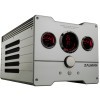
Taking a quick tour around the main unit itself, we first see the face of the Reserator XT. With a lot more going on than previous models, the XT has a thrice of gauges to help monitor fan speed, fluid temperatures and flow rate.
Expanding on the distance between new models and the Fatality line up of products, the Reserator XT has minimal branding which is a welcome sight to this editor. As you can see, the Reserator XT is a far cry wider than previous models, mostly to accommodate the large 140mm fan that brings cool outside air into the enclosure and along the two radiators, chilling the liquid as it moves through the loop.
Below the gauges we get a better look at the "volume" dial as well as three buttons still further down. While the knob does in fact control the overall volume of the XT, how it achieves this is a bit more interesting. Not only does the knob keep the volume down by limiting the speed of the fan in the back, it also dials down the pump speed, decreasing the flow rate of the liquid in the loop.
So, while it's accurately describing what the knob controls, it also limits the performance of the unit as a whole in doing so. At the very bottom, there is a button to control whether or not the temperatures are displayed in US or metric form and a button to let the XT itself control the performance of the cooler or let the user manually adjust it as they see fit. There is also a button to toggle between off and on for the gauge's lighting.
Moving around to the back of the unit, we can see that this end of the cooler is dominated by the large 140mm fan. To protect wandering fingers, there is an attractive spiral cut fan guard over the blades of the fan. On either side of the fan are quick disconnect couplers that I can't say a single negative thing about. These are what every water kit should have in it regardless of whether or not you build it yourself of choose to use a kit like this setup. They not only allow you to remove the tubing from the base unit but allow you to do so without making a mess. There will be a few drops of coolant escape, but for the most part, the mess is kept to a minimum thanks to the foresight of Zalman engineers.
Directly above the "OUT" nozzle is the power hook up. As mentioned earlier, you simply plug in the cord and screw in the metal jacket that surrounds the cable. This not only gives a solid look to the Reserator XT but it also prevents any accidental power downs of the cooler, thus saving the clumsy from a fried PC.
The top of the Reserator XT serves a pair of purposes with the first being the most obvious. In the center of the Reserator XT there is a large cap that sits directly over the Reserator XT's reservoir. This is securely sealed with a large rubber O-ring but still allows the cooler to breath with a small hole in the center of the cap.
Bordering the fill cap are thin aluminum fins that run the entire length of the Reserator. While they clearly are there to help dissipate heat out and away from the XT, a quick look inside shows that the fluid actually runs through these corner heat sinks to further cool the liquid as it makes its trip around the loop. This helps show the time that the Zalman engineers put into the Reserator XT and while it does add four more points of failure as far as leaks are concerned, Zalman has securely attached the hoses, so little worry needs to be given to the fear of internal leakage.
The sides of the Reserator XT are identical to each other with the exception of the flow meter found on the rights hand side of the cooler. This is present to allow the user to double check if the fluid is moving around the loop as it should. If the flow meter should ever stop, or any reason, an obnoxious beep will alert you to the sudden lack of water flow.
Whew, with our look out of the way, it's time to install this thing!
To install the ZM-WB5 on our Intel 775 test bed, we need to first install the socket adapters. These are a set of "Y" shaped metal that are attached to the block itself and have a slight upward curve to them. This curve is there to ensure a snug fit onto the top of the processor when secured down on the socket mount.
If you already own a Zalman cooler, be it air or water, you will not need to remove the mounting hardware from your motherboard. But, if you are new to the Zalman experience, you will need to remove your motherboard and place the back plate on prior to mounting the board in your case.
As shown, the ZM-WB5 fits nicely onto the abit IP35 Pro thanks to the roomy socket area and with only two screws to be tightened down, installation took very little time.
Once in place, we connect the tubing to the block and secure them to the barbs with the provided clamps. Please keep in mind though that there are two different sets of clamps provided by Zalman and one of them is slightly larger. These larger clamps are to be placed on the male quick disconnect couplers and not on the water block barbs.
That brings up an issue that we had with the Reserator 2 as well as in our experiences with the Reserator XT. The quick disconnect fittings must be removed from the degaussing tube and used on the water lines in order to use the system. I would like to see the addition of an extra set of fittings in future models. The idea of the quick disconnects is one of absolute brilliance but there is a chance that the fittings can be damaged when removing them from the degaussing tube. While this is a small complaint, it's one that could be easily be remedied if Zalman wanted to do so.
Once operational, the gauges of the Reserator XT glow a brilliant red, making the cooler easily read in dark, low lighting environments. One thing we noticed was that the temperatures displayed on the center gauge were often the same. So often that we only saw them differ a handful of times in our 2 weeks of constant testing. One of the numbers represents the ambient temperature while the other measures the temperature of the water in the loop. While pretty, I personally found little value in these numbers but did enjoy the look of the gauge as it did its thing.
For testing purposes, we put our test system through its usual paces and while the PC got its hind end kicked, the Zalman was taxed with the job of keeping the temperatures of our E6600 in check both at stock clocks and overclocked. For starters, our test hardware is as follows:
Our testing procedure has not changed since the last Reserator review. To get the E6600 temperatures up, two instances of CPU Burn-In will be started with one core of the CPU running their own instance of the stress testing program. What this program does is brings each core up to 100% load, more strenuous than almost anyone would ever be on their PC but it does do a great job of getting the temperatures up and doing so quickly.
One difference between the Reserator 2 review and this one is that instead of 45 minutes, the stressing will be conducted for a complete hour. The side panel on the Anubis will be closed to simulate an actual user's experience. At the end of the hour, the temps will be recorded.
These same tests will be ran with the E6600 running at 3.4 GHz (378 x 9) with a core voltage of 1.4v. This isn't the highest overclock we have achieved with this processor but it does fall into line with the average other overclocks seen around the 'net ranging anywhere between 3.2 GHz and 3.4 GHz.
Throughout the testing, ambient temperatures were kept between 70 and 75 degrees Fahrenheit. While we are not directly comparing the Reserator XT to the Reserator 2, keeping the temperatures as close as possible allows us to get a good idea of how much evolution the Reserator brand has seen since its last version.
Results |
Idle°C |
Load°C |
| Stock (2.4GHz) | 28 |
34 |
| OC'ed (3.4GHz @ 1.4v) | 35 |
42 |
Even with our nice overclock, the XT kept our temperatures well within reason. On the next and final page, I'll wrap up with my pros and cons.
Having built a name for themselves over the years by providing quiet cooling solutions for everyday users and enthusiasts alike, Zalman has become more and more known for their performance products and for pushing the envelope by going places not many others have gone.
That fact is evident by visiting their site and taking a look at a few of their latest products. They have a new mouse, the FPSGun that has been reviewed by various sites around the net and for the most part has been given mixed reviews. Regardless of the opinions, you have to give them credit for going the route of the unconventional. This dedication to providing us all with products that we might not see elsewhere is also exemplified by their three dimensional monitors. Rob and I played around with these at CES last year and while they might give some a headache, it's a pretty awesome idea.
Those examples aside, the Reserator XT has taken the Reserator name and pushed it up to the next level. Keeping our system cool while keeping the noise down, the Reserator XT produced some impressive numbers that can't be argued with. While it would have been nice to have another cooler on hand to test, like a Koolance or Asetek setup, we were surprised by the numbers and tip our hat to Zalman for engineering a spectacular cooler.

Installation and setup of the cooler was incredibly simple. From start to finish, it took just under 45 minutes to get everything hooked up and prepped for testing. Prior to going live however, we tested the loop for a complete day, running the system without power to the PC for a full 24 hours. This is absolutely mandatory as the last thing anyone wants is coolant (water) dripping onto their graphics card or motherboard.
For future Reserators, it would be nice to be able to monitor the settings of the cooler from the PC. Perhaps an ESA compliant Reserator is on the horizon but now we are getting into speculation. With the plethora of extras that can be added to the system such as chipset and VGA water blocks, Zalman definitely serves up decent competition to other water cooling system manufacturers and in the Reserator XT, hits a home run.
I am going to award the Reserator XT a rare 9 out of 10 along with our Editor's Choice award. Although expensive, the build quality and performance of a kit like this justifies the price. You could build an efficient kit yourself for around the same price, or use the Reserator XT and enjoy simple installation and a unit that will really attract attention from your peers.
Once again, we walk away from a Zalman review impressed, and can only force ourselves to have patience to see what the company unveils next.
If you have a comment you wish to make on this review, feel free to head on into our forums! There is no need to register in order to reply to such threads.


Copyright © 2005-2009 Techgage Networks Inc. - All Rights Reserved.